
Introducció
The OBSBOT Tiny 2 Lite is a 4K webcam designed for PC users, featuring AI tracking, pan-tilt-zoom (PTZ) capabilities, and gesture control. It includes a 1/2" sensor, supports 60 FPS, HDR, and integrated microphones, making it suitable for desktop computers, laptops, meetings, and video calls. This manual provides detailed instructions for optimal use.
Configuració
The OBSBOT Tiny 2 Lite offers simple plug-and-play functionality, requiring no additional software installation for basic use. For advanced features, the OBSBOT Center application is available.
Contingut del paquet
- OBSBOT Tiny 2 Lite Weblleva x1
- USB-C to USB-A 3.0 Adapter x1
- Cable USB-C a USB-C x1
- Guia de l'usuari x1
- Targeta de garantia x1
Connectant el Weblleva
- Connecteu el cable USB-C a USB-C proporcionat al webcam's USB-C port.
- Connect the other end of the cable to a USB-C port on your computer. If your computer only has USB-A ports, use the included USB-C to USB-A 3.0 adapter.
- El webcam is plug-and-play. Your computer should recognize it automatically.
Opcions de muntatge
El webcam features a versatile design for various mounting scenarios:
- Muntatge del monitor: The integrated base allows for secure placement on top of most monitors or laptop screens.
- Muntatge de trípode: A 1/4-inch screw hole is located at the bottom of the base for mounting onto a tripod or other compatible accessories.
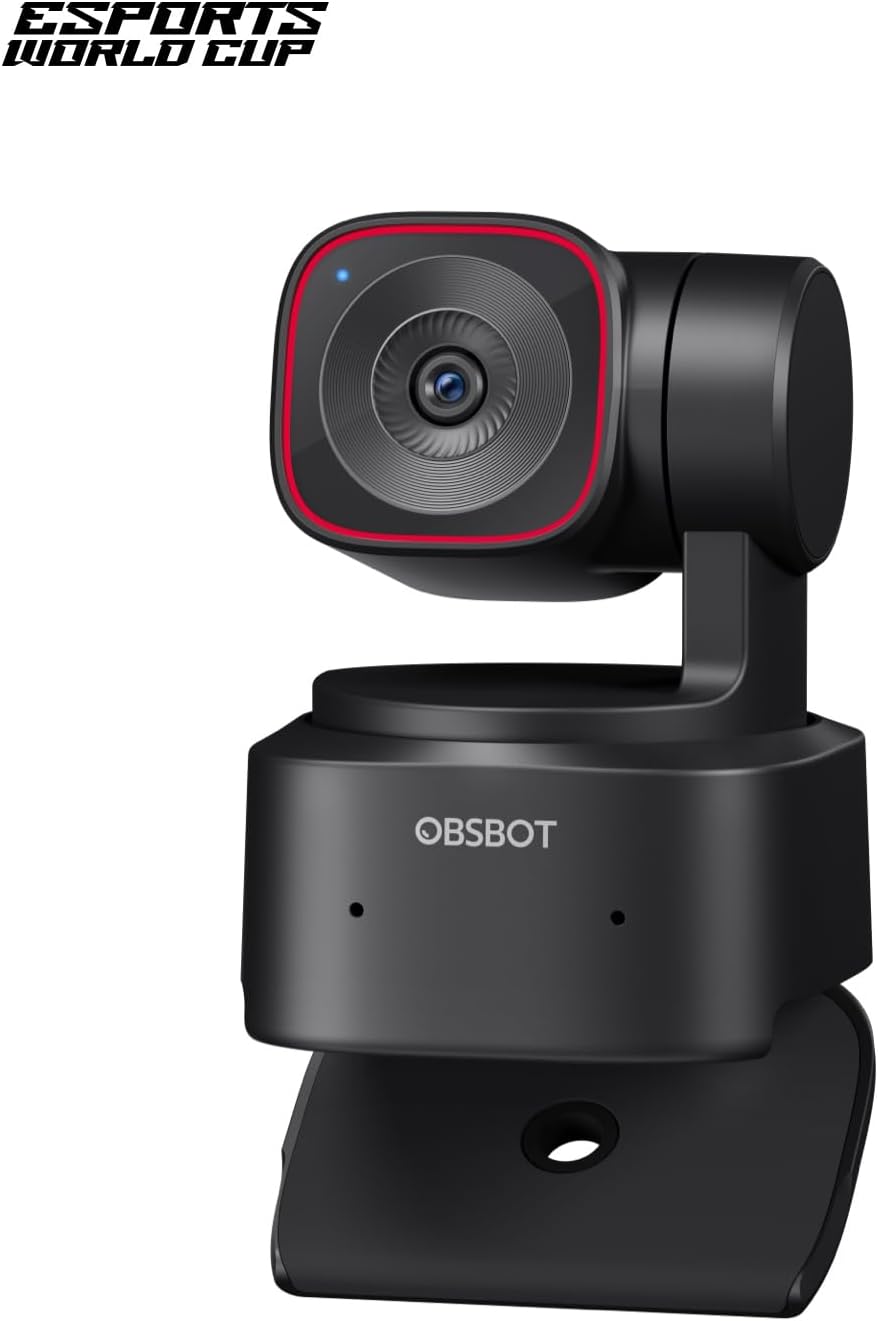
Figure 1: OBSBOT Tiny 2 Lite 4K Webcam mounted on a laptop screen.

Figure 2: Connecting the OBSBOT Tiny 2 Lite to a laptop via USB-C.
Instruccions de funcionament
Seguiment AI i enquadrament automàtic
El webcam features advanced AI tracking to keep you centered in the frame. It supports various tracking modes, including upper body and hand tracking. You can also customize tracking and non-tracking areas for personalized control.

Figure 3: AI Tracking in action, keeping the subject centered.
Dynamic Gesture Control
Control key functions with simple hand gestures:
- Lock/Unlock Target: Make a 'V' gesture to lock onto a portrait tracking target.
- Control del zoom: Use an 'L' gesture to control the zoom level.

Figure 4: Hand gestures for zoom control.
Customizable Preset Modes
Set and save multiple preset positions with individual parameter settings and AI tracking modes. This feature reduces adjustment time when switching between scenes.

Figure 5: Customizing and switching between preset camera positions.
Multiple Shooting Modes
El webcam supports horizontal, portrait, and upside-down shooting modes. It automatically adjusts the screen orientation based on the camera's placement without compromising image quality.

Figure 6: Various shooting modes supported by the weblleva.
Rapid PDAF Auto-Focus
El webcam features ultra-fast Phase Detection Auto-Focus (PDAF) for clear and sharp images, whether focusing on faces or objects.

Figure 7: Demonstrating rapid auto-focus on different subjects.
OBSBOT Center App and Integrations
For advanced control and customization, download the OBSBOT Center App. The webcam also supports SDK, OSC, Stream Deck, and Global Hotkey functions for seamless integration into professional workflows.

Figure 8: OBSBOT Tiny 2 Lite integrated into a multi-screen setup with Stream Deck.
Vídeos oficials de productes
Watch these official videos for visual demonstrations of the OBSBOT Tiny 2 Lite's features and capabilities.
Video 1: How to Use Tiny 2 Lite OBSBOT Camera. This video demonstrates the basic usage and features of the OBSBOT Tiny 2 Lite weblleva.
Video 2: OBSBOT TINY 2 LITE AI-Powered 4K PTZ Webcam. This video provides an overview of the AI-powered 4K PTZ capabilities.
Video 3: Will it cover fast pace action? OBSBOT Tiny 2 Lite! This video tests the webcam's performance with fast-paced movements.
Video 4: Worst Focus EVER !!!! This video demonstrates the webcam's focus capabilities, including potential challenges.
Especificacions
| Característica | Detall |
|---|---|
| Nom de marca | OBSBOT |
| Pes de l'article | 8.8 unces |
| Dimensions del producte | 1.83 x 1.9 x 2.53 polzades |
| Número de model de l'article | TINY 2 Lite |
| Nom del color | Negre |
| Característiques especials | Multiple AI-Tracking Modes, Customizable Preset Modes, Multiple Shooting Modes, Dynamic Gesture Control |
| Tecnologia del sensor fotogràfic | CMOS |
| Resolució de captura de vídeo | 4K@30 FPS, 1080P@60 FPS |
| Distància focal màxima | 26 mil·límetres |
| Apertura màxima | 1.8 f |
| Tipus de memòria flash | NO disponible, confia en el teu PC/Mac |
| Format de captura de vídeo | YUV, MJPEG |
| Format d'àudio compatible | / |
| Mida de la pantalla | 2 polzades |
| Tecnologia de connectivitat | USB-C | No Wi-Fi |
Garantia i Suport
A Warranty Card is included in the package. Please refer to the card for detailed warranty information and support contacts. For further assistance, visit the official OBSBOT weblloc o contacteu amb el servei d'atenció al client.