
1. Introducció
Thank you for choosing the Vonztek Wireless Headset BT782-BJ. This headset is designed to provide clear audio and comfortable wear for various communication needs, including calls, online meetings, and general audio playback. It features Bluetooth 5.0 technology for stable connectivity and a noise-cancelling microphone for enhanced call clarity.
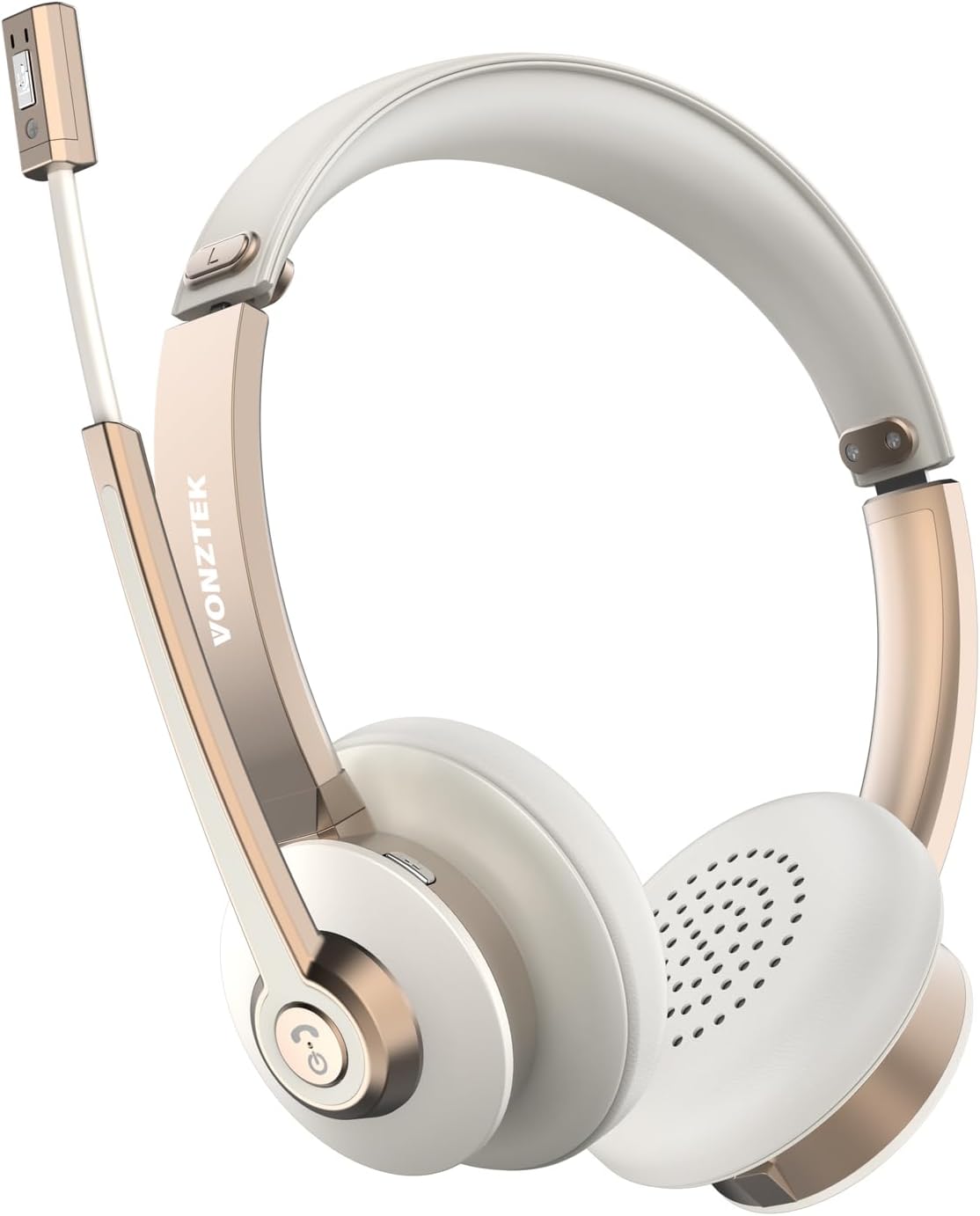
Figure 1.1: Vonztek Wireless Headset BT782-BJ
2. Què hi ha a la caixa
The Vonztek Wireless Headset BT782-BJ package includes the following items:
- 1 x Vonztek Wireless Headset
- 1 x cable de càrrega tipus C
- 1 x Manual d'usuari (aquest document)
3. Configuració i connectivitat
3.1 Càrrega dels auriculars
Before first use, fully charge the headset. Connect the provided Type-C charging cable to the charging port on the headset and the other end to a USB power source (e.g., computer USB port, wall adapter). The charging indicator light will show charging status (refer to LED indicator section for details). A full charge takes approximately 2 hours.
3.2 Engegada/apagada
- Encès: Press and hold the Multi-function button for approximately 3 seconds until the LED indicator flashes blue.
- Apagar: Press and hold the Multi-function button for approximately 5 seconds until the LED indicator flashes red and then turns off.
3.3 Vinculació Bluetooth
The headset supports Bluetooth V5.0 and can connect to two devices simultaneously.
- Assegureu-vos que els auriculars estan apagats.
- Press and hold the Multi-function button for approximately 5-7 seconds until the LED indicator flashes red and blue alternately, indicating pairing mode.
- Al dispositiu (telèfon intel·ligent, ordinador portàtil, etc.), activeu el Bluetooth i cerqueu els dispositius disponibles.
- Select "BT782-BJ" from the list of found devices.
- Once connected, the LED indicator will slowly flash blue.
- To connect a second device, disable Bluetooth on the first device, put the headset back into pairing mode, and connect to the second device. Then re-enable Bluetooth on the first device; the headset should automatically reconnect to both.

Figure 3.1: Multipoint Connection allows simultaneous pairing with a computer and phone.

Figure 3.2: Headset connected to multiple devices, demonstrating wide compatibility.
4. Instruccions de funcionament
4.1 Controlsview
The headset features intuitive controls for managing calls and audio playback.
| Botó/Funció | Acció | Descripció |
|---|---|---|
| Botó multifunció | Premeu una vegada | Reproduir / Pausar música, Respondre / Finalitzar trucada |
| Botó multifunció | Mantén premut (2 s) | Rebutja la trucada |
| Volum + | Premeu una vegada | Augmentar el volum |
| Volum - | Premeu una vegada | Disminuir el volum |
| Mute Button (on mic boom) | Premeu una vegada | Mute/Unmute microphone during a call |
4.2 Ús del micròfon
The headset features a 270° rotatable microphone boom, allowing it to be worn on either the left or right ear. The microphone includes ENC (Environmental Noise Cancelling) technology for clear voice transmission.

Figure 4.1: The microphone can be rotated 270 degrees for use on either ear.

Figure 4.2: The headset features ENC Noise Cancelling Technology for clear voice.
Vídeo 4.1: Producte acabatview video demonstrating the Vonztek Wireless Headset with Mic for PC.
5. Manteniment
To ensure the longevity and optimal performance of your Vonztek Wireless Headset, follow these maintenance guidelines:
- Neteja: Use a soft, dry cloth to clean the headset. Do not use abrasive cleaners or solvents.
- Emmagatzematge: Guardeu els auriculars en un lloc fresc i sec, allunyat de la llum solar directa i de temperatures extremes.
- Cura de la bateria: Avoid fully discharging the battery frequently. Charge the headset regularly, even if not in use for extended periods, to maintain battery health.
- Eviteu la humitat: The headset is not water-resistant. Keep it away from water, rain, and excessive humidity.
6. Solució De Problemes
If you encounter issues with your Vonztek Wireless Headset, refer to the following common problems and solutions:
| Problema | Possible solució |
|---|---|
| Els auriculars no s'encén. | Ensure the headset is charged. Connect to a power source and try again. |
| No es pot emparellar amb el dispositiu. | Ensure the headset is in pairing mode (flashing red/blue). Turn off and on Bluetooth on your device. Move closer to the device. |
| No hi ha àudio o hi ha mala qualitat d'àudio. | Check volume levels on both headset and device. Ensure headset is selected as the audio output device. Re-pair the headset. |
| El micròfon no funciona o no és clar. | Ensure microphone is not muted. Check microphone input settings on your device. Position the microphone closer to your mouth. |
| Connexió intermitent. | Move closer to your device. Avoid obstacles between the headset and device. Reduce interference from other wireless devices. |
If the issue persists, please contact Vonztek customer support.
7. Especificacions
Detailed technical specifications for the Vonztek Wireless Headset BT782-BJ:
| Característica | Detall |
|---|---|
| Nom del model | BT782-BJ |
| Tecnologia de connectivitat | Bluetooth |
| Versió Bluetooth | 5.0 |
| Interval Bluetooth | Fins a 10 metres (33 peus) |
| Durada de la bateria (temps de conversa) | Fins a 26 hores |
| Temps de càrrega | Aproximadament 2 hores |
| Micròfon | ENC Noise Cancelling, 270° Rotatable |
| Controladors d'àudio | Controladors dinàmics de 40 mm |
| Pes | 120 grams (4.2 unces) |
| Col·locació de l'orella | A l'orella |
| Material | Coixinets d'orelles de pell sintètica |
8. Garantia i Suport
Vonztek guarantees a 12-MONTH Warranty for this product. For any inquiries, technical assistance, or warranty claims, please contact Vonztek customer support. Our 24/7 online service is available to assist you.
For further support, please visit the official Vonztek store or contact their customer service channels as provided with your purchase documentation.