
1. Introducció
The SKYRC Precision Digital Tire Balancer (Model RTB001) is an advanced tool designed to accurately balance tires for 1/10 and 1/8 scale RC cars and trucks. Proper tire balancing is crucial for reducing drivetrain vibration, ensuring consistent tire wear, and optimizing overall vehicle performance and stability. This manual provides detailed instructions for the setup, operation, and maintenance of your tire balancer to help you achieve precise results.
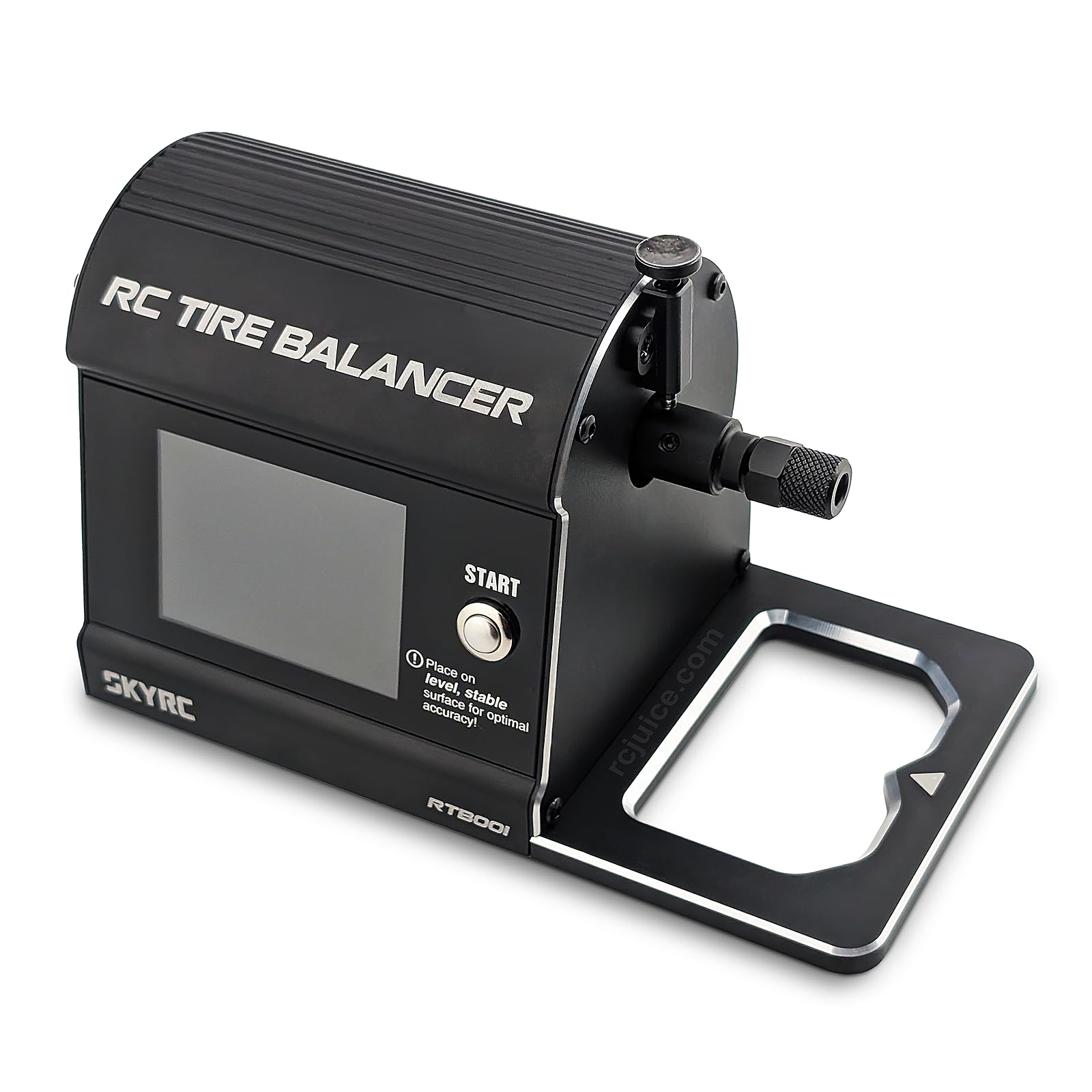
Figure 1: SKYRC Precision Digital Tire Balancer RTB001 unit.
2. Característiques clau
- Rendiment millorat: Reduces drivetrain vibration, contributing to improved car setup consistency and stability during operation.
- Tire Longevity: Promotes consistent tire wear, extending the lifespan of your RC tires and maintaining optimal performance.
- Alta precisió: Equipped with a high-accuracy load cell, ensuring measurements with 0.2g precision for reliable balancing.
- Àmplia compatibilitat: Designed for use with 1/10 scale RC cars and trucks, and also compatible with 1/8 scale vehicles when using an appropriate adapter (sold separately).
- Connectivitat intel·ligent: Features Bluetooth connectivity for seamless integration with the intuitive RC Gears app, allowing for easy tire balancing adjustments and real-time data monitoring.
3. Contingut del paquet
Upon unboxing, please verify that all items listed below are present and in good condition. If any items are missing or damaged, contact your retailer or SKYRC support.
- SKYRC Precision Digital Tire Balancer (RTB001) Unit
- Cable d'alimentació
- 1/10 Scale Tire Adapter
- (Optional) 1/8 Scale Tire Adapter (may be sold separately)
- Manual d'instruccions
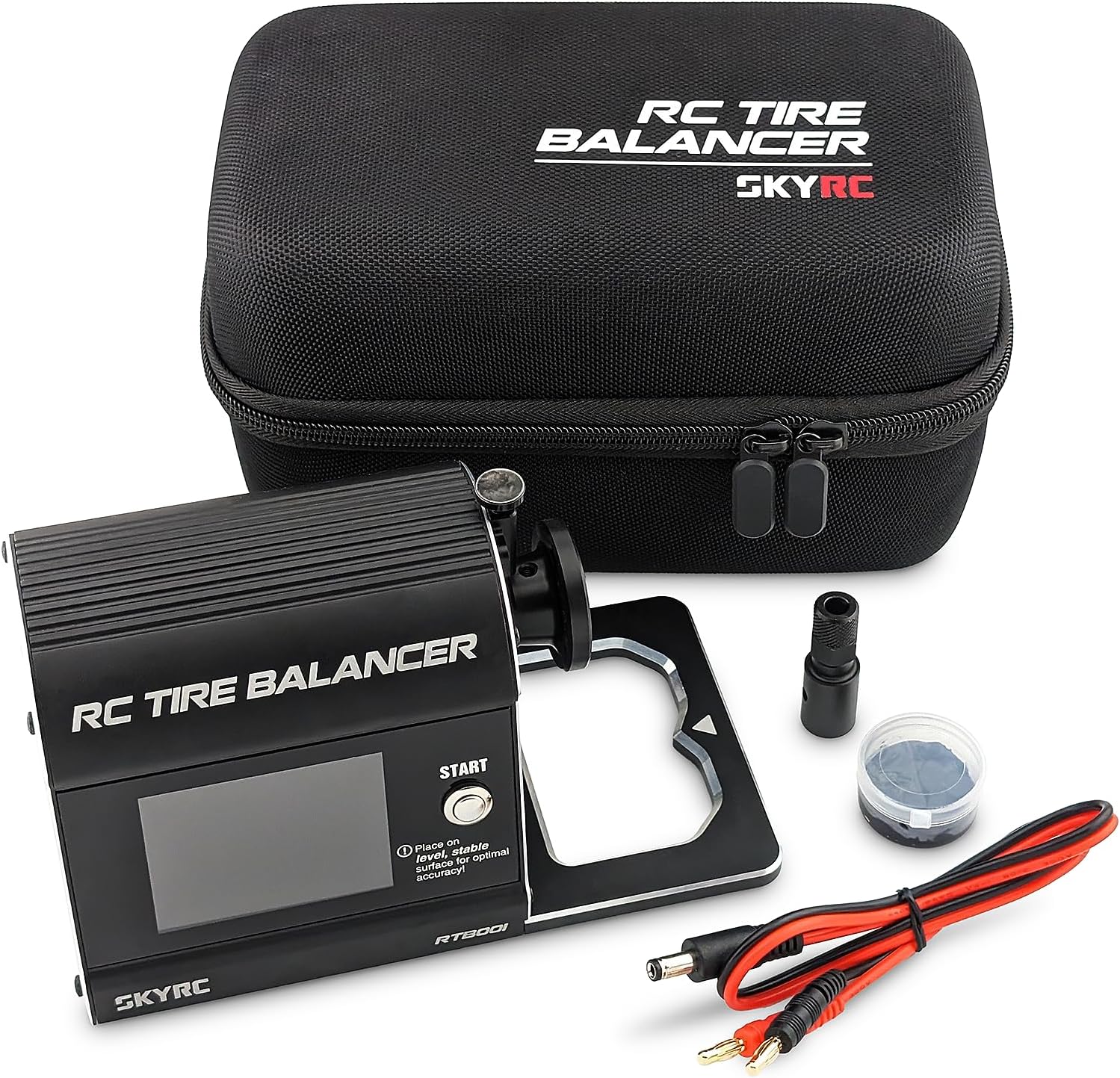
Figure 2: The SKYRC RTB001 balancer and included accessories, typically stored in a protective case.
4. Configuració
- Desempaquetar el dispositiu: Carefully remove the tire balancer and all accessories from its packaging.
- Connexió d'alimentació: Connect the provided power cable to the "DC INPUT 12~18V" port on the side of the balancer unit and plug it into a suitable power source.
- Col·locació estable: Place the balancer on a level, stable surface to ensure optimal accuracy during the balancing process. The device has a small indicator on its screen to confirm a level surface.
- Install RC Gears App: Download and install the "RC Gears" app on your smartphone or tablet. The app is available on major app stores.
- Emparellament Bluetooth:
- Assegureu-vos que el Bluetooth estigui habilitat al vostre dispositiu mòbil.
- Open the RC Gears app and follow the on-screen prompts to search for and connect to your SKYRC RTB001 balancer. The app will display "Device discovered" once connected.
- Mounting the Tire:
- Select the appropriate tire adapter (1/10 or 1/8 scale) for your RC tire.
- Carefully mount the RC tire onto the balancer's spindle, ensuring it is securely seated and rotates freely without obstruction.
5. Instruccions de funcionament
Follow these steps to balance your RC tires using the SKYRC RTB001 and the RC Gears app.
- Encès: Ensure the balancer is powered on and connected to the RC Gears app via Bluetooth.
- Select Scale: In the RC Gears app, select the correct scale for your tire (1/10 or 1/8) under the "Automatic Mode" settings.
- Start Balancing: Press the "START" button on the balancer unit or initiate the balancing process through the RC Gears app. The balancer will begin to rotate the tire.
- Observeu les lectures: The balancer's display and the RC Gears app will show real-time data, including the detected imbalance and the recommended weight to add. The app will visually guide you on where to place the balancing weight.
- Apply Weights: Add small balancing weights to the indicated location on the tire. The app will update the readings as you make adjustments.
- Re-test and Refine: Repeat the balancing process (start, observe, apply weights) until the display and app indicate that the tire is "Balanced." The app will prompt you to remove the tire once balanced.
- Remove Tire: Once balanced, carefully remove the tire from the spindle.
Video 1: Demonstrates the balancing process with the SKYRC Precision Digital Tire Balancer and the RC Gears app. This video illustrates how to connect the device, select tire scale, and achieve a balanced state for RC tires.
6. Manteniment
- Neteja: Regularly wipe the balancer unit with a soft, dry cloth to remove dust and debris. Avoid using harsh chemicals or abrasive materials.
- Emmagatzematge: Store the balancer in its protective case (if included) or a clean, dry environment when not in use. Protect it from extreme temperatures and direct sunlight.
- Manejar amb cura: The balancer contains sensitive components. Avoid dropping the unit or subjecting it to strong impacts.
- Calibració: While the device is designed for high accuracy, if you suspect inconsistent readings, refer to the RC Gears app or the official SKYRC website for any available calibration procedures or firmware updates.
7. Solució De Problemes
| Problema | Causa possible | Solució |
|---|---|---|
| El dispositiu no s'encén. | Power cable not connected or faulty power source. | Ensure the power cable is securely connected to both the balancer and a working power outlet. Test the power source if necessary. |
| La connexió Bluetooth falla. | Bluetooth is off on mobile device, app not open, or device out of range. | Verify Bluetooth is enabled on your mobile device. Ensure the RC Gears app is open and the balancer is within Bluetooth range. Restart both devices if needed. |
| Inconsistent or inaccurate readings. | Balancer not on a level surface, tire not properly mounted, or internal sensor issue. | Ensure the balancer is on a perfectly level and stable surface. Re-mount the tire to ensure it's secure and centered. If the problem persists, contact support. |
| Tire does not rotate or stops prematurely. | Obstruction, power issue, or internal motor fault. | Check for any physical obstructions preventing rotation. Verify power supply. If the issue continues, contact SKYRC support. |
| Tire adapter does not fit 1/8 scale tires. | Using the wrong adapter or 1/8 adapter not included. | The standard package includes a 1/10 adapter. A 1/8 adapter is often sold separately. Ensure you have the correct adapter for your tire size. |
8. Especificacions
| Característica | Detall |
|---|---|
| Model | RTB001 |
| Dimensions del producte | 4 x 1 x 6 polzades (aproximadament) |
| Pes de l'article | 2.5 lliures (aproximadament) |
| Compatibilitat | 1/10 scale RC cars/trucks (1/8 scale with adapter) |
| Precisió | 0.2g (via high-accuracy load cell) |
| Connectivitat | Bluetooth (RC Gears App) |
| Entrada de potència | DC 12-18V |
| Fabricant | SkyRC |
9. Garantia i assistència
9.1 Informació de la garantia
SKYRC products are manufactured to the highest quality standards. This product is covered by a limited warranty against manufacturing defects from the date of purchase. Please retain your proof of purchase for warranty claims. The warranty does not cover damage caused by misuse, accident, unauthorized modification, or improper operation. For specific warranty terms and conditions, please refer to the official SKYRC weblloc o poseu-vos en contacte amb el seu servei d'atenció al client.
9.2 Atenció al client
For technical assistance, troubleshooting, or inquiries regarding your SKYRC Precision Digital Tire Balancer, please visit the official SKYRC website or contact their customer support team. You can typically find contact information, FAQs, and additional resources on their weblloc.
- Oficial Weblloc: www.skyrc.com (Example, real URL pot variar)
- Suport per correu electrònic: Consulteu el weblloc web per a formularis de contacte o adreces de correu electrònic.