
1. Introducció
Thank you for choosing the ODK Gaming Desk. This manual provides essential information for the safe assembly, operation, and maintenance of your new gaming desk. Please read these instructions carefully before beginning assembly and retain them for future reference.
This gaming desk features integrated LED lighting and a built-in power outlet, designed to enhance your gaming experience and provide convenient power access.
2. Informació de seguretat
- Assegureu-vos que tots els components siguin presents i no estiguin danyats abans del muntatge. No utilitzeu el producte si hi falta alguna peça o si està trencada.
- Munta l'escriptori sobre una superfície suau i neta per evitar ratllades.
- No estrenyeu massa els cargols durant el muntatge per evitar danys al material.
- Mantingueu les peces petites allunyades dels nens per evitar perills d'asfixia.
- No supereu la capacitat màxima de pes de l'escriptori.
- Ensure the power outlet is connected to a properly grounded electrical source. Do not overload the power outlet.
- Keep liquids away from electrical components to prevent electric shock.
3. Contingut del paquet
Please verify that all the following components are included in your package. If any parts are missing, please contact customer support.
- Desk Top (Split Board Structure)
- Z-shaped Leg Frames (2)
- Bigues de suport
- Built-in Power Outlet Unit (with LED strip)
- Comandament a distància LED
- Hardware Pack (screws, bolts, washers, etc.)
- Assembly Tools (Allen wrench, screwdriver)
- Manual d'usuari
4. Muntatge i muntatge
Assembly is designed to be straightforward and can typically be completed by one person. All necessary tools are included.
- Desempaquetar components: Carefully remove all parts from the packaging and lay them out on a soft, clean surface to prevent damage.
- Muntar els marcs de les potes: Attach the Z-shaped leg frames to the support beams using the provided hardware. Ensure all connections are secure but do not fully tighten yet.
- Adjuntar la superfície d'escriptori: Place the desk top sections onto the assembled leg frame. The split board design allows for monitor arm installation. Align the pre-drilled holes.
- Secure Desk Top: Fasten the desk top to the leg frame using the appropriate screws. Once all screws are in place, fully tighten all hardware connections on the legs and desk top.
- Install Power Outlet Unit: Mount the built-in power outlet unit into its designated slot on the desk top. Connect any internal wiring as indicated in the detailed assembly diagram (refer to the included diagram for specific steps).
- Connecteu la il·luminació LED: Ensure the LED strip is properly seated. Connect the LED power cable to the power outlet unit.
- Comprovació final: Verify that all screws are tightened and the desk is stable.
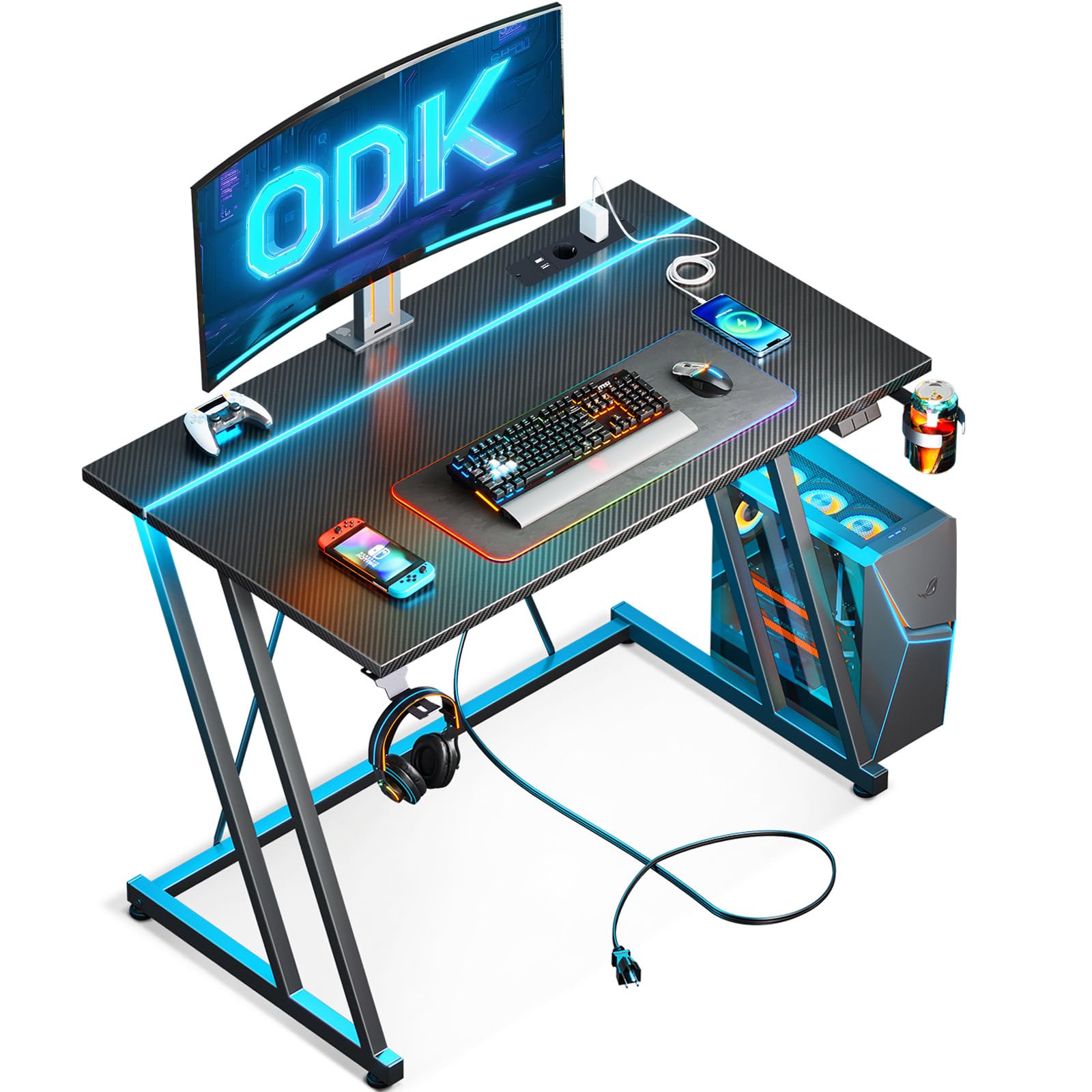
Image 1: Assembled ODK Gaming Desk, showcasing the LED lighting and overall structure.
5. Instruccions de funcionament
5.1. Il·luminació LED
The integrated LED lighting system offers 10 colors and 20 modes to create an immersive gaming environment. Use the provided remote control to manage the lighting effects.
- Encès/apagat: Press the power button on the remote to turn the LEDs on or off.
- Selecció de color: Use the color buttons to select from 10 static colors.
- Selecció del mode: Use the mode buttons to cycle through 20 dynamic lighting effects (e.g., flash, strobe, fade, smooth).
- Ajust de brillantor: Use the brightness up/down buttons to adjust the intensity of the lights.
- Ajust de velocitat: For dynamic modes, use the speed up/down buttons to control the effect speed.
5.2. Built-in Power Outlet
The desk includes a built-in power strip with two standard AC outlets and two USB charging ports for convenient access to power for your devices.
- Connexió a l'alimentació: Connecteu el cable d'alimentació principal de l'escriptori a una presa de corrent.
- Ús de preses de corrent altern: Plug your devices (monitors, PC, lamps) into the two AC outlets.
- Ús de ports USB: Connect your smartphones, tablets, or other USB-powered devices to the two USB ports for charging.
- Precaució: Do not exceed the maximum power rating of the built-in outlet. Refer to the specifications section for details.
6. Manteniment
To ensure the longevity and appearance of your ODK Gaming Desk, follow these simple maintenance guidelines:
- Neteja: Netegeu les superfícies de l'escriptori amb un drap suau iamp cloth. For stubborn marks, a mild cleaning solution can be used, followed by wiping with a dry cloth. Avoid abrasive cleaners or harsh chemicals.
- Pols: Netegeu regularment l'escriptori amb un drap sec i suau per evitar acumulacions.
- Vessaments de líquids: Immediately wipe up any liquid spills to prevent damage to the desk surface and electrical components.
- Comprovació de maquinari: Reviseu periòdicament tots els cargols i perns per assegurar-vos que romanen ajustats. Torneu a apretar-los si cal.
- Components elèctrics: Keep the power outlet and LED components free from dust and moisture. Do not attempt to repair electrical components yourself.
7. Solució De Problemes
If you encounter any issues with your ODK Gaming Desk, please refer to the following common problems and solutions:
| Problema | Causa possible | Solució |
|---|---|---|
| L'escriptori està inestable | Cargols solts o terra irregular. | Tighten all assembly screws. Adjust leveling feet if present, or place shims under legs on an uneven floor. |
| Els llums LED no funcionen | Power connection issue, remote battery dead, or LED strip damage. | Ensure the desk's main power cord is plugged in. Check the connection between the LED strip and the power unit. Replace the remote control battery. If issues persist, contact support. |
| Power outlets not functioning | Desk not plugged in, wall outlet issue, or overloaded circuit. | Verify the desk's main power cord is securely plugged into a working wall outlet. Test the wall outlet with another device. Reduce the number of devices plugged into the desk's outlets. |
| El comandament a distància no respon | Battery issue or obstruction. | Replace the battery in the remote control. Ensure there are no obstructions between the remote and the LED receiver. |
If you are unable to resolve an issue using the troubleshooting guide, please contact ODK customer support for assistance.
8. Especificacions
| Marca | ODK |
| Número de model | B04011801001 |
| Tipus de producte | Gaming Desk / Computer Desk |
| Dimensions (P x A x A) | 50 cm x 80 cm x 75 cm |
| Color | Negre |
| Estil | Modern |
| Material primari | Fibra de carboni |
| Tipus de material superior | Fusta |
| Material de la cama dels mobles | Metall |
| Tipus d'acabat | Lacat |
| Característiques especials | Built-in power socket (2 AC outlets, 2 USB ports), Integrated LED lighting (10 colors, 20 modes, remote control) |
| Pes de l'article | 7.8 kg |
| Muntatge obligatori | Sí |
| Recommended Persons for Assembly | 1 |
| Eines de muntatge incloses | Sí |
| Instruccions de cura | Netegeu amb damp/dry cloth |
| Personalitzable | No |
9. Garantia
This ODK Gaming Desk comes with a limited warranty. Please refer to the warranty card included in your package or contact ODK customer support for specific terms and conditions regarding coverage and duration.
10. Suport
For any questions, concerns, or assistance with your ODK Gaming Desk, please contact our customer support team. Our team is available to help ensure smooth assembly and maximum satisfaction.
- Assistència en línia: Visit the official ODK weblloc web per a preguntes freqüents i recursos de suport.
- Suport per correu electrònic: [Insert Customer Support Email Address Here]
- Suport telefònic: [Inseriu aquí el número de telèfon d'atenció al client]
Please have your model number (B04011801001) and purchase information ready when contacting support.