
1. Instruccions de seguretat importants
Before using this treadmill, please read all instructions carefully to ensure safe operation and prevent injury. Keep this manual for future reference.
- Col·loqueu sempre la cinta de córrer sobre una superfície plana i estable.
- Ensure adequate clear space (at least 2 meters behind and 0.6 meters on each side) around the treadmill during use.
- Mantingueu els nens i les mascotes lluny de la cinta de córrer durant el funcionament.
- Porteu calçat i roba esportiva adequats.
- Use the safety key at all times. Attach the clip to your clothing. If you fall or move too far back, the safety key will detach, stopping the treadmill.
- No feu servir la cinta de córrer si té el cable o l'endoll danyats o si no funciona correctament.
- Consulteu un metge abans de començar qualsevol programa d'exercici, sobretot si teniu problemes de salut preexistents.
- No utilitzeu la cinta de córrer a l'aire lliure ni en zones seques.amp ambients.
- Capacitat màxima de pes de l'usuari: 130 kg.
2. Producte acabatview
The Toputure 2-in-1 Walking Pad Treadmill offers versatile exercise options, functioning as both a walking pad and a traditional treadmill. Its compact, foldable design makes it ideal for home use, allowing for easy storage.
Característiques principals:
- Funcionalitat 2 en 1: Easily switch between walking pad mode (1-6 km/h) and treadmill mode (1-12 km/h).
- Motor potent i silenciós: Equipped with a 2.5 HP motor for smooth and quiet operation.
- Inclinació ajustable: Features a manual incline adjustment up to 7% for varied workout intensity.
- Cinturó ample per córrer: An extra-wide 40cm running surface (1000x400mm) for comfort and safety.
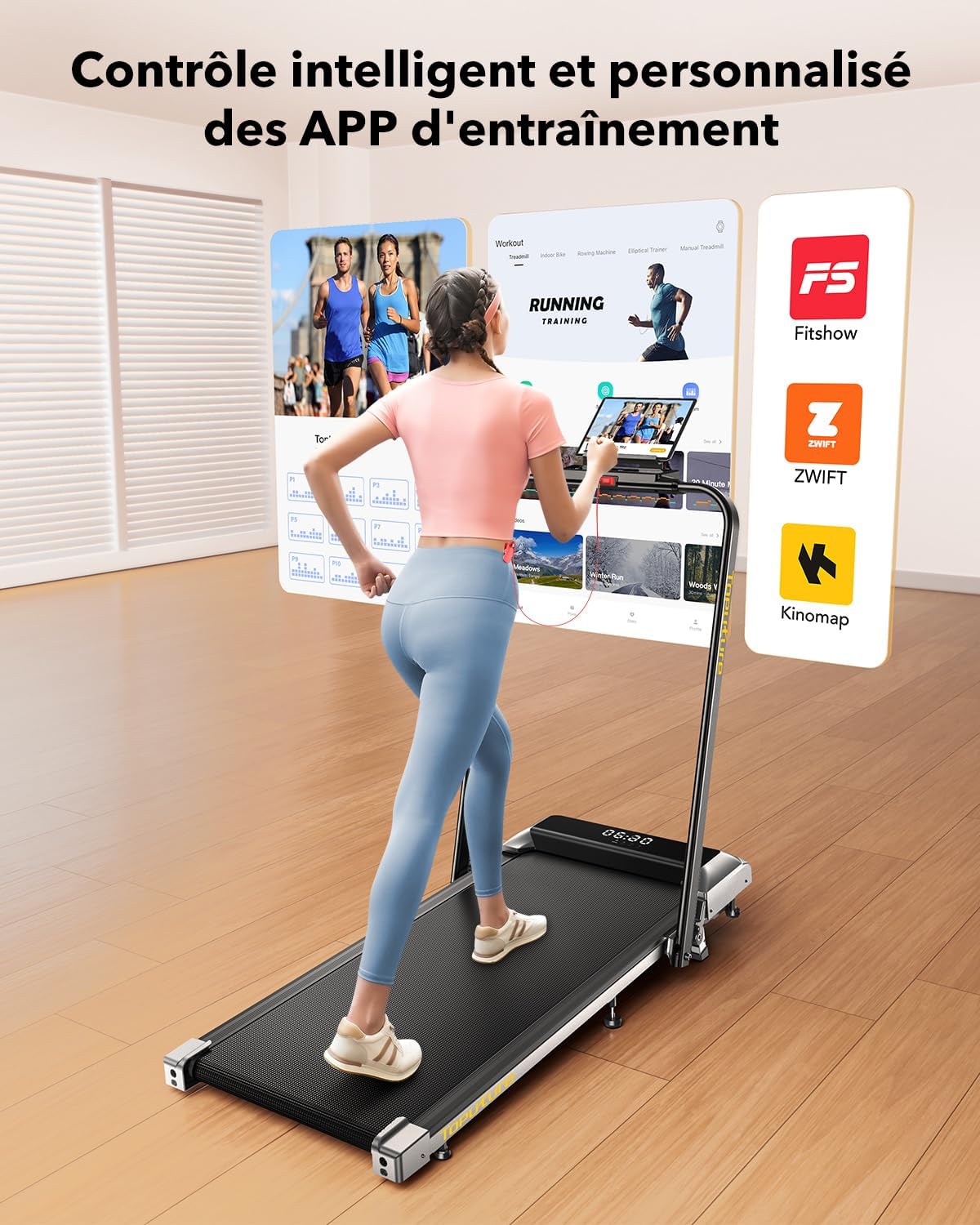
- LED Display & APP Control: Monitor speed, distance, time, and calories on the integrated LED screen. Connect to apps like Fitshow for smart control and training programs.
- Disseny per estalviar espai: Foldable with transport wheels for easy storage under furniture.
- Sistema d'absorció de xoc: 7-layer anti-slip running belt with internal silicone columns to reduce impact on joints.
Contingut del paquet:
- Toputure 2-in-1 Walking Pad Treadmill
- Control remot
- Clau de seguretat
- Manual d'usuari (aquest document)
- Cable d'alimentació

3. Configuració
The Toputure 2-in-1 Walking Pad Treadmill comes pre-assembled, requiring minimal setup before first use.
3.1 Desembalatge
- Traieu amb cura la cinta de córrer del seu embalatge.
- Place the treadmill on a flat, level surface in your desired exercise area. Ensure sufficient clearance around the unit as described in the safety instructions.
- Traieu tots els materials d'embalatge.
3.2 Unfolding for Treadmill Mode
- Locate the quick-release handle or buckle mechanism on the side of the treadmill.
- Release the mechanism to allow the handlebar to be raised.
- Gently lift the handlebar until it locks securely into the upright position. Ensure it is fully locked before use.
- Connecteu el cable d'alimentació a la cinta de córrer i després a una presa de corrent amb connexió a terra.

3.3 Adjusting Incline
The treadmill features a manual incline adjustment. The original incline is approximately 2.7°, which can be adjusted to 3.6° or up to a maximum of 7% by manipulating the front support feet. Refer to the specific mechanism on your unit for detailed instructions on how to engage and disengage the incline.

4. Instruccions de funcionament
4.1 Engegada/apagada
- Connecteu el cable d'alimentació a una presa de terra.
- Locate the main power switch, usually at the front base of the treadmill, and switch it to the 'ON' position.
- The LED display will illuminate.
- To power off, switch the main power switch to 'OFF' and unplug the unit.
4.2 Using the Safety Key
The safety key is a crucial safety feature. Attach the magnetic end of the safety key to the designated area on the console. Clip the other end to your clothing. The treadmill will not operate without the safety key in place. If the key detaches during your workout, the treadmill will stop immediately.
4.3 Modes of Operation (2-in-1 Functionality)
The treadmill automatically detects its configuration:
- Walking Pad Mode (Handlebar Folded): When the handlebar is folded down, the treadmill operates as a walking pad with a speed range of 1 to 6 km/h. This mode is suitable for walking or light jogging, often used under a standing desk.
- Treadmill Mode (Handlebar Upright): When the handlebar is in the upright position, the treadmill functions as a traditional treadmill with a speed range of 1 to 12 km/h, suitable for running and more intense workouts.

4.4 Console and Remote Control
The treadmill can be controlled via the integrated LED touch screen or the remote control.
- Pantalla LED: Shows real-time data including speed, distance, time, and calories burned.
- Ajust de velocitat: Use the '+' and '-' buttons on the console or remote to adjust speed in increments.
- Inici/Parada: Press the 'Start' button to begin your workout and 'Stop' or 'Pause' to end or temporarily halt it. The pause function retains your workout data.
- Programes: Select from 12 preset programs for varied workout routines.

4.5 APP Connectivity (Fitshow)
Enhance your workout experience by connecting your treadmill to compatible fitness applications like 'FITSHOW'.
- Download the 'FITSHOW' app from your device's app store.
- Activeu el Bluetooth al telèfon intel·ligent o a la tauleta.
- Open the 'FITSHOW' app and follow the on-screen instructions to pair with your treadmill.
- Once connected, you can control the treadmill, track your progress, and access various training courses through the app.
5. Manteniment
Un manteniment regular garanteix la longevitat i el rendiment òptim de la cinta de córrer.
5.1 Lubricació
The running belt requires regular lubrication with silicone oil to reduce friction and wear. A small hole is provided for easy application.
- Apply approximately 10 ml of silicone oil every 30-50 hours of use, or every 1-2 months depending on usage frequency.
- Turn off and unplug the treadmill before lubrication.
- Lift the edge of the running belt and apply the oil directly onto the center of the deck, beneath the belt.
- Run the treadmill at a low speed (e.g., 3 km/h) for 5 minutes to distribute the lubricant evenly.
5.2 Neteja
- Netegeu les superfícies de la cinta de córrer amb anuncisamp drap després de cada ús per eliminar la suor i la pols.
- No utilitzeu netejadors abrasius ni dissolvents.
- Periodically vacuum around and under the treadmill to prevent dust buildup from affecting motor performance.
5.3 Ajust del cinturó
If the running belt feels loose, slips, or drifts to one side, it may need adjustment. Refer to the detailed instructions in the included user manual for specific belt tensioning and centering procedures using the provided Allen wrench.
6. Solució De Problemes
This section addresses common issues you might encounter with your treadmill. For problems not listed here, please contact customer support.
| Problema | Causa possible | Solució |
|---|---|---|
| La cinta de córrer no s'encén. | Power cord not plugged in, main switch off, circuit breaker tripped. | Check power connections, ensure main switch is ON, reset circuit breaker if necessary. |
| La cinta de córrer no s'engega. | Safety key not in place, emergency stop button pressed. | Ensure safety key is correctly attached, release emergency stop button. |
| La cinta de córrer rellisca o dubta. | Corretja massa fluixa, lubricació insuficient. | Adjust belt tension (refer to manual), apply silicone lubricant. |
| Soroll inusual durant el funcionament. | Loose parts, belt rubbing, motor issue. | Check for loose screws, ensure belt is centered, contact support if noise persists. |
| Problemes de connexió amb l'APP. | Bluetooth off, app not updated, incorrect pairing. | Ensure Bluetooth is on, update app, re-pair device following app instructions. |
7. Especificacions
| Característica | Especificació |
|---|---|
| Marca | Toputure |
| Model | B0CNGKBCYF |
| Color | Negre |
| Potència del motor | 2.5 CV |
| Speed Range (Walking Pad Mode) | 1 - 6 km/h |
| Speed Range (Treadmill Mode) | 1 - 12 km/h |
| Inclinació màxima | 7% (Manual Adjustment) |
| Dimensions de la superfície de funcionament | 1000 x 400 mm (llargada x amplada) |
| Pes màxim de l'usuari | 130 kg |
| Tipus de visualització | LCD |
| Mètriques de visualització | Speed, Distance, Time, Calories Burned |
| Nombre de programes | 12 programes preestablerts |
| Connectivitat | APP (e.g., Fitshow) |
| Material del marc | Acer d'aliatge |
| Dimensions del producte (L x A x A) | 120 x 52 x 12 cm (desplegat) |
| Mides plegades (L x A x A) | 130 x 56 x 13.5 cm (aproximadament) |
| Pes del producte | 23 kg |
| Font d'alimentació | Cable elèctric |
8. Garantia i Suport
Per obtenir informació sobre la garantia i assistència al client, consulteu la documentació proporcionada amb la compra o poseu-vos en contacte directament amb el venedor. Conserveu el comprovant de compra per a qualsevol reclamació de garantia.