
1. Introducció
Thank you for choosing the OMOTON LA12 Ergonomic 360 Rotating Laptop Stand. This stand is designed to elevate your laptop or tablet to an optimal viewing height, promoting better posture and reducing strain. Its adjustable and rotatable features enhance flexibility and comfort in various work environments. This manual provides essential information for the proper setup, operation, and maintenance of your device.
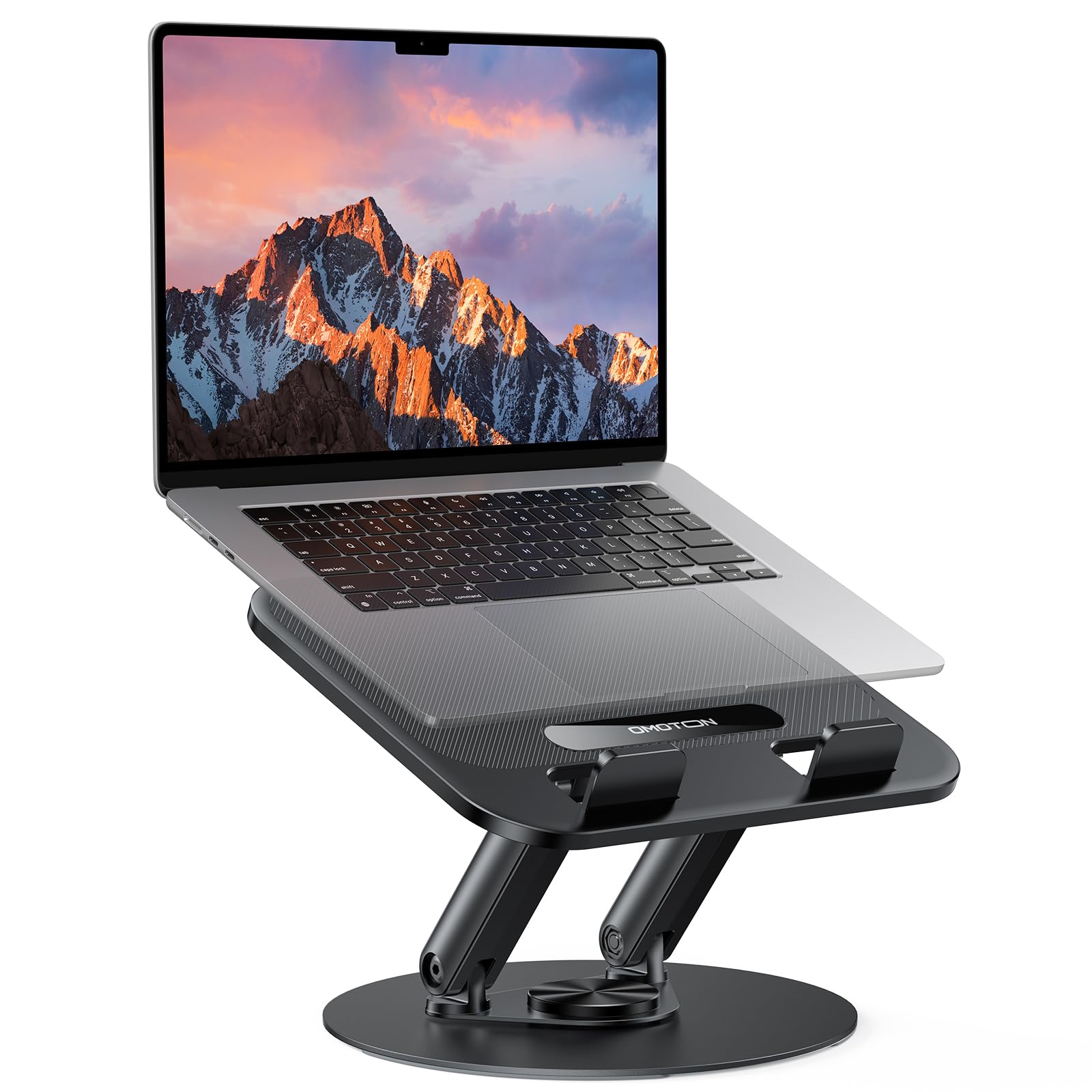
Image 1.1: OMOTON LA12 Laptop Stand supporting a laptop on a desk, demonstrating elevated screen height.
2. Característiques del producte
- Àmplia compatibilitat: Designed to fit all laptops and tablets up to 14 inches, including MacBook Air 15/13, MacBook Pro 14/13 (2024/2023/2021), Lenovo, ThinkPad, Dell, HP, Chromebook, and other notebooks.
- 360° Rotation Feature: Equipped with a 360° rotating base and flexible hinges, allowing the stand to be swiveled to any desired angle. This feature helps elevate your device to an optimum height, relieving body pressure and protecting your eyes.
- Portàtil i plegable: The stand can be easily folded for compact storage and portability, making it convenient for business trips or meetings. It also helps maintain a tidy desktop when not in use.
- Suport fort: Constructed with highly durable damping dual-shafts, the laptop holder can support devices up to 4KG (8.8 lb) securely.
- Exquisite & Protective Design: Features premium soft anti-slip silicone pads and smooth edges to protect your laptop against sliding and scratching.

Image 2.1: The OMOTON LA12 Laptop Stand demonstrating its strong support capabilities with a laptop.
3. Instruccions de configuració
- Unfolding the Stand: Carefully unfold the stand from its compact, folded position. The hinges are designed to be firm to ensure stability, so apply steady pressure.
- Adjusting Initial Height: Gently lift the top platform to your desired initial height. The dual-shaft design allows for smooth adjustment.
- Col·locació del dispositiu: Place your laptop or tablet onto the anti-slip hooks and pads on the top platform. Ensure the device is centered and stable.
- Ajustaments finals: Adjust the height and angle further as needed for comfortable viewing. The 360° rotating base can be used to orient your device.
Video 3.1: Demonstration of unfolding and adjusting a similar swivel laptop stand, showcasing its stability and ease of use.

Imatge 3.1: Detallada view of the anti-slip hooks and rubber pads on the OMOTON LA12 Laptop Stand, designed to secure your device and prevent scratches.
4. Instruccions de funcionament
- Ajust d'alçada: To change the height, hold the base firmly and gently push or pull the top platform to raise or lower it. The damping dual-shafts will hold the position securely.
- Ajust d'angle: The top platform can be tilted to achieve your preferred viewing angle. Apply gentle pressure to adjust the tilt.
- Rotació de 360°: To rotate your device, simply swivel the base of the stand. This allows for easy screen sharing or adjusting your viewing direction without moving the entire stand.
- Posicionament ergonòmic: Position your laptop screen so that the top of the screen is at or slightly below eye level. This helps maintain a healthy sitting posture and reduces neck and eye strain.
Video 4.1: A seller-provided video demonstrating the 360-degree rotation and height adjustment features of a similar laptop stand.

Image 4.1: The OMOTON LA12 Laptop Stand illustrating its 360-degree rotation and flexible adjustment capabilities.

Image 4.2: Illustration of ergonomic posture achieved with the OMOTON LA12 Laptop Stand, promoting a healthy working position.
5. Manteniment
- Neteja: Netegeu el suport regularment amb un drap suauamp cloth to remove dust and smudges. Avoid using abrasive cleaners or solvents that may damage the finish.
- Inspecció: Periodically check all moving parts and connections to ensure they are secure. The damping dual-shafts are designed for long-term durability.
- Emmagatzematge: When not in use, fold the stand to its compact form and store it in a dry, safe place to prevent accidental damage.
6. Solució De Problemes
- Stand feels too stiff to adjust: The hinges are designed to be firm to provide stable support. Apply steady, even pressure when adjusting. Over time, they may become slightly easier to move.
- Stand feels loose or wobbly: Ensure your device is placed centrally on the anti-slip pads. Check that the stand is fully extended and locked into position if applicable. If the issue persists, inspect for any visible damage.
- Device sliding off: Verify that your laptop or tablet is correctly seated against the anti-slip hooks and pads. Ensure the device size is within the recommended 14-inch limit.
7. Especificacions
| Característica | Detall |
|---|---|
| Marca | OMOTON |
| Número de model | LA12 |
| Dispositius compatibles | Laptops, Tablets (up to 14 inches) |
| Característiques especials | 360 Degree Rotation, Adjustable, Ergonomic, Foldable, Swivel |
| Tipus de material | Acrilonitril butadiè estirè, metall |
| Tipus de muntatge | Taula |
| Capacitat de càrrega màxima | 4 kg (8.8 lliures) |
| Dimensions del paquet | 27.4 x 26.9 x 4.7 cm |
| Pes de l'article | 950 g |

Image 7.1: Size information and dimensions of the OMOTON LA12 Laptop Stand.
8. Garantia i Suport
For warranty information, product support, or any inquiries regarding your OMOTON LA12 Laptop Stand, please refer to the official OMOTON weblloc web o contacteu directament amb el servei d'atenció al client. Conserveu el rebut de compra per a reclamacions de garantia.