1. Introducció
Thank you for choosing the Irfora IRX6 Portable Electric Grinding Engraving Pen. This compact and versatile tool is designed for precision tasks such as grinding, engraving, polishing, and cutting. Featuring adjustable speeds and a rechargeable battery, it offers convenience and efficiency for various applications, including smartphone chip repair, motherboard work, and other delicate projects. Please read this manual thoroughly before use to ensure safe and optimal operation.
2. Informació de seguretat
Always follow these basic safety precautions to reduce the risk of injury or damage to the product:
- Mantingueu l'eina lluny dels nens.
- Utilitzeu equips de protecció individual adequats, com ara ulleres de seguretat, durant el funcionament.
- Ensure the grinding bits are securely installed before operating the device.
- Do not touch the rotating bit during operation.
- Avoid using the tool near flammable materials or in explosive atmospheres.
- Do not immerse the tool in water or other liquids.
- Utilitzeu només el cable USB proporcionat per carregar.
- Store the tool in a dry, safe place when not in use.
3. Contingut del paquet
Verifiqueu que tots els elements siguin presents al vostre paquet:
- 1 x Irfora IRX6 Engraving Pen
- 1 x cable de càrrega USB
- 9 x Grinding Bits (various specifications)

Image: Contents of the Irfora IRX6 package, including the pen, USB cable, and a set of grinding bits.
4. Producte acabatview
The Irfora IRX6 features a durable steel body and an efficient motor designed for stable and powerful operation. It includes an integrated rechargeable battery and intuitive speed controls.

Image: The robust steel body of the Irfora IRX6, highlighting its quality construction.

Imatge: Una imatge interna view illustrating the high-speed motor and its strong, stable power output.
5. Configuració
5.1 Càrrega del dispositiu
Before first use, fully charge the Irfora IRX6. Connect the provided USB cable to the charging port on the pen and plug the other end into a standard USB power adapter (not included) or a computer USB port. The indicator light will show charging status and turn off or change color when fully charged.
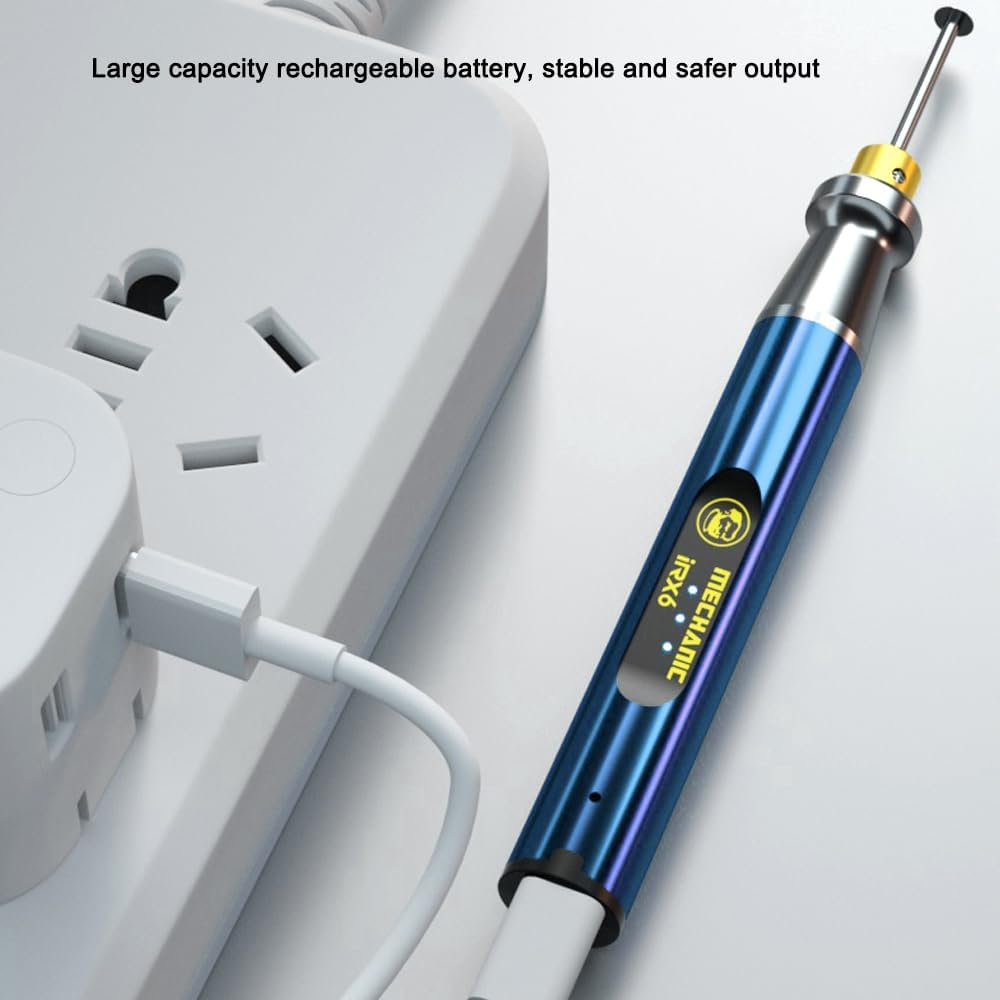
Image: The Irfora IRX6 pen being charged via its USB cable, connected to a wall adapter.
5.2 Attaching Grinding Bits
- Assegureu-vos que el dispositiu estigui apagat.
- Loosen the chuck at the tip of the pen by twisting it counter-clockwise.
- Insert the desired grinding bit into the chuck. Ensure it is inserted as far as possible for stability.
- Tighten the chuck by twisting it clockwise until the bit is firmly secured. Do not overtighten.
6. Instruccions de funcionament
6.1 Encès/Apagat
Press and hold the power button located on the pen to turn the device on or off.
6.2 Ajust de la velocitat
The Irfora IRX6 offers three speed settings. Briefly press the power button while the device is on to cycle through the available speeds. The indicator lights will show the current speed level.

Image: The three speed indicator lights on the Irfora IRX6, allowing users to select different polishing and grinding intensities.
6.3 Grinding and Engraving
Once the desired bit is attached and the speed is set, gently apply the rotating bit to the workpiece. Use light pressure and a steady hand for best results. For delicate tasks like smartphone chip grinding, proceed with caution and precision.

Image: The Irfora IRX6 in action, demonstrating its suitability for precision tasks such as chip grinding and motherboard work.
7. Manteniment
7.1 Neteja
After each use, turn off the device and disconnect any power source. Use a soft, dry cloth to wipe down the pen. Remove any dust or debris from the chuck area. Do not use harsh chemicals or abrasive cleaners.
7.2 Emmagatzematge
Store the Irfora IRX6 in a cool, dry place, away from direct sunlight and moisture. Keep it out of reach of children. If storing for an extended period, ensure the battery is partially charged (around 50%) to prolong its lifespan.
8. Solució De Problemes
- El dispositiu no s'encén: Assegureu-vos que la bateria estigui carregada. Connecteu-la a una font d'alimentació i torneu-ho a provar.
- Bit not rotating: Check if the bit is properly secured in the chuck. Ensure the device is powered on.
- Rendiment reduït: The battery might be low. Recharge the device. Ensure the grinding bit is not worn out and replace if necessary.
- Sobreescalfament: If the device feels excessively hot, turn it off immediately and allow it to cool down before resuming use. Avoid continuous heavy-duty operation for prolonged periods.
9. Especificacions
| Característica | Especificació |
|---|---|
| Model | IRX6 |
| Velocitat de rotació | Fins a 37000 rpm/min |
| Voltage | 3.6 V |
| Clampdiàmetre | 2.35 mm |
| Bateria | 3.7 V, 280 mAh (recarregable) |
| Mida de l'article | 155 x 16 x 16 mm (6.1 x 0.6 x 0.6 polzades) |
| Pes de l'article | 3.56 unces |
| Fabricant | Irfora |
10. Garantia i Suport
For warranty information or technical support, please refer to the retailer where you purchased the Irfora IRX6 or visit the official Irfora weblloc web. Conserveu el rebut de compra com a comprovant de compra.