
CHUWI CHUWI GemiBook Plus (HEROBOOK)
CHUWI GemiBook Plus Laptop User Manual
Model: CHUWI GemiBook Plus (HEROBOOK)
15.6 inch Laptop Computer, 8GB LPDDR5 256GB SSD, Intel N100, Windows 11
1. Introducció
This manual provides essential information for the proper setup, operation, maintenance, and troubleshooting of your CHUWI GemiBook Plus laptop. Please read this manual thoroughly before using your device to ensure optimal performance and longevity.

Imatge 1.1: Frontal view of the CHUWI GemiBook Plus laptop, showcasing its 15.6-inch display with system specifications like 8GB DDR5 RAM, 256GB SSD, Intel N100 processor, and Windows 11 Home operating system.
2. Què hi ha a la caixa
Verifiqueu que tots els elements siguin presents al paquet:
- CHUWI GemiBook Plus Laptop
- Charger set (Power Adapter and Cable)
- Manual multilingüe
- Certificat de conformitat
3. Producte acabatview
3.1 Característiques clau
- Processador: 12th Gen Intel Alder Lake N100 CPU (up to 3.4GHz)
- Memòria: 8GB LPDDR5 RAM (4800 MHz)
- Emmagatzematge: 256GB SSD (expandable up to 1TB via M.2 2280 SSD slot)
- Visualització: 15.6-inch FHD IPS screen (1920 × 1080p, 16:9 aspect ratio)
- Gràfics: Gràfics Intel UHD per a processadors Intel de 12a generació
- Sistema operatiu: Windows 11 Home
- Connectivitat: Wi-Fi 6, Bluetooth 5.2, HDMI, USB 3.0, Type-C, RJ45 Ethernet
- Bateria: 38Wh for 6 to 8 hours of usage
- Disseny: Lightweight (1.74kg) and thin (19mm) with 180° opening hinge
- Seguretat: Physical camera switch for privacy

Imatge 3.1: Un sobreview of the CHUWI GemiBook Plus's key features, including its 15.6-inch IPS screen, 12th Gen Intel Alder Lake-N100 processor, 38Wh Li-ion battery, FHD resolution, 12th Gen Intel UHD Graphics, 8GB LPDDR5 RAM, 256GB M.2 SSD, and WiFi6+BT5.2 connectivity.
3.2 Ports i connectors
Familiaritzeu-vos amb els diversos ports i connectors del vostre portàtil:

Image 3.2: Diagram illustrating the various ports on the CHUWI GemiBook Plus laptop. On one side, it shows the charging port, HDMI port, USB-A 3.0 port, Type-C port, and Audio Jack. On the other side, it displays another Type-C port, USB-A 2.0 port, USB-A 3.0 port, RJ45 LAN Port, and a lock slot.
- Port de càrrega: Connecteu l'adaptador de corrent aquí.
- Port HDMI: Per connectar a pantalles externes.
- Ports USB-A 3.0: Per a la transferència de dades d'alta velocitat amb dispositius compatibles.
- Port USB-A 2.0: Per a dispositius USB estàndard.
- Type-C Ports: Versatile ports for data, display, and power delivery (check specific functionality).
- Jack d'àudio: Per a auriculars o altaveus externs.
- Port LAN RJ45: Per a la connexió de xarxa amb cable.
- Ranura de bloqueig: For security cable locks.
4. Introducció (Configuració)
4.1 Encès inicial
- Connect the charger to the laptop's charging port and a power outlet.
- Obriu la tapa de l'ordinador portàtil.
- Press the power button, usually located on the keyboard deck.
- Seguiu les instruccions que apareixen a la pantalla per completar el procés de configuració del Windows 11, inclosa la selecció d'idioma, la connexió de xarxa i la creació d'un compte d'usuari.
4.2 Connexió a Wi-Fi
- During Windows setup, you will be prompted to connect to a network. Select your Wi-Fi network from the list.
- Introduïu la contrasenya del Wi-Fi si cal.
- If setting up later, click the Wi-Fi icon in the taskbar, select your network, and connect.
5. Instruccions de funcionament
5.1 Teclat i touchpad
The GemiBook Plus features a full-size keyboard and a large touchpad for comfortable interaction.

Imatge 5.1: Un primer pla view of the CHUWI GemiBook Plus laptop's full-size keyboard and large touchpad, highlighting its ergonomic design for comfortable typing.
- Teclat: Use for typing and system commands. Function keys (Fn) combined with F1-F12 keys provide additional shortcuts (e.g., volume, brightness).
- Touchpad: Admet gestos multitàctils per a navegació, desplaçament i zoom.
5.2 Pantalla
The 15.6-inch FHD IPS screen offers vibrant visuals. The laptop supports a 180° opening angle for flexible viewing.
5.3 Webcàmera i privacitat
The laptop includes a webcam for video calls and conferencing. A physical camera switch is provided to block the camera lens, ensuring privacy when not in use.
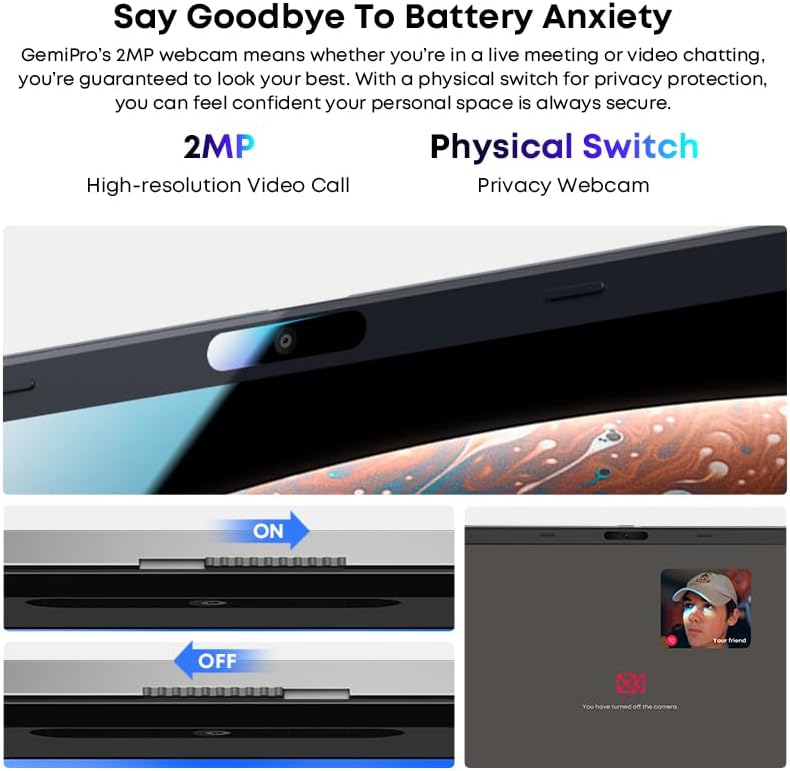
Image 5.2: Close-up of the CHUWI GemiBook Plus webcam with a physical privacy switch. The image shows the switch in both 'ON' (camera exposed) and 'OFF' (camera covered) positions, demonstrating how to physically block the camera lens for enhanced privacy.
5.4 Connectivitat sense fil
The GemiBook Plus supports Wi-Fi 6 and Bluetooth 5.2 for fast and stable wireless connections.

Image 5.3: A visual representation of the CHUWI GemiBook Plus's seamless wireless experience, highlighting Wi-Fi 6, Bluetooth 5.2, Ethernet RJ45, and HD Camera features. A user is shown participating in a video call on the laptop.
- Wi-Fi 6: Provides faster internet speeds and improved network efficiency compared to previous Wi-Fi standards.
- Bluetooth 5.2: Per connectar perifèrics sense fil com ara auriculars, ratolins i teclats.
6. Gestió de la bateria
The laptop is equipped with a 38Wh battery, providing approximately 6 to 8 hours of usage on a full charge. A full recharge typically takes about 3 hours.
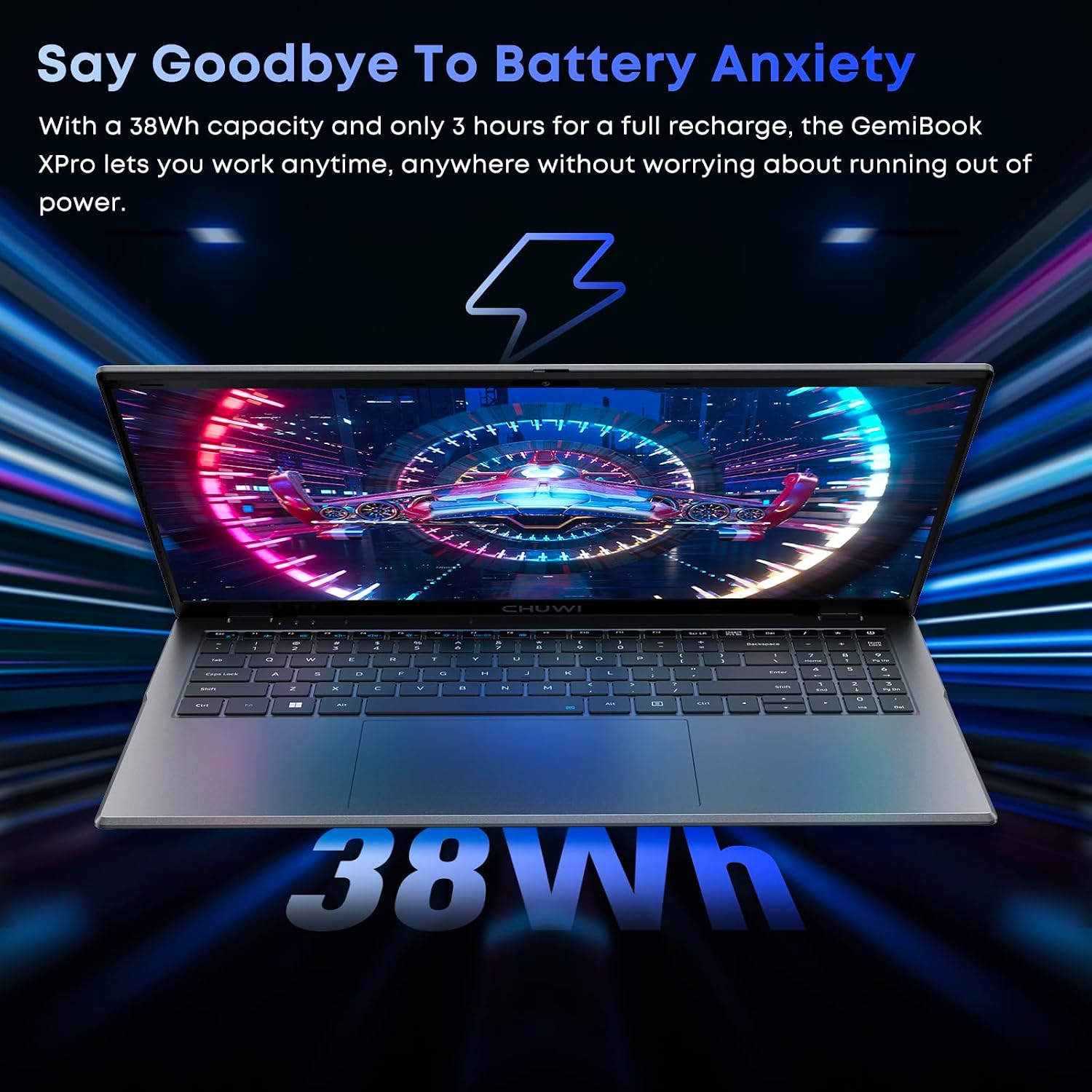
Image 6.1: The CHUWI GemiBook Plus laptop displayed with a visual representation of its 38Wh battery capacity, emphasizing its ability to provide extended usage without frequent recharging.
- Càrrega: Connect the provided charger to the laptop and a power outlet. The charging indicator light will typically show the charging status.
- Cura de la bateria: Per allargar la durada de la bateria, eviteu descarregar-la completament amb freqüència. Guardeu el portàtil en un lloc fresc i sec quan no l'utilitzeu durant períodes prolongats.
7. Manteniment i cura
- Neteja: Feu servir un drap suau i sense borrissol per netejar la pantalla i l'exterior. Per a marques difícils, fregueu lleugerament.ampNetegeu el drap amb aigua o un netejador de pantalles. Eviteu productes químics agressius.
- Emmagatzematge: When not in use, store the laptop in a protective sleeve or bag to prevent scratches and dust accumulation.
- Temperatura: Operate the laptop within recommended temperature ranges. Avoid exposing it to extreme heat or cold.
- Ventilació: Assegureu-vos que les obertures de ventilació no estiguin bloquejades per evitar el sobreescalfament.
8. Solució De Problemes
8.1 Problemes comuns i solucions
| Problema | Possible solució |
|---|---|
| El portàtil no s'encén | Ensure the power adapter is securely connected and the outlet is working. Try a different power outlet. If the battery is completely drained, it may take a few minutes to respond after connecting the charger. |
| No hi ha connexió Wi-Fi | Check if Wi-Fi is enabled in Windows settings. Restart your router and modem. Ensure you are entering the correct Wi-Fi password. |
| Rendiment lent | Close unnecessary applications. Check for background processes consuming resources. Ensure Windows is updated. Consider running a disk cleanup. |
| La pantalla està en blanc o parpelleja | Adjust screen brightness. Connect to an external monitor to check if the issue is with the laptop screen. Restart the laptop. |
| Webla càmera no funciona | Ensure the physical camera switch is in the 'ON' position. Check privacy settings in Windows to allow apps access to the camera. Update camera drivers. |
9. Especificacions tècniques
| Característica | Especificació |
|---|---|
| Mida de la pantalla de peu | 15.6 polzades |
| Resolució de pantalla | 1920 x 1080 píxels (FHD) |
| Processador | Intel Alder Lake N100 (up to 3.4 GHz) |
| RAM | 8 GB LPDDR5 |
| Disc dur | 256 GB SSD (M.2 2280, expandable to 1TB) |
| Coprocessador gràfic | Gràfics Intel UHD |
| Sistema operatiu | Windows 11 |
| Tipus sense fil | Wi-Fi 6, Bluetooth 5.2 |
| Nombre de ports USB 3.0 | 2 |
| Durada mitjana de la bateria | 6 hores (38 Wh) |
| Pes de l'article | 3.7 lliures (aprox. 1.74 kg) |
| Dimensions del producte | 14 x 0.78 x 9.5 polzades (aprox. 35.5 x 1.98 x 24.1 cm) |
| Color | Plata |
10. Garantia i Suport
10.1 Període de garantia
The CHUWI GemiBook Plus laptop comes with a 1 any de garantia, valid immediately after purchase.
10.2 Atenció al client
CHUWI offers lifetime factory professional support and 24-hour online support. For any issues or inquiries, please contact CHUWI customer service. They aim to provide professional and timely assistance.
Ask a question about this manual
Ask about setup, troubleshooting, compatibility, parts, safety, or missing instructions. Manuals+ will review the question and use this page’s manual context to help answer it.