
Introducció
Gràcies per la compraasing the ODK L-shaped Gaming Desk. This manual provides detailed instructions for assembly, operation, maintenance, and troubleshooting to ensure safe and efficient use of your new desk. Please read this manual thoroughly before assembly and retain it for future reference.
Informació de seguretat
- This desk requires assembly.
- During assembly, use the leg adjusters to ensure the desk is level on uneven surfaces.
- To enhance stability, consider placing weights under the desk or positioning it against a wall or other furniture to secure it.
- Do not place excessively heavy objects on the desk to prevent damage or instability.
- Mantingueu totes les peces petites i els materials d'embalatge fora de l'abast dels nens per evitar riscos d'asfíxia.
- Ensure all screws and fasteners are tightened securely before use. Periodically check and re-tighten if necessary.
Característiques del producte
- Emmagatzematge integrat: Features three drawers and open shelves for ample storage of books, documents, and other items. The L-shaped design maximizes corner space, suitable for both home and office environments.
- Presa de corrent integrada: Equipped with two AC outlets and USB ports for convenient charging of computers, smartphones, and other devices. The drawer and rack sections are reversible, allowing for left or right-hand configuration.
- Construcció duradora: The desktop has a load capacity of 50kg. Constructed from high-strength melamine board, resistant to dirt, scratches, heat, and water. Features reinforced pipes, cross-bracing, adjustable feet, and a robust steel frame for stability and durability.
- Suport de monitor: Includes a monitor stand to elevate your screen, promoting better posture and reducing strain on the neck and shoulders during extended use, ideal for gaming and telework.
- Versatile Assembly: Offers four different assembly configurations to suit various room layouts and user preferences.
Instruccions de muntatge
This desk is designed for customer assembly. A wrench is included in the package. Follow the steps below for proper assembly.
Pas 1: Desempaquetar i identificar els components
Carefully unpack all components from the box. Verify that all parts listed in the parts list (not provided in this data, but assumed to be in the physical manual) are present and undamaged. Separate similar parts to avoid confusion.

Imatge: Més deview of the assembled ODK L-shaped Gaming Desk in a gaming setup, showcasing its spacious design and monitor stand.
Pas 2: Muntar el marc principal de l'escriptori
Connect the main desk panels and support frames using the provided screws and the included wrench. Ensure all connections are firm but do not overtighten initially.
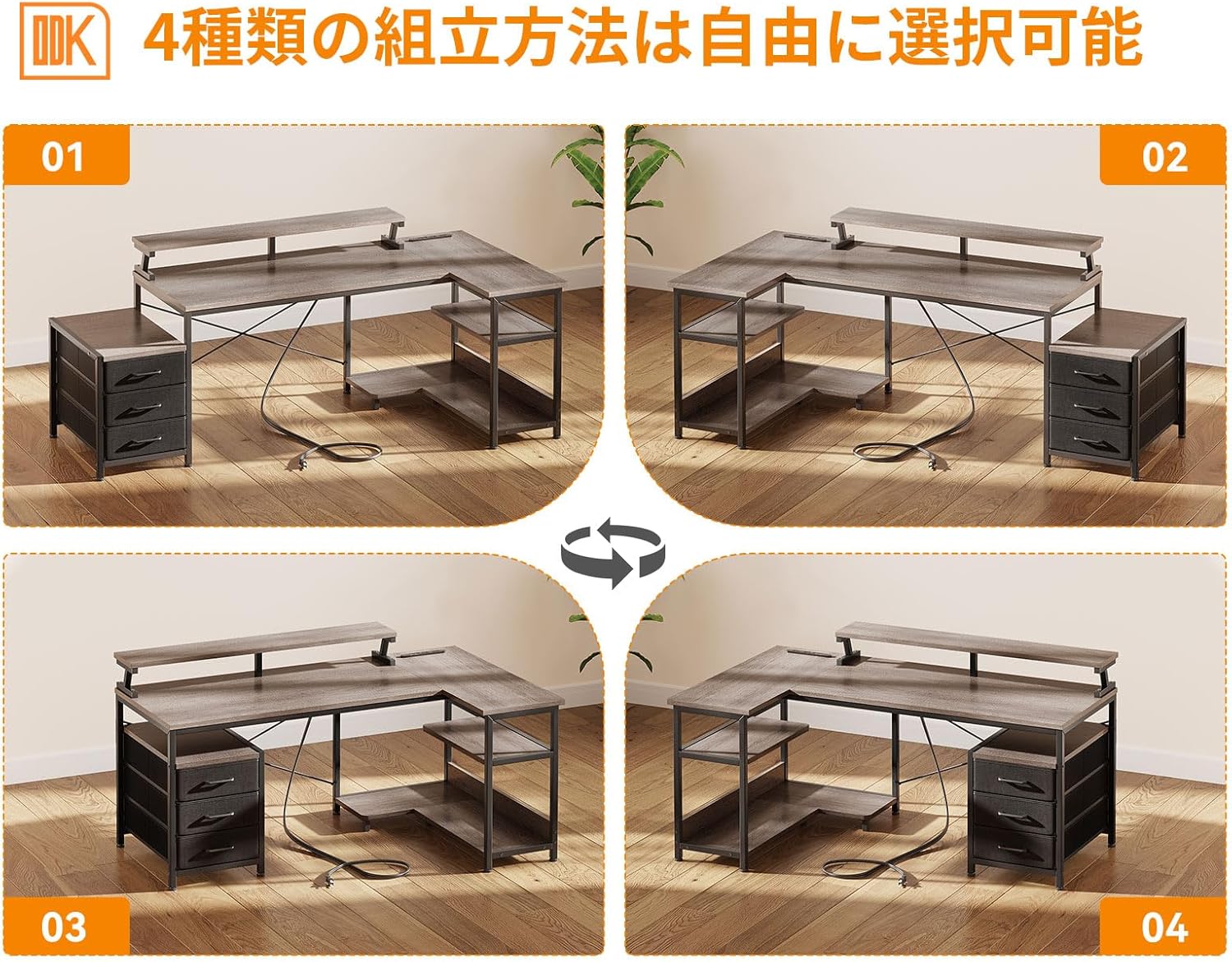
Image: Demonstrates four possible assembly configurations for the L-shaped desk, highlighting its versatility.
The desk offers four types of assembly methods, allowing you to choose the configuration that best suits your space and needs. The drawer unit and open shelves can be positioned on either the left or right side.
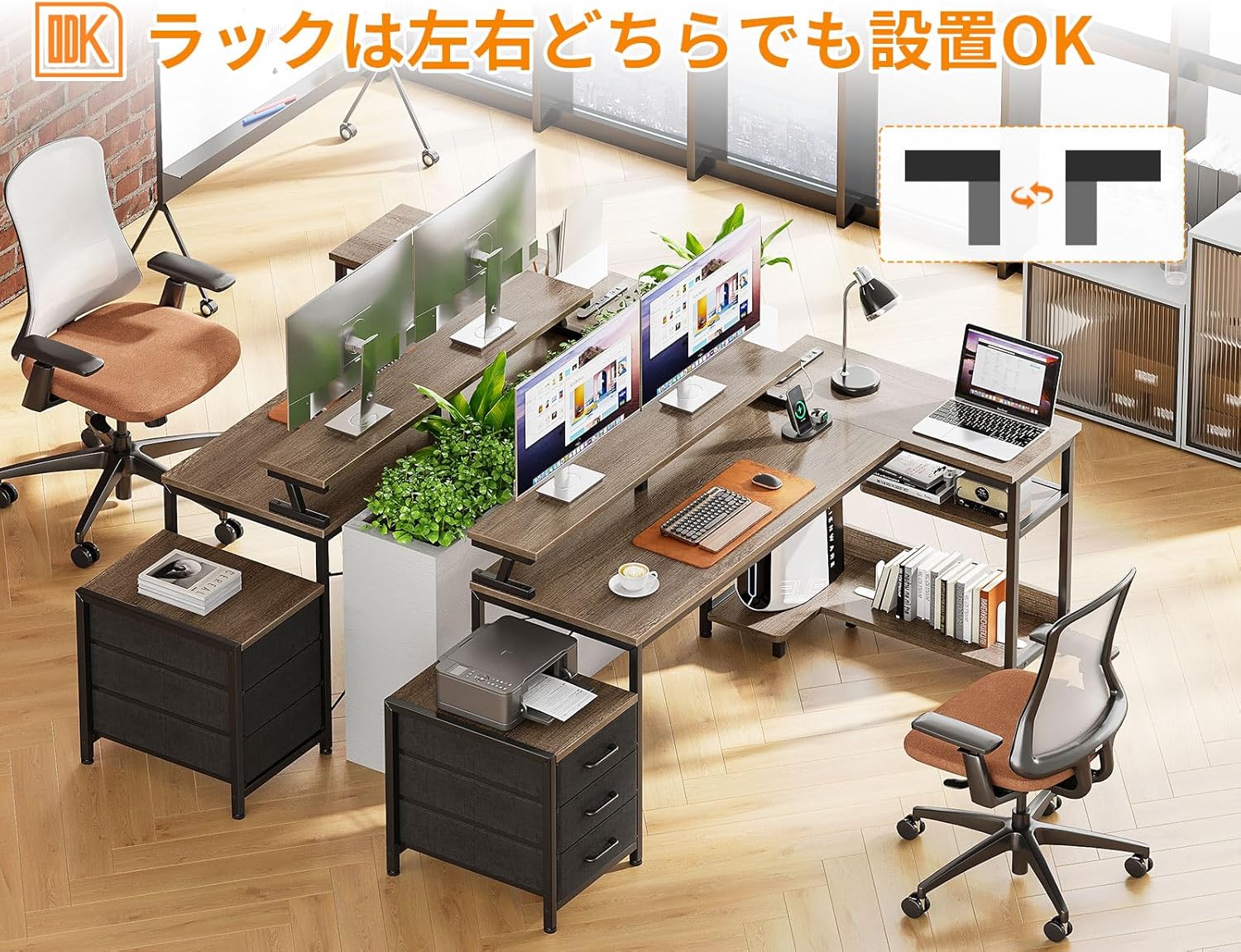
Image: Illustration showing how the rack component can be installed on either the left or right side of the desk.
Pas 3: Instal·leu calaixos i prestatges
Assemble the three drawers and slide them into their designated slots. Attach the open shelves to the frame. Ensure they are securely fastened.
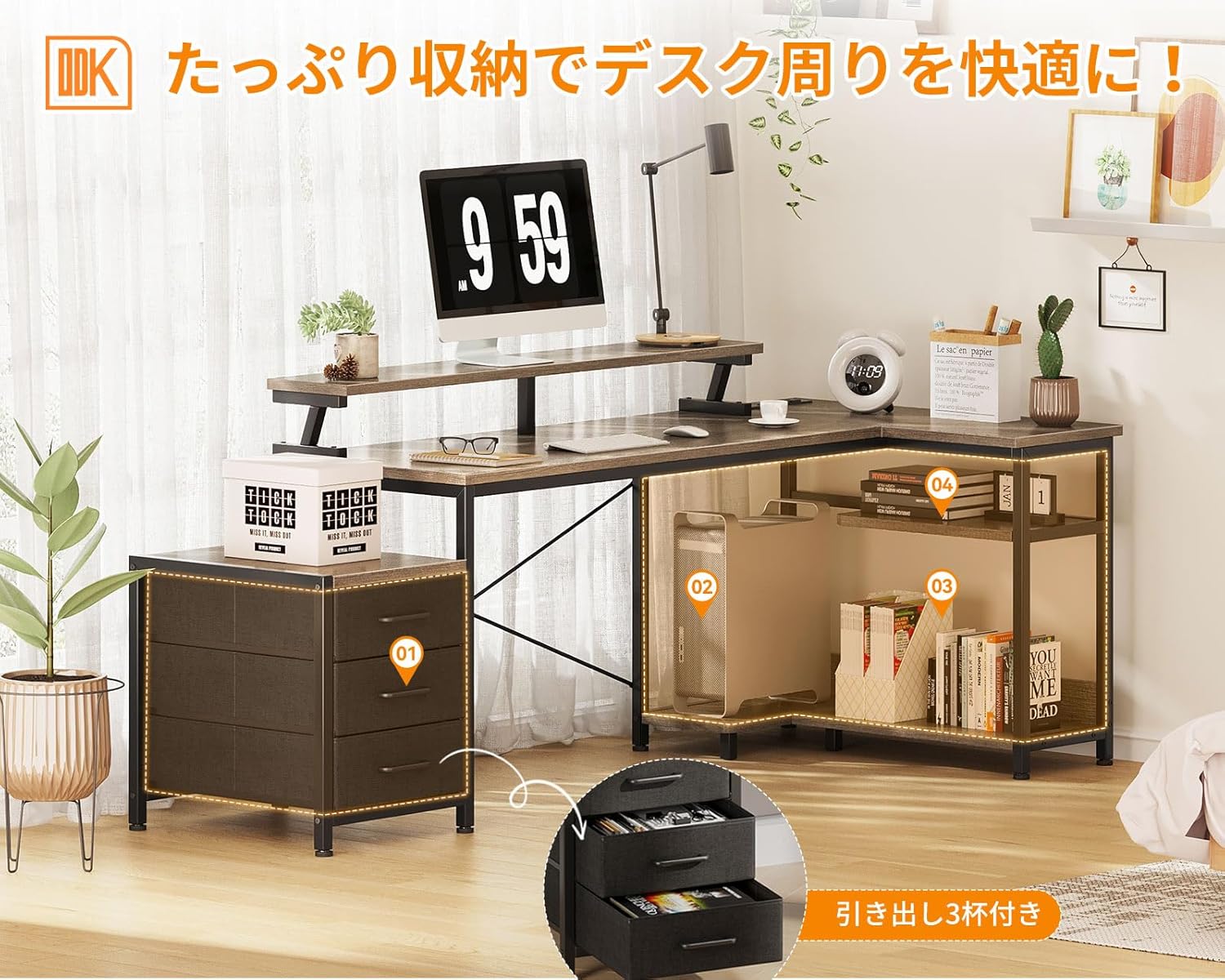
Imatge: Primer pla view of the desk's storage features, including three pull-out drawers and open shelves for organization.
Step 4: Attach Monitor Stand and Power Outlet
Secure the monitor stand to the main desktop. Install the power outlet unit, ensuring it is properly connected and accessible.

Image: Detail of the desk's power strip, featuring two AC outlets and two USB ports for convenient device charging.
Pas 5: ajustos finals
Once all components are assembled, tighten all screws. Use the adjustable feet at the bottom of the desk legs to level the desk and prevent wobbling.
Video: A short demonstration of the ODK L-shaped desk's features, including storage, power outlets, and overall design.
Instruccions de funcionament
Using the Power Outlet
Plug the desk's power cord into a wall outlet. You can then use the two AC outlets and two USB ports to power or charge your electronic devices. Ensure devices are compatible with the power specifications (100-240V/15A for AC, 5V-2A for USB).
Ús de l'emmagatzematge
The three drawers are suitable for storing office supplies, personal items, or documents. The open shelves can hold books, decorative items, or a computer tower. Organize items to maintain a tidy workspace.
Ergonomic Use with Monitor Stand
Place your monitor(s) on the elevated stand. This helps to raise your eye level, promoting a more upright posture and reducing strain on your neck and back during long periods of work or gaming.

Image: Comparison of ergonomic posture with and without a monitor stand, demonstrating how the stand helps prevent hunching.
Manteniment
- Neteja: Netegeu les superfícies de l'escriptori amb un drap suau iamp cloth. Avoid using harsh chemicals or abrasive cleaners, which can damage the melamine finish.
- Vessaments: Netegeu immediatament qualsevol vessament per evitar danys o taques causats per l'aigua.
- Elements de fixació: Periodically check all screws and fasteners to ensure they remain tight. Re-tighten as needed to maintain the desk's stability.
- Distribució de pes: Distribute weight evenly across the desk surface and shelves. Avoid concentrating heavy items in one area.
Resolució de problemes
| Problema | Causa possible | Solució |
|---|---|---|
| L'escriptori està inestable. | Sòl irregular; fixacions fluixes. | Ajusteu els peus anivelladors a la part inferior de les potes. Estrenyeu tots els cargols de muntatge. |
| Els calaixos no llisquen suaument. | Improper assembly; obstruction. | Check drawer assembly. Ensure nothing is obstructing the drawer slides. |
| Les preses de corrent no funcionen. | Desk not plugged in; faulty connection. | Ensure the desk's power cord is securely plugged into a working wall outlet. Check all internal connections of the power strip. |
| Peces que falten o danyades a l'arribada. | Defecte de fabricació o danys durant el transport. | Poseu-vos en contacte amb l'atenció al client immediatament per obtenir ajuda. |
Especificacions
| Marca | ODK |
| Número de model | B0D1R2DGSJ |
| Color | Gris |
| Forma | en forma de L |
| Dimensions del producte | Width: 184/146 cm, Depth: 80 cm, Height: 76 cm |
| Dimensions del paquet | 130.4 x 58 x 10.4 cm |
| Pes de l'article | Aprox. 23.5 kg |
| Material | High-strength melamine board, Steel frame |
| Tipus d'acabat | Recobert de pols |
| Característiques especials | Ergonomic, Adjustable, Built-in Power Outlet (2 AC, 2 USB) |
| Muntatge obligatori | Yes (Wrench included) |
Garantia i Suport
If you encounter any issues with your ODK L-shaped Gaming Desk, such as missing parts or defects, please do not hesitate to contact our customer support. We are committed to providing assistance and resolving any concerns you may have.
For support, please refer to the contact information provided with your purchase or visit the ODK official weblloc.