
ASMAX ASMAXF1DP01
ASMAX F1 Motorcycle Bluetooth Headset User Manual
Model: ASMAX F1
1. Introducció
The ASMAX F1 Motorcycle Bluetooth Headset is an advanced communication system designed for motorcyclists. It features Bluetooth 5.3 technology, supporting up to 10 riders with a communication range of up to 1.8km. The F1 offers dual intercom modes (Free and Group Mesh), voice control, superior sound quality with ENC noise reduction, and an IP67 waterproof rating. Its magnetic mounting system and fast-charging capabilities ensure convenience and reliability for all your rides.
2. Informació de seguretat
- Prioritzeu sempre la seguretat viària. No feu servir el dispositiu de manera que us distregui de la conducció.
- Assegureu-vos que els auriculars estiguin ben muntats al casc abans de conduir.
- Ajusteu els nivells de volum per assegurar-vos que encara podeu sentir els sons ambientals del trànsit.
- Do not attempt to disassemble or modify the device, as this may void the warranty and pose safety risks.
- Mantingueu el dispositiu allunyat de temperatures extremes i de la llum solar directa.
- Carregueu el dispositiu només amb el cable proporcionat i una font d'alimentació compatible.
3. Contingut del paquet
Verifiqueu que tots els elements siguin presents al vostre paquet:
- ASMAX F1 Bluetooth Headset Unit(s)
- Speaker and Microphone Kit(s)
- Magnetic Mounting Base(s)
- USB Charging Cable(s)
- Manual d'usuari
- Mounting Accessories (e.g., adhesive pads, clips)

Image: ASMAX F1 Headset and included accessories.
4. Producte acabatview
4.1 Components
The ASMAX F1 unit features a sleek design with an illuminated cross-shaped indicator. It is designed for easy attachment to most motorcycle helmets.

Image: ASMAX F1 Bluetooth Headset units.
4.2 Controls i indicadors
The ASMAX F1 is equipped with intuitive controls and indicators for ease of use while riding.
- Botó d'intercomunicació: Initiates and manages intercom connections.
- Botons de volum +/-: Ajusta el volum de l'àudio.
- Botó de funció: Multi-purpose button for various operations.
- Indicador LED: Displays device status (e.g., power, pairing, charging).
- Control de veu: Activates functions using voice commands (e.g., "Hi Max").

Image: ASMAX F1 controls and helmet compatibility.
5. Configuració
5.1 Installation on Helmet
The ASMAX F1 features a magnetic mounting system for easy and secure attachment to your helmet.
- Choose a suitable location on the side of your helmet, typically on the left side, ensuring it does not obstruct your vision or helmet functionality.
- Clean the helmet surface thoroughly where the mounting base will be attached.
- Attach the magnetic mounting base to the helmet using the provided adhesive pad or clamp. Ensure it is firmly secured.
- Insert the speakers into the helmet's ear pockets. Ensure they are positioned directly over your ears for optimal sound.
- Route the microphone boom or wired microphone to a position near your mouth, ensuring clear voice pickup and minimal wind noise.
- Connect the speaker and microphone cables to the ASMAX F1 unit.
- Attach the ASMAX F1 unit to the magnetic mounting base. The strong magnet will secure it in place.
5.2 Càrrega inicial
Before first use, fully charge the ASMAX F1 unit. The 1250mAh battery supports fast charging.
- Connect the provided USB charging cable to the ASMAX F1 unit's charging port.
- Connecteu l'altre extrem del cable a un adaptador de corrent USB (no inclòs) o a un port USB de l'ordinador.
- The LED indicator will show charging status. Once fully charged, the indicator will change (refer to specific LED behavior in the full manual).
- El dispositiu es pot carregar mentre està en ús.
6. Instruccions de funcionament
6.1 Encès/Apagat
- Encès: Press and hold the Function Button for approximately 3 seconds until the LED indicator lights up and you hear a voice prompt.
- Apagar: Press and hold the Function Button for approximately 3 seconds until the LED indicator turns off and you hear a voice prompt.
6.2 Bluetooth Pairing with Mobile Device
The ASMAX F1 uses Bluetooth 5.3 for stable connections.
- With the ASMAX F1 powered off, press and hold the Function Button for approximately 5-7 seconds until the LED indicator flashes rapidly (usually blue/red alternating), indicating pairing mode.
- Al telèfon mòbil, activa el Bluetooth i cerca dispositius nous.
- Select "ASMAX F1" from the list of available devices.
- Once paired, the LED indicator will change (e.g., slow blue flashes) and you will hear a confirmation tone.

Image: Universal pairing capability of ASMAX F1.
6.3 Intercom Modes
The ASMAX F1 supports various intercom modes for group communication.
- Mode lliure: For spontaneous connections within range. Up to 10 riders can join instantly.
- Group Mode (MESH Communication): For private conversations with a team of up to 10 riders. Supports 1-on-1 chats within the group.
- CloudTalk Mode: (Requires app update) Supports cross-brand cloud intercom for up to 50 people, anywhere with a mobile network.

Image: ASMAX F1 10-Rider Mesh Group Intercom.
6.4 Control de veu
Activate voice commands by saying "Hi Max" followed by your command. This allows for hands-free operation.
- "Hi Max, Music On"
- "Hi Max, Next Track"
- "Hi Max, Volume Up/Down"
- "Hi Max, Answer The Phone"
- "Hi Max, End Intercom"
- "Hi Max, Phone Pairing"
- "Hi Max, Group Mesh"
- "Hi Max, Free Mode"

Image: ASMAX F1 Voice Control feature.
6.5 Multitasca d'àudio
The ASMAX F1 allows for simultaneous audio streams, such as listening to music while receiving navigation instructions or participating in an intercom conversation.

Image: ASMAX F1 Audio Multitasking.
7. Manteniment
- Neteja: Netegeu la unitat amb un suau, damp tela. No utilitzeu productes químics aggressivs ni netejadors abrasius.
- Emmagatzematge: Guardeu el dispositiu en un lloc fresc i sec quan no l'utilitzeu.
- Cura de la bateria: Per a una durada òptima de la bateria, eviteu descarregar-la completament amb freqüència. Carregueu-la regularment.
- Resistència a l'aigua: The ASMAX F1 is IP67 waterproof. While it can withstand rain and splashes, avoid prolonged submersion.

Image: ASMAX F1 IP67 Waterproof feature.
8. Solució De Problemes
| Problema | Causa possible | Solució |
|---|---|---|
| El dispositiu no s'encén. | Bateria baixa. | Carregueu el dispositiu completament. |
| No es pot emparellar amb el telèfon. | El dispositiu no està en mode d'emparellament; Bluetooth desactivat al telèfon. | Ensure device is in pairing mode (flashing LED). Turn on phone's Bluetooth. Forget previous pairings on phone. |
| Problemes de connexió amb l'intercomunicador. | Out of range; interference; incorrect mode. | Ensure units are within range. Check for obstacles. Verify correct intercom mode (Free/Group). |
| Mala qualitat d'àudio / Soroll. | Microphone position; speaker placement; high speed. | Adjust microphone closer to mouth. Ensure speakers are aligned with ears. ENC noise reduction works best with visor closed at high speeds. |
| Les ordres de veu no responen. | Microphone issue; noisy environment; incorrect command. | Ensure microphone is clear. Speak clearly. Try again in a quieter environment. Refer to voice command list. |
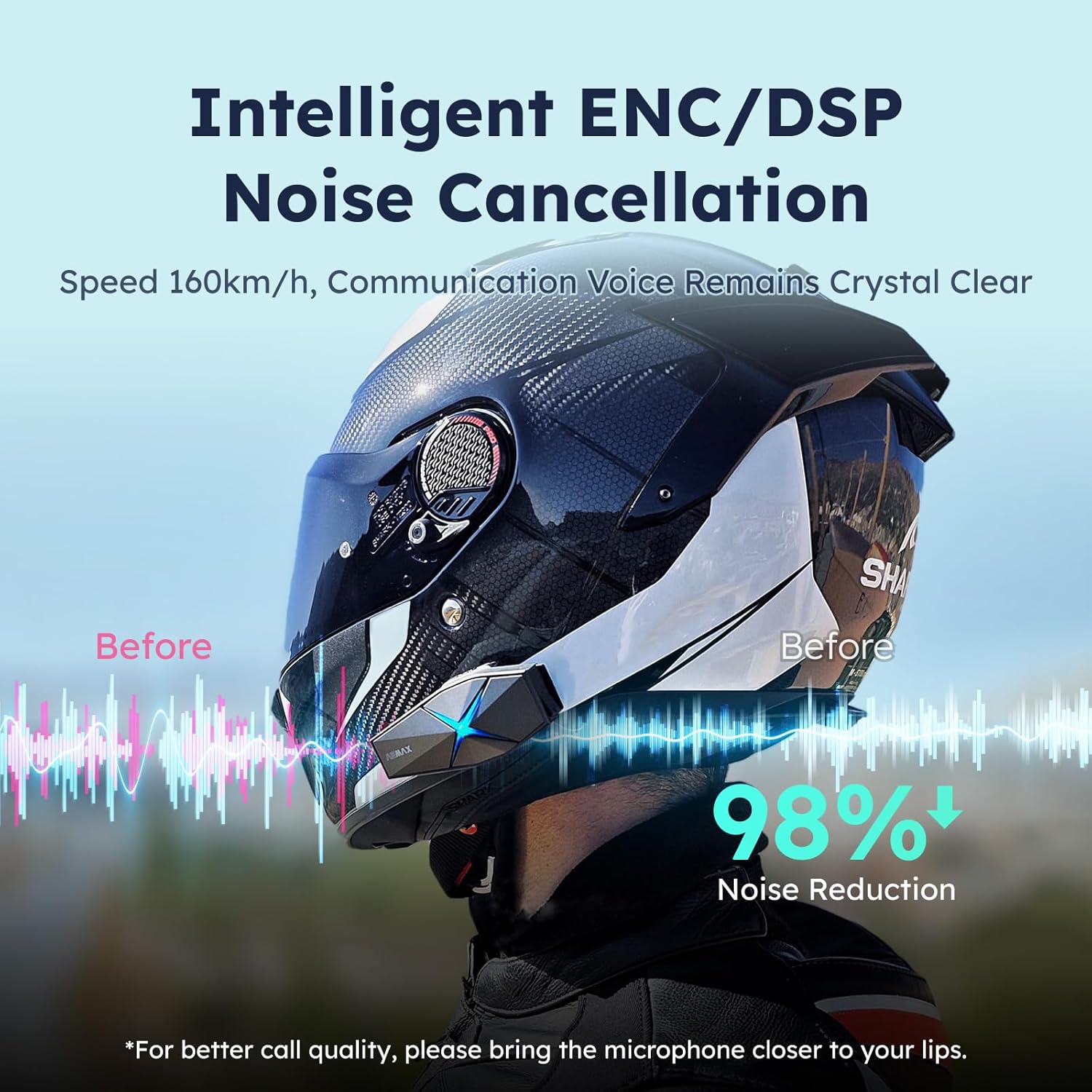
Image: ASMAX F1 Noise Cancellation technology.
9. Especificacions
| Característica | Detall |
|---|---|
| Nom del model | ASMAX F1 (F1 DP) |
| Versió Bluetooth | 5.3 |
| Gamma d'intercomunicació | Up to 1.8 km (10 riders) |
| Capacitat de la bateria | 1250 mAh |
| Carregant | Fast Charging, USB |
| Classificació impermeable | IP67 |
| Control de soroll | Active Noise Cancellation (ENC/DSP) |
| Control de veu | "Hi Max" commands |
| Funcions d'àudio | Audio Multitasking, Superior Sound Quality |
| Dimensions | Approx. 86mm x 36mm x 23.6mm (unit) |
| Pes | Approx. 50g (unit) |
| Col·locació de l'orella | A l'orella |
| Impedància | 32 ohms |
| Sensibilitat | 105 dB |
| Resposta de freqüència | 20 Hz (mínim) |

Image: ASMAX F1 Dual-Chip Octa-Core technology.
10. Garantia i Suport
ASMAX products come with a standard manufacturer's warranty. For specific warranty terms and conditions, please refer to the warranty card included in your product packaging or visit the official ASMAX weblloc.
For technical support, troubleshooting assistance, or any inquiries regarding your ASMAX F1 headset, please contact ASMAX customer service through their official channels. Contact information can typically be found on the ASMAX weblloc o a l'embalatge del producte.
Regularly check the ASMAX website or app for firmware updates to ensure optimal performance and access to new features, such as CloudTalk Mode.
Ask a question about this manual
Ask about setup, troubleshooting, compatibility, parts, safety, or missing instructions. Manuals+ will review the question and use this page’s manual context to help answer it.