
Introducció
This manual provides detailed instructions for the installation, operation, and maintenance of your MekedeTech Mekede M6 Pro Android 13 Car Radio. This unit is specifically designed for the Toyota Highlander models from 2014 to 2019, offering an enhanced in-car multimedia and navigation experience. Please read this manual thoroughly before installation and use to ensure proper function and safety.
Informació de seguretat
- Ensure the vehicle's engine is off and the parking brake is engaged before beginning installation.
- Disconnect the vehicle's battery to prevent electrical shorts and damage.
- Consulteu un instal·lador professional si teniu dubtes sobre alguna part del procés d'instal·lació.
- No feu servir el dispositiu de manera que us distregui de la conducció. Prioritzeu sempre la seguretat viària.
- Eviteu exposar la unitat a temperatures extremes, a la llum solar directa durant períodes prolongats o a una humitat excessiva.
Contingut del paquet
Verifiqueu que tots els components siguin presents abans de continuar amb la instal·lació:
- Mekede M6 Pro Android 13 Head Unit
- Vehicle-specific Wiring Harness (Plug & Play for Toyota Highlander 2014-2019)
- Fakra GPS Antenna
- Fakra 4G Antenna
- Cables USB
- Installation Brackets and Screws
- Manual d'usuari (aquest document)
Configuració i instal·lació
The Mekede M6 Pro is designed for a plug-and-play installation in compatible Toyota Highlander models (2014-2019). Follow these general steps:
- Preparació: Disconnect the negative terminal of your vehicle's battery. Remove the factory radio and trim panels carefully.
- Cablejat: Connect the provided vehicle-specific wiring harness to the corresponding ports on the new head unit and the vehicle's existing wiring. Ensure all connections are secure.
- Connexió d'antena: Connect the Fakra GPS Antenna and Fakra 4G Antenna to their designated ports on the head unit. Route the antennas to a location with clear signal reception, typically on the dashboard or under the windshield.
- Muntatge: Secure the new head unit into the dashboard opening using the provided brackets and screws.
- Prova: Before reassembling the trim, reconnect the vehicle battery and power on the unit to test basic functions (power, display, audio, touch response).
- Remuntatge: Once confirmed functional, carefully reattach all trim panels.

Image: Comparison of the car dashboard before and after the installation of the MekedeTech M6 Pro car radio, showing the integrated 10-inch screen.
Instruccions de funcionament
Basic Interface and Navigation
The unit features a 10-inch 1280x720 QLED full-fit screen running on Android 13. Navigate through applications and settings using the touch interface. The QLED screen provides clear visibility even in strong light.
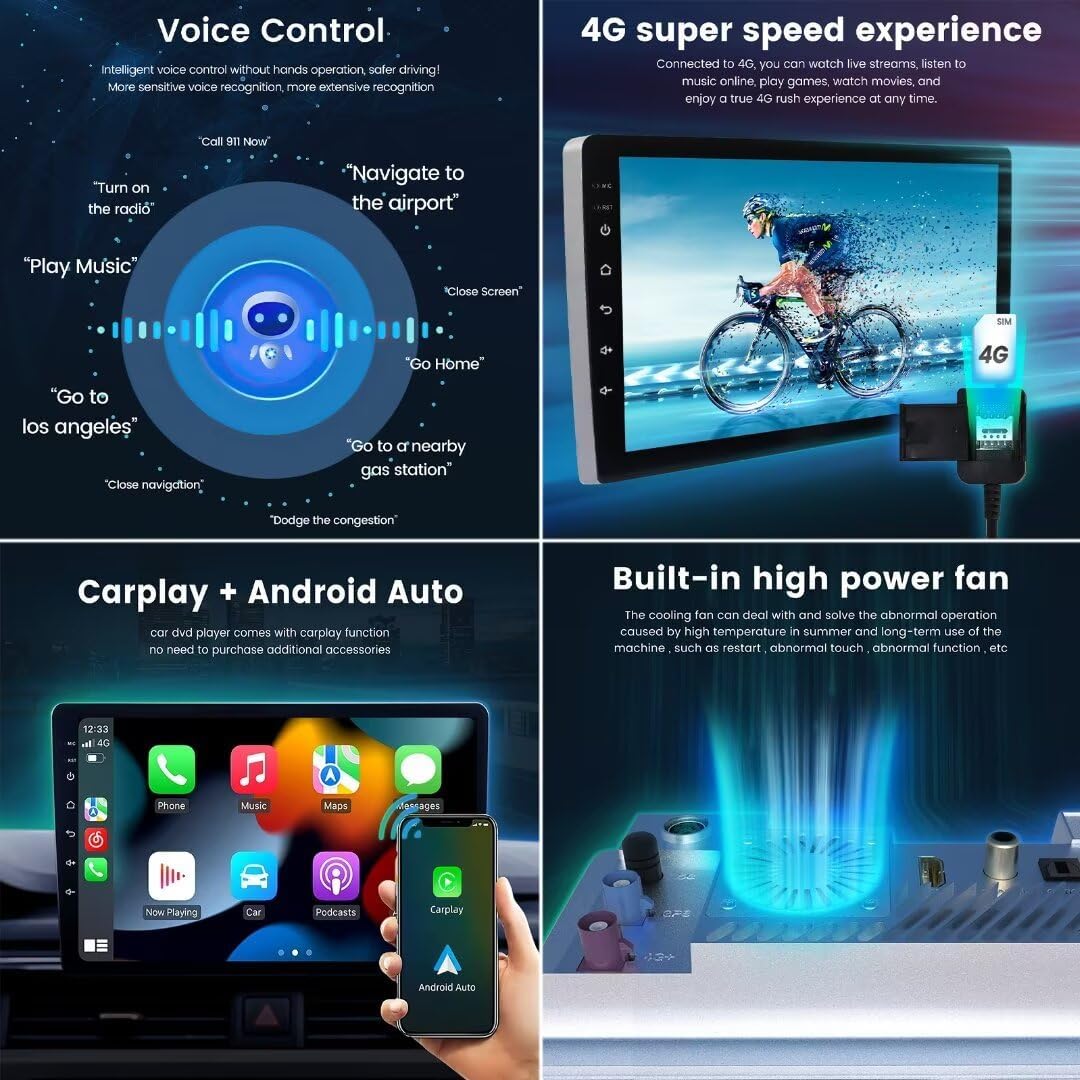
Image: Various user interface (UI) display options (UI08, UI22, UI29, UI34) available on the MekedeTech M6 Pro, alongside the 36-band DSP equalizer settings.
CarPlay sense fil i Android Auto
Connect your smartphone wirelessly to access CarPlay or Android Auto. This allows for seamless integration of navigation, calls, messages, and music directly on the head unit's display without needing a physical cable connection.

Image: Demonstrates intelligent voice control commands, 4G connectivity for high-speed internet, the interface for wireless CarPlay and Android Auto, and the built-in high-power cooling fan.
Connectivitat Bluetooth 5.1
The unit features a Qualcomm 3031 chip for Bluetooth 5.1, providing stable and fast wireless connections for hands-free calling and audio streaming. This ensures low power consumption and strong anti-interference capabilities.

Image: Highlights the upgrade to Bluetooth 5.1, the precision of the 36-band DSP equalizer, and the immersive experience of DTS 4.1/5.1 channel surround sound systems.
Radio and Sound System
Access FM/AM radio with RDS functionality. The integrated DSP (Digital Sound Processor) features a 36-band equalizer for precise audio tuning, along with DTS 4.1/5.1 channel surround sound systems for an immersive audio experience.

Image: Shows the FM/AM RDS radio interface, options to customize main interface icons, the split-screen function displaying two applications simultaneously, and the multi-language support settings.
Control de veu
Utilize intelligent voice control for hands-free operation. Commands such as "Turn on the radio," "Navigate to the airport," or "Play Music" can be used to control various functions, enhancing driving safety and convenience.
Navegació GPS
The unit supports GPS, GLONASS, and BDS for accurate positioning and real-time traffic conditions. The custom Fakra GPS antenna ensures stable signal reception.
Image: Illustrates accurate GPS positioning with support for GLONASS and BDS, and a detailed view of the specially designed M6 Pro motherboard with its various components like the CPU, amplificador i antenes.
4G LTE and Wi-Fi
With 4G LTE and 5GHz Wi-Fi support, you can enjoy high-speed internet access for online streaming, app downloads, and real-time data. The Fakra 4G antenna ensures reliable connectivity.
Funcionalitat de pantalla dividida
The split-screen feature allows you to run two applications simultaneously, such as navigation and music playback, for enhanced multitasking.
Manteniment
- Neteja de pantalla: Utilitzeu un drap suau i sense pelusa lleugerament dampened with water or a screen cleaner to wipe the display. Avoid abrasive materials or harsh chemicals.
- Actualitzacions de programari: Periodically check for available software updates to ensure optimal performance and access to new features. Follow the on-screen instructions for any updates.
- Atenció general: Keep the unit free from dust and debris. Ensure proper ventilation around the unit, especially with the built-in cooling fan.
Resolució de problemes
| Problema | Causa possible | Solució |
|---|---|---|
| La unitat no s'encén | Connexió d'alimentació fluixa, fusible cremat, problema amb la bateria del vehicle | Check wiring harness connections. Inspect vehicle fuses. Ensure vehicle battery is charged. |
| Sense sortida de so | Speaker wires disconnected, volume too low, audio settings incorrect | Verify speaker wire connections. Increase volume. Check audio output settings in the system menu. |
| Senyal GPS perdut o inexacte | GPS antenna improperly placed or disconnected | Assegureu-vos que l'antena GPS tingui una visió clara view del cel i està connectat de manera segura. |
| Problemes de connexió Bluetooth | Device not paired, Bluetooth off, interference | Assegureu-vos que el Bluetooth estigui activat en tots dos dispositius. Torneu a emparellar el dispositiu. Allunyeu-vos de les fonts d'interferència. |
| La pantalla tàctil no respon | Temporary software glitch, screen protector interference | Restart the unit. Remove any thick screen protectors. |
Especificacions
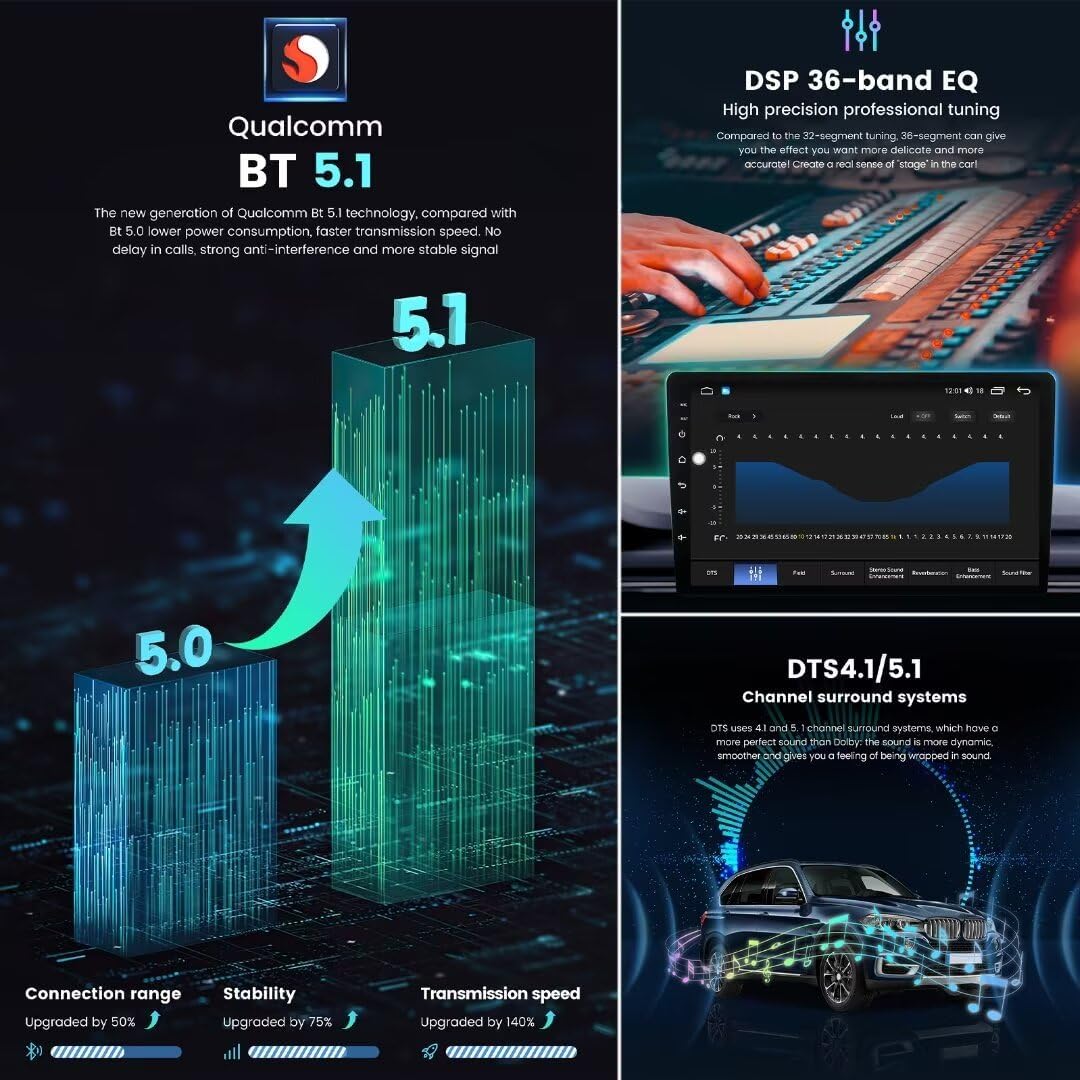
Image: Details the 12NM UIS7862S 2.0GHz 8-core CPU, 1280x720 QLED screen resolution, and the benefits of a full-fit screen design compared to non-full-fit displays.
- Model: M6Pro-10inch-8+256GB-1280*720
- Compatibilitat: Toyota Highlander 2014-2019
- Sistema operatiu: Android 13
- CPU: UIS7862S 2.0GHz Octa-core (2x ARM Cortex A75 + 6x ARM Cortex A55)
- Pantalla: 10-inch QLED, 1280x720 resolution
- Memòria: 8 GB de RAM + 256 GB de ROM
- Bluetooth: BT 5.1 (Qualcomm 3031 chip)
- Wi-Fi: 5GHz support
- 4G LTE: Supported (Fakra 4G Antenna included)
- Poder Ampmés viu: TDA7850/7851
- Radio IC: TDA7708 (FM/AM RDS)
- DSP: 36-band Equalizer, DTS 4.1/5.1 Channel Surround System
- Navegació: GPS, GLONASS, BDS (Fakra GPS Antenna included)
- Característiques: Wireless CarPlay/Android Auto, Voice Control, ADAS DVR support, AHD Rear Camera support, Built-in Cooling Fan, Split Screen, Multiple UI options, Multi-language support.
- Font d'alimentació: DC
- Mode de sortida d'àudio: So envoltant
Garantia i Suport
Garantia: This product comes with a 1-Year Warranty from the date of purchase. Please retain your proof of purchase for warranty claims. The warranty covers manufacturing defects but does not cover damage caused by improper installation, misuse, accidents, or unauthorized modifications.
Atenció al client: For technical assistance, troubleshooting, or warranty inquiries, please contact MekedeTech customer support through the retailer where the product was purchased or visit the official MekedeTech weblloc per obtenir informació de contacte.