
Retevis C1
Retevis C1 Dual-Band IP67 Waterproof Walkie Talkie User Manual
Model: C1
1. Introducció
Thank you for choosing the Retevis C1 Dual-Band IP67 Waterproof Walkie Talkie. This manual provides essential information for the safe and efficient operation of your device. Please read it thoroughly before use and retain it for future reference.
2. Contingut del paquet
Verifiqueu que tots els articles que s'enumeren a continuació s'inclouen al vostre paquet. Si falta algun article o està malmès, poseu-vos en contacte amb el vostre distribuïdor.
- 1 x Retevis C1 Walkie Talkie
- 1 bateria de ions de liti de 1800 mAh
- 1 x antena
- 1 x carregador USB
- 1 x Clip de cinturó
- 1 x corretja de mà
- 1 x Manual d'usuari en diversos idiomes
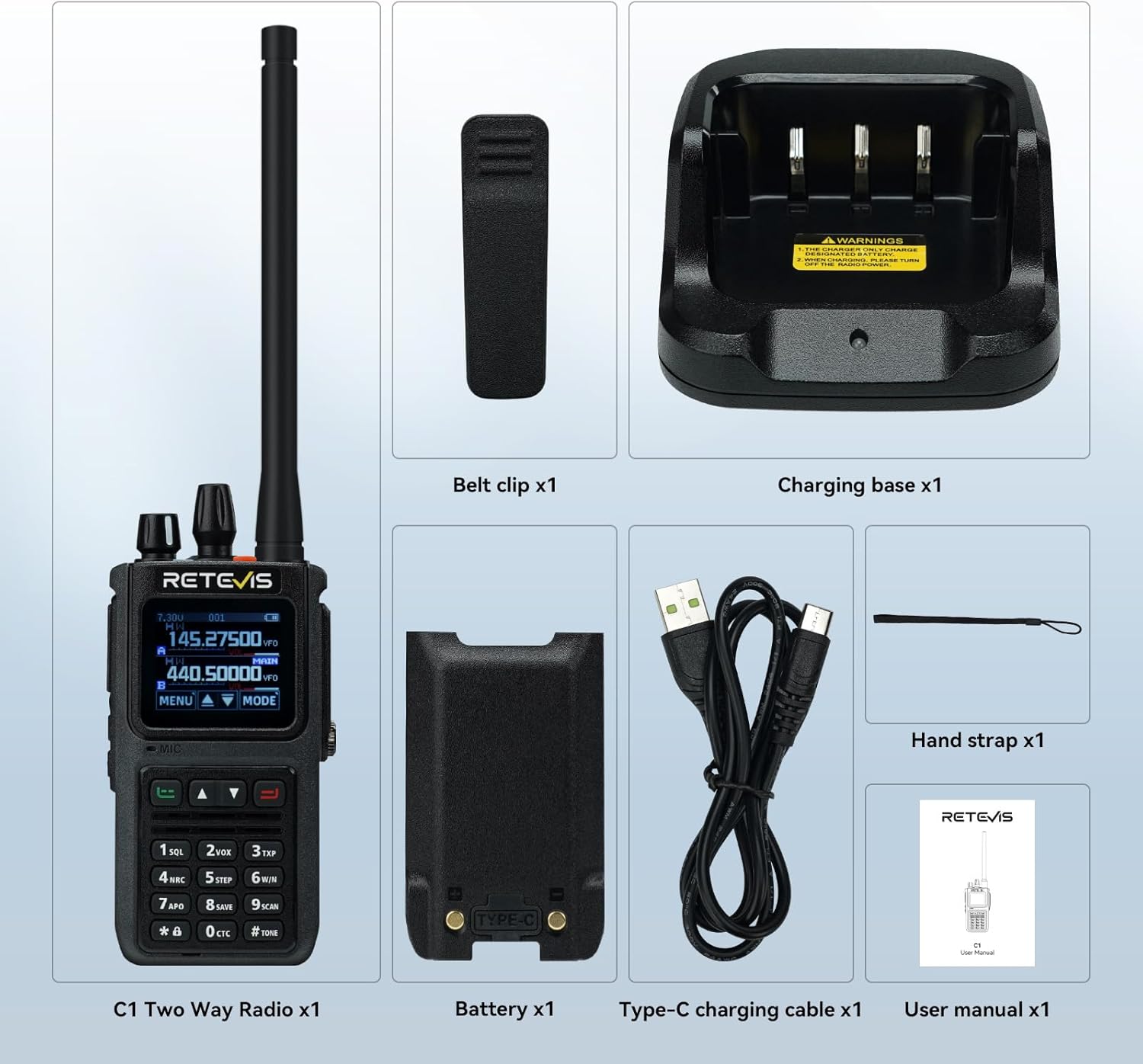
Figure 2.1: Included components of the Retevis C1 package.
3. Producte acabatview
The Retevis C1 features a robust design with an IP67 waterproof rating, a 1.77-inch color screen, and dual-band capabilities for versatile communication.
3.1 Característiques clau
- Impermeable IP67: Designed to withstand wet and humid environments.
- Two-Way Noise Reduction: Equipped with a BK4829 chip for clear audio.
- Llarga vida útil de la bateria: 1800mAh Li-ion battery provides up to 20 hours of continuous use and 95 hours of standby.
- Funcionament de doble banda: Transmit and receive on two channels simultaneously.
- Pantalla a color d'1.77 polzades: Easy to read and navigate settings day or night.
- Alarma d'emergència: Local and remote alarm functions for safety.
- Càrrega tipus C: Convenient charging options for extended battery life.
3.2 Característiques físiques
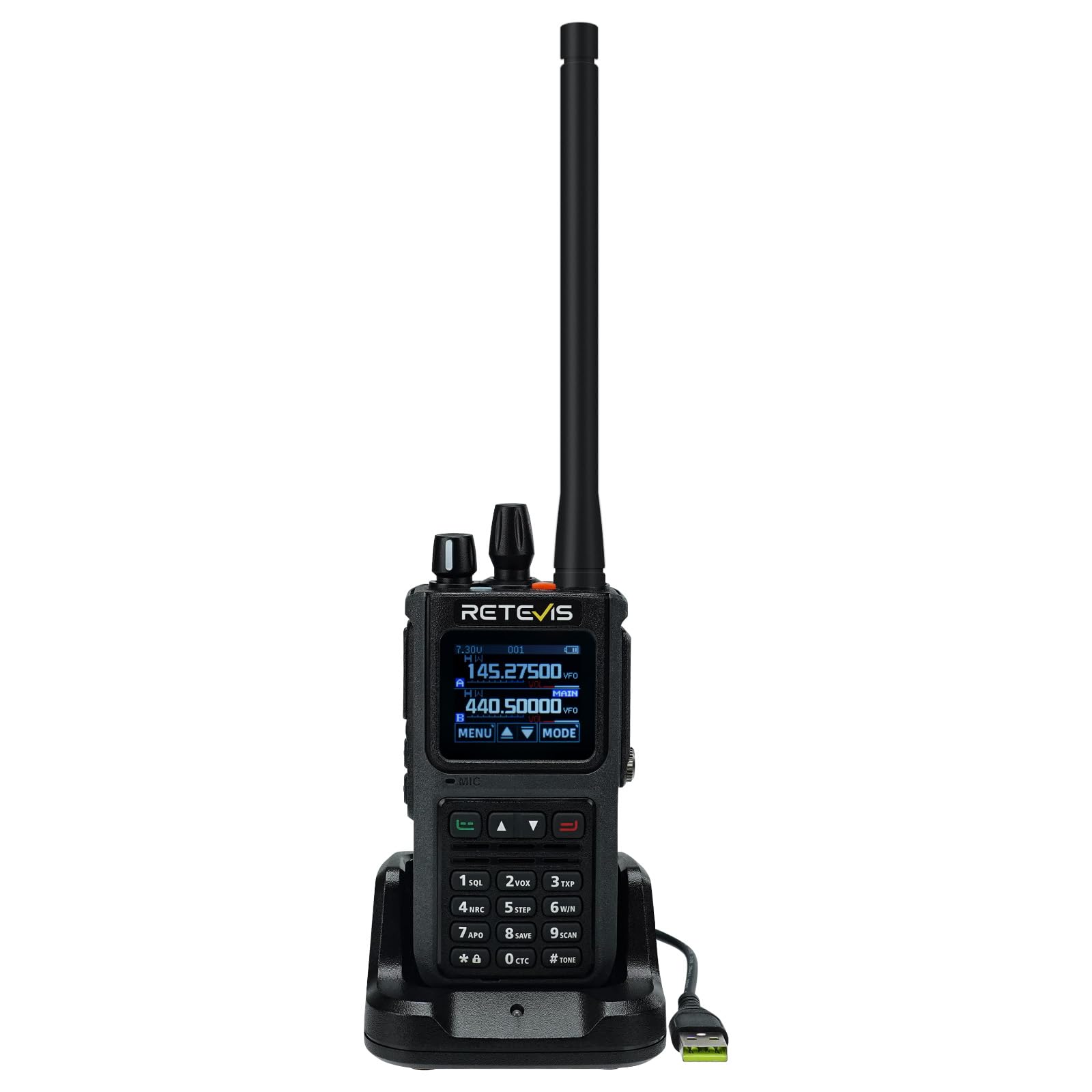
Figura 3.1: Frontal view of the Retevis C1 Walkie Talkie.
The device features a robust casing, a clear color display, and a full keypad for easy operation. The top includes an antenna connector, volume/power knob, and channel selector. Side buttons provide quick access to functions like Push-to-Talk (PTT) and programmable features.
4. Configuració inicial
4.1 Col·locació de l'antena
- Alineeu l'extrem roscat de l'antena amb el connector d'antena a la part superior de la ràdio.
- Gireu l'antena en sentit horari fins que quedi ben fixada. No l'estrenyeu massa.
4.2 Instal·lació de la bateria
- Assegureu-vos que la ràdio estigui apagada.
- Alineeu la bateria amb el compartiment de la bateria a la part posterior de la ràdio.
- Feu lliscar la bateria al seu lloc fins que faci clic de manera segura.
4.3 Càrrega de la bateria
Before first use, fully charge the battery. The Retevis C1 supports both desktop charger and direct Type-C charging.
- Ús del carregador d'escriptori: Place the radio with the battery installed into the charging cradle. The indicator light will show charging status.
- Ús de la càrrega directa de tipus C: Connect the Type-C cable to the port on the side of the radio and to a compatible USB power source.

Figure 4.1: Charging the Retevis C1 using the desktop charger.

Figure 4.2: Direct Type-C charging of the Retevis C1.
5. Instruccions de funcionament
5.1 Engegada/Apagada i control de volum
Per encendre la ràdio, gireu el botó superior en sentit horari. Continueu girant per augmentar el volum. Gireu en sentit antihorari per disminuir el volum i apagar-la.
Video 5.1: Demonstrates basic operations of a dual-band radio, including power on/off and volume control. This video is for the Retevis RT85, which has similar operational principles to the C1.
5.2 Channel Selection and PTT
Use the up/down arrow keys or the channel knob to select your desired channel. Press and hold the Push-to-Talk (PTT) button on the side to transmit, and release to receive.
5.3 Navegació i configuració del menú
Press the 'MENU' button to access the radio's settings. Use the up/down arrows to navigate and 'SELECT' to confirm. The 1.77-inch color screen provides clear visibility for all settings.

Figure 5.1: The 1.77-inch color screen offers clear visibility for settings in various lighting conditions.
5.4 VFO Mode (Variable Frequency Oscillator)
In VFO mode, you can manually input specific frequencies for transmission and reception. This offers flexibility for advanced users.

Figura 5.2: Introducció manual de freqüències en mode VFO.
5.5 SUB-PTT Function
The SUB-PTT function allows transmission on 2m/70cm frequencies without switching frequency bands, enhancing communication efficiency.

Figure 5.3: Using the SUB-PTT function for seamless dual-band transmission.
5.6 Alarma d'emergència
Activate the emergency alarm for local and remote alerts to enhance safety in critical situations. Refer to the full manual for specific key combinations.

Figure 5.4: Emergency alarm feature for enhanced safety.
5.7 App Connection and Channel Editing
The Retevis C1 can be connected wirelessly to a mobile application for advanced channel editing and configuration. This allows for easy customization of frequencies, CTCSS/DCS codes, and other parameters.
Video 5.2: Demonstrates wireless connection to a mobile app for channel editing and data writing. This video is for the Retevis Ailunce HA2, which shares similar app programming capabilities with the C1.
6. Manteniment
6.1 Neteja i cura
Netegeu regularment la ràdio amb un damp cloth. Do not use harsh chemicals or abrasive cleaners. Ensure all port covers are securely closed to maintain IP67 waterproof integrity.

Figure 6.1: The IP67 waterproof design protects the radio from water and humid conditions.
6.2 Cura de la bateria
Per allargar la durada de la bateria, eviteu sobrecarregar-la o esgotar-la completament. Guardeu la ràdio i la bateria en un lloc fresc i sec quan no les utilitzeu durant períodes prolongats.
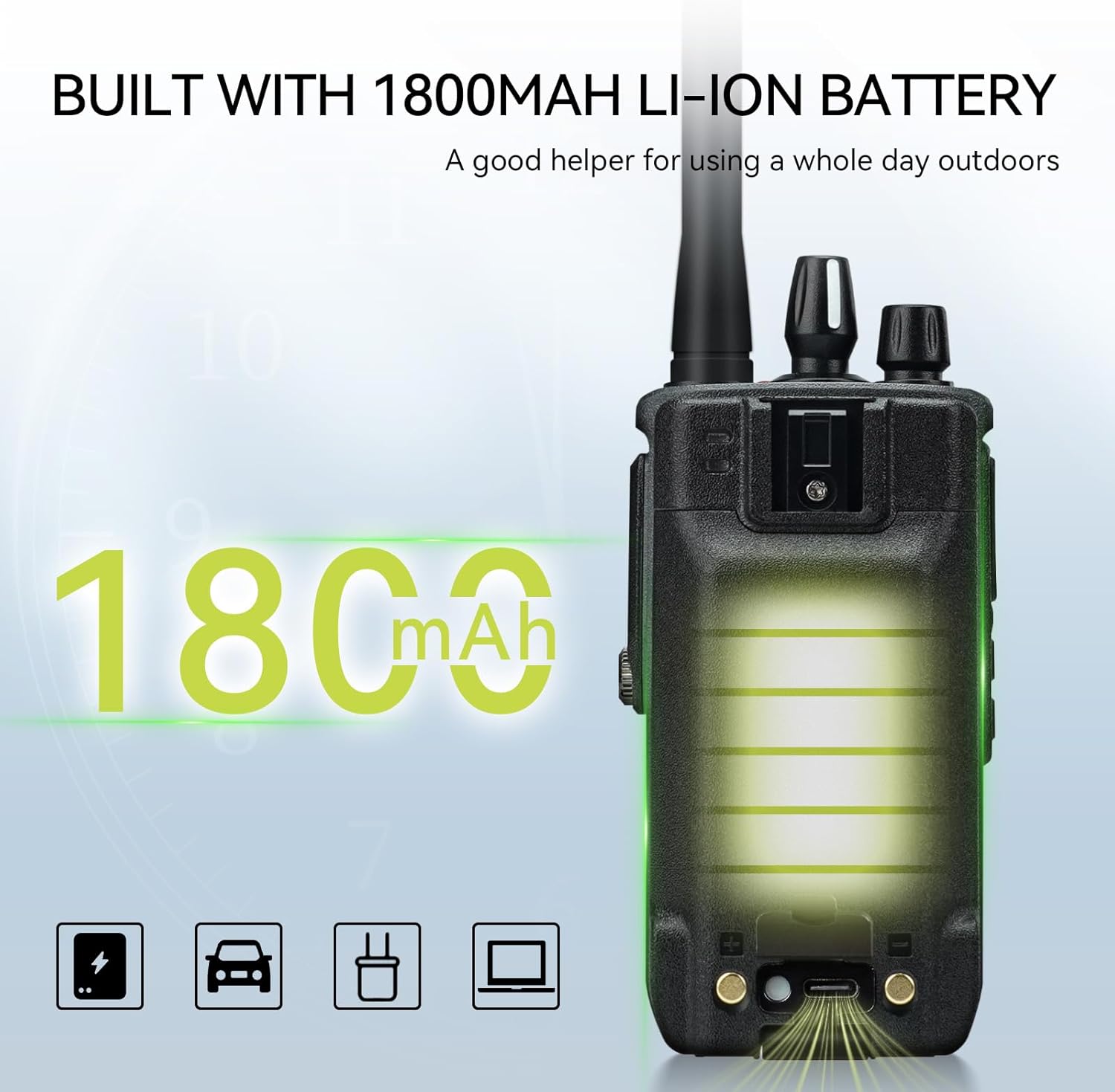
Figure 6.2: The 1800mAh Li-ion battery provides extended operational time.
7. Solució De Problemes
| Problema | Causa possible | Solució |
|---|---|---|
| Sense poder | Bateria baixa o no instal·lada correctament. | Charge the battery or re-install it. |
| No es pot transmetre ni rebre | Incorrect frequency/channel, out of range, or squelch level too high. | Verify frequency/channel settings, move closer to other radios, adjust squelch level. |
| Mala qualitat d'àudio | Weak signal, interference, or noise reduction settings. | Move to an area with better signal, check for sources of interference, adjust noise reduction. |
| Teclat bloquejat | Funció de bloqueig del teclat activada. | Premeu i manteniu premuda la tecla '#' per desbloquejar el teclat numèric. |
8. Especificacions
| Característica | Especificació |
|---|---|
| Marca | Retevis |
| Número de model | C1 |
| Nivell impermeable | IP67 |
| Potència de sortida | 5W |
| Nombre de canals | 250 |
| Interval de freqüència | De doble banda |
| Capacitat de la bateria | 1800 mAh Li-ion |
| Durada de la bateria (ús continu) | 20 hores |
| Temps d'espera | 95 hores |
| Mostra | Pantalla a color de 1.77 polzades |
| Noise Reduction Chip | BK4829 |
| Dimensions (P x A x A) | 4.1 x 6.3 x 13.3 cm |
| Pes | 291.5 grams |
| Temperatura de funcionament | -10 a 55 °C |
9. Garantia i Suport
Retevis proporciona una 2 any de garantia per al cos de la ràdio i un 1 any de garantia for accessories. Additionally, a Política de devolució sense motiu de 30 dies s'ofereix.
For warranty claims or technical support, please contact Retevis customer service via Amazon. We aim to respond within 12 hours.
Even beyond the warranty period, we continue to offer service, with buyers responsible for associated costs.
Ask a question about this manual
Ask about setup, troubleshooting, compatibility, parts, safety, or missing instructions. Manuals+ will review the question and use this page’s manual context to help answer it.