
1. Introducció
The XGODY Gimbal5 Smart Mini-projector offers a full HD 1080p native resolution with 4K support, 18000 lumens brightness, and a 10,000:1 dynamic contrast ratio. Featuring Android 11.0, WiFi 6, Bluetooth 5.0, and automatic keystone correction, this portable projector is designed for versatile home entertainment. This manual provides essential information for safe and effective use of your projector.
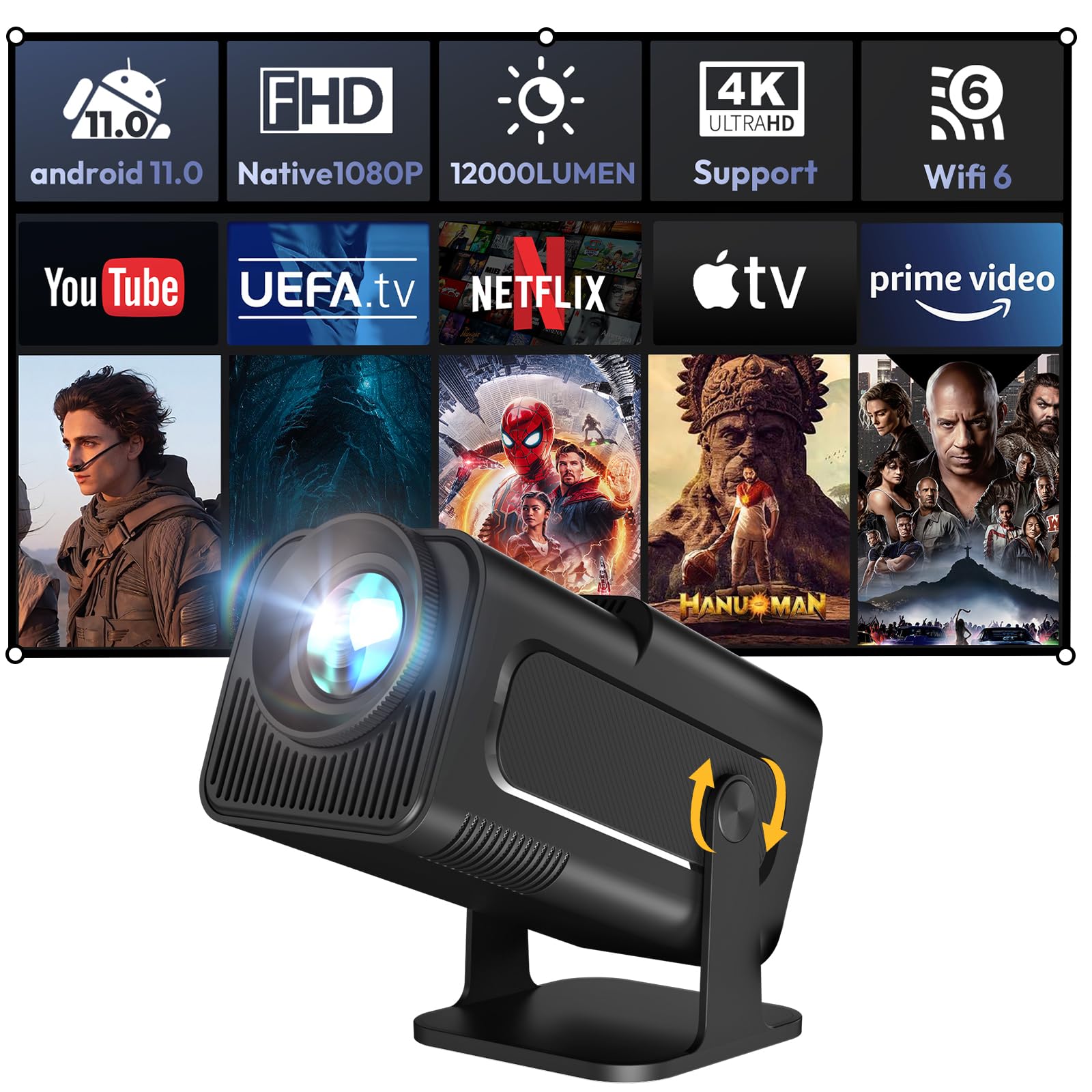
Image 1.1: The XGODY Gimbal5 Smart Mini-projector.
2. Informació de seguretat
Please read all safety instructions before using the projector to prevent injury or damage. Keep this manual for future reference.
- Font d'alimentació: Feu servir només l'adaptador de corrent proporcionat. Assegureu-vos que el volumtage coincideix amb la vostra font d'alimentació local.
- Ventilació: No bloquegeu les obertures de ventilació. Assegureu-vos que hi hagi un flux d'aire adequat al voltant del projector per evitar el sobreescalfament.
- Aigua i humitat: Do not expose the projector to rain, moisture, or liquids.
- Neteja: Unplug the projector before cleaning. Use a soft, dry cloth. Do not use liquid or aerosol cleaners.
- Col·locació: Place the projector on a stable, flat surface. Avoid placing it in direct sunlight or near heat sources.
- Seguretat ocular: No mireu directament a la lent del projector quan estigui encès.amp està activat.
3. Contingut del paquet
Verifiqueu que tots els elements siguin presents al paquet:
- XGODY Gimbal5 Smart Mini-projector
- Control remot
- Cable d'alimentació
- Manual d'usuari (aquest document)
4. Producte acabatview
4.1 Característiques físiques
The Gimbal5 projector features a compact design for portability and a versatile stand that allows for 180° rotation, enabling projection onto walls or ceilings.

Image 4.1: The compact size of the XGODY Gimbal5, designed for portability.

Image 4.2: The projector's 180-degree rotation feature for flexible projection angles.
4.2 Ports i controls
The projector is equipped with various ports for connectivity and is controlled via the included remote.

Imatge 4.3: posterior view showing HDMI, USB, and 3.5mm audio ports for diverse connectivity.
5. Configuració
5.1 Encès inicial
- Connecteu el cable d'alimentació al projector i a una presa de corrent.
- Premeu el botó d'encesa del projector o del comandament a distància per encendre-lo.
5.2 Connexió de xarxa
Connect your projector to a stable internet connection for optimal performance and access to online content.
- Navigate to the settings menu using the remote control.
- Seleccioneu Xarxa i Internet and choose your desired Wi-Fi network.
- Enter the Wi-Fi password if prompted. The projector supports the latest 5G dual-band WiFi 6 for faster speeds.

Image 5.1: Demonstrating the Dual-Band WiFi 6 for enhanced connectivity.
5.3 Automatic Image Adjustments
The projector features automatic keystone correction and electric focus for a clear and properly aligned image.
- The projector will automatically adjust the image shape (keystone) to be rectangular.
- Electric focus ensures a sharp image without manual adjustment.

Image 5.2: The Auto-Vertical Keystone feature automatically corrects image distortion.
6. Instruccions de funcionament
6.1 Sistema intel·ligent Android 11.0
The projector runs on Android 11.0, providing access to a wide range of applications.
- Use the remote control to navigate the Android interface.
- Access pre-installed apps like Netflix and YouTube, or download more from the integrated Google Store.

Image 6.1: The Android 11.0 interface displaying various streaming applications.
6.2 Screen Mirroring (Eshare)
Share content from your mobile device directly to the projector screen using the Eshare function.
- Assegureu-vos que el dispositiu mòbil i el projector estiguin connectats a la mateixa xarxa Wi-Fi.
- Select the Eshare application on the projector.
- Follow the on-screen instructions to connect your iOS or Android device.
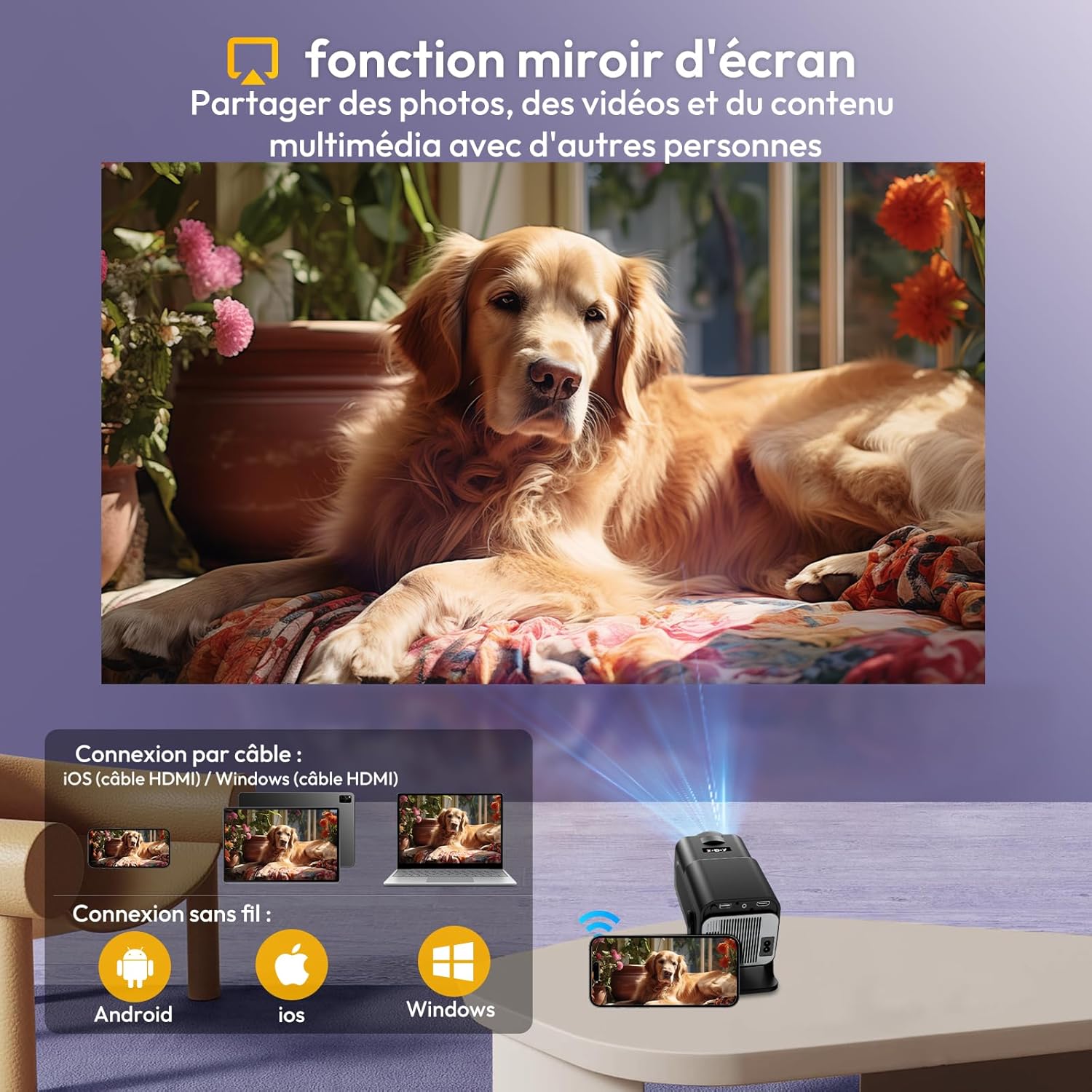
Image 6.2: Screen mirroring functionality, allowing content sharing from mobile devices.
6.3 Connexió de dispositius externs
The projector supports various external devices via HDMI, USB, and Bluetooth.
- HDMI: Connect TV sticks, laptops, game consoles (PS5) using an HDMI cable.
- USB: Connecteu unitats USB per a la reproducció de contingut multimèdia.
- Bluetooth 5.2: Connect external Bluetooth speakers for an enhanced audio experience. The projector also has a built-in 3W Hi-Fi speaker.
- Àudio de 3.5 mm: Connect headphones or external speakers via the audio jack.
Imatge 6.3: acabatview of multiple connection options including HDMI, USB, and audio interfaces.
6.4 Qualitat de la imatge
The projector delivers vivid and detailed picture quality with its native 1080p resolution and high brightness.

Image 6.4: Visual representation of the projector's vivid and detailed picture quality.
6.5 Projection Distance and Size
The short-throw projection ratio allows for large images even in limited spaces.
- Minimum projection distance: 1.5 meters for a 30-inch image.
- Maximum projection distance: 5 meters for a 200-inch image.
- Recommended display size: up to 150 inches for optimal viewing.
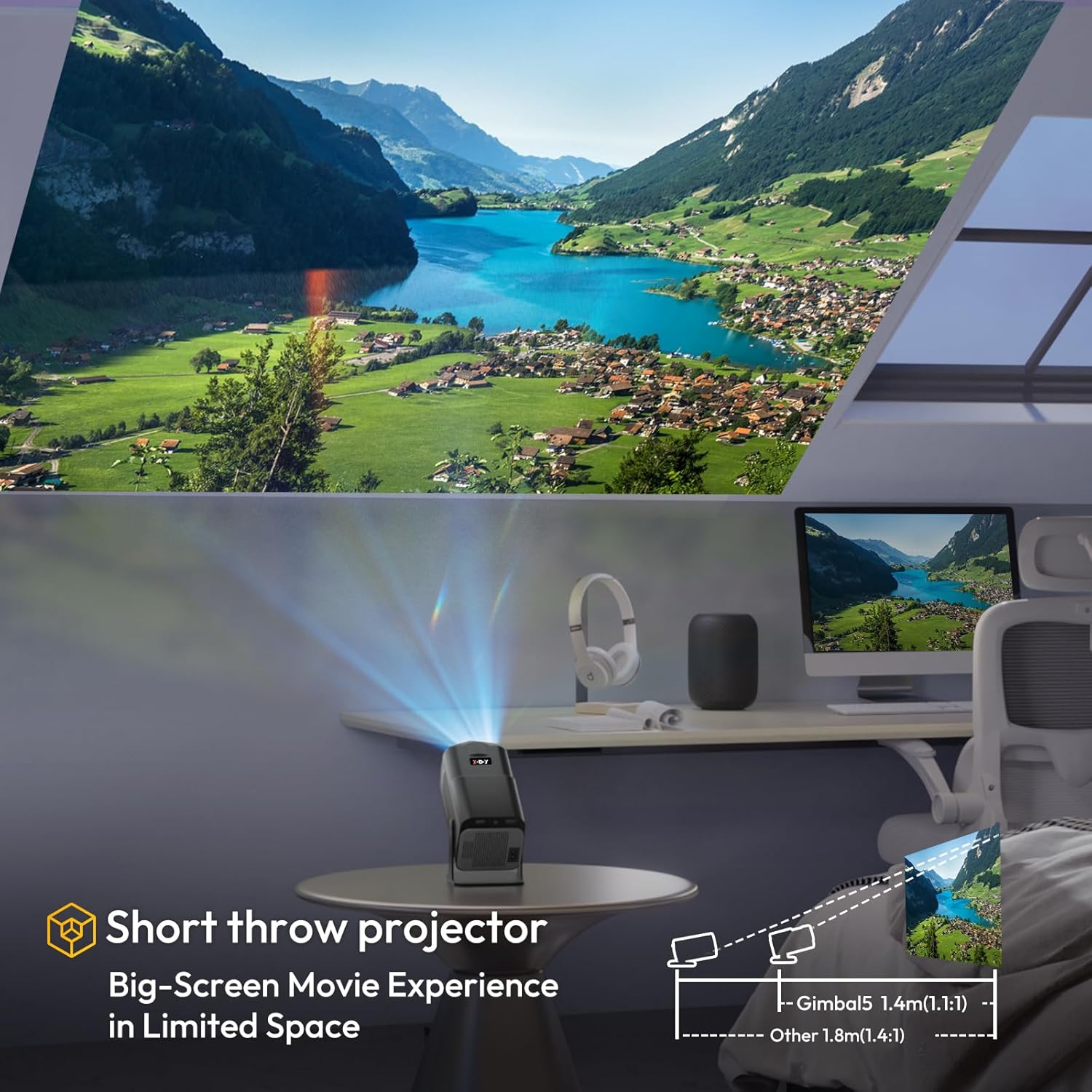
Image 6.5: Illustration of the short-throw projection, enabling large screens in small rooms.
7. Manteniment
Un manteniment adequat garanteix la longevitat i el rendiment del vostre projector.
- Neteja de lents: Use a soft, lint-free cloth specifically designed for optical lenses to gently wipe the projector lens. Avoid harsh chemicals.
- Ventilació: Regularly check and clean the ventilation grilles to prevent dust buildup, which can lead to overheating. Use a soft brush or compressed air.
- Emmagatzematge: Quan no l'utilitzeu durant períodes prolongats, guardeu el projector en un lloc fresc i sec, allunyat de la llum solar directa i de temperatures extremes.
8. Solució De Problemes
Si teniu problemes amb el projector, consulteu els problemes i solucions més comuns següents:
| Problema | Causa possible | Solució |
|---|---|---|
| Sense poder | Cable d'alimentació desconnectat; Problema amb la presa de corrent | Assegureu-vos que el cable d'alimentació estigui ben connectat. Proveu una altra presa de corrent. |
| Sense imatge | Input source not selected; Device not connected; Projector in standby mode | Select correct input source (HDMI, USB). Check device connection. Press power button to wake up. |
| Imatge borrosa | Focus issue; Keystone issue | The projector has electric focus and auto-keystone. If issues persist, check for obstructions or try restarting. |
| Sense so | Volume too low; Muted; External audio device issue | Increase volume. Check if muted. Ensure external audio devices are properly connected and powered on. |
| El control remot no funciona | Batteries low/dead; Obstruction; Remote not paired | Replace batteries. Remove obstructions between remote and projector. Re-pair the remote if necessary (refer to Android TV settings). |
9. Especificacions
Key technical specifications of the XGODY Gimbal5 Smart Mini-projector:
| Característica | Detall |
|---|---|
| Marca | XGODY |
| Número de model | Gimbal5 |
| Dimensions del producte | 14 L x 15 W x 25.5 H centímetres |
| Pes | 1 quilograms |
| Resolució nativa | 1920 x 1080 (Full HD) |
| Resolució màxima de pantalla | 1920 x 1080 |
| Brillantor | 18000 lúmens |
| Relació de contrast | 10000:1 |
| Tipus de visualització | LCD |
| Sistema operatiu | Android 11.0 |
| Tecnologia de connectivitat | USB, 3.5 mm audio, HDMI, WLAN (WiFi 6), Bluetooth (5.0) |
| Característiques especials | Speaker, Auto-Keystone, 180° Rotation |
| Distància mínima de projecció | 1.5 metres |
| Maximum Projection Distance | 5 metres |
| Mida mínima de la imatge | 30 polzades |
| Mida màxima de la imatge | 200 polzades |
| Dispositius compatibles | TV Stick, laptop, iOS, Android, PS5 |
10. Garantia i Suport
The XGODY Gimbal5 Smart Mini-projector comes with a manufacturer's warranty. Please refer to the warranty card included in your package for specific terms and conditions.
- For technical support or warranty claims, please contact XGODY customer service through their official weblloc web o la informació de contacte que es proporciona a la documentació de la garantia.
- Conserveu el tiquet de compra com a comprovant de compra a efectes de garantia.