
1. Producte acabatview
The PULUZ Mini Light Box (Model PU5028) is a compact and portable photography studio designed for capturing high-quality images of small products. It features integrated LED lighting and comes with two color backdrops to enhance your photography.
Característiques principals:
- Alt Brillantor: Equipped with 20 high-quality SMD LED beads for ampla il·luminació.
- No Strobe: Designed to provide consistent lighting, reducing flicker in photos.
- Multi-angle Shooting: Multiple openings allow for various shooting positions, including overhead and front shots.
- Easy Assembly & Portable: Features a foldable design for quick setup and convenient storage.
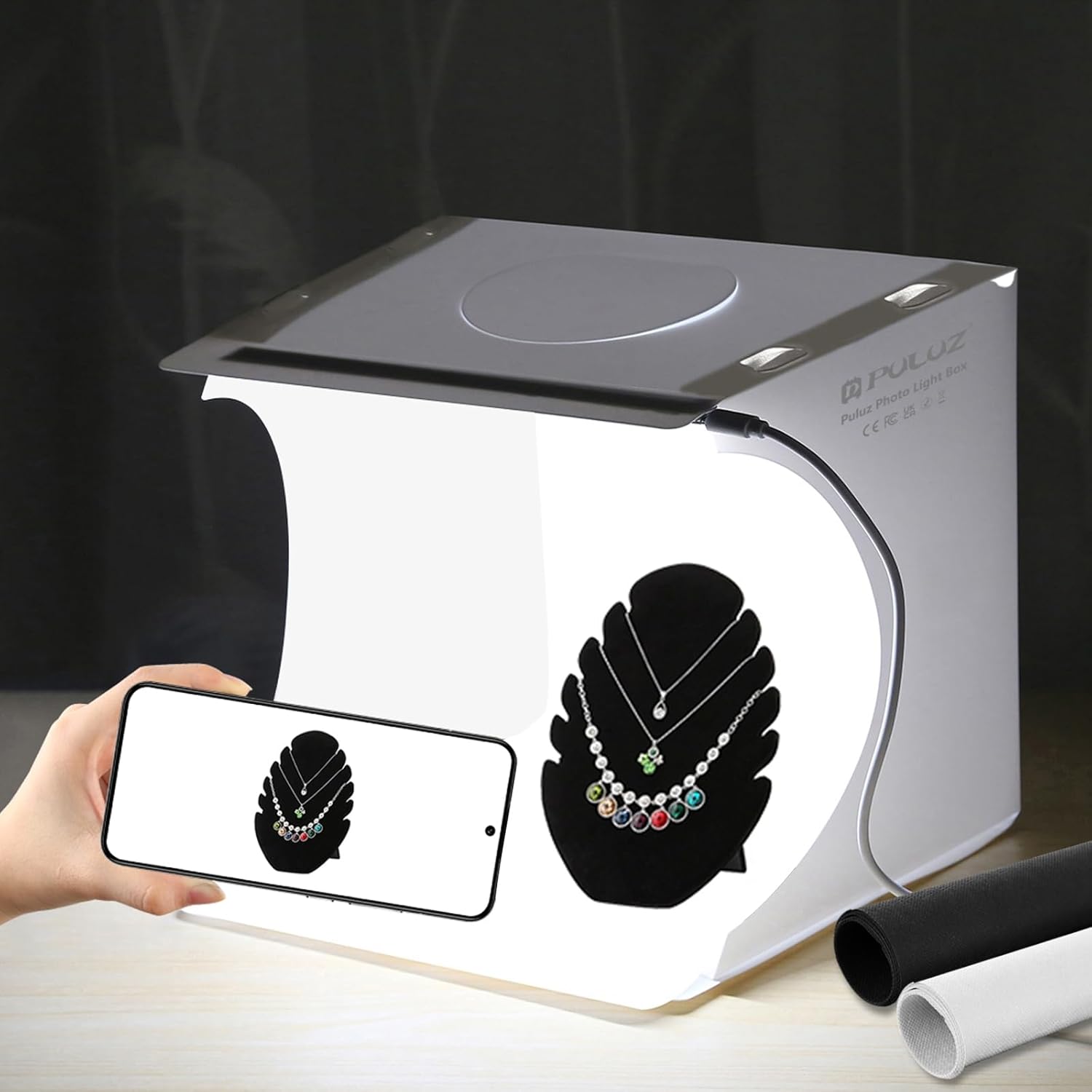
Image 1.1: The PULUZ Mini Light Box, fully assembled and ready for use.
2. Contingut del paquet
Verifiqueu que tots els elements que s'enumeren a continuació s'inclouen al vostre paquet:
- 1 x White Photo Studio Box (9 inches)
- 1 x tira de llum LED
- 2 x Color Backdrops (Black/White)
- 1 x Micro USB Port Power Cable
- 1 x Manual d'usuari
- 1 x bossa de mà

Image 2.1: All components included in the PULUZ Mini Light Box package.
3. Instruccions de configuració
Follow these steps to assemble your PULUZ Mini Light Box:
- Expand the Studio Tent: Carefully unfold the main studio box structure.
- Fold Creases: Firmly fold along the designated creases on the left and right edges, then the bottom crease, and finally the top crease to form the box shape. This ensures stability.
- Secure with Snap Buckles: Connect the corresponding snap buckles to secure the box in its cubic form.
- Install Backdrop: Choose your desired backdrop (black or white) and attach it to the backdrop holders inside the box.
- Connectar l'alimentació: Plug the Micro USB power cable into the LED light strip connector on the light box. Connect the other end of the USB cable to a 5V, 1A power source (e.g., a USB wall adapter, power bank, or computer USB port). Note: Do not use power sources with output voltage greater than 5V, such as Quick Charge adapters.
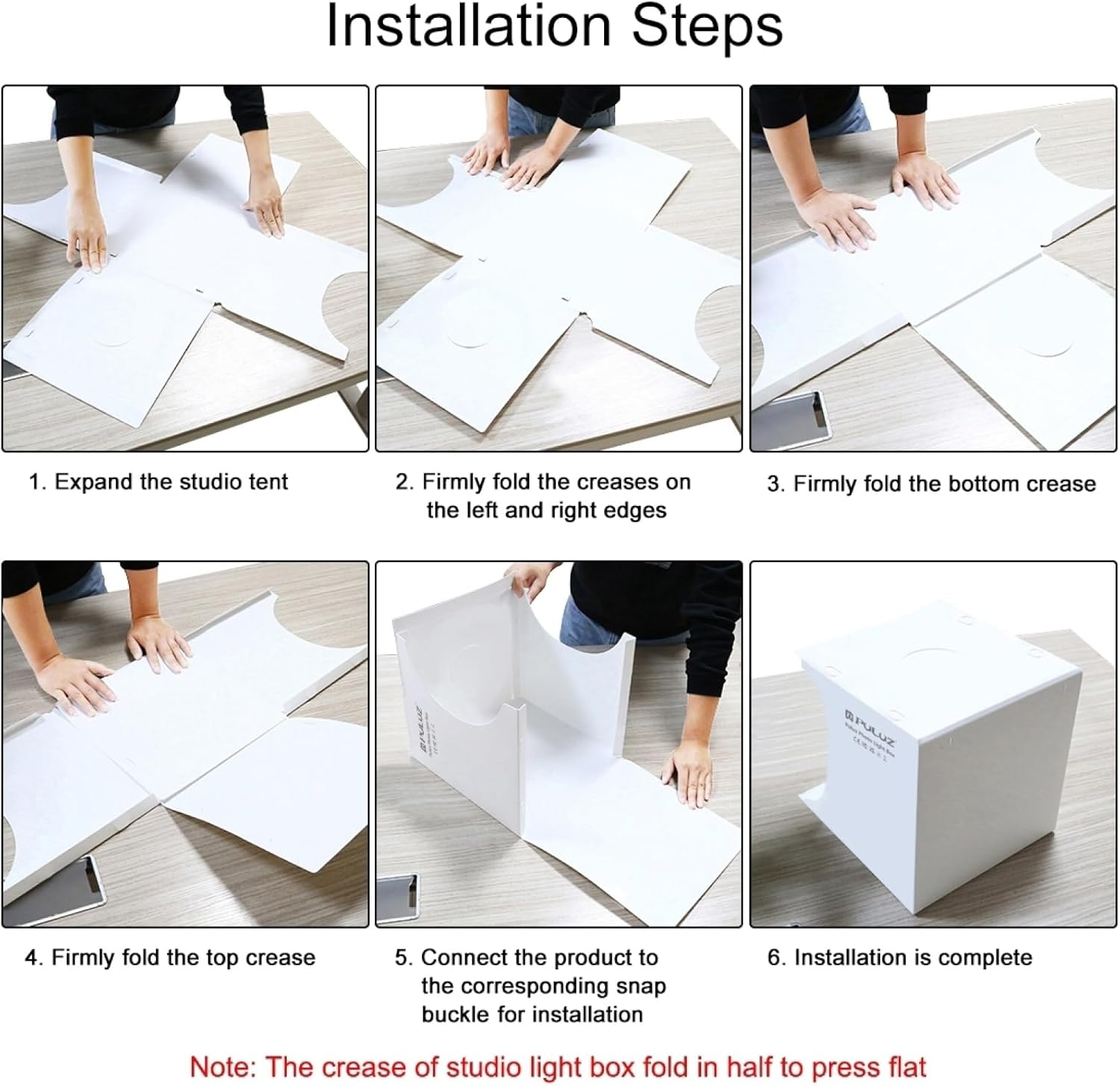
Image 3.1: Visual guide for the assembly process of the light box.

Imatge 3.2: Ex.amples of compatible USB power sources for the light box.
Video 3.1: Official PULUZ video demonstrating the assembly and basic usage of the Mini Light Box.
4. Instruccions de funcionament
Once assembled and powered, the PULUZ Mini Light Box is ready for use:
- Place Product: Position your small item centrally on the chosen backdrop inside the light box.
- Select Backdrop: Use either the black or white backdrop to best complement your product and desired photographic effect.
- Trieu l'angle de tret: Utilize the multiple openings (top and front) to achieve various camera angles. The top opening is ideal for overhead shots, while the front opening allows for direct front-facing photography.
- Captura d'imatge: Use your camera (DSLR, mirrorless, or smartphone) to take photos. The integrated LED lighting provides even illumination.

Image 4.1: Demonstrates the use of white and black backdrops for different product presentation styles.

Image 4.2: Illustrates various shooting angles possible with the light box, such as overhead and front views.
5. Manteniment
To ensure the longevity and optimal performance of your PULUZ Mini Light Box, follow these maintenance guidelines:
- Neteja: Wipe the surfaces of the light box with a soft, dry cloth. For stubborn marks, use a slightly damp cloth and mild soap, then dry thoroughly. Avoid abrasive cleaners.
- Backdrop Care: The included backdrops can be gently wiped clean. Store them flat or rolled to prevent creases.
- Emmagatzematge: When not in use, fold the light box back into its compact form and store it in the provided tote bag to protect it from dust and damage.
- Cable de corrent: Handle the USB power cable with care. Avoid bending or twisting it excessively.
6. Solució De Problemes
If you encounter any issues with your PULUZ Mini Light Box, refer to the following common problems and solutions:
- Els llums LED no s'encenen:
- Ensure the USB power cable is securely connected to both the light strip and the power source.
- Verify that the power source is active and providing 5V, 1A output. Try a different USB port or power adapter.
- Check for any visible damage to the LED strip or cable.
- Unstable Box Structure:
- Ensure all creases are firmly folded and the snap buckles are properly engaged.
- Make sure the light box is placed on a flat, stable surface.
- Creased Backdrops:
- Minor creases can often be smoothed out by gently pressing them or by allowing the backdrop to hang freely for a period.
- Store backdrops rolled or flat to prevent new creases.
If the issue persists, please contact PULUZ customer support for further assistance.
7. Especificacions
| Característica | Detall |
|---|---|
| Nom del model | PU5028 |
| Marca | PULUZ |
| Dimensions del producte | 23 cm x 23 cm x 24 cm de profunditat |
| Material | Polipropilè |
| Font de llum | 20 llums LED |
| Índex de reproducció del color (CRI) | 90 |
| Interfície del maquinari | USB |
| Font d'alimentació | 5V, 1A (Micro USB) |
| Dispositius compatibles | USB-powered devices, cameras (DSLR, mirrorless, smartphone) |

Image 7.1: Detailed dimensions of the PULUZ Mini Light Box.
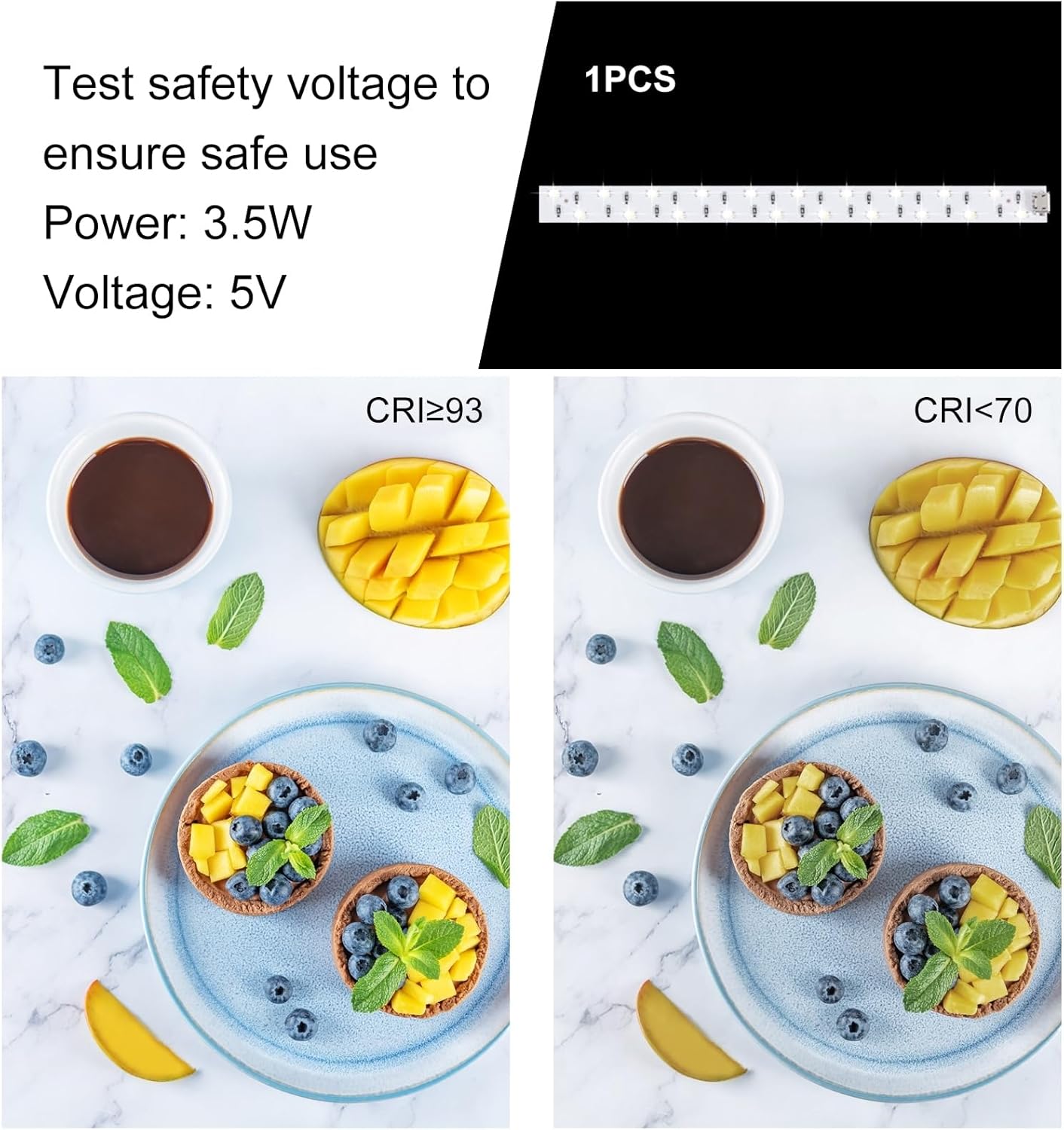
Image 7.2: Illustration of the impact of Color Rendering Index (CRI) on photo quality.
8. Garantia i Suport
The PULUZ Mini Light Box (Model PU5028) comes with a Garantia del fabricant de 3 mesos.
For technical support, warranty claims, or any product-related inquiries, please contact the seller directly or visit the official PULUZ store online.
Informació del venedor: PULUZ Official Store - US
Per obtenir recursos addicionals i informació sobre el producte, podeu visitar la PULUZ Brand Store.