
MSHUKCOE MSHUKCOE-SK19
MSHUKCOE SK19 Sleep Earbuds User Manual
Model: SK19
Introducció
Thank you for choosing the MSHUKCOE SK19 Sleep Earbuds. These invisible, ultra-small wireless Bluetooth earphones are designed for comfort, especially for side sleepers, and provide high-quality audio while minimizing sound leakage. This manual provides detailed instructions for setup, operation, maintenance, and troubleshooting to ensure optimal performance and longevity of your device.
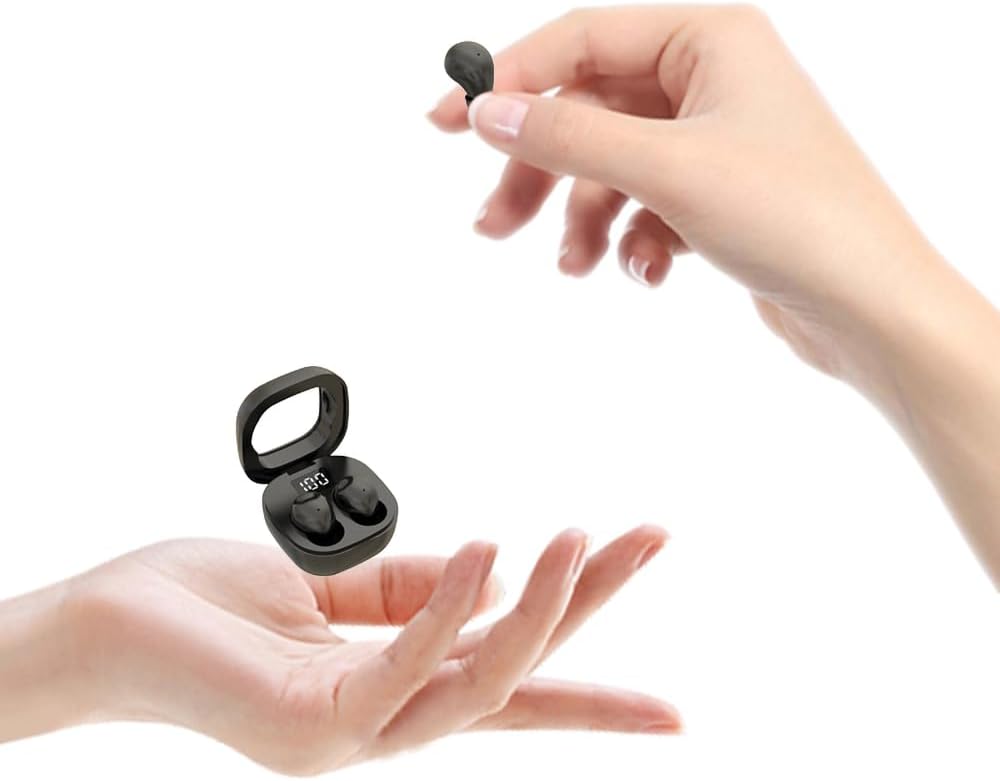
Image: The SK19 Sleep Earbuds and their compact charging case, demonstrating their small size when held in hands.
Producte acabatview
The SK19 Sleep Earbuds are engineered for discreet and comfortable wear, featuring an invisible design that fits snugly within the ear. They are ideal for extended use, including during sleep, due to their lightweight construction and ergonomic shape. Key features include:
- Invisible Design & Ergonomics: Very mini design style, lightweight, and fits snugly in the ear to prevent discomfort during long periods of wear.
- Qualitat de so premium: Utilizes patented speaker and acoustic cavity technology to deliver high-quality audio with reduced sound leakage, ensuring privacy.
- Còmode de portar: Each earplug weighs only 0.08 ounces, made of soft liquid silicone for comfort, eliminating the swelling and discomfort associated with traditional hard plastic earbuds.
- Sleep Assistant, Block Noise: Excellent ergonomic in-ear noise cancellation, combined with ENC call noise reduction, to provide a quiet environment for sleep, reducing disturbances from snoring or other noises.
- Extended Battery Life & Fast Charging: Offers 4-5 hours of listening time per charge, with the stylish charging case extending total usage to 25 hours. Supports Type-C fast charging, providing 90 minutes of listening from just a 10-minute charge.

Imatge: Un primer pla view of the SK19 earbud, highlighting its "Super Mini" size as it is held delicately between two fingers.

Image: A visual comparison showing the SK19 earbud (smaller) next to a "regular headset" earbud, illustrating that the SK19 is approximately two-thirds the size.
Configuració
Càrrega dels auriculars i la funda
Before first use, fully charge the SK19 earbuds and their charging case. The case features an LED digital display to show the battery percentage.
- Col·loca els dos auriculars a l'estoig de càrrega. Assegura't que estiguin correctament col·locats a les seves ranures respectives.
- Connecteu el cable de càrrega tipus C al port de càrrega de la carcassa i connecteu l'altre extrem a una font d'alimentació USB (per exemple, un adaptador de paret, un port USB de l'ordinador).
- The LED display on the charging case will illuminate, indicating the current battery level. Allow the case and earbuds to charge until the display shows 100%.
- A 10-minute fast charge can provide up to 90 minutes of listening time. A full charge typically takes about 1 hour for the case.

Image: The SK19 earbuds in their charging case, displaying "100" on the LED screen, indicating a full charge.
Vinculació amb un dispositiu Bluetooth
The SK19 earbuds support Bluetooth 5.3 for a fast and stable connection.
- Assegureu-vos que els auriculars estiguin carregats i dins de l'estoig de càrrega.
- Obre la tapa de la funda de càrrega. Els auriculars entraran automàticament en mode d'emparellament.
- Al dispositiu amb Bluetooth (telèfon intel·ligent, tauleta, etc.), aneu a la configuració de Bluetooth.
- Cerca available devices. You should see "SK19" appear in the list.
- Select "SK19" to connect. Once connected, you will hear an audible confirmation, and the earbuds' indicator lights may change.
- The earbuds connect independently, allowing you to use one earbud at a time if desired.
Video: An official product video demonstrating the compact size and various color options of the SK19 Mini Earbuds, including how they fit into the ear and their waterproof feature. (Duration: 0:34)
Instruccions de funcionament
The SK19 earbuds feature smart touch controls for easy management of audio playback and calls.

Image: A woman comfortably sleeping on her side with the SK19 earbuds in her ears, illustrating that the design prevents pressure on the ears.
Controls tàctils
The touch area is located on the outer surface of each earbud.
| Funció | Acció |
|---|---|
| Encès/Apagat | Manteniu premut durant 3 segons. |
| Volume "+" | Press and hold (L) for 1.5 seconds. |
| Volume "-" | Press and hold (R) for 1.5 seconds. |
| Reproduir/Pausa | Feu doble clic a qualsevol dels auriculars. |
| Pista següent | Triple-click the Right earbud. |
| Pista anterior | Triple-click the Left earbud. |
| Respondre/Finalitzar la trucada | Feu doble clic a qualsevol dels auriculars. |
| Rebutja la trucada entrant | Manteniu premut durant 1.5 segons. |
| Assistent de veu | Quadruple-tap the touch area. |
| Mode de joc | Touch four times the Right earbud. |

Image: A detailed diagram illustrating the dimensions of the SK19 earbuds and their charging case in centimeters and inches.
Manteniment
Proper maintenance ensures the longevity and optimal performance of your SK19 Sleep Earbuds.
- Neteja: Regularly clean the earbuds and charging case with a soft, dry, lint-free cloth. For the ear tips, you can gently wipe them with a slightly damp cloth and allow them to air dry completely before reattaching. Do not use harsh chemicals or abrasive materials.
- Emmagatzematge: When not in use, always store the earbuds in their charging case to protect them from dust, dirt, and physical damage. Store in a cool, dry place away from direct sunlight and extreme temperatures.
- Resistència a l'aigua: The SK19 earbuds are rated IPX5 waterproof, meaning they are resistant to splashes and sweat. They are not designed for submersion in water. Avoid exposing them to heavy rain or showering with them. If they get wet, wipe them dry immediately.
- Port de càrrega: Keep the Type-C charging port free of dust and debris. Use a soft brush or compressed air if necessary.
- Cura de la bateria: Per allargar la durada de la bateria, evita descarregar completament els auriculars i la funda amb freqüència. Carrega'ls regularment, fins i tot si no els fas servir constantment.

Image: A visual representation of the SK19 earbud fitting discreetly and comfortably within the ear canal, highlighting its invisible design.
Resolució de problemes
If you encounter issues with your SK19 Sleep Earbuds, refer to the following common solutions:
| Problema | Possible causa/solució |
|---|---|
| Earbuds not pairing / connecting |
|
| Només funciona un auricular |
|
| Volum baix o mala qualitat de so |
|
| La funda de càrrega no es carrega |
|
| Els controls tàctils no responen |
|
Especificacions
Detailed technical specifications for the MSHUKCOE SK19 Sleep Earbuds:
- Nom del model: MSHUKCOE-TWS-SK19-Black
- Tecnologia de connectivitat: Sense fil (Bluetooth)
- Tecnologia de comunicació sense fils: Bluetooth 5.3
- Rang Bluetooth: 10 metres
- Col·locació de les orelles: A l'orella
- Factor de forma: A l'orella
- Control de soroll: Aïllament acústic
- Resposta de freqüència: 20 Hz - 20,000 Hz
- Sensibilitat: 90 dB
- Impedància: 32 ohms
- Tipus de control: Control de trucades, tàctil
- Durada de la bateria (auriculars): 4-5 Hours (per charge)
- Durada de la bateria de la caixa de càrrega: Fins a 25 hores (total amb estoig)
- Temps de càrrega (auriculars): 10 minutes for 90 minutes listening
- Capacitat de la bateria de la funda de càrrega: 200 milionsamp Hores
- Temps de càrrega de la caixa de càrrega: 1 hores
- Port de càrrega: USB tipus C
- Nivell de resistència a l'aigua: IPX5 (impermeable)
- Material: Plastic (Earbuds and Case)
- Item Weight (Earbuds): 0.08 unces (cadascun)
- Product Dimensions (Earbuds): Approximately 1.4cm x 1.8cm (0.55 x 0.7 inches)
- Product Dimensions (Case): Approximately 4cm x 4cm x 1.7cm (1.57 x 1.57 x 0.66 inches)
- Components inclosos: Earbuds, Charging Case, Type-C Charging Cable.
Garantia i Suport
For warranty information and customer support, please refer to the documentation included with your purchase or contact MSHUKCOE customer service directly. Details are typically available on the product packaging or the official brand weblloc.
Per obtenir més ajuda, podeu visitar la pàgina del producte a Amazon: MSHUKCOE SK19 Sleep Earbuds on Amazon
Ask a question about this manual
Ask about setup, troubleshooting, compatibility, parts, safety, or missing instructions. Manuals+ will review the question and use this page’s manual context to help answer it.