
1. Introducció
Gràcies per la compraasing the plplaaoo Cordless Table Lamp. This manual provides essential information for the safe and efficient operation of your new lampSi us plau, llegiu-lo atentament abans d'utilitzar-lo i conserveu-lo per a futures consultes.
2. Instruccions de seguretat
- No exposa la lamp a l'aigua o a l'excés d'humitat.
- Eviteu desmuntar o modificar la lamp, ja que això pot anul·lar la garantia i comportar riscos per a la seguretat.
- Feu servir només el cable USB tipus C proporcionat per carregar.
- Mantingueu la lamp away from heat sources and direct sunlight to prevent battery damage.
- Assegureu-vos que lamp es col·loca sobre una superfície plana i estable per evitar que es bolqui.
- Aquesta lamp està dissenyat només per a ús interior.
3. Contingut del paquet
Verifiqueu que tots els elements siguin presents al vostre paquet:
- 1 x Cordless Table Lamp
- 1 x cable de càrrega USB tipus C

4. Producte acabatview
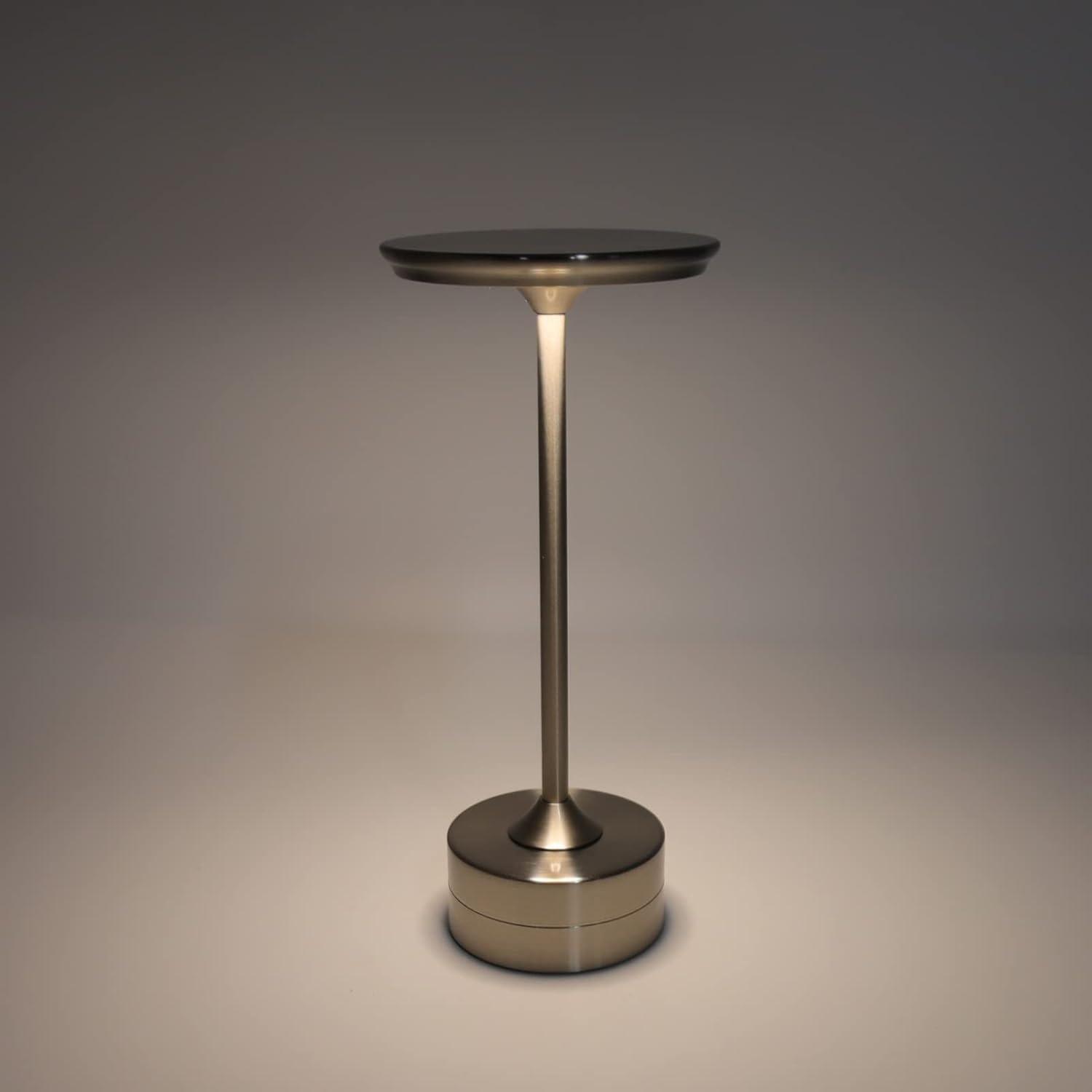
The plplaaoo Cordless Table Lamp features a sleek design with a durable iron, aluminum, and acrylic construction. It includes a built-in 2000mAh rechargeable lithium battery, offering 10-15 hours of working time on a full charge. The lamp provides three light sources: white light, warm light, and ordinary light, with adjustable brightness up to 150lm.


5. Configuració
Càrrega inicial
Abans del primer ús, carregueu completament l'aparell.amp. Connect the provided USB Type-C cable to the charging port on the lamp's base and plug the other end into a compatible USB power adapter (not included).
- Locate the USB Type-C charging port on the base of the lamp.
- Insert the USB Type-C cable into the lampel port de càrrega.
- Connect the USB-A end of the cable to a standard USB power adapter (e.g., phone charger, computer USB port).
- The charging indicator (if present) will show the charging status. Allow several hours for a full charge.
6. Instruccions de funcionament
Ajust d'encesa/apagada i brillantor
El lamp features both a bottom switch and a top touch control for operation.
- Interruptor inferior: Flip the switch on the bottom of the lamp to the 'ON' position to enable the touch control function.
- Top Touch Control: Gently touch the top surface of the lamp to cycle through the three light modes: white light, warm light, and ordinary light. Continue touching to adjust brightness levels within each mode.
- Per apagar la lamp, either cycle through all light modes until it turns off via touch control, or flip the bottom switch to the 'OFF' position.


7. Manteniment
- Neteja: Netegeu la lamp amb un drap suau i sec. No utilitzeu productes de neteja abrasius ni dissolvents.
- Emmagatzematge: Quan no l'utilitzeu durant períodes prolongats, guardeu-loamp in a cool, dry place. Ensure the battery is partially charged before storage to prolong its lifespan.
- Cura de la bateria: To maintain battery health, avoid completely draining the battery frequently. Recharge the lamp quan la sortida de llum esdevé notablement tènue.
8. Solució De Problemes
| Problema | Causa possible | Solució |
|---|---|---|
| Lamp no s'encén. | Battery is depleted. Bottom switch is off. | Carregar la lamp using the USB Type-C cable. Ensure the bottom switch is in the 'ON' position. |
| La llum és tènue o parpelleja. | Bateria baixa. | Recarrega la lamp. |
| Cannot change light mode/brightness. | Bottom switch is off. Touch control malfunction. | Ensure the bottom switch is 'ON'. Try restarting the lamp by turning the bottom switch off and on again. |
| Lamp no cobra. | Faulty cable or adapter. Charging port issue. | Try a different USB Type-C cable and power adapter. Ensure the cable is fully inserted. |
9. Especificacions
| Característica | Detall |
|---|---|
| Model | B0D2LG61MQ |
| Material | Iron, Aluminum, Acrylic |
| Alçada | Aprox. 28.5 cm / 11.2 polzades |
| Diàmetre | Aprox. 13 cm / 5.1 polzades |
| Pes | Approx. 0.66 kg / 23.4 oz |
| Bateria incorporada | Liti 2000mAh |
| Font de llum | White light, Warm light, Ordinary light (3 levels brightness) |
| Brillantor màxima | 150 lm |
| Mètode de càrrega | USB tipus C |
| Control | Bottom switch, Top touch control |

10. Garantia i Suport
This product is covered by a standard manufacturer's warranty. For specific warranty details, please refer to the product packaging or contact the retailer where you purchased the item. For technical support or inquiries, please visit the official plplaaoo store or contact customer service.