1. Introducció
Thank you for choosing the HY-T26 Headphones. These innovative open-ear earbuds are designed to provide a comfortable and high-quality audio experience, perfect for sports, daily use, and active lifestyles. Featuring Bluetooth 5.4 connectivity, HiFi stereo sound, and intuitive touch controls, the HY-T26 ensures seamless audio playback and communication while keeping you aware of your surroundings.
This manual provides detailed instructions on how to set up, operate, and maintain your new headphones.
2. Què hi ha a la caixa
- 1 x Pair of HY-T26 Earphones
- 1 x cordó
- 1 x funda de càrrega sense fil
- 1 x cable de càrrega tipus C
- 1 x Manual d'usuari (aquest document)

Image: The HY-T26 headphones and their packaging, showcasing the black color variant.
3. Característiques del producte
3.1 Innovative Ergonomic Open-Ear Design
The HY-T26 headphones feature a unique open-ear design that rests securely atop your ears, avoiding insertion into the ear canal. This design enhances comfort during prolonged wear and reduces the risk of ear fatigue or hearing loss, allowing you to stay aware of your surroundings.

Image: A close-up of the HY-T26 earbud resting comfortably on an ear model, illustrating its open-ear placement.
3.2 Exceptional HiFi Stereo Sound
Equipped with a built-in 16mm dynamic speaker, these headphones deliver 360° Hi-Fi stereo sound with clear clarity and powerful bass. Advanced noise reduction technology ensures crisp vocals and immersive audio at any volume level.
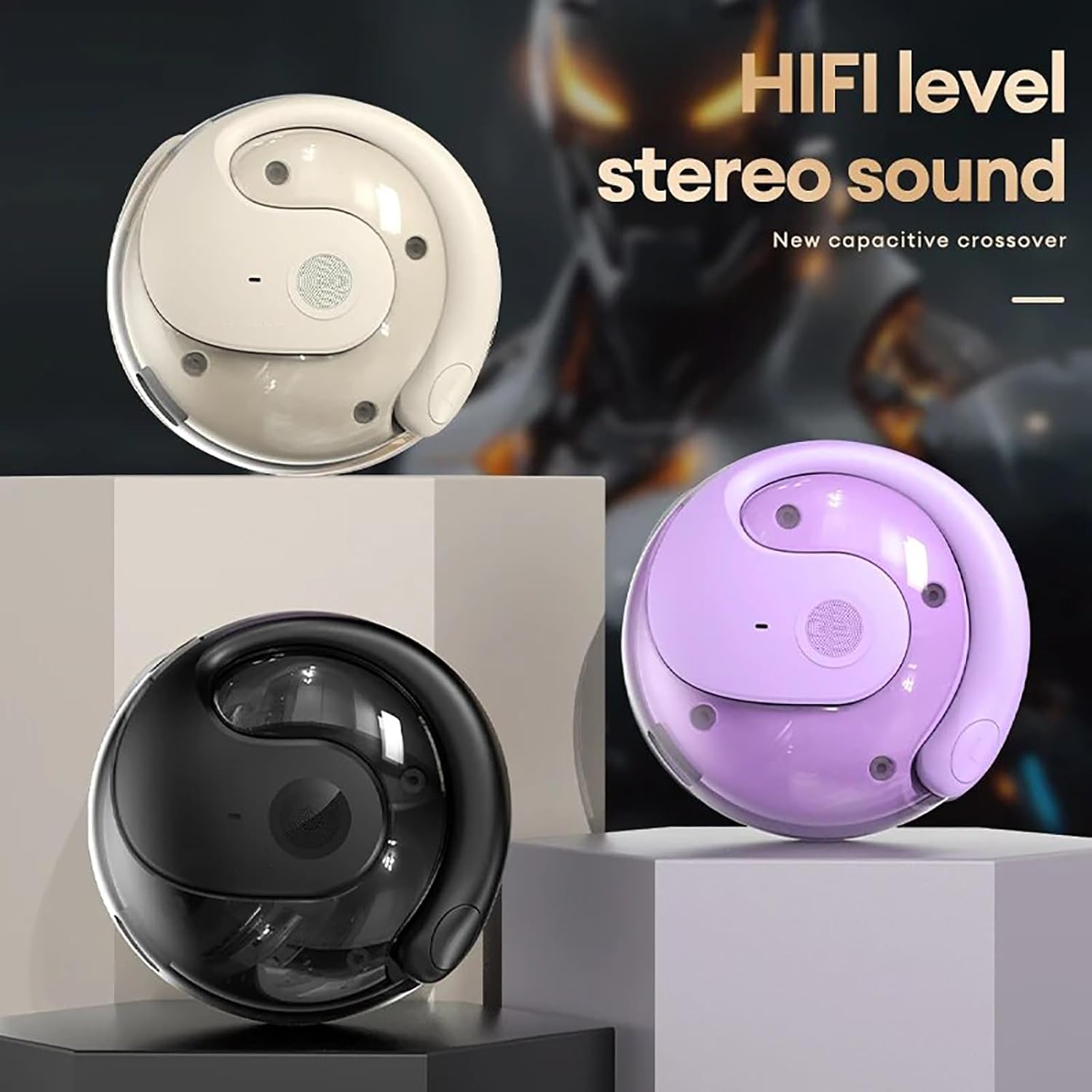
Image: Three HY-T26 charging cases in white, purple, and black, emphasizing the HiFi stereo sound capability.

Image: A detailed diagram illustrating the metal diaphragm component responsible for powerful and immersive sound.
3.3 Secure Fit for Active Lifestyles
Designed with ergonomic and flexible ear hooks, the HY-T26 headphones distribute weight evenly for a secure fit. The soft silicone ear hooks with memory recall ensure comfort and prevent slippage during workouts or outdoor activities.
3.4 Controls tàctils intuïtius
Each earphone features a touch panel for easy management of audio playback and calls. Functions include play/pause, volume adjustment, answering/hanging up calls, and voice assistant activation.
3.5 Sweatproof Durability
Utilizing new technology, these headphones offer maximum protection against sweat and moisture, safeguarding internal components for enhanced durability and longevity during intense activities.

Image: The HY-T26 earbud with overlaid text emphasizing its pleasant and sound-proof qualities, including HD calls and HiFi sound.
4. Configuració
4.1 Càrrega dels auriculars i l'estoig
Before first use, fully charge the headphones and the charging case. Connect the provided Type-C charging cable to the charging port on the case and a power source. The charging time for the case is approximately 1 hour. The earphones will charge automatically when placed inside the case.

Image: The HY-T26 charging case with a Type-C cable plugged in, demonstrating its large battery life and charging capability.
Video: A demonstration of the HY-T26 charging case and lanyard, highlighting its portability and charging functionality.
4.2 Vinculació Bluetooth
- Obre l'estoig de càrrega. Els auriculars s'encendran automàticament i entraran en mode d'emparellament.
- Al dispositiu (telèfon intel·ligent, tauleta, etc.), activeu el Bluetooth.
- Cerca "HY-T26" in the list of available Bluetooth devices and select it to connect.
- Once connected, you will hear a confirmation prompt, and the indicator light on the earphones will change.
The headphones support Bluetooth 5.4 for a stable connection up to 10 meters (33 feet).

Image: An HY-T26 earbud positioned near a smartphone displaying a video game, illustrating seamless audio and video synchronization.
5. Instruccions de funcionament
5.1 Com posar-se els auriculars
Gently slide the ear hooks over the top of your ears, ensuring the main earbud unit rests comfortably outside your ear canal. Adjust for a secure and comfortable fit. The earphones are marked 'L' for left and 'R' for right.
5.2 Controls tàctils
The HY-T26 headphones feature intuitive touch controls on each earbud:
- Reproduir/pausa: Un sol toc a qualsevol dels auriculars.
- Pujar/baixar el volum: Specific gestures (refer to quick start guide for exact taps, typically long press or multiple taps).
- Pista següent: Toqueu dues vegades l'auricular dret.
- Pista anterior: Toqueu dues vegades l'auricular esquerre.
- Respondre/Finalitzar la trucada: Toqueu un sol cop a qualsevol dels auriculars durant una trucada entrant.
- Rebutja la trucada: Premeu llargament qualsevol dels auriculars durant una trucada entrant.
- Activa l'Assistent de veu: Toqueu tres vegades qualsevol dels auriculars.
6. Manteniment
To ensure the longevity and optimal performance of your HY-T26 headphones:
- Netegeu els auriculars i l'estoig de càrrega regularment amb un drap suau i sec.
- Avoid exposing the headphones to extreme temperatures or direct sunlight for extended periods.
- While sweatproof, avoid submerging the headphones in water.
- Guarda els auriculars a la seva funda de càrrega quan no els facis servir per protegir-los i mantenir-los carregats.
7. Solució De Problemes
If you encounter issues with your HY-T26 headphones, try the following steps:
- Sense problemes de so/connexió:
- Assegureu-vos que tots dos auriculars estiguin carregats.
- Turn off and on your device's Bluetooth, then try re-pairing.
- Place both earphones back into the charging case, close the lid, wait a few seconds, then open it again to reset.
- Ensure the headphones are within the 10M Bluetooth transmission distance of your device.
- Earphone Not Charging:
- Check if the charging case has sufficient power.
- Assegureu-vos que els contactes de càrrega dels auriculars i de l'interior de la funda estiguin nets i lliures de brutícia.
- Try a different Type-C charging cable and power adapter.
- Problemes de qualitat del so:
- Ensure the earphones are properly positioned on your ears.
- Clean the speaker mesh if it appears obstructed.
- Prova de reproduir àudio des d'una font o dispositiu diferent.
8. Especificacions
| Característica | Detall |
|---|---|
| Nom del model | HY-T26 |
| Versió Bluetooth | 5.4 |
| Distància de transmissió | 10 metres (33 peus) |
| Interfície de càrrega | Tipus-C |
| Capacitat del compartiment de càrrega | 300 mAh |
| Temps de càrrega (cas) | Aprox. 1 hora |
| Temps d'ús continu | Fins a 36 hores (amb estoig de càrrega) |
| Mida del controlador d'àudio | 16 mm |
| Interval de freqüència | 20 Hz - 20,000 Hz |
| Nivell de resistència a l'aigua | Resistent a l'aigua (a prova de suor) |
| Tipus de control | Control tàctil |
| Col·locació de l'orella | Orella oberta |
9. Garantia i Suport
For detailed warranty information and customer support, please refer to the warranty card included with your product or visit the official Generic product support weblloc. Conserveu el rebut de compra per a reclamacions de garantia.


