
1. Introducció
Thank you for choosing the Dexnor Magic Style Keyboard Case. This product transforms your iPad into a versatile laptop-like device, enhancing productivity and user experience. It features a floating cantilever design, multi-touch trackpad, backlit keys, and a built-in pencil holder, all designed for seamless integration and robust protection.
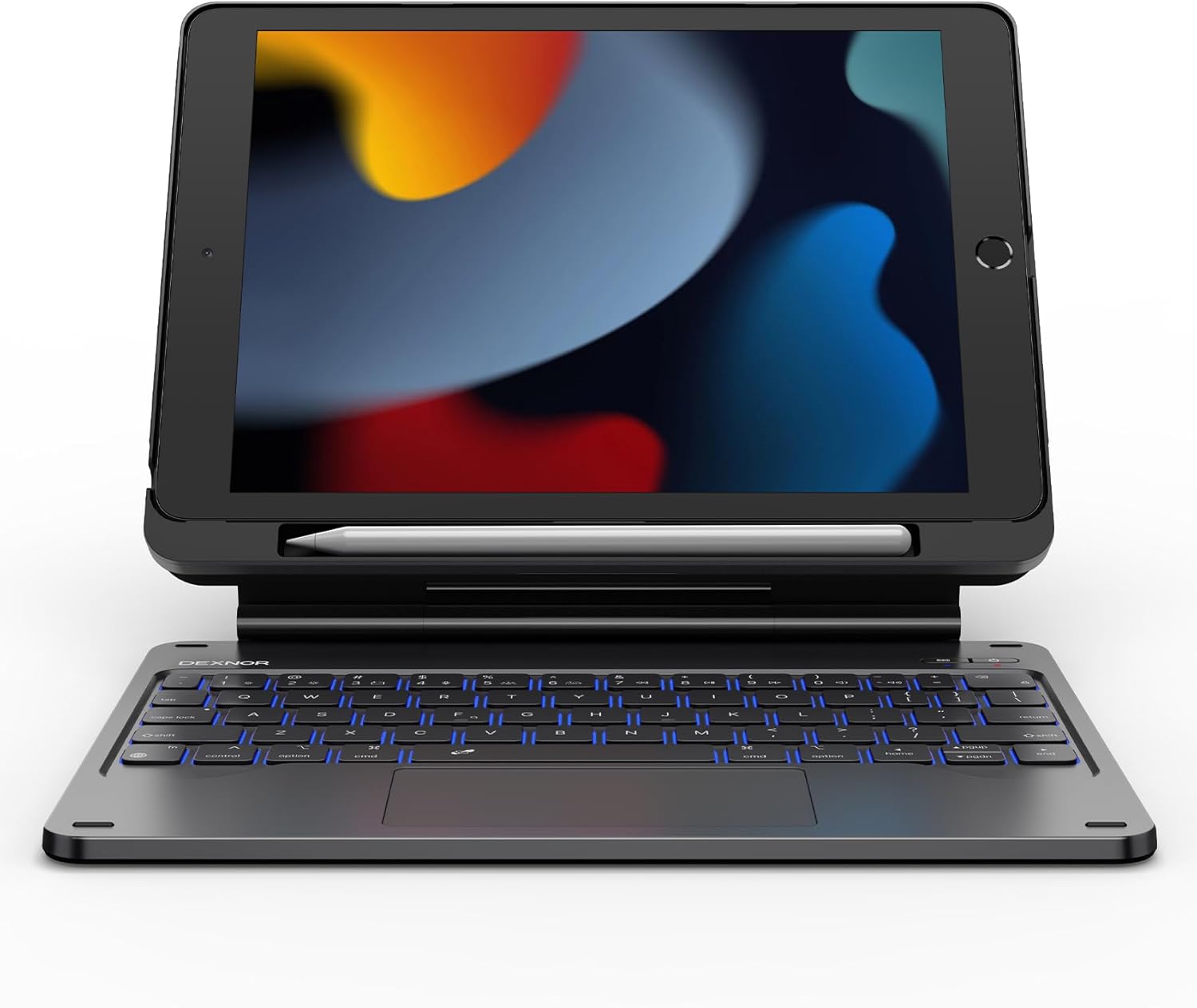
Image: The Dexnor Magic Style Keyboard Case with an iPad inserted, showcasing its laptop-like setup.
2. Contingut del paquet
Si us plau, verifiqueu que tots els elements siguin presents al vostre paquet:
- 1 x Dexnor Bluetooth Keyboard Case
- 1 x cable de càrrega USB-C
- 1 x Quick-start Guide
- 1 x Manual d'usuari (aquest document)
3. Compatibilitat
This keyboard case is specifically designed for the following iPad models:
- iPad 9th Generation (2021, 10.2"): Models A2602, A2603, A2604, A2605
- iPad 8th Generation (2020, 10.2"): Models A2270, A2428, A2429, A2430
- iPad 7th Generation (2019, 10.2"): Models A2197, A2198, A2200
Note: iPad and Apple Pencil are NOT included.
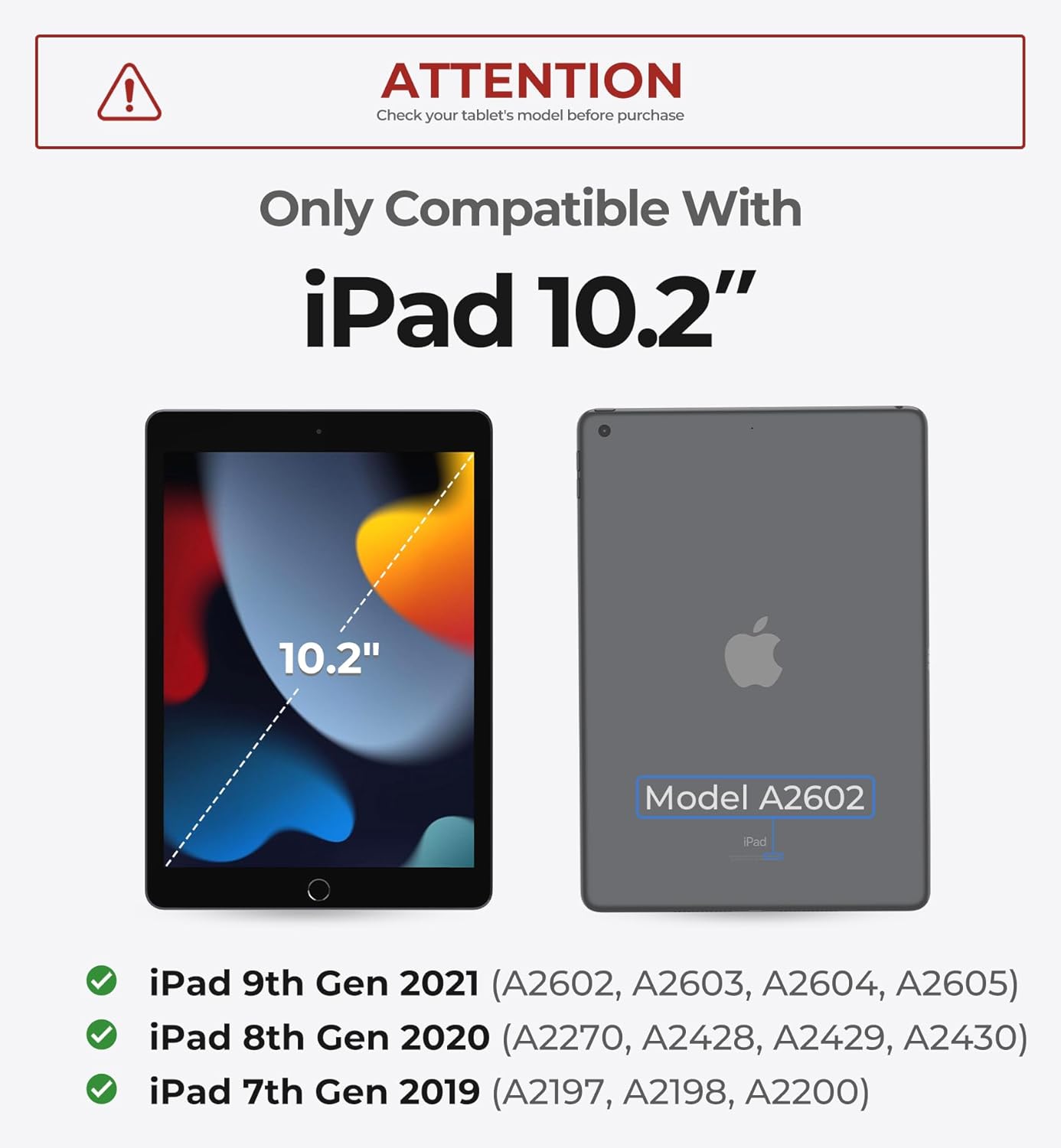
Image: Visual guide showing the 10.2-inch iPad and compatible model numbers for 7th, 8th, and 9th generations.
4. Configuració i instal·lació
4.1 Connectar el vostre iPad
- Carefully remove the detachable PC case from the keyboard base.
- Align your iPad with the PC case and gently press it into place until it is securely seated.
- Attach the iPad (now in its PC case) to the magnetic stand on the keyboard base. The strong magnets will hold it firmly in position, allowing for a floating cantilever setup.
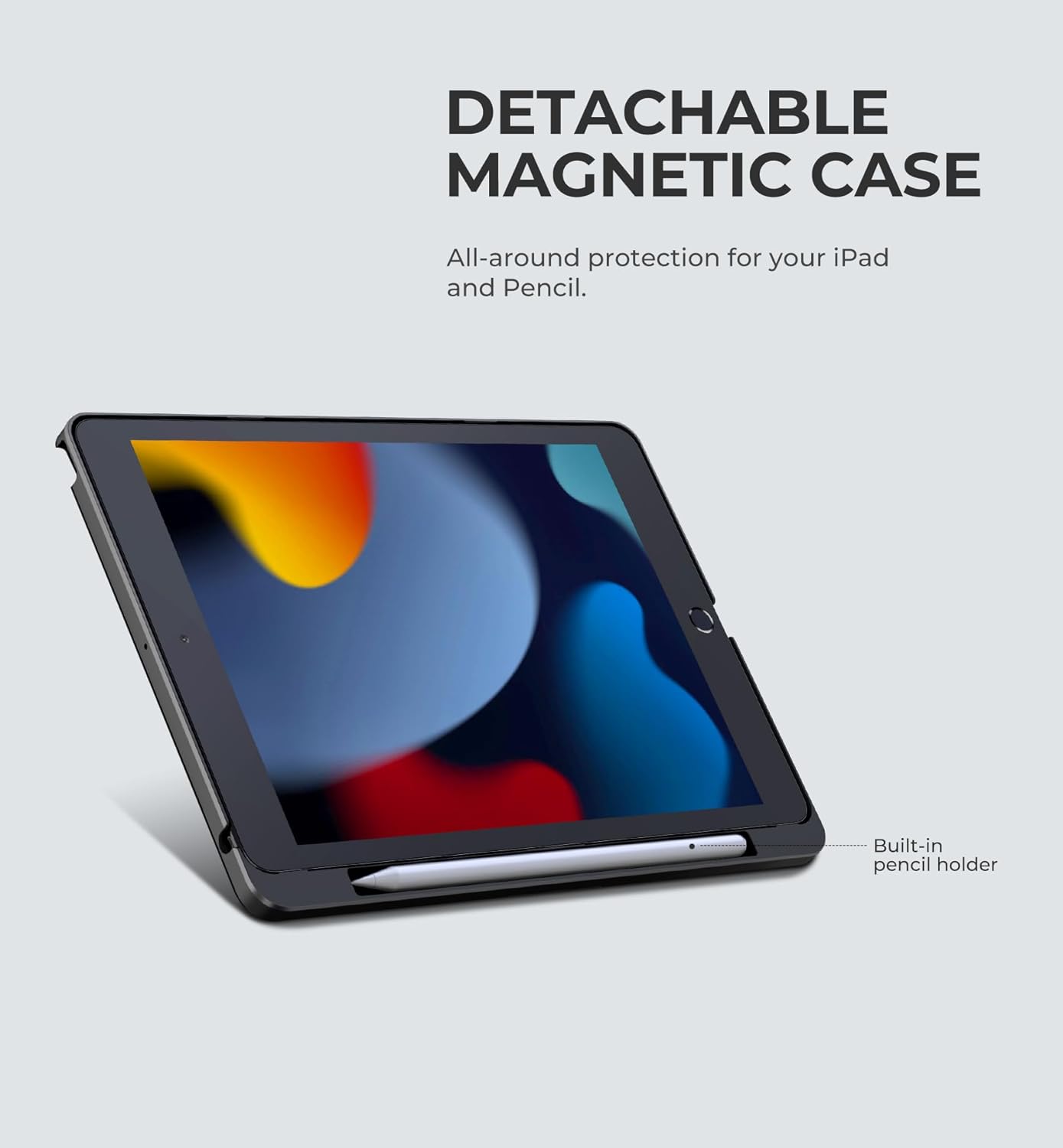
Image: The detachable magnetic case, highlighting the built-in pencil holder.

Image: The iPad magnetically attached to the keyboard stand, showing adjustable angles for landscape and portrait modes.
4.2 Vinculació Bluetooth
- Ensure your keyboard is charged (refer to Section 5.4 for charging instructions).
- Press and hold the power button on the keyboard for 2 seconds to turn it on. The power indicator light will illuminate.
- Press and hold the Bluetooth pairing button (usually indicated by a Bluetooth icon) for 2 seconds to enter pairing mode. The Bluetooth indicator light will flash rapidly.
- Al teu iPad, vés a Configuració > Bluetooth.
- Assegureu-vos que el Bluetooth estigui activat ON.
- In the 'Other Devices' list, locate and tap on "Dexnor Keyboard" to pair.
- Once paired, the Bluetooth indicator light on the keyboard will stop flashing and remain solid, and "Dexnor Keyboard" will appear as "Connected" on your iPad.
Video: Step-by-step guide on installing the iPad into the case, attaching it to the magnetic stand, and pairing the keyboard via Bluetooth.
5. Instruccions de funcionament
5.1 Característiques del teclat
The keyboard features scissor-switch keys for a comfortable and quiet typing experience. It also includes a full row of practical shortcut keys for quick access to media controls, volume, and more.
Ajust de la llum de fons
The keyboard offers 7 solid color backlights and 3 adjustable brightness levels. To cycle through backlight colors and brightness, press the Fn clau juntament amb la icona de bombeta clau.

Image: The keyboard illuminated with various backlight colors, demonstrating the 7 backlight modes.
5.2 Multi-Touch Trackpad
The ultra-precise trackpad supports multi-finger gestures, allowing for seamless navigation. You can use gestures like tap, pinch, scroll, and swipe to control your iPad with unparalleled speed and efficiency.

Image: Close-up of the multi-touch trackpad, illustrating its functionality and precision.
5.3 Built-in Pencil Holder
The detachable back case includes a built-in pencil holder, providing secure storage and quick access for your Apple Pencil.
5.4 Càrrega del teclat
The keyboard is equipped with a long-lasting 650mAh battery. Use the included USB-C cable to charge the keyboard. The red LED will flash when charging is needed. A yellow LED will stay on during charging and turn off when fully charged. A full charge takes approximately 3.5 hours.
5.5 Modes d'ús
The floating cantilever stand allows for customizable angles, transforming your iPad into various modes:
- Typing Mode: Ideal for writing documents, emails, and general productivity.
- ViewMode de funcionament: Perfect for watching videos, presentations, or video calls.
- Mode de lectura: Adjust the angle for comfortable reading of e-books or articles.
The auto wake/sleep function helps conserve battery life by automatically turning the iPad on/off when the case is opened/closed.
Video: Demonstrates various usage modes including typing, drawing, and viewing, highlighting the product's versatility and protective features.
6. Manteniment i cura
- Clean the keyboard and case with a soft, damp tela. Eviteu productes químics agressius o materials abrasius.
- Keep the product away from extreme temperatures, direct sunlight, and liquids.
- Store the keyboard case in a dry, cool place when not in use.
- Avoid placing heavy objects on the keyboard to prevent damage to the keys or trackpad.
7. Solució De Problemes
7.1 El teclat no es connecta
- Assegureu-vos que el teclat estigui encès i completament carregat.
- Verify Bluetooth is enabled on your iPad.
- Re-enter pairing mode on the keyboard and re-attempt pairing from your iPad's Bluetooth settings.
- Forget the device on your iPad and try pairing again.
- Reinicieu tant l'iPad com el teclat.
7.2 La retroiluminació no funciona/s'està ajustant
- Assegureu-vos que el teclat estigui encès.
- Premeu el botó Fn clau juntament amb la icona de bombeta key to cycle through modes and brightness levels.
- If the battery is low, the backlight may dim or turn off to conserve power. Charge the keyboard.
7.3 Trackpad Not Responding
- Assegureu-vos que el teclat estigui connectat mitjançant Bluetooth.
- Check if the trackpad is enabled in your iPad's settings (Settings > General > Trackpad).
- Netegeu la superfície del trackpad per eliminar qualsevol brutícia o residus.
- Reinicieu el teclat i l'iPad.
8. Especificacions
| Número de model | DK007 |
| Dimensions del producte | 11.57 x 9.45 x 1.54 polzades |
| Pes de l'article | 1.79 lliures |
| Capacitat de la bateria | 650 mAh |
| Temps de treball | Up to 200 hours (without backlight) |
| Temps d'espera | Fins a 1200 hores |
| Temps de càrrega | Aprox. 3.5 hores |
| Connectivitat | Bluetooth, USB-C per a la càrrega |
| Tipus de teclat | Scissor-switch, 64 keys |
| Llum de fons | 7 solid colors, 3 brightness levels |
9. Garantia i assistència
The Dexnor Magic Style Keyboard Case is backed by a Garantia del fabricant de 1 anys, covering defects in materials and workmanship from the date of purchase. Additionally, Dexnor provides suport tècnic de per vida per aquest producte.
For technical assistance, troubleshooting, or warranty claims, please refer to the contact information provided in your Quick-start Guide or visit the official Dexnor weblloc.


