
1. Introducció
This manual provides detailed instructions for the NBD K100 4K 56MP Digital Camera. Please read this manual carefully before use to ensure proper operation and to maximize your camera's performance. Keep this manual for future reference.

Image: The NBD K100 4K 56MP Digital Camera, showcasinel seu disseny compacte i la seva lent frontal.
2. Configuració
2.1 Desembalatge i components
Verifiqueu que tots els components següents estiguin inclosos al paquet:
- Càmera x1
- Bateria x2
- Cable tipus C x1
- MicroSD Card (32GB) x1
- Corretja d'espatlla x1
- Carregador x1
- Manual d'instruccions x1
2.2 Instal·lació i càrrega de la bateria
The NBD K100 camera uses two 1500mAh batteries for extended use. Ensure both batteries are fully charged before first use.
- Localitzeu el compartiment de la bateria a la part inferior de la càmera.
- Slide the battery compartment latch to open it.
- Insert the two batteries according to the polarity indicators inside the compartment.
- Close the battery compartment securely until it clicks.
- To charge, connect the camera to the charger using the provided Type-C cable and plug the charger into a power outlet. The camera can be charged even while recording.

Image: The camera's 180-degree rotatable screen, battery compartment (unlock/locking mechanism), and built-in LED flash.
2.3 Instal·lació de la targeta MicroSD
The camera supports MicroSD cards up to 256GB. A 32GB MicroSD card is included.
- Localitza la ranura per a la targeta MicroSD, normalment al lateral o a la part inferior de la càmera.
- Insert the MicroSD card with the gold contacts facing the correct direction (refer to the diagram near the slot). Push until it clicks into place.
- Per treure-la, torneu a prémer suaument la targeta fins que surti.
3. Instruccions de funcionament
3.1 Encès/Apagat
Press and hold the power button (usually located on the top or side) for a few seconds to turn the camera on or off.
3.2 Quick Rotary Button (Mode Dial)
The quick rotary button allows you to switch between various shooting modes quickly.

Image: The camera's quick rotary button with labels for different shooting modes.
- 1. Photo: Captura d'imatges fixes estàndard.
- 2. Vídeo: Record 4K high-definition videos.
- 3. Slow Motion Video: Capture videos in slow motion.
- 4. Time-lapse Video: Create time-lapse sequences.
- 5. Continuous Shooting: Take multiple photos in quick succession.
- 6. Interval Shooting: Capture images at set intervals.
- 7. Efectes especials: Apply various creative filters and effects.
- 8. Beauty Photo Mode: Enhance portraits for a more flattering look.
3.3 Autofocus (AF) Function
The camera features an innovative autofocus system for sharp images.
- Apunta la càmera al subjecte.
- Half-press the shutter button. The camera will automatically focus.
- For macro shots, the system supports focusing from a minimum distance of 5cm.

Image: The autofocus function in action, showing clear focus on both near and far subjects.
3.4 Funció de zoom
The NBD K100 offers 16x digital zoom with a high-precision 5-piece lens system.
- Use the zoom rocker (usually labeled 'W' for Wide and 'T' for Telephoto) to adjust the zoom level.
- Zoom in to bring distant subjects closer or zoom out for a wider field of view.
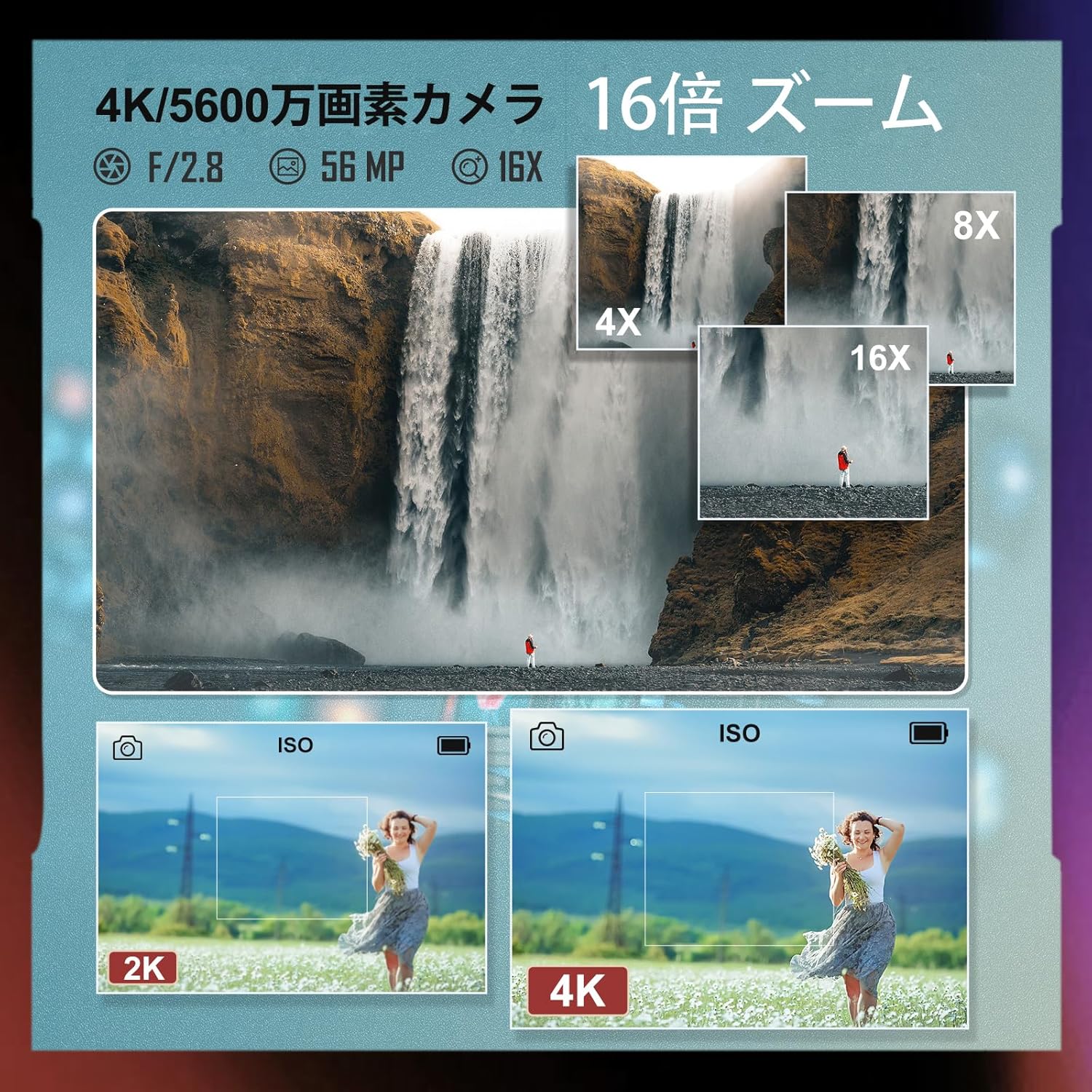
Image: A waterfall scene demonstrating 4x, 8x, and 16x zoom levels, alongside a comparison of 2K and 4K image quality.
3.5 Display (LCD Screen)
The camera features a 3-inch high-definition IPS LCD display that can rotate 180 degrees.
- The rotatable screen is ideal for self-portraits, vlogging, or shooting from difficult angles.
- Adjust the screen to your preferred viewangle de ing.
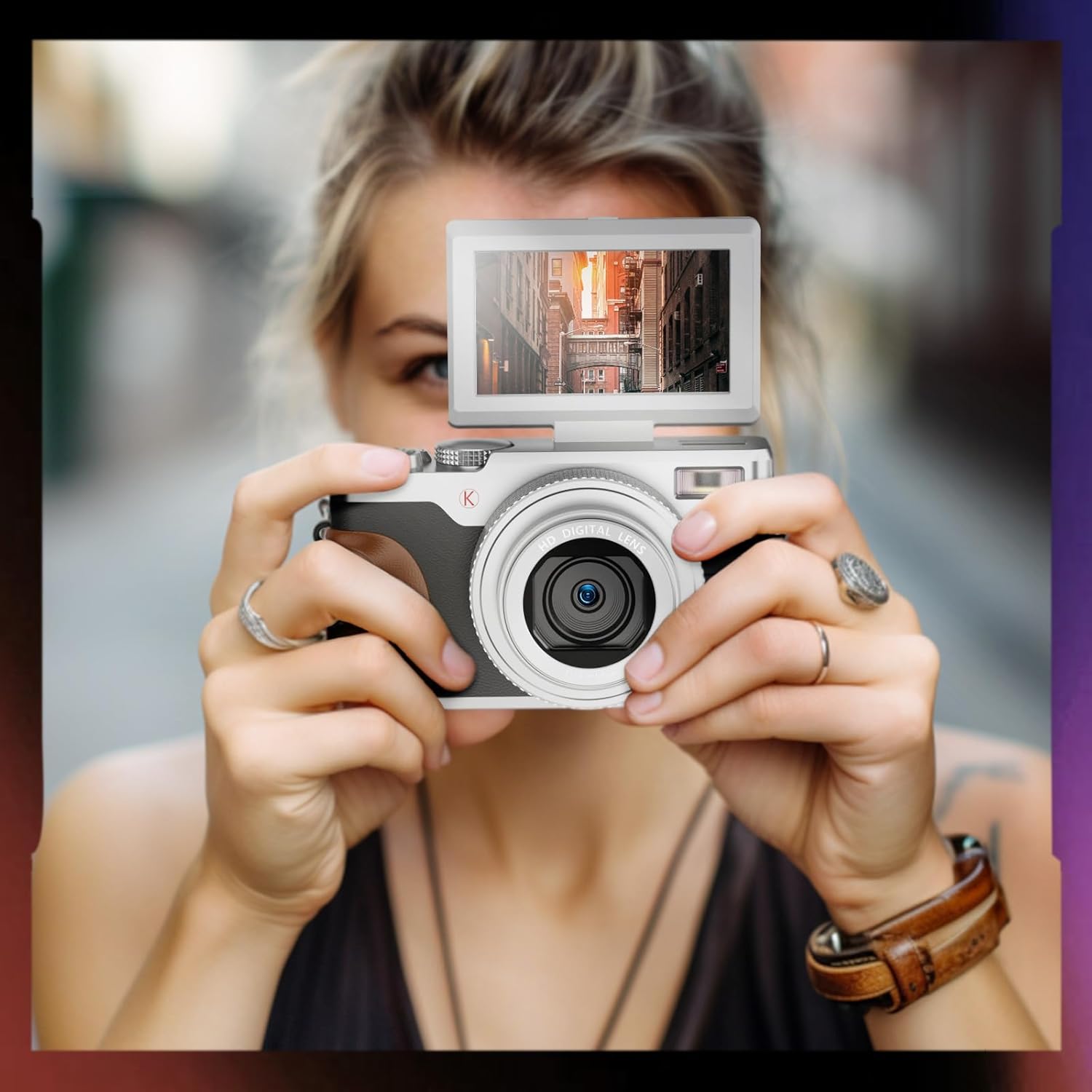
Image: A person holding the NBD K100 camera, demonstrating the flip-out screen feature.
3.6 flaix LED
The built-in LED flash provides illumination in low-light conditions.
- Activate the LED flash via the camera's menu or a dedicated button (if available) to brighten your photos and videos in dark environments.
3.7 Webcam Function and Live Streaming
Transform your NBD K100 into a high-definition webcàmera per a transmissió en directe o videotrucades.
- Connect the camera to your computer using the Type-C cable.
- Selecciona 'Webcam Mode' from the camera's menu (if prompted).
- L'ordinador hauria de reconèixer la càmera com a webcam, allowing you to use it with video conferencing or streaming software.

Image: The NBD K100 camera being used for video recording and as a webcam for online meetings.
3.8 Enregistrament de vídeo
The camera supports 4K video recording with a high-sensitivity stereo microphone and dual image stabilization.
- Switch to 'Video Mode' using the quick rotary button.
- Press the shutter button to start recording and again to stop.
- The dual image stabilization helps reduce blur from camera shake.
4. Manteniment
4.1 Neteja de la càmera
- Feu servir un drap suau i sense borrissol per netejar el cos de la càmera.
- For the lens and LCD screen, use a specialized lens cleaning cloth and solution. Avoid harsh chemicals.
- Gently blow away dust from the lens surface before wiping.
4.2 Cura de la bateria
- Guardeu les piles en un lloc fresc i sec quan no les utilitzeu.
- Eviteu descarregar completament les bateries amb freqüència per allargar-ne la vida útil.
- If storing for an extended period, charge batteries to about 50% capacity.
4.3 Emmagatzematge
- Guardeu la càmera en un lloc sec i sense pols, allunyat de la llum solar directa i de temperatures extremes.
- Use a camera bag or case to protect it from physical damage.
5. Solució De Problemes
If you encounter issues with your NBD K100 camera, refer to the following common problems and solutions:
| Problema | Causa possible | Solució |
|---|---|---|
| La càmera no s'encén. | Low or depleted battery; incorrectly inserted battery. | Charge batteries fully. Ensure batteries are inserted correctly. |
| Les imatges són borroses. | Autofocus not engaged; camera shake; dirty lens. | Half-press shutter to focus. Hold camera steady or use a tripod. Clean the lens. |
| Shutter speed is slow. | Low light conditions; incorrect settings. | Use LED flash. Adjust ISO settings or switch to a brighter shooting mode. |
| La bateria s'esgota ràpidament. | Frequent use of flash/LCD; old battery. | Reduce flash/LCD usage. Ensure batteries are fully charged. Consider replacing old batteries. |
| Error de la targeta MicroSD. | Targeta no inserida correctament; targeta incompatible; targeta danyada. | Reinsert card. Use a compatible card (up to 256GB). Format the card (this will erase all data). |
6. Especificacions
| Marca | NBD |
| Nom del model | K100 |
| Màx WebResolució d'imatge de càmera | 56 MP |
| Tecnologia del sensor fotogràfic | CMOS |
| Mida del sensor fotogràfic | Marc complet (35 mm) |
| Mida de la pantalla | 3 polzades |
| Tipus d'enfocament | AF function included |
| Viewcercador Tipus | Electrònica |
| Tipus de lent | F/2.8, f=5.6 mm |
| Configuració de la lent | Zoom/Telephoto/Wide-angle/Macro |
| Estabilització d'imatge | Tipus dual |
| Accessoris inclosos | Camera x1, Battery x2, Type-C Cable x1, MicroSD Card x1, Shoulder Strap x1, Charger, Instruction Manual x1 |
| Shooting Functions | Portrait, Landscape, Sports, Night Scene, Macro, Auto |
| Tipus de motor | Optical Zoom + Digital Zoom |
| Color | Plata |
| Piles incloses | Sí |
| Dimensions del producte | 12.5 x 5.6 x 7 cm; 520 g |
| Número de model de producte | K100 |
| ASIN | B0D2XB26Q8 |
| Muntatge compatible | NBD |
| Compatible File Format | JPEG |
| Expanded ISO Minimum Value | 100 |
| Descripció de la mesura | Average Metering, Center-weighted Metering, Spot Metering |
7. Garantia i Suport
NBD provides a reliable 1-year warranty period for the K100 Digital Camera.
- If any issues arise with your camera, please contact NBD customer support.
- Customer support aims to respond to inquiries within 24 hours.
- Conserveu el vostre comprovant de compra per a reclamacions de garantia.