
Introducció
This manual provides essential information for the safe and efficient use of your Scosche PowerVolt PD30 USB-C 30W Mini Adapter Plug and accompanying 8 FT USB-C to USB-C Charging Cable. This charging solution is designed to deliver fast and reliable power to compatible USB Type-C devices, including smartphones, tablets, and laptops.
The 30W Power Delivery (PD) wall charger features advanced GaN technology for efficient charging, while the durable braided USB-C to USB-C cable ensures longevity and tangle-free use. Please read this manual thoroughly before operating the product.
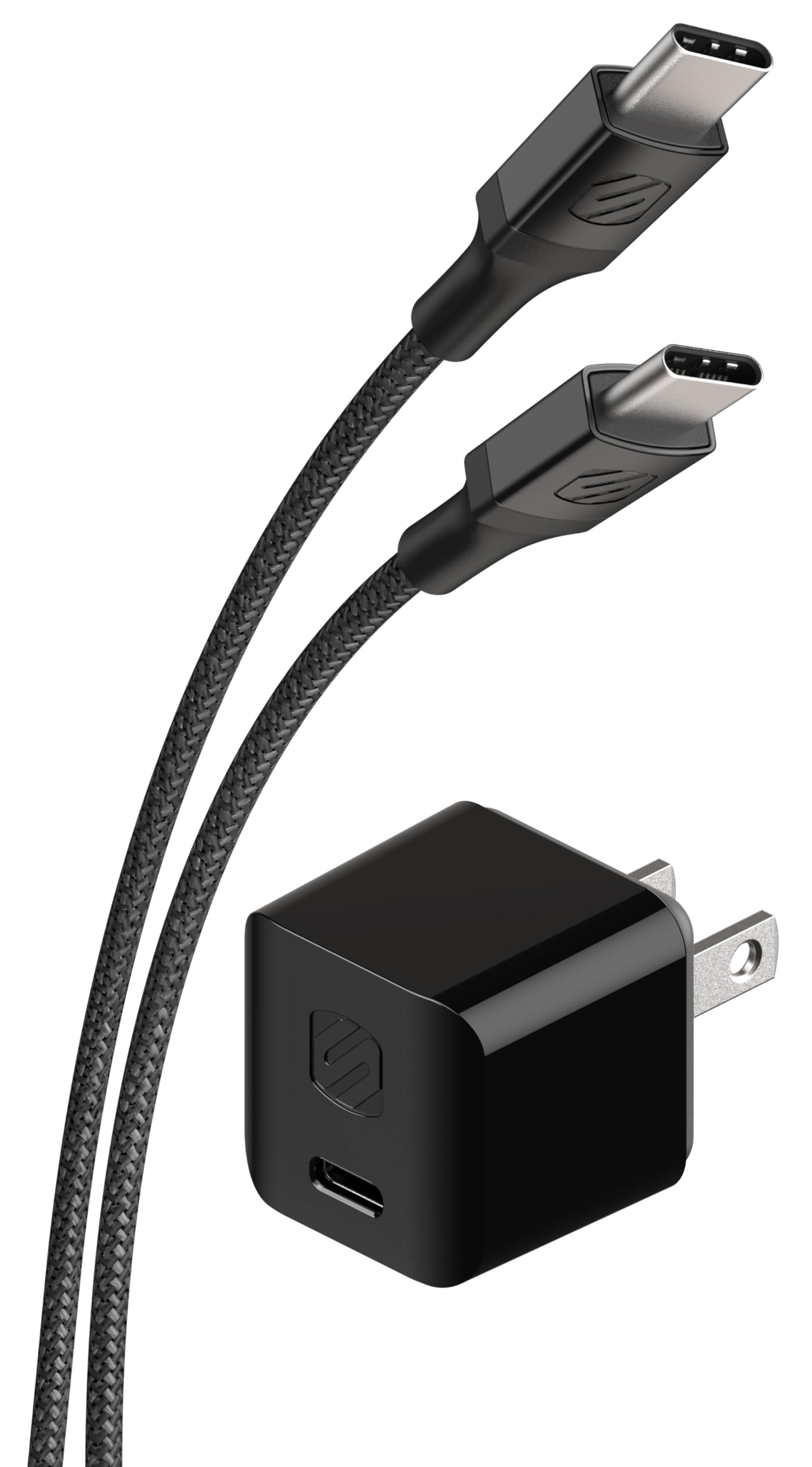
Image: The Scosche PowerVolt PD30 USB-C 30W Mini Adapter Plug and 8 FT USB-C Cable.
Què hi ha a la caixa
- 1 x USB-C Mini 30W Home Charger
- 1 x 8 Ft. Braided USB-C to USB-C Charging Cable
Instruccions de configuració
- Desempaquetar components: Carefully remove the USB-C Mini 30W Home Charger and the 8 Ft. Braided USB-C to USB-C Charging Cable from their packaging.
- Connecteu el cable al carregador: Insert one end of the 8 Ft. Braided USB-C to USB-C Charging Cable into the USB-C port on the Scosche PowerVolt PD30 Mini Adapter Plug. The USB-C connector is reversible, allowing for easy connection.
- Plug Charger into Wall Outlet: Insert the Scosche PowerVolt PD30 Mini Adapter Plug into a standard AC wall outlet (100-240V).
- Connecta't al dispositiu: Insert the other end of the USB-C to USB-C Charging Cable into the charging port of your compatible device (smartphone, tablet, laptop, etc.).

Imatge: Primer pla view of the Scosche PowerVolt PD30 USB-C 30W Mini Adapter Plug.

Imatge: Primer pla view of the Scosche 8 FT Braided USB-C to USB-C Charging Cable.
Instruccions de funcionament
The Scosche PowerVolt PD30 charger automatically detects the connected device and delivers the optimal charging current up to 30W using Power Delivery 3.0 technology. This ensures efficient and fast charging for a wide range of compatible devices.
- Ensure your device supports USB Power Delivery for optimal fast charging speeds.
- The charger is designed to charge compatible smartphones up to 50% in approximately 30 minutes. Actual charging times may vary based on device, battery level, and environmental factors.
- The reversible USB-C connector on the cable allows for convenient plugging in any orientation.

Image: A smartphone connected to the Scosche PowerVolt PD30 charger, indicating active charging.

Image: A chart illustrating the faster charging rates of the Scosche PowerVolt PD30 compared to standard 5W chargers for iPhone and Samsung devices.
Vídeos de productes
Video: Demonstrates the features and usage of the Scosche HPDC30M-SP USB-C Power Delivery Mini Home Charger.
Video: Highlights the features and durability of the Scosche StrikeLine Braided USB-C Charge & Sync Cable.
Vídeo: Acabatview of SCOSCHE PowerVolt Mini Fast Chargers, showcasing their compact design and fast charging capabilities.
Manteniment
- Neteja: Desconnecteu el carregador de la presa de corrent i del dispositiu abans de netejar-lo. Feu servir un drap suau i sec per netejar la superfície del carregador i el cable. No utilitzeu netejadors líquids ni aerosols.
- Emmagatzematge: Store the charger and cable in a cool, dry place away from direct sunlight and extreme temperatures when not in use.
- Cura del cable: Avoid sharp bends or excessive pulling on the cable to prevent damage to the internal wires. The braided design offers enhanced durability, but proper handling extends its lifespan.
Resolució de problemes
| Problema | Causa possible | Solució |
|---|---|---|
| El dispositiu no es carrega | Charger not properly plugged in; cable not connected; device incompatibility; faulty cable/charger. | Ensure charger is firmly in the wall outlet. Verify cable is securely connected to both charger and device. Confirm device is USB-C PD compatible. Try a different cable or charger if available. |
| Càrrega lenta | Device not supporting Power Delivery; high power consumption during charging; damaged cable. | Ensure your device supports USB Power Delivery for optimal speeds. Avoid using the device for intensive tasks while charging. Inspect the cable for any visible damage. |
| El carregador se sent càlid | Normal operation during high-power charging. | A slight warmth is normal. If the charger becomes excessively hot to touch or emits smoke/odor, immediately unplug it and discontinue use. |
Especificacions
| Característica | Detall |
|---|---|
| Marca | Scosche |
| Número de model | HPDC30M |
| Tipus de connector | USB tipus C |
| Dispositius compatibles | Cameras, Headphones, Laptops, Smartphones, Tablets |
| Components inclosos | 8 Ft. Braided USB-C to USB-C Charging Cable, USB-C Mini 30W Home Charger |
| Característiques especials | Braided Cable, Fast Charging, Short Circuit Protection |
| Color | Negre |
| Entrada Voltage | 100-240 volts |
| Ports USB totals | 1 |
| Wattage | 30 watts |
| Corrent de sortida | 3 Amps |
| Vol. De sortidatage | 5 Volts |
| Font d'alimentació | Elèctric amb cable |
| Tipus de muntatge | Muntatge de paret |
| Portàtil | Sí |
| GTIN | 033991106567 |
Garantia i Suport
The Scosche PowerVolt PD30 USB-C 30W Mini Adapter Plug and 8 FT USB-C Cable are backed by a Garantia limitada de 3 anys. Aquesta garantia cobreix els defectes de materials i de mà d'obra en ús normal.
For technical support, warranty claims, or additional product information, please visit the official Scosche weblloc web o poseu-vos en contacte amb el seu departament d'atenció al client. Conserveu el rebut de compra com a comprovant de compra a efectes de garantia.
Advertència de la proposta 65: Aquest producte pot contenir substàncies químiques que l'estat de Califòrnia sap que causen càncer i defectes congènits o altres danys reproductius. Per a més informació, visiteu www.P65Warnings.ca.gov.