
myGEKOgear Orbit C110
GekoGear Orbit C110 User Manual
7" Infotainment Display with Dash Cam and Backup Cam
1. Introducció
Welcome to the user manual for the GekoGear Orbit C110 7" Infotainment Display. This device integrates a high-definition display with advanced dash cam and backup camera functionalities, designed to enhance your driving experience and safety. Please read this manual thoroughly before operating the device to ensure proper installation and usage.
2. Característiques clau
- 7-Inch IPS Touchscreen: A vibrant 7-inch IPS display provides clear visuals and intuitive touch control for all functions.
- Apple CarPlay i Android Auto sense fil: Seamlessly integrate your smartphone for navigation, music, calls, and more, wirelessly.
- Front and Rear 1080p Dashcams: Capture high-definition video recordings from both the front and rear of your vehicle, providing comprehensive coverage for security and evidence.
- Backup Camera with Reverse Assist: The included backup camera displays a clear view of the rear, complete with guidelines for safe and easy parking.
- Múltiples opcions de muntatge: Flexible installation with options for dashboard or windshield mounting using an adhesive pad or suction cup.
3. Contingut del paquet
Si us plau, verifiqueu que tots els elements siguin presents al vostre paquet:
- GekoGear Orbit C110 Infotainment Display
- Front Dash Camera (integrated)
- Rear Backup Camera
- Cable d'alimentació
- Adhesive Pad for mounting
- Muntatge de la ventosa
- Manual d'usuari (aquest document)
4. Configuració i instal·lació
4.1 Selecció d'una ubicació de muntatge
Select a location on your dashboard or windshield that does not obstruct your view of the road or interfere with airbag deployment. Ensure the chosen spot allows for easy access to the touchscreen.

Figure 4.1: Multiple mounting options for the Orbit C110, including an adhesive pad for dashboard placement and a suction cup for windshield mounting.
4.2 Instal·lació de la unitat principal
- Clean the chosen mounting surface thoroughly to ensure proper adhesion.
- Attach the adhesive pad to the base of the main unit's stand, or secure the suction cup mount to the windshield.
- Press the unit firmly onto the prepared surface.
4.3 Connexió de la càmera posterior
The rear camera provides a view of the area behind your vehicle, especially useful for parking. It typically connects to the main unit via a cable and can be mounted near the license plate or on the rear window.

Figure 4.2: The backup camera view displayed on the Orbit C110, showing parking guidelines for assistance.
4.4 Connexió d'alimentació
Connect the provided power cable to the Orbit C110 and then to your vehicle's 12V power outlet (cigarette lighter socket). Ensure the cable is routed safely and does not interfere with driving controls.
5. Instruccions de funcionament
5.1 Engegada/apagada
The device will typically power on automatically when your vehicle starts. To manually power off, press and hold the power button located on the side of the unit.
5.2 Navegació per la interfície de pantalla tàctil
The 7-inch IPS touchscreen allows for intuitive control. Tap icons to select applications, swipe to navigate menus, and pinch-to-zoom on maps (where applicable).

Figure 5.1: Interacting with the 7-inch IPS touchscreen for navigation and other functions.
Apple CarPlay i Android Auto sense fil 5.3
Per connectar el telèfon intel·ligent sense fil:
- Assegureu-vos que el Bluetooth i la Wi-Fi estiguin activats al vostre telèfon intel·ligent.
- On the Orbit C110, select the "CarPlay" or "Android Auto" icon.
- Segueix les instruccions que apareixen a la pantalla per emparellar el dispositiu.

Figure 5.2: The main interface of the Orbit C110, highlighting connectivity options like Apple CarPlay and Android Auto.
5.4 Dash Cam Operation
The integrated front and rear dashcams automatically begin recording when the device powers on. Recordings are saved to a microSD card (not included). Ensure a compatible microSD card is inserted for continuous recording.

Figure 5.3: The dual-channel display of the Orbit C110, showing simultaneous views from the front and rear dash cameras.
5.5 Backup Camera Activation
When the vehicle is shifted into reverse, the display will automatically switch to the backup camera view, showing real-time footage and dynamic parking guidelines.
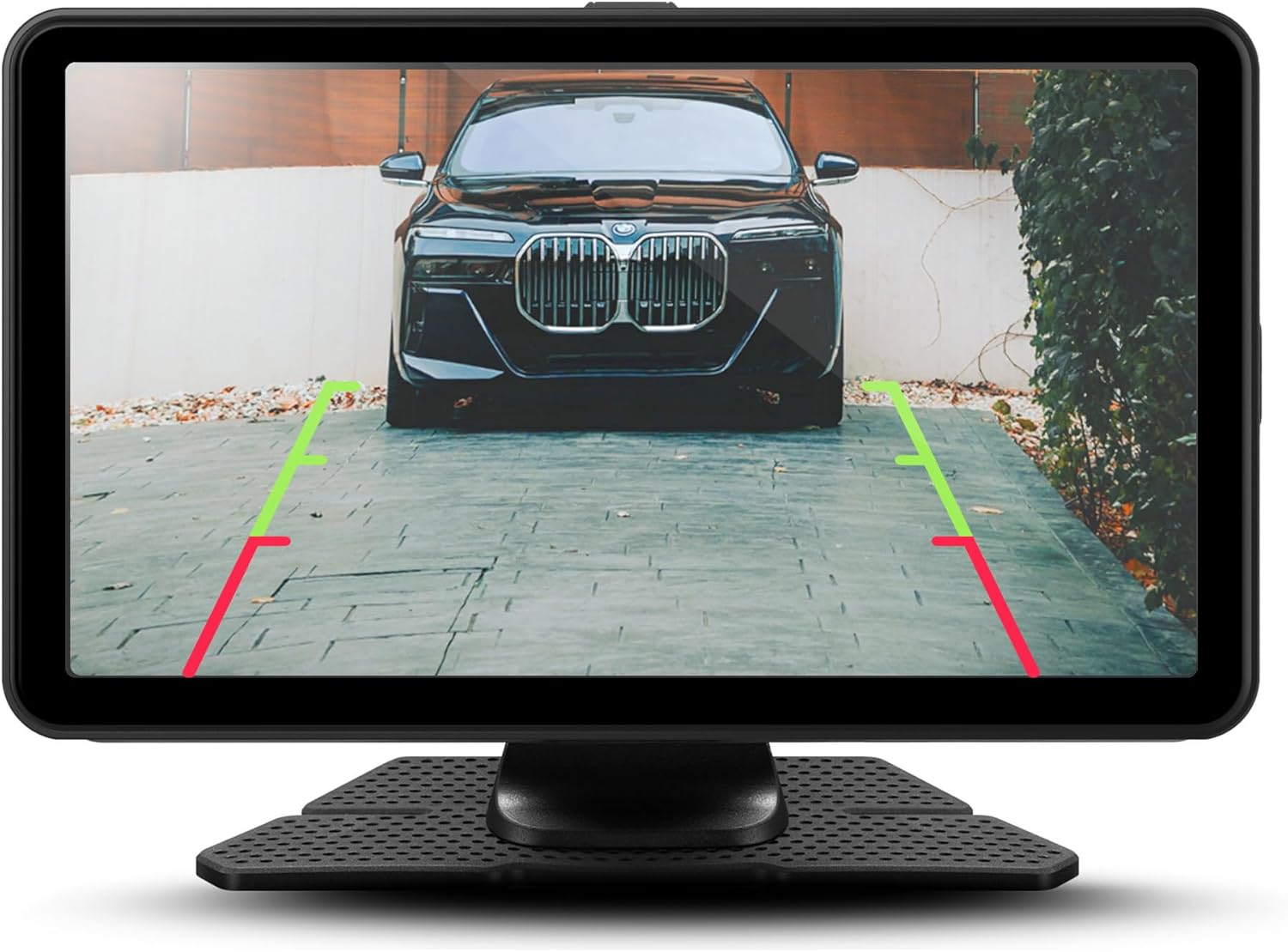
Figura 5.4: Detallada view of the backup camera feed on the Orbit C110, assisting with precise parking.
6. Manteniment
- Neteja de la pantalla: Feu servir un drap suau i sense borrissol per netejar la pantalla tàctil. No utilitzeu productes de neteja abrasius ni dissolvents.
- Targeta MicroSD: Periodically format the microSD card (at least once a month) to ensure optimal recording performance and prevent data corruption. Back up any important footage abans de formatar.
- Objectius de càmera: Keep the front and rear camera lenses clean from dust and smudges for clear video quality.
7. Solució De Problemes
| Problema | Causa possible | Solució |
|---|---|---|
| El dispositiu no s'encén. | No power connection or faulty power cable. | Check power cable connection to the device and vehicle's 12V outlet. Ensure the vehicle's ignition is on. |
| La càmera del salpicader no grava. | No microSD card, full microSD card, or corrupted card. | Insert a compatible microSD card. Format the card. Replace the card if corrupted. |
| El CarPlay/Android Auto sense fil no es connecta. | Bluetooth/Wi-Fi off on phone, incorrect pairing, or software glitch. | Ensure Bluetooth and Wi-Fi are on. Re-pair the device. Restart both the Orbit C110 and your smartphone. |
| La càmera de marxa enrere no es mostra. | Rear camera cable disconnected or faulty camera. | Check the connection of the rear camera cable to the main unit. Ensure the vehicle is in reverse. |
8. Especificacions
| Característica | Detall |
|---|---|
| Model | Òrbita C110 |
| Mida de la pantalla | 7 polzades |
| Tipus de visualització | IPS LCD Touchscreen |
| Dash Cam Resolution | 1080p (davantera i posterior) |
| Connectivitat | Apple CarPlay sense fil, Android Auto sense fil |
| Dimensions (producte) | 7 x 1.5 x 4.5 polzades |
| Pes de l'article | 3.45 lliures |
| Fabricant | Adesso, Inc. |
9. Garantia i Suport
For warranty information and technical support, please refer to the official myGEKOgear weblloc web o contacteu directament amb el servei d'atenció al client. Conserveu el rebut de compra com a comprovant de compra per a reclamacions de garantia.
Vídeo oficial del producte:
Vídeo 9.1: Presentació oficial del producte en vídeoasing the features and functionality of the myGEKOgear ORBIT C110 7-inch Infotainment Display with Dash Cam and Backup Cam.
Ask a question about this manual
Ask about setup, troubleshooting, compatibility, parts, safety, or missing instructions. Manuals+ will review the question and use this page’s manual context to help answer it.