
1. Producte acabatview
This manual provides essential instructions for the safe and efficient use of your HUAWEI MatePad SE 11" Tablet. Please read this manual thoroughly before using the device and retain it for future reference.

Imatge: Part posterior view of the HUAWEI MatePad SE 11" tablet, highlighting its lightweight (475g) and slim (6.9mm) design. The tablet features a premium metal unibody construction.
The HUAWEI MatePad SE 11" is designed for an immersive visual and audio experience, featuring an 11-inch FullView Eye Comfort screen and a powerful quad-speaker system. Its lightweight and slim design make it highly portable.
2. Configuració inicial
2.1. Desembalatge i contingut del paquet
Carefully unpack your HUAWEI MatePad SE 11" tablet. Ensure all items listed below are present:
- HUAWEI MatePad SE 11" Tablet (6GB+128GB)
- Carregador
- Cable tipus C
- Guia d'inici ràpid
- Targeta de garantia
2.2. Càrrega de la tauleta
Before first use, fully charge the tablet. Connect the Type-C cable to the tablet's USB-C port and the charger, then plug the charger into a power outlet. The tablet supports 22.5W fast charging.
2.3. Encès / apagat
- Per encendre: Premeu i manteniu premut el botó d'engegada fins que aparegui el logotip de HUAWEI.
- Per apagar: Mantingueu premut el botó d'engegada i, a continuació, seleccioneu "Apagar" de les opcions.
- Per reiniciar: Mantingueu premut el botó d'engegada i, a continuació, seleccioneu "Reiniciar" de les opcions.
2.4. Configuració Inicial
Follow the on-screen instructions to complete the initial setup, including:
- Selecció de la llengua
- Connexió a la xarxa Wi-Fi
- HUAWEI ID login (or create a new one)
- Security settings (PIN, password, pattern, or facial recognition)
3. Com utilitzar la tauleta
3.1. Característiques de la pantalla

Image: The HUAWEI MatePad SE 11" screen, showcasing its 11-inch FHD+ Eye Comfort display. Key features include an 85% screen-to-body ratio, 1920x1200 resolution, and 400 Nits brightness for a clear visual experience.
The 11-inch FHD+ Eye Comfort display provides an immersive visual experience. It features:
- Resolució: 1920 x 1200 píxels
- Confort ocular: TÜV Rheinland certified for low blue light and flicker-free viewing, reducing eye strain during prolonged use.
- Brillantor: 400 Nits, with 4096-level brightness adjustment.
- E-Book Mode: A dedicated mode for a paper-like reading experience.
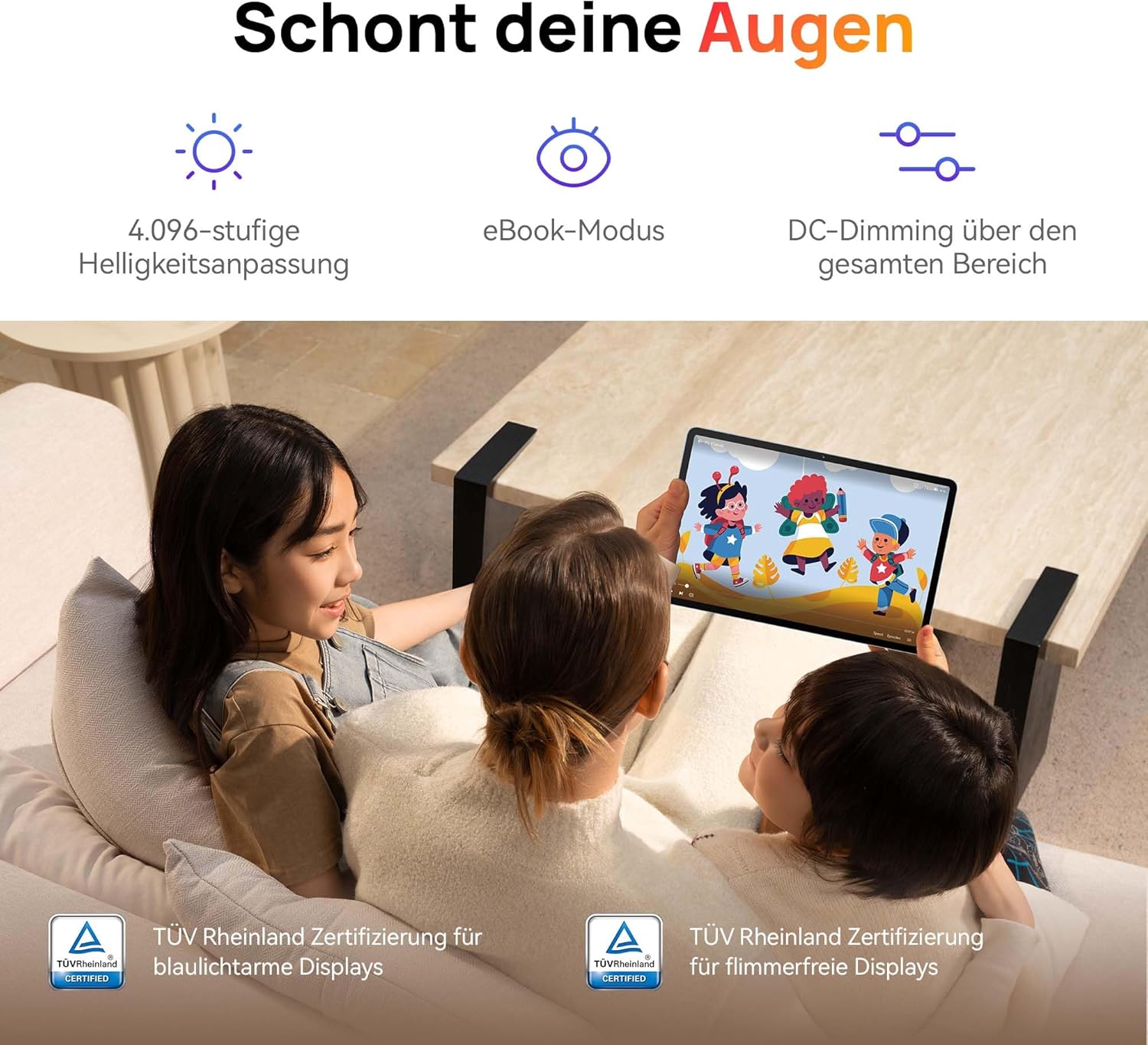
Image: Children using the tablet, illustrating the eye protection features. The display is TÜV Rheinland certified for low blue light and flicker-free operation, ensuring a comfortable viewexperiència.
3.2. Sistema d'àudio

Image: A user enjoying music on the tablet, demonstrating the immersive quad-speaker system. This system is optimized by HUAWEI Histen 9.0 technology for high-quality audio.
The tablet features a symmetrical quad-speaker system optimized by HUAWEI Histen 9.0 technology, providing cinematic sound quality for various applications.
3.3. Kids Corner

Image: The Kids Corner interface on the tablet, designed as a safe and engaging environment for children. Features include posture warnings, a blue light filter, and an eBook mode, along with content from BabyBus.
Kids Corner provides a safe and dedicated environment for children to learn and play. Parents can manage:
- Time limits for usage.
- Allowed applications and content.
- Features like posture warnings and blue light filters to promote healthy digital habits.
It also includes content from BabyBus, offering games, stories, and nursery rhymes.
3.4. M-Pen Lite (Optional Accessory)

Image: The HUAWEI M-Pen Lite stylus, an optional accessory that enhances interaction with the tablet for drawing, writing, and note-taking. It is supported by the HUAWEI MatePad SE 11" Stylus Set.
If you have the HUAWEI M-Pen Lite, it can be used for enhanced interaction, drawing, and note-taking. Ensure your tablet supports the M-Pen Lite stylus set.
The tablet also supports applications like GoPaint for professional and easy-to-use digital art, and HUAWEI Note for organized note-taking.

Image: GoPaint application on the tablet, illustrating its interface for digital art creation.

Image: HUAWEI Note application on the tablet, showing its capabilities for detailed note-taking.
3.5. Connectivitat
- Wi-Fi: Connect to available Wi-Fi networks for internet access. Supports 802.11ac.
- Bluetooth: Pair with Bluetooth devices such as headphones, speakers, or keyboards.
- Port USB-C: Used for charging, data transfer, and connecting compatible accessories.
3.6. Multi-Window and Multi-Device Collaboration
The tablet supports multi-window functionality for enhanced multitasking and multi-device screen sharing for seamless integration with other HUAWEI devices.
4. Manteniment i cura
- Neteja: Feu servir un drap suau i sense borrissol per netejar la pantalla i la carcassa. Eviteu materials abrasius o productes químics agressius.
- Cura de la bateria: To prolong battery life, avoid extreme temperatures. Do not allow the battery to fully discharge frequently.
- Actualitzacions de programari: Comproveu i instal·leu regularment si hi ha actualitzacions de programari per garantir un rendiment i una seguretat òptims.
- Emmagatzematge: Keep the tablet in a cool, dry place away from direct sunlight and moisture.
5. Solució De Problemes
| Problema | Possible solució |
|---|---|
| La tauleta no s'encén. | Assegureu-vos que la bateria estigui carregada. Connecteu el carregador i espereu uns minuts abans d'intentar tornar-lo a engegar. |
| La pantalla no respon. | Restart the tablet by holding the Power button for approximately 10 seconds. If unresponsive, ensure the screen is clean and dry. |
| Problemes de connexió Wi-Fi. | Comproveu si el Wi-Fi està activat. Reinicieu el router i la tauleta. Assegureu-vos que esteu dins de l'abast del senyal Wi-Fi. |
| Apps are not downloading from Play Store. | The HUAWEI MatePad SE 11" runs on HarmonyOS and uses HUAWEI AppGallery. Google Play Store services are not natively supported. Use Petal Search to find and install apps or access web versions dels serveis. |
| Rendiment lent. | Tanca les aplicacions en segon pla innecessàries. Esborra la memòria cau i les aplicacions temporals files. Ensure sufficient storage space is available. Restart the tablet. |
6. Especificacions tècniques
| Característica | Detall |
|---|---|
| Nom del model | MatePad SE 11" |
| Número de model | 53014FHK |
| Dimensions (L x A x A) | 26.23 x 16.38 x 0.69 cm |
| Pes | 475 grams |
| Mida de la pantalla | 11 polzades |
| Tipus de visualització | LCD |
| Resolució de visualització | 1920 x 1200 píxels (FHD+) |
| Relació d'aspecte | 16:9 |
| Sistema operatiu | HarmonyOS |
| Processador | Huawei Processor (Agassi6-W09C) |
| RAM | 6 GB |
| Capacitat d'emmagatzematge | 128 GB |
| Tipus de bateria | Polímer de liti |
| Capacitat de la bateria | 7700 mAh |
| Carregant | 22.5W Fast Charging (via USB Type-C) |
| Resolució de la càmera posterior | 8 megapíxels |
| Altaveus | 4 speakers with HUAWEI Histen 9.0 |
| Tecnologia sense fils | Wi-Fi (802.11ac), Bluetooth |
| Ports USB | 1 (USB tipus C) |
| Característiques especials | 11-inch Eye Comfort Screen, Kids Corner, Multi-window, Multi-device screen sharing |
| Inclòs a la caixa | Tablet, Charger, Type-C Cable, Quick Start Guide, Warranty Card |
7. Garantia i Suport
7.1. Informació de la garantia
Your HUAWEI MatePad SE 11" Tablet comes with a manufacturer's warranty. Please refer to the included Warranty Card for specific terms and conditions. Spare parts availability is guaranteed for 24 months.
7.2. Atenció al client
For technical assistance, troubleshooting beyond this manual, or warranty claims, please contact HUAWEI customer support. Visit the official HUAWEI weblloc web amb informació de contacte i recursos de suport.
Recursos en línia: Assistència de HUAWEI Weblloc