
Introducció
The Philips SPP3983B/37 9-Outlet Surge Protector provides expanded power access and protection for your electronic devices. It features nine grounded AC outlets, one USB-A port, and one USB-C port for convenient charging. Designed with a 6-foot braided cord and 2400 Joules of surge protection, this unit safeguards your equipment from voltage spikes and overloads.
Informació important de seguretat
Si us plau, llegiu i enteneu totes les instruccions abans d'utilitzar aquest producte. Si no seguiu aquestes instruccions, podeu patir descàrregues elèctriques, incendis o lesions greus.
- Només per a ús interior: This surge protector is designed for indoor use in dry locations only. Do not use outdoors or in wet conditions.
- Connexió a terra adequada: Ensure the wall outlet is properly grounded. Do not remove the grounding prong or use with an ungrounded adapter.
- Eviteu la sobrecàrrega: Do not exceed the electrical ratings of the surge protector (15 Amps, 120 volts, 1875 watts). La sobrecàrrega pot causar sobreescalfament i incendi.
- Not for Medical Equipment: This device is not intended for use with life support systems or other medical equipment.
- Mantenir allunyat dels nens: Store in a safe place away from children and pets.
- No desmunteu: Do not attempt to open or modify the surge protector. There are no user-serviceable parts inside.
Configuració
- Unpack the Surge Protector: Carefully remove the Philips SPP3983B/37 surge protector from its packaging.
- Trieu una ubicació: Select a dry, indoor location near the devices you intend to power. The 6-foot braided cord provides flexibility in placement.
- Connecteu-vos a la presa de corrent: Insert the surge protector's plug firmly into a standard 3-prong, 120V AC grounded wall outlet.
- Verify Power Indicator: Once plugged in, the blue LED indicator light on the surge protector should illuminate, confirming that the unit is receiving power and providing surge protection.
- Connexió de dispositius: Plug your electronic devices into the nine grounded AC outlets and your USB-compatible devices into the USB-A and USB-C ports. The adapter-spaced outlets accommodate bulky power adapters without blocking adjacent outlets.
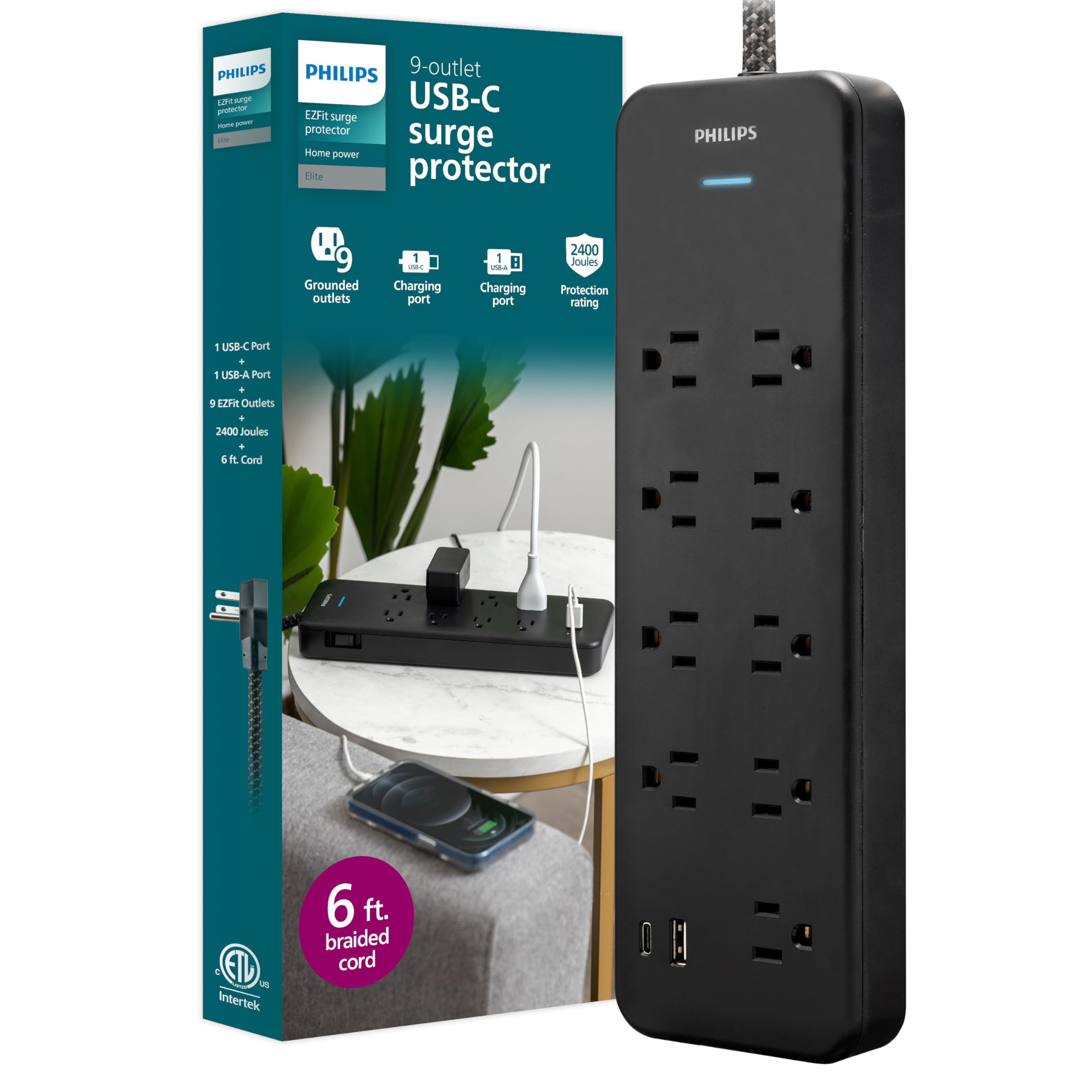
Image: The Philips 9-Outlet Surge Protector with various devices plugged into its adapter-spaced outlets and USB ports.

Imatge: Un primer pla view of the Philips surge protector highlighting its adapter-spaced outlets, designed to accommodate larger plugs.

Image: The Philips surge protector's space-saving flat plug inserted into a wall outlet, leaving the second outlet free.
Muntatge a la paret (opcional)
The surge protector features keyhole slots on the back for optional wall mounting. To mount:
- Measure the distance between the keyhole slots on the back of the unit.
- Mark two corresponding spots on the wall where you want to mount the surge protector.
- Install two screws (not included) into the wall at the marked spots, leaving a small portion of the screw head exposed. Ensure the screws are appropriate for your wall material and can support the weight of the surge protector and connected devices.
- Align the keyhole slots on the back of the surge protector with the exposed screw heads and slide the unit down to secure it.

Image: The back of the Philips surge protector, illustrating the keyhole slots for wall mounting.
Instruccions de funcionament
- Dispositius d'alimentació: Once the surge protector is plugged in and the blue LED indicator is lit, simply plug your devices into any of the nine AC outlets.
- Càrrega USB: Use the USB-A and USB-C ports to charge compatible smartphones, tablets, and other mobile devices. The USB ports provide a shared 15 Watts of power.
- Indicador de protecció contra sobretensions: The blue LED light indicates that the surge protection feature is active and your devices are protected. If this light goes out, the surge protection has been compromised, and the unit should be replaced.
- Integrated Circuit Breaker: The surge protector includes an integrated circuit breaker. If an overload occurs, the circuit breaker will trip, cutting power to connected devices. To reset, unplug all devices, wait a few minutes, and then press the reset button (if available, or unplug and replug the unit).

Imatge: Primer pla view of the Philips surge protector showing the USB-A and USB-C charging ports in use.

Image: The Philips surge protector highlighting its 2400 Joules protection rating and integrated circuit breaker.
Manteniment
- Neteja: Disconnect the surge protector from the wall outlet before cleaning. Use a soft, dry cloth to wipe the exterior. Do not use liquid cleaners or abrasive materials.
- Cura del cordó: The braided 6-foot cord is designed for durability. Avoid sharp bends, kinks, or placing heavy objects on the cord to prevent damage.
- Inspecció: Periodically inspect the surge protector and its cord for any signs of damage, such as frayed wires, cracks, or discoloration. If damage is found, discontinue use and replace the unit.
- Substitució: Surge protectors have a finite lifespan. If the blue LED indicator light for surge protection is off, the unit has absorbed a significant surge and can no longer provide protection. Replace the surge protector immediately to ensure continued safety for your devices.
Resolució de problemes
- Sense alimentació als dispositius:
- Check if the surge protector is firmly plugged into a working wall outlet.
- Ensure the blue LED indicator light is illuminated. If not, the surge protection may be compromised, or the circuit breaker might have tripped.
- If the circuit breaker tripped, unplug all devices, wait a few minutes, and then press the reset button (if applicable) or unplug and replug the surge protector.
- Proveu la presa de corrent amb un altre dispositiu per confirmar que funciona.
- Ports USB que no es carreguen:
- Verify that the surge protector is powered on and the blue LED indicator is lit.
- Ensure your USB cable is properly connected to both the surge protector and your device.
- Try a different USB cable or device to rule out issues with the cable or device itself.
- Confirm that the total power draw from the USB ports does not exceed the shared 15 Watts.
- Blue LED Indicator Light is Off:
- This indicates that the surge protection components have absorbed a power surge and are no longer active. The surge protector will still provide power, but without surge protection.
- For continued protection, the surge protector must be replaced.
Especificacions
| Marca: | Philips |
| Número de model: | SPP3983B/37 |
| Total de preses de corrent: | 9 preses de corrent alterna amb terra |
| Ports USB: | 1 USB-A, 1 USB-C (15 Watts Shared) |
| Classificació de protecció contra sobretensions: | 2400 Joules |
| Voltage: | 120 Volts |
| Corrent màxima: | 15 Amps |
| Longitud del cable: | 6 feet (Braided) |
| Tipus d'endoll: | Tipus B - 3 pins (nord-americà) |
| Característiques especials: | Integrated Circuit Breaker, Adapter-Spaced Outlets, Flat Plug |
| Certificacions: | Llistat per ETL |
Garantia i Suport
This Philips surge protector is backed by a Limited-Lifetime, No-Hassle Replacement PlanA més, inclou un $250,000 Connected Equipment Policy, providing peace of mind for your connected electronics.
For warranty claims, technical support, or further assistance, please refer to the contact information provided in your product packaging or visit the official Philips weblloc per obtenir els detalls d'atenció al client.
Producte acabatview Vídeo
Vídeo: Un producte oficial acabatview of the Philips 9-Outlet Surge Protector with USB Charging, demonstrating its features and benefits.