
Producte acabatview
The AWOL Vision LTV-3500 Pro is a cutting-edge Ultra Short Throw (UST) projector designed to deliver an exceptional home entertainment experience. This bundle includes a 132-inch Cinematic Ambient Light Rejecting (ALR) Screen, optimized for superior image quality even in well-lit environments. The projector features Triple Color Laser Technology, 4K UHD Resolution, HDR10+, and 3D capability, providing sharp images and vibrant colors.
Característiques clau
- Integrated center channel speaker with speaker mapping for clear dialogue and immersive audio. Compatible with ThunderBeat 4.2.2 surround sound systems for a 5.2.2 surround sound experience.
- Features PJLink IP Control for integration with home automation systems (e.g., Control 4).
- Supports Dolby Vision HDR for dynamic optimization of color, contrast, and brightness.
- Utilizes Triple Color Laser Technology for 4K UHD Resolution, HDR10+, and 3D capability. Projects up to a 150-inch 4K image.
- Includes Dolby Atmos support for immersive audio.
- Supports Active Shutter 3D for immersive 3D film viewing.
- Designed for high brightness performance, even in daylight conditions, especially when paired with an Ambient Light Rejecting (ALR) screen.
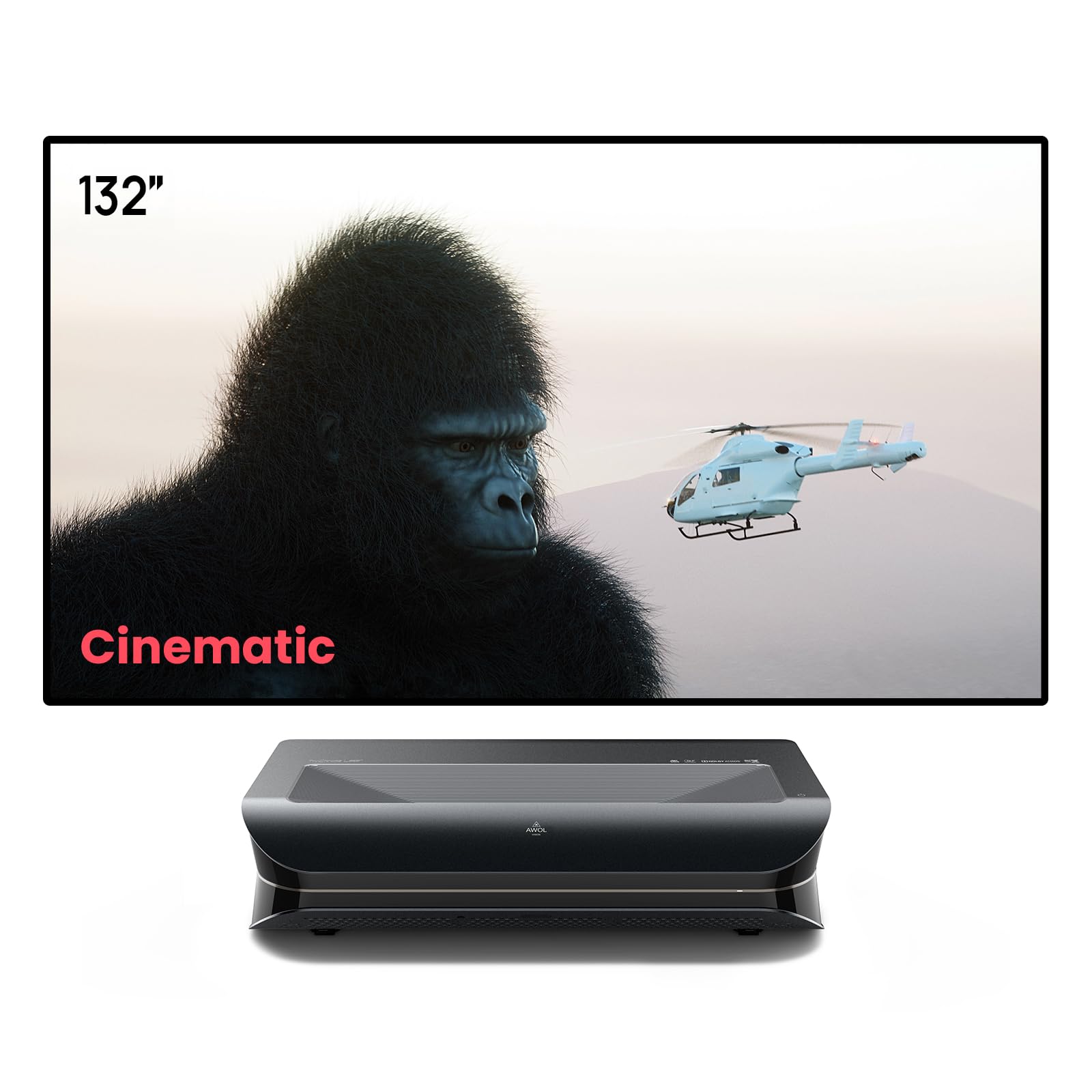
Image: AWOL Vision LTV-3500 Pro Projector showcasing its core features like 3000 ISO Lumens, 4K UHD, Dolby Vision, and 3D capability.

Image: Comparison illustrating the superior clarity and larger lens of the AWOL Vision LTV-3500 Pro compared to other projectors.
Vídeo: Acabatview of the AWOL Vision LTV-3500 Pro projector and its features, including image quality and setup.
Configuració i instal·lació
Col·locació del projector
Proper placement of your LTV-3500 Pro projector is crucial for optimal image quality. Refer to the table below for recommended distances based on your desired screen size.

Image: Detailed diagram showing projector dimensions and recommended distances from the wall for various screen sizes (80" to 150").
Connexions
The LTV-3500 Pro offers a variety of connectivity options. The rear panel includes multiple ports for your external devices:
- Ports HDMI: Connect your Blu-ray player, gaming console, or other HDMI-enabled devices.
- Ports USB: For service or connecting USB devices.
- Port LAN: Per a la connexió de xarxa amb cable.
- S/PDIF (Optical Audio) Output: Per connectar a sistemes d'àudio externs.
- AV IN: For older audio/video equipment.
A hidden compartment on the back of the projector is designed to house streaming sticks, providing a clean and integrated setup.
Instal·lació de la pantalla
The 132-inch Cinematic ALR Screen is designed for easy assembly and mounting. Always wear the provided gloves to prevent fingerprints and damage to the screen material. Lay the screen material flat on a clean surface, then assemble the inner frame by connecting the metal rods. Carefully insert the fiberglass strips into the borders to maintain tension. Finally, attach the outer frame and mount the complete screen onto your wall using the provided brackets. Ensure the screen is taut and free of wrinkles.
Video: Detailed installation guide for an upgraded matte white screen, demonstrating frame assembly and mounting steps.
Video: Instructions on how to install a Black Series screen, covering frame assembly and screen tensioning.

Image: Table comparing the image quality, light rejection, material, and installation benefits of an AWOL VISION Cinematic ALR screen against a standard matte white screen.
Funcionament
Configuració de la imatge
The LTV-3500 Pro offers various picture modes and advanced settings to customize your viewing experience. Navigate through the on-screen menu to adjust:
- Modes HDR: Select from HDR Standard, HDR Vivid, HDR Sport, HDR Movie, or HDR Game for optimized visuals based on content.
- Temperatura de color: Adjust to your preference (e.g., Hot, Standard, Cool).
- White Balance & Color Correction: Fine-tune colors for accuracy.
- Dynamic Contrast & Enhanced Black Level: Improve contrast and black depth.
Configuració de so
Optimize your audio experience with various sound modes and settings:
- Modes de so: Choose from Standard, Music, Movie, Sports, or User for tailored audio.
- Dolby Atmos i DTS Virtual X: Enable these features for immersive surround sound.
- Detall de l'equalitzador: Ajusta els nivells de greus i aguts.
- Dispositiu de sortida: Select between internal speakers, Bluetooth, HDMI eARC, or S/PDIF for external audio systems.
Funcionalitat 3D
Enjoy immersive 3D content by enabling the 3D setting in the menu. Ensure you are using active shutter 3D glasses for the best experience. You can select various 3D formats:
- Mode 3D: Activate 3D playback.
- Left/Right Exchange: Adjust for correct 3D perception.
- 3D Formats: Select from Frame Packing, Side-by-Side, or Top-and-Bottom depending on your source content.
Mode de joc
For an enhanced gaming experience, activate Turbo Mode:
- Mode turbo: Reduces input lag to provide a smoother and more responsive gaming experience.
Funció de cura dels ulls
The projector includes an Eye Care feature that automatically dims the laser output if an object or person comes too close to the lens, protecting your eyes and those of your family.
Manteniment
To ensure the longevity and optimal performance of your AWOL Vision LTV-3500 Pro projector and screen, follow these maintenance guidelines:
- Cleaning the Projector: Use a soft, dry, lint-free cloth to gently wipe the projector's exterior. Avoid using abrasive cleaners, waxes, or solvents. For the lens, use a specialized lens cleaning cloth and solution.
- Neteja de la pantalla: Netegeu suaument la superfície de la pantalla amb un drap suauamp cloth. Do not use harsh chemicals or abrasive materials, as this can damage the ALR coating.
- Ventilació: Assegureu-vos que les obertures de ventilació del projector no estiguin bloquejades per evitar el sobreescalfament. Mantingueu el projector en una zona ben ventilada.
- Emmagatzematge: When not in use for extended periods, store the projector in a cool, dry place, ideally in its original packaging or a protective cover.
Resolució de problemes
If you encounter any issues with your AWOL Vision LTV-3500 Pro, refer to the common troubleshooting steps below:
- No es mostra cap imatge:
- Check if the projector is powered on and the power cable is securely connected.
- Verify that the input source (HDMI, AV) is correctly selected on the projector.
- Ensure any lens covers or protective films are removed from the projector lens.
- Blurred or Out-of-Focus Image:
- Use the electronic focus adjustment feature in the projector's menu to sharpen the image.
- Ensure the projector is placed at the correct distance from the screen as per the placement guide.
- Imatge distorsionada (forma trapezoidal):
- Access the 8-point keystone correction in the projector's menu to adjust the image shape.
- Ensure the projector is placed on a flat, stable surface and is level with the screen.
- Sense so:
- Check the sound output settings in the projector's menu to ensure the correct output device is selected (e.g., internal speakers, HDMI eARC, Optical).
- Verify that external audio systems are properly connected and powered on.
Especificacions del producte
| Característica | Especificació |
|---|---|
| Nom de marca | AWOL VISION |
| Número de model de l'article | LTV-3500 Pro |
| Nom del color | Negre |
| Característiques especials | Preparat per a 3D |
| Usos recomanats per al producte | Negocis, Educació, Jocs, Cinema a casa |
| Tecnologia de connectivitat | HDMI |
| Resolució de pantalla | 3840 x 2160 |
Garantia i Suport
AWOL VISION is committed to providing excellent customer service and support for your LTV-3500 Pro projector and screen bundle.
- Protecció de preu de 30 dies: T'assegura el millor valor per la teva compra.
- 2 anys d'assistència tècnica: Suport complet durant dos anys a partir de la data de compra.
- Contacte amb l'assistència:
- Telèfon / WhatsApp: +1 (888) 891-6866
- Correu electrònic: support@awolvision.com