
nubia V60 (Model Number: 123439101056)
ZTE nubia V60 Smartphone User Manual
Model: V60 (123439101056) | Brand: nubia
1. Introducció
Welcome to the user manual for your new ZTE nubia V60 smartphone. This guide provides essential information to help you set up, operate, maintain, and troubleshoot your device. Please read this manual thoroughly to ensure optimal performance and longevity of your smartphone.
The nubia V60 features a 6.72-inch FHD+ display, a powerful 50MP AI rear camera, a 32MP front camera, 8GB RAM (expandable with 12GB Dynamic RAM), 256GB ROM, a 5000mAh battery with 22.5W fast charging, NFC, fingerprint recognition, and DTS sound effects.
2. Configuració inicial
2.1. Desembalatge i contingut del paquet
Abans de començar, assegureu-vos que tots els elements estiguin presents al paquet:
- ZTE nubia V60 Smartphone
- Adaptador d'alimentació
- Cable USB
- Eina d'expulsió de SIM (pot variar segons la regió)
- Guia d'inici ràpid (aquest document serveix com a guia completa)
2.2. Inserció de la targeta SIM i la targeta microSD
- Localitza la safata de la targeta SIM al lateral del dispositiu.
- Introduïu l'eina d'expulsió de la SIM al forat petit que hi ha al costat de la safata i premeu fermament fins que la safata surti.
- Col·loqueu la targeta o targetes nano-SIM i/o la targeta microSD (si escau) a la safata amb els contactes daurats cap avall, assegurant-vos que estiguin correctament alineats.
- Empenyeu suaument la safata cap enrere a la ranura fins que encaixi al seu lloc.

Imatge: Lateral view of the nubia V60, illustrating the location of the SIM card tray and physical buttons.
2.3. Carregant la bateria
Before first use, fully charge your device. Connect the USB cable to the power adapter and then to the phone's charging port. Plug the power adapter into a wall outlet. The device supports 22.5W fast charging.
2.4. Engegada i configuració inicial
- Press and hold the Power button (located on the right side) until the screen lights up.
- Follow the on-screen instructions to select your language, connect to Wi-Fi, set up your Google account, and configure security features like fingerprint recognition.
3. Funcionament del vostre dispositiu
3.1. Navegació bàsica
The nubia V60 operates on Android 13.0. Use touch gestures such as tap, swipe, pinch-to-zoom, and long-press to navigate the interface. The power button and volume buttons are located on the right side of the device.

Imatge: Frontal view of the nubia V60, showcasing its 6.72-inch FHD+ display.
3.2. Característiques de la càmera
Your device is equipped with a 50MP AI Rear Camera and a 32MP Front Camera.
- Llançament de la càmera: Tap the Camera icon on your home screen or lock screen.
- Fer fotos/vídeos: Tap the shutter button to capture an image or switch to video mode to record.
- AI Enhancements: The AI features automatically optimize settings for various scenes and subjects.
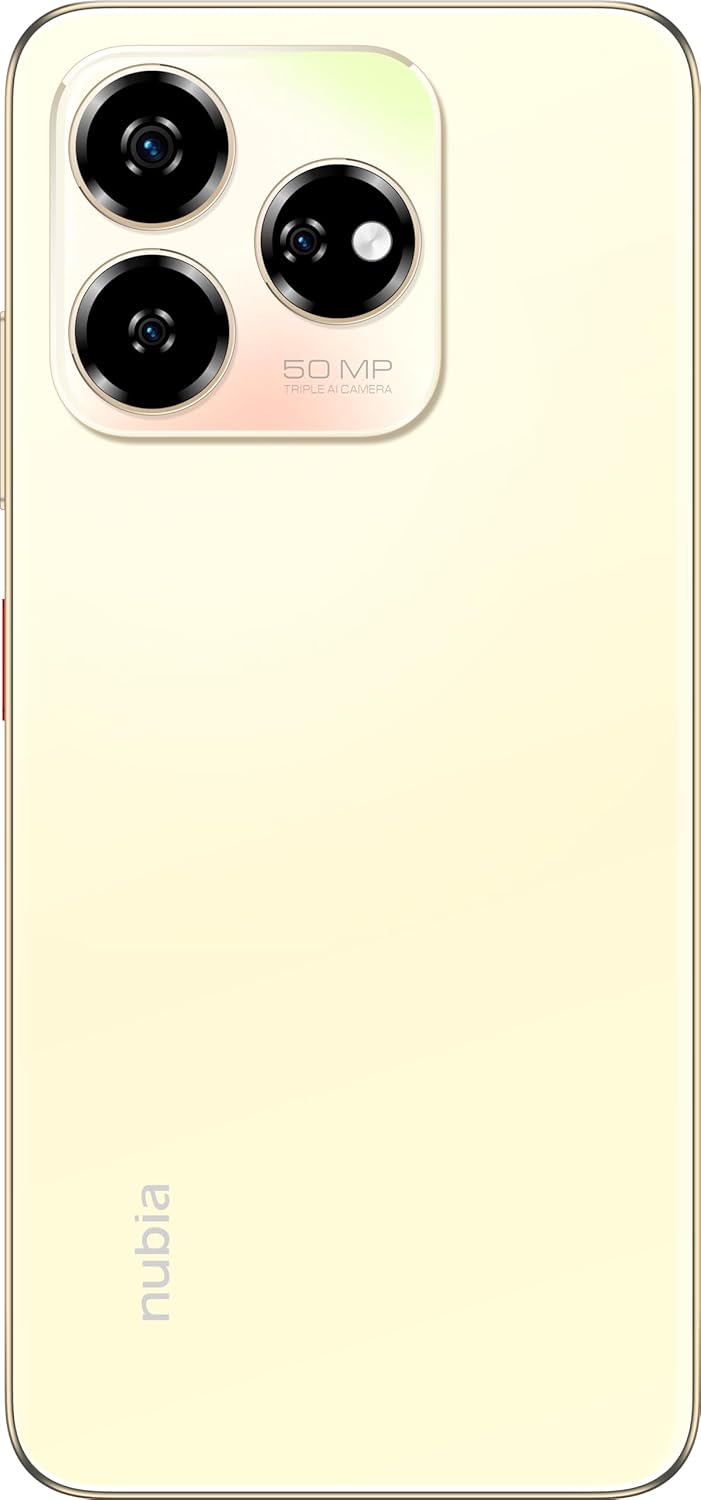
Imatge: Part posterior view of the nubia V60, highlighting the 50MP triple AI camera module.
3.3. Reconeixement d'empremtes digitals
The device features a side-mounted fingerprint sensor for secure and quick unlocking. To set up:
- Vés a Configuració > Seguretat > empremta digital.
- Follow the on-screen prompts to register your fingerprint(s).
3.4. Funcionalitat NFC
NFC (Near Field Communication) allows for quick data exchange and contactless payments. To use NFC:
- Ensure NFC is enabled in Configuració > Dispositius connectats > Preferències de connexió > NFC.
- Tap your phone to another NFC-enabled device or payment terminal to initiate a connection or transaction.
3.5. DTS Sound Effect
Experience enhanced audio quality with DTS sound effects. This feature can be configured in your device's sound settings to optimize audio for various media types.
3.6. Live Island
The Live Island feature provides dynamic notifications and quick access to certain functions around the front camera cutout. Explore its functionalities through your device's display settings or by interacting with notifications.
4. Manteniment i cura
4.1. Neteja del dispositiu
Feu servir un drap suau i sense borrissol per netejar la pantalla i la carcassa del telèfon. Eviteu utilitzar productes químics agressius o materials abrasius que puguin danyar l'acabat o el recobriment de la pantalla.
4.2. Actualitzacions de programari
Comproveu i instal·leu regularment si hi ha actualitzacions de programari per assegurar-vos que el dispositiu tingui les darreres funcions, pegats de seguretat i millores de rendiment. Aneu a Configuració > Sistema > Actualització del sistema.
4.3. Cura de la bateria
- Eviteu les temperatures extremes, ja que poden reduir la durada de la bateria.
- Feu servir només els accessoris de càrrega originals o certificats.
- Per a un funcionament òptim de la bateria, eviteu descarregar-la completament amb freqüència o mantenir-la al 100% durant períodes prolongats.
4.4. Gestió de l'emmagatzematge
Periòdicament review your device's storage (256GB ROM) and clear unnecessary files, apps, or media to maintain optimal performance. You can check storage usage in Configuració > Emmagatzematge.
5. Solució De Problemes
This section addresses common issues you might encounter with your nubia V60.
5.1. El dispositiu no s'encén
- Assegureu-vos que la bateria estigui carregada. Connecteu el carregador i espereu uns minuts abans d'intentar engegar-lo.
- Mantingueu premut el botó d'engegada durant almenys 10-15 segons per forçar un reinici.
5.2. Problemes de càrrega
- Verifiqueu que el cable de càrrega i l'adaptador estiguin connectats correctament i no estiguin danyats.
- Try using a different power outlet or charging accessory.
- Netegeu el port de càrrega suaument amb un raspall suau i sec per eliminar qualsevol residu.
5.3. Problemes de connectivitat de xarxa
- Comproveu si la targeta SIM està correctament inserida i activada.
- Activa i desactiva el mode avió.
- Reinicieu el vostre dispositiu.
- Vés a Configuració > Xarxa i Internet > Xarxa mòbil i assegureu-vos que esteu seleccionat el tipus de xarxa que preferiu.
5.4. Les aplicacions es bloquegen o es bloquegen
- Tanca i torna a obrir l'aplicació.
- Esborra la memòria cau i les dades de l'aplicació Configuració > Aplicacions > [Nom de l'aplicació] > Emmagatzematge i memòria cau.
- Assegureu-vos que l'aplicació estigui actualitzada a la seva darrera versió.
- Reinicieu el vostre dispositiu.
5.5. Restabliment de fàbrica (últim recurs)
Avís: Un restabliment de fàbrica esborrarà totes les dades del telèfon. Fes una còpia de seguretat de les dades importants abans de continuar.
Per restablir la fàbrica, aneu a Configuració > Sistema > Opcions de restabliment > Esborra totes les dades (restabliment de fàbrica) i seguiu les instruccions.
6. Especificacions tècniques
| Característica | Especificació |
|---|---|
| Nom del model | V60 |
| Número de model de l'article | 123439101056 |
| Marca | nubia |
| Sistema operatiu | Android 13.0 |
| Mida de la pantalla | 6.72 polzades |
| Mida de la memòria RAM instal·lada | 8 GB (Additional 12GB Dynamic RAM) |
| Capacitat d'emmagatzematge de memòria | 256 GB |
| Velocitat de la CPU | 1.8 GHz |
| Càmera posterior | Càmera AI de 50 MP |
| Càmera frontal | 32MP |
| Potència nominal de la bateria | 5000 mAh |
| Càrrega ràpida | 22.5W |
| Tecnologies de comunicació sense fil | NFC |
| Tecnologies de connectivitat | NFC |
| Tecnologia cel·lular | 4G |
| GPS | GLONASS |
| Jack d'àudio | Sense presa per a auriculars |
| Factor de forma | Bar |
| Color | Sunlit Gold |
| Pes de l'article | 510 g |
| Dimensions del paquet | 18 x 8.6 x 5.6 cm |
| Què hi ha a la caixa | Power Adapter, USB Cable |
7. Informació de la garantia
Your ZTE nubia V60 smartphone comes with a standard manufacturer's warranty, covering defects in materials and workmanship under normal use. The duration and terms of this warranty may vary by region. Please refer to the warranty card included in your product packaging for specific details.
Additionally, extended warranty and accidental damage protection plans may be available for purchase. For example, options such as a 1-Year Extended Warranty Plan, 2-Years Extended Warranty Plan, and 1-Year Accidental Damage Protection Plan might be offered by authorized retailers.
Conserva el comprovant de compra per a qualsevol reclamació de garantia.
8. Atenció al client
For further assistance, technical support, or service inquiries regarding your ZTE nubia V60, please contact nubia customer service through their official weblloc web o la informació de contacte que es proporciona a la documentació del producte.
You can often find FAQs, troubleshooting guides, and software downloads on the official nubia support website. When contacting support, please have your device model number (V60) and item model number (123439101056) ready.