
Producte acabatview
The amazon basics Wireless Gaming Mouse is designed for enhanced gaming and productivity, offering versatile connectivity and customizable features. It provides a comfortable ergonomic design for extended use and precise control.
- Connectivitat dual: Seamlessly switch between Bluetooth 5.1 and 2.4 GHz wireless for stable, reliable connections.
- Botons personalitzables: Enjoy enhanced functionality and full control with 7D customizable buttons for a personalized experience.
- Configuració de DPI ajustable: Customize your experience with selectable DPI options (1600/2400/3200) for precision or speed based on your preferences.
- Bateria recarregable: Keep powered up with a 450 mAh Li-ion battery and convenient Type-C charging port for uninterrupted convenience.
- Compatibilitat versàtil: Seamlessly compatible with iPad, MacBook, tablets, PCs, and smart TVs, offering versatility for various devices and applications.
- Confort ergonòmic: The ergonomic design prioritizes comfort, making long gaming or work sessions more enjoyable and fatigue-free.
Components del producte
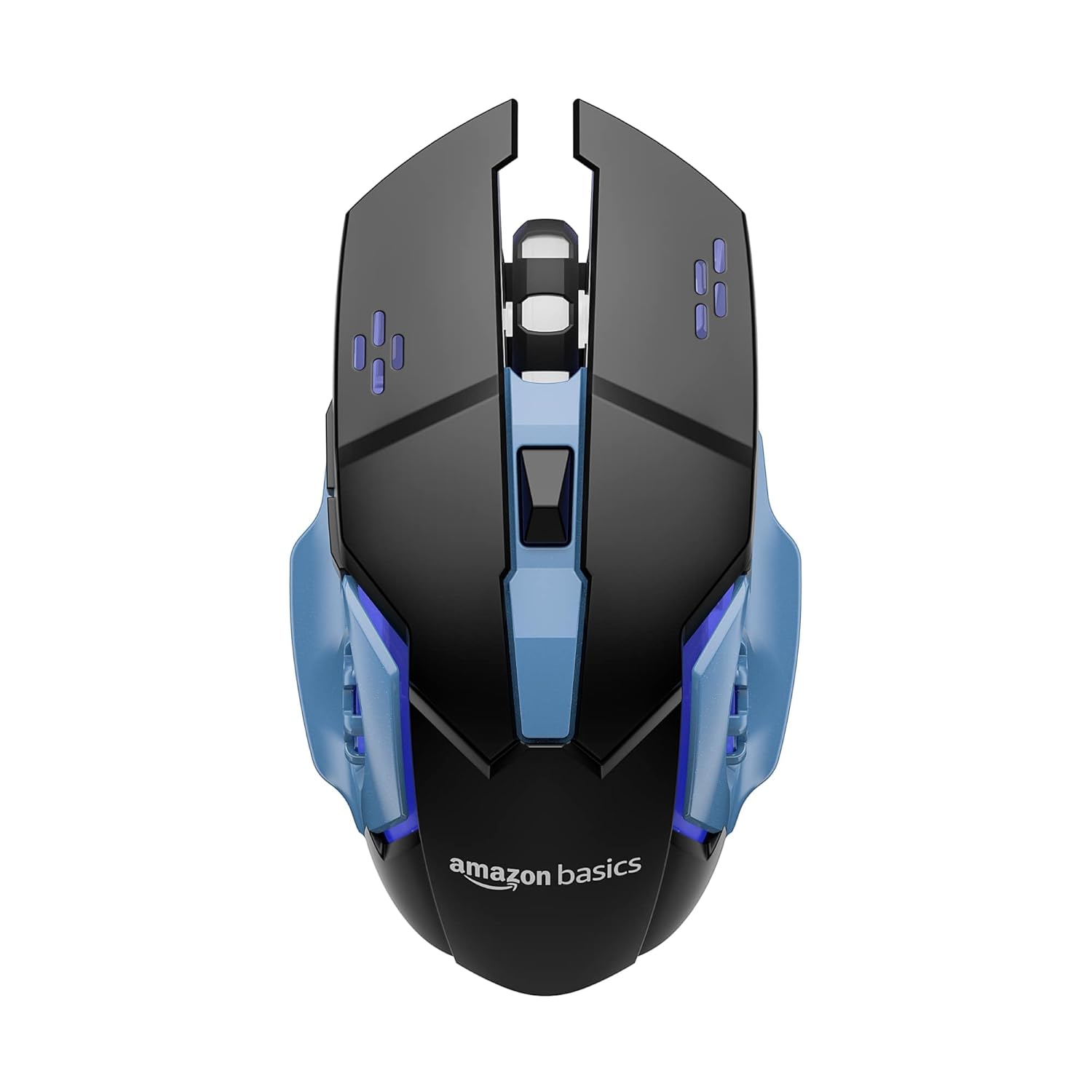
Figura 1: superior view of the amazon basics Wireless Gaming Mouse, showcasinel seu disseny ergonòmic i la disposició dels botons.
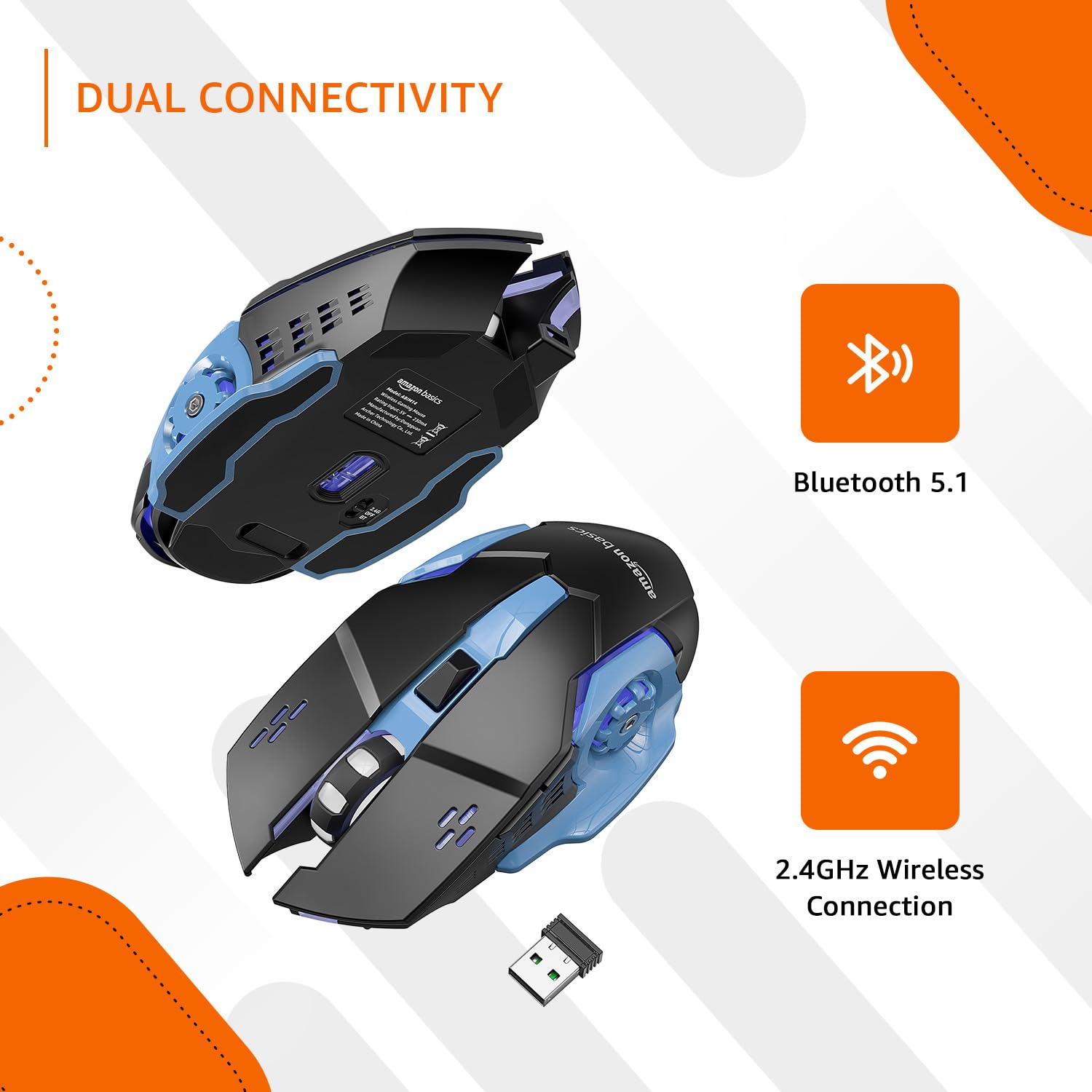
Figure 2: Illustration of the mouse's dual connectivity options: Bluetooth 5.1 and 2.4 GHz wireless, with the USB receiver shown.
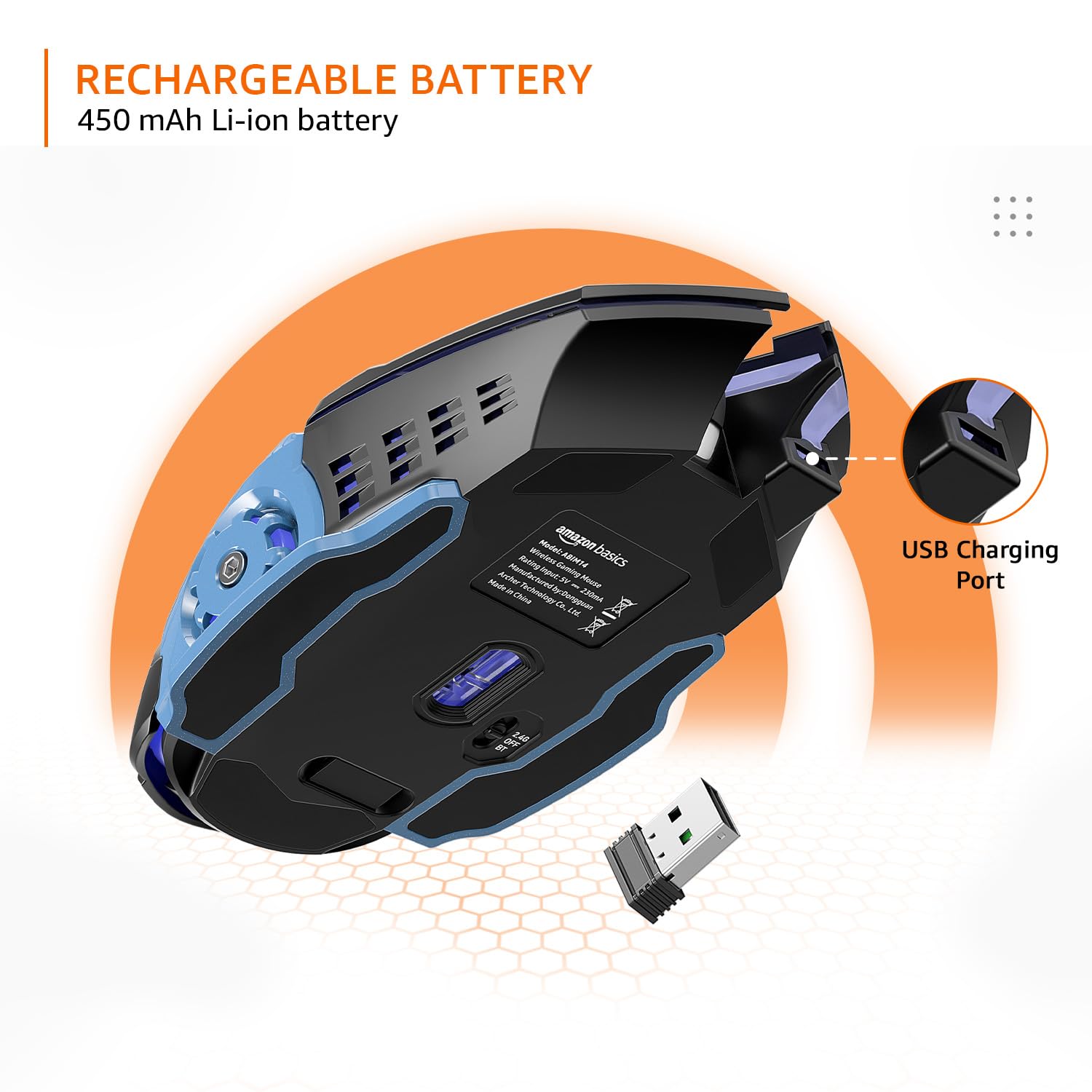
Figura 3: View of the mouse highlighting its 450 mAh Li-ion rechargeable battery and the convenient Type-C charging port.

Figura 4: Part inferior view showing the 2.4G/OFF/BT toggle switch and the storage slot for the USB receiver.

Figura 5: superior view indicating the DPI +/- button for adjusting sensitivity.

Figure 6: Diagram illustrating the 7 customizable buttons: Left-Click, Right-Click, Scroll Wheel, DPI +/-, Forward, and Backward buttons.
Guia de configuració
Carregant el ratolí
Before first use, fully charge the mouse using the provided Type-C USB cable. Connect the cable to the mouse's Type-C charging port and the other end to a USB power source (e.g., computer USB port, USB wall adapter). The LED indicator will show charging status.
Connexió sense fil de 2.4 GHz
- Localitzeu el receptor USB que es troba al compartiment de la part inferior del ratolí.
- Connecteu el receptor USB a un port USB disponible de l'ordinador o dispositiu.
- Slide the toggle switch on the underside of the mouse to the "2.4G" position.
- The mouse should automatically connect to your device. If not, try moving the mouse closer to the receiver or re-inserting the receiver.
Connexió Bluetooth 5.1
- Slide the toggle switch on the underside of the mouse to the "BT" position.
- The mouse will enter pairing mode (LED indicator may flash).
- On your device (iPad, MacBook, PC, Smart TV), go to Bluetooth settings and search for new devices.
- Select "amazon basics Gaming Mouse" (or similar name) from the list of available devices to pair.
- Once paired, the LED indicator will become solid or turn off, indicating a successful connection.
Instruccions de funcionament
Ajust de la configuració de DPI
The mouse features adjustable DPI settings to control cursor sensitivity and speed. The available DPI options are 1600, 2400, and 3200. To change the DPI, press the DPI +/- button located on the top of the mouse, behind the scroll wheel. Each press will cycle through the available DPI settings.
Using Programmable Buttons
The mouse is equipped with 7 customizable buttons. These include Left-Click, Right-Click, Scroll Wheel (click), DPI +/-, Forward, and Backward buttons. The Forward and Backward buttons are typically located on the left side of the mouse. For advanced customization and programming of these buttons, third-party software compatible with your operating system may be required. Please refer to your operating system's peripheral settings or search for compatible gaming mouse software.
Canvi de modes de connectivitat
To switch between 2.4 GHz wireless and Bluetooth modes, use the toggle switch on the underside of the mouse. Set it to "2.4G" for wireless receiver connection or "BT" for Bluetooth connection. Ensure the mouse is in the correct mode for your desired connection type.
Manteniment
- Neteja: Feu servir un drap suau i sec per netejar el ratolí. Per a la brutícia persistent, feu un drap lleugerament sec.amp cloth can be used, but ensure no moisture enters the mouse. Avoid harsh chemicals or abrasive cleaners.
- Cura de la bateria: To prolong battery life, avoid fully discharging the battery frequently. Charge the mouse when the low battery indicator appears. If storing the mouse for an extended period, charge it to about 50% before storage.
- Emmagatzematge: Guardeu el ratolí en un lloc fresc i sec, allunyat de la llum solar directa i de temperatures extremes.
Resolució de problemes
| Problema | Causa possible | Solució |
|---|---|---|
| Mouse not responding (2.4 GHz) | Low battery; Receiver not plugged in; Incorrect mode; Interference. | Charge the mouse; Ensure receiver is securely plugged in; Set toggle switch to "2.4G"; Move closer to receiver; Try a different USB port. |
| El ratolí no respon (Bluetooth) | Low battery; Not paired; Incorrect mode; Bluetooth off on device. | Charge the mouse; Re-pair the mouse (see Setup Guide); Set toggle switch to "BT"; Ensure Bluetooth is enabled on your device. |
| Buttons not customizable | No dedicated software; Operating system limitations. | This mouse may require third-party software for advanced button customization. Check your operating system's peripheral settings for basic remapping. |
| El moviment del cursor és irregular | Sensor brut; superfície irregular; interferències. | Clean the optical sensor on the underside of the mouse; Use on a clean, flat, opaque surface; Reduce wireless interference. |
Especificacions
| Característica | Detall |
|---|---|
| Marca | conceptes bàsics d'Amazon |
| Número de model | ABIM14 |
| Tecnologia de connectivitat | Bluetooth 5.1, sense fil de 2.4 GHz |
| Configuració de DPI | 1600 / 2400 / 3200 |
| Botons | 7 Botons programables |
| Tipus de bateria | 450 mAh Li-ion (Rechargeable) |
| Port de càrrega | Tipus C USB |
| Dimensions (LxWxH) | 13.15 x 4 x 0.1 cm |
| Pes de l'article | 90 g |
| Plataforma de maquinari | Ordinador personal, tauleta |
| Compatibilitat de sistemes operatius | Chrome OS (and generally compatible with Windows, macOS, iPadOS) |
Vídeo oficial del producte
Vídeo: Un funcionari ha acabatview of the amazon basics Wireless Gaming Mouse, highlighting its key features and benefits such as dual connectivity, customizable buttons, and adjustable DPI settings.
Garantia i Suport
This amazon basics Wireless Gaming Mouse comes with a 1 anys de garantia from the date of purchase. For warranty claims, technical support, or further assistance, please refer to the contact information provided with your product packaging or visit the official amazon basics support page on Amazon.in.
For additional product details and customer reviews, please visit the product page on Amazon.in.