
Introducció
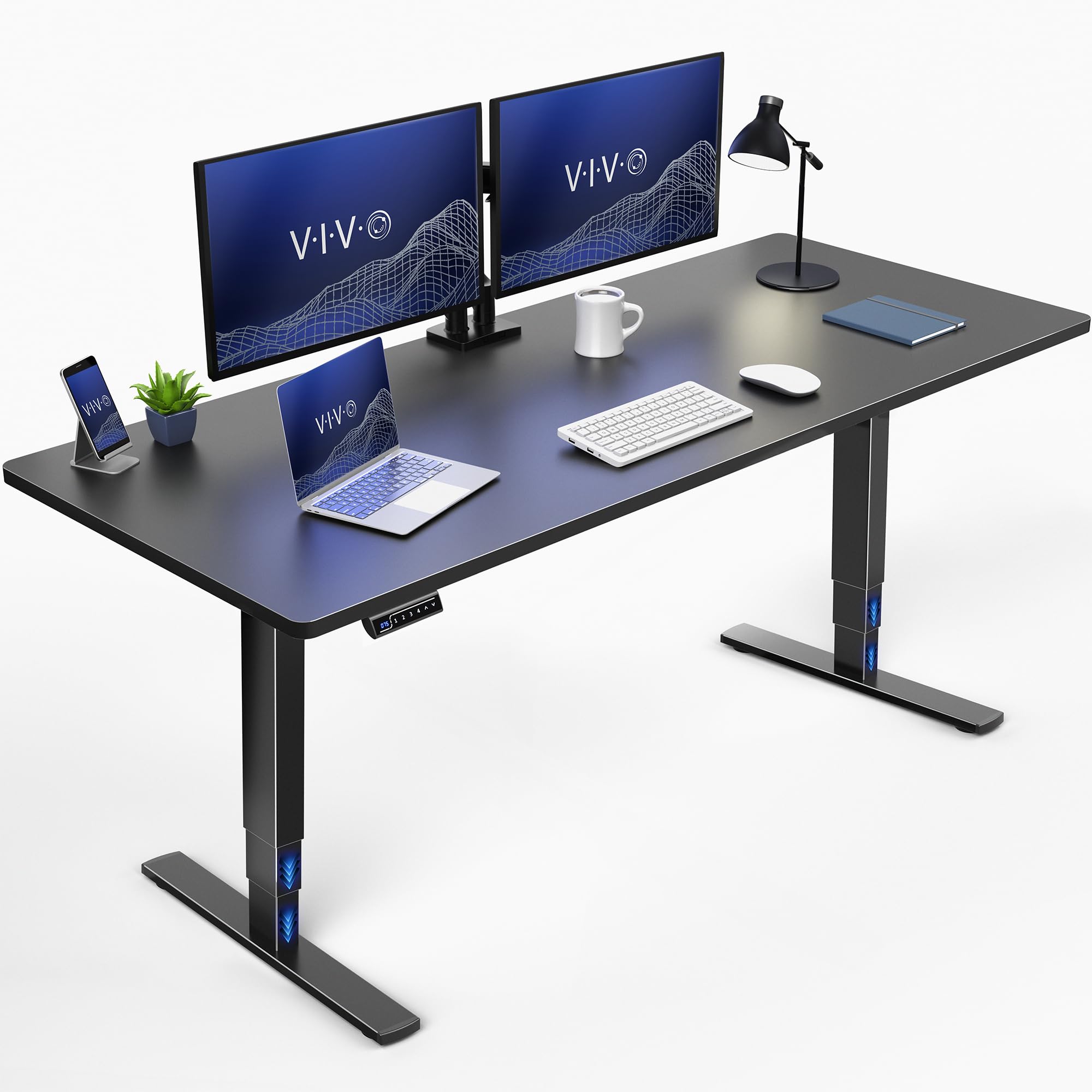
This manual provides essential instructions for the assembly, operation, and maintenance of your VIVO DESK-KIT-2E71B Electric Standing Desk. This workstation is designed to transition smoothly between sitting and standing positions, promoting an active and ergonomic work environment. Please read this manual thoroughly before use to ensure proper setup and safe operation.
Informació de seguretat
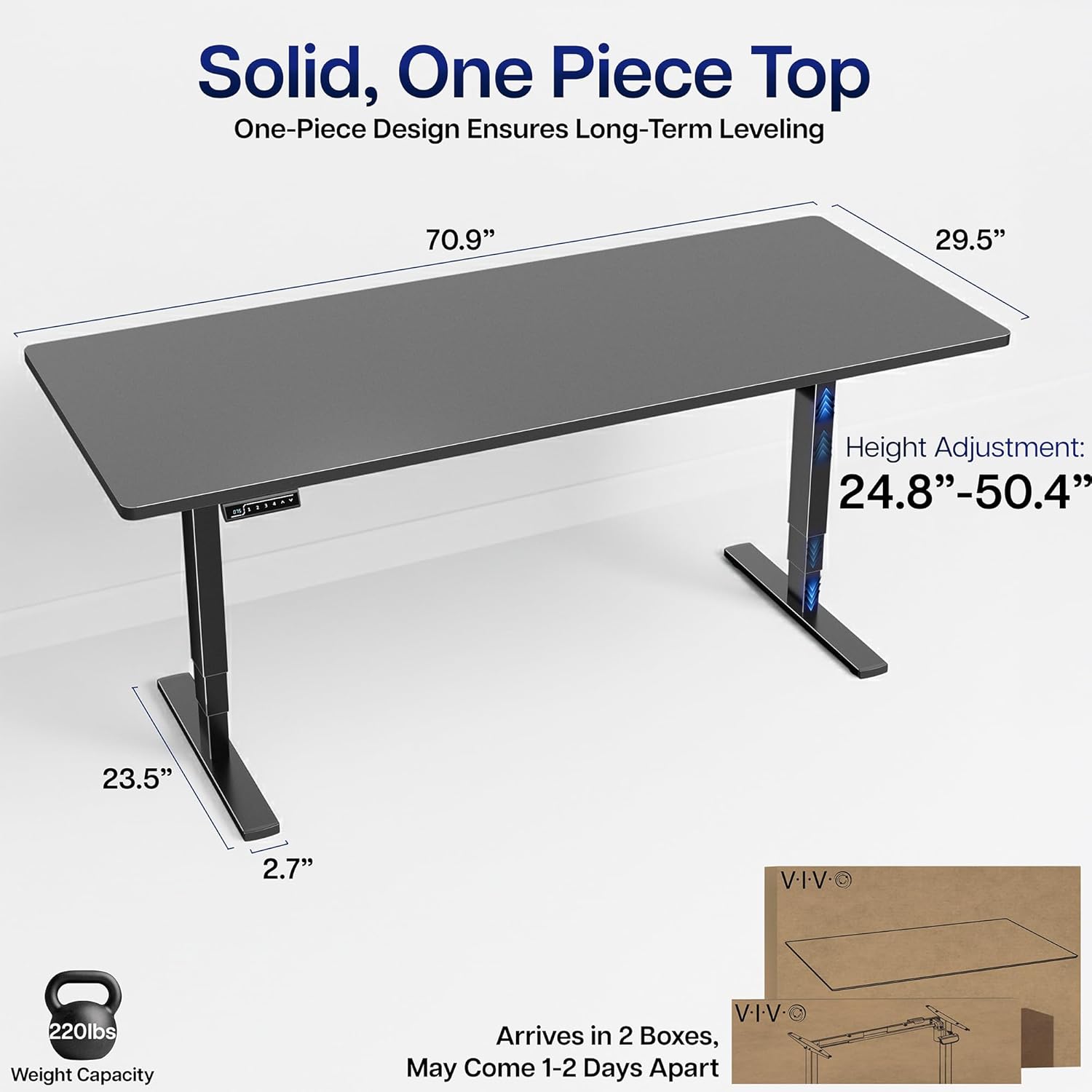
Important: Exceeding the weight limit of 220 lbs (100 kg) may cause damage to the desk or result in injury. Ensure proper assembly as described in the setup section to maintain stability and structural integrity. Keep children and pets away from the desk during height adjustments. Do not place hands or other objects near moving parts.
Instruccions de configuració
Before beginning assembly, ensure all components are present and undamaged. Refer to the included assembly instructions for detailed, step-by-step guidance. Assembly typically requires one person.
Components inclosos:
- Black 71" x 30" Table Top
- Marc d'escriptori elèctric d'un sol motor negre
- Maquinari i eines per al muntatge
Assemblea acabadaview:
- Desembaleu tots els components i verifiqueu-los amb la llista de peces.
- Attach the desk legs to the desktop using the provided hardware.
- Connect the motor and control panel cables as instructed.
- Ensure all connections are secure and the desk is stable before use.

Instruccions de funcionament
Your VIVO Electric Standing Desk features an intuitive control panel for height adjustment and memory presets.
Ajust d'alçada:
- Utilitza el Amunt (▲) i Avall (▼) fletxes del tauler de control per pujar o baixar l'escriptori a l'alçada desitjada.
- The desk offers a height range from 24.8 inches (minimum) to 50.4 inches (maximum).
Preajustos de memòria:
The control panel allows you to save up to three preferred height settings for quick transitions.
- Ajusteu l'escriptori a l'alçada desitjada amb les fletxes amunt/avall.
- Premeu el botó M i, a continuació, premeu un dels botons numèrics (1, 2, o 3) per desar l'alçada actual a aquesta configuració predefinida.
- Per recuperar una alçada desada, només cal que premeu el botó numèric corresponent. L'escriptori es mourà automàticament a la posició desada.


Manteniment
Un manteniment regular ajuda a garantir la longevitat i el rendiment òptim del vostre escriptori de peu.
- Neteja: Netegeu l'escriptori i el marc amb un drap suauamp drap. Eviteu netejadors abrasius o productes químics agressius que puguin danyar l'acabat.
- Gestió de cables: Periodically check and organize cables to prevent tangles and ensure smooth operation during height adjustments.
- Inspecció: Routinely inspect all screws and connections to ensure they remain tight. Tighten any loose fasteners as needed.
Resolució de problemes
Si teniu problemes amb el vostre escriptori elèctric VIVO Electric Standing Desk, consulteu les solucions habituals següents:
- L'escriptori no es mou: Ensure the power cord is securely plugged into both the desk and a working electrical outlet. Check for any obstructions under or around the desk that might prevent movement.
- Balanç: A slight wobble can sometimes occur, especially at higher settings. Ensure all assembly screws are tightened. If the wobble is significant, verify that the desk is placed on a level surface and that the feet are adjusted correctly.
- Codis d'error: If the control panel displays an error code, consult the full user manual (available as a PDF document) for specific code interpretations and solutions.
Si aquests passos no resolen el problema, poseu-vos en contacte amb el servei d'atenció al client de VIVO per obtenir més ajuda.
Especificacions
Key specifications for the VIVO DESK-KIT-2E71B Electric Standing Desk:
| Característica | Detall |
|---|---|
| Marca | VIVO |
| Número de model | DESK-KIT-2E71B |
| Dimensions del producte (P x A x A) | 29.5" x 70.9" x 25.5" |
| Mida de la taula | 71 x 30 polzada |
| Altura mínima | 24.8 polzades |
| Altura màxima | 50.4 polzades |
| Recomanació de pes màxim | 220 lliures |
| Tipus de material | Tauler de partícules, acer |
| Mecanisme d'elevació | Motor elèctric |
| Gruix de la taula | 1 polzades |
| Color | Part superior negra / marc negre |


Informació de la garantia
The VIVO DESK-KIT-2E71B Electric Standing Desk comes with a Garantia limitada d'3 any. This warranty covers manufacturing defects and ensures the product meets VIVO's quality standards. For specific terms and conditions, please refer to the official warranty documentation provided with your purchase or contact VIVO customer support.
Atenció al client
For any questions, technical assistance, or warranty claims, please contact VIVO customer support. Our U.S.-based sales and technical support teams are available to provide assistance.
You can typically find contact information on the VIVO official website or within the packaging materials of your product. Please have your model number (DESK-KIT-2E71B) and purchase date ready when contacting support.