
W26 Pro Max
W26 Pro Max Smart Watch with Bluetooth Earphones Microphone Series 8 Compatible Blue User Manual
Model: W26 Pro Max
Introducció
This manual provides comprehensive instructions for the W26 Pro Max Smart Watch with Bluetooth Earphones. It covers setup, operation, maintenance, and troubleshooting to ensure optimal use of your device. The W26 Pro Max is a versatile 2-in-1 device, combining a smartwatch with integrated wireless Bluetooth earphones, designed to keep you connected and active.
Contingut del paquet
En obrir el paquet, comproveu que hi hagi tots els components:
- W26 Pro Max Smart Watch
- Integrated Wireless Bluetooth Earphones
- Cable de càrrega
- Manual d'usuari (aquest document)
- Additional Watch Strap (if included as a free gift)

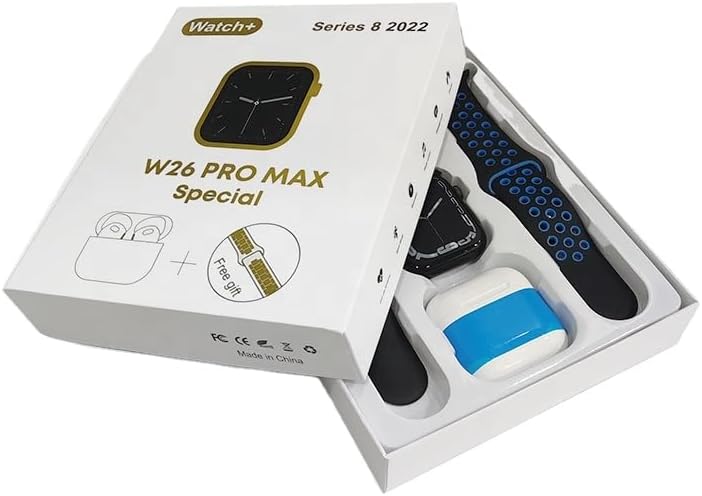
Image: The W26 Pro Max Smart Watch and its accompanying Bluetooth earphones, along with an extra watch strap, are neatly arranged within their retail packaging. The watch face is visible, and the earphones are housed in their charging case.

Imatge: Vista de dalt a baix view of the W26 Pro Max Smart Watch and Bluetooth Earphones within their packaging. The watch, earphones, and an additional strap are clearly visible, indicating the complete product set.
Guia de configuració
1. Càrrega inicial
Before first use, fully charge both the smartwatch and the integrated earphones. Connect the provided charging cable to the watch and a compatible USB power source. The watch display will indicate charging status. Ensure the earphones are properly seated in their charging case within the watch.
2. Encès / apagat
- Encès: Press and hold the side button on the smartwatch until the screen illuminates.
- Apagar: Mantingueu premut el botó lateral i, a continuació, seleccioneu l'opció "Apagar" a la pantalla.
3. Emparellament amb el telèfon intel·ligent
To unlock full functionality, pair your W26 Pro Max with your smartphone via Bluetooth.
- Assegureu-vos que el Bluetooth estigui habilitat al vostre telèfon intel·ligent.
- On the W26 Pro Max, navigate to the Bluetooth settings.
- On your smartphone, search for available Bluetooth devices and select "W26 Pro Max" from the list.
- Confirm the pairing request on both devices if prompted.
- For optimal performance, download and install the recommended companion application (e.g., "FitPro app" as mentioned in product description) from your smartphone's app store.
4. Earphone Pairing
The integrated earphones automatically pair with the smartwatch when removed from their charging slots. To pair them with another device (e.g., directly with your phone):
- Remove the earphones from the smartwatch.
- Activeu el Bluetooth al dispositiu amb el qual voleu vincular-vos.
- Cerca "W26 Pro Max Earphones" (or similar name) in the Bluetooth device list and select to connect.
Instruccions de funcionament
Navigating the Smartwatch
- Pantalla tàctil: Llisca cap a l'esquerra/dreta, amunt/avall per navegar pels menús i accedir a les funcions. Toca per seleccionar.
- Botó lateral: Press to return to the home screen or wake the device. Long press for power options or voice assistant.
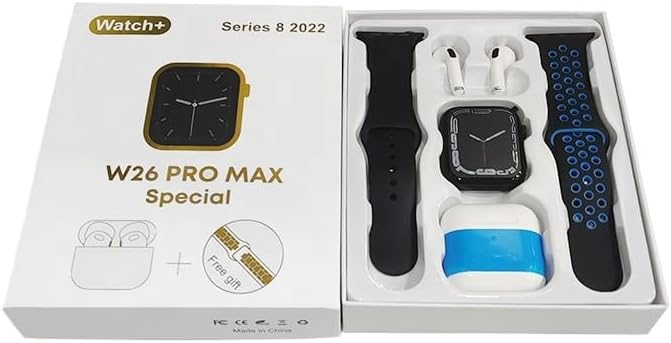
Image: The W26 Pro Max Smart Watch screen shows a voice assistant interface, with text bubbles indicating "Call Linda!" and "What's the weather like today?". This illustrates the voice command functionality.
Característiques clau
Seguiment de l'aptitud física i la salut
The W26 Pro Max is equipped with sensors to monitor various health metrics.
- Monitorització de la freqüència cardíaca: The optical heart rate sensor continuously tracks your heart rate. View real-time data on the watch or in the companion app.
- Podòmetre: Fa un seguiment dels passos, la distància i les calories cremades diàriament.
- Seguiment del son: Supervisa els teus patrons de son, incloent-hi el son profund, el son lleuger i les hores de despertar.

Image: The W26 Pro Max Smart Watch screen displays heart rate information, showing a graph of heart rate over time, current beats per minute (bpm), and blood pressure readings. This demonstrates the health monitoring capabilities.
Imatge: Una imatge detallada view of the W26 Pro Max Smart Watch screen showing heart rate and blood pressure monitoring. The text explains that an optical heart rate sensor is used for precise calculation and data can be viewed on the watch or via the FitPro app.
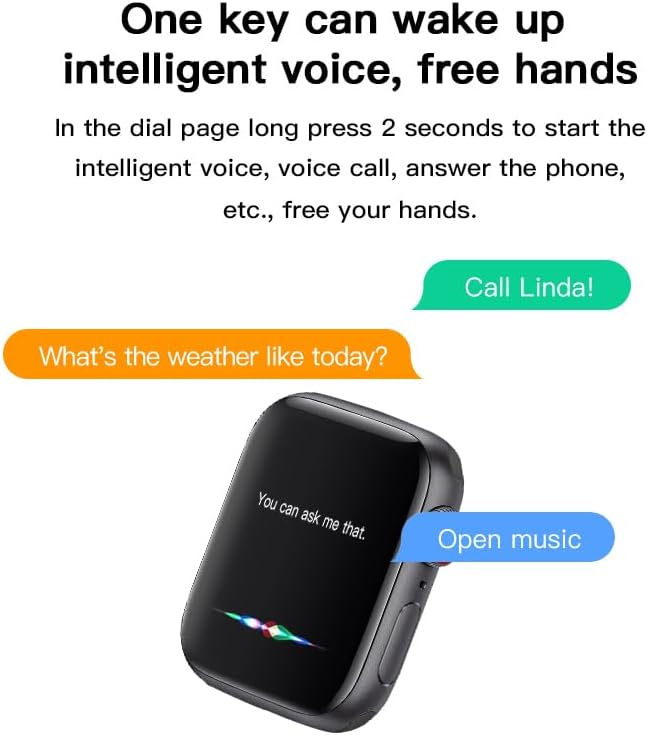
Image: The W26 Pro Max Smart Watch screen displays sleep monitoring data, showing sleep quality (Excellent), percentages of deep sleep, light sleep, and awake time, along with total sleep duration. This highlights the sleep tracking feature.
Comunicació i Mitjans de Comunicació
- Trucades Bluetooth: Make and receive calls directly from your smartwatch using the integrated microphone and speaker.
- Notificacions: Receive alerts for calls, messages, and app notifications from your paired smartphone.
- Reproducció de música: Control music playing on your smartphone or listen directly via the integrated earphones.

Image: The W26 Pro Max Smart Watch screen shows music playback controls, including play/pause and skip track buttons, along with a visualizer. This indicates the watch's capability to control audio.
Assistent de veu
Long press the side button to activate the intelligent voice assistant. Use voice commands for calls, weather inquiries, music control, and more, providing hands-free operation.
Manteniment i cura
- Neteja: Wipe the watch and earphones with a soft, dry, lint-free cloth. For stubborn dirt, slightly dampRenta el drap amb aigua. Evita productes químics agressius o materials abrasius.
- Resistència a l'aigua: The W26 Pro Max has an IP68 rating, meaning it is resistant to dust and can withstand immersion in water up to 1.5 meters for 30 minutes. However, it is not suitable for diving, hot showers, or saunas. Always dry the device thoroughly after exposure to water.
- Cura de la bateria: To prolong battery life, avoid fully discharging the device frequently. Charge it regularly and store it in a cool, dry place when not in use for extended periods.
- Emmagatzematge: Store the device in a cool, dry environment away from direct sunlight and extreme temperatures.
Resolució de problemes
| Problema | Causa possible | Solució |
|---|---|---|
| El dispositiu no s'encén. | Bateria baixa. | Charge the device for at least 30 minutes before attempting to power on again. |
| No es pot emparellar amb el telèfon intel·ligent. | Bluetooth is off on phone/watch; device not in pairing mode; interference. | Ensure Bluetooth is enabled on both devices. Restart both devices. Move closer to the phone. Forget previous pairings and try again. |
| Earphones not connecting. | Earphones not properly seated; low earphone battery. | Ensure earphones are fully seated in their charging slots within the watch. Charge the watch to ensure earphones are charging. |
| Dades de salut inexactes. | Ajust incorrecte; obstrucció del sensor. | Assegureu-vos que el rellotge estigui ben ajustat al canell, ni massa ajustat ni massa fluix. Netegeu el sensor de la part posterior del rellotge. |
| Durada de la bateria curta. | Frequent use of power-intensive features; old battery. | Reduce screen brightness, limit notifications, disable unnecessary features. Ensure full charge cycles. |
Especificacions
| Característica | Detall |
|---|---|
| Número de model | W26 Pro Max |
| Mostra | 1.78" AMOLED Touchscreen |
| Sistema operatiu | Wear OS |
| Connectivitat | Bluetooth |
| Capacitat de la bateria | 280mAh (watch) |
| Durada de la bateria | Up to 3 days (typical use) |
| Resistència a l'aigua | IP68 |
| Característiques especials | Integrated Bluetooth Earphones, Heart Rate Sensor, Pedometer, Sleep Tracker, Microphone, Speaker, Voice Assistant |
| Capacitat d'emmagatzematge de memòria | 16 MB |
| Dimensions del paquet | 16.8 x 12.8 x 3 cm |
| Pes | 170 g |
Garantia i Suport
For information regarding warranty coverage and customer support, please refer to the documentation provided with your purchase or contact the retailer where the product was acquired. As this product is manufactured by "Generic", specific warranty details may vary by region and seller.
For technical assistance or further inquiries, please reach out to the customer service channels provided by your point of purchase.
Ask a question about this manual
Ask about setup, troubleshooting, compatibility, parts, safety, or missing instructions. Manuals+ will review the question and use this page’s manual context to help answer it.