
1. Introducció
This manual provides detailed instructions for the MoKo Foldable Bluetooth Keyboard with integrated touchpad and numeric keypad. Please read this manual carefully before using the product to ensure proper operation and to maximize its lifespan.
Contingut del paquet:
- 1 x MoKo Wireless Folding Keyboard
- 1 x Stand for Mobile Phones or Tablets
- 1 x cable de càrrega USB tipus C
- 1 x Manual d'usuari

Image: The MoKo Foldable Bluetooth Keyboard shown unfolded, alongside a smartphone placed on the included stand.
2. Configuració
2.1 Càrrega del teclat
The keyboard is equipped with a built-in 140mAh lithium battery. Before first use, or when the battery is low, charge the keyboard using the provided USB Type-C cable.
- Connect the USB Type-C cable to the charging port on the keyboard.
- Connecteu l'altre extrem del cable a una font d'alimentació USB (per exemple, un ordinador, un adaptador de paret).
- A full charge typically takes 1.5 to 2 hours and provides up to 60 hours of operating time.

Image: Close-up of the keyboard showing the USB-C charging port and icons indicating charging time, working time, and standby time.
2.2 Vinculació Bluetooth
The keyboard supports Bluetooth 5.1 and can pair with up to three devices simultaneously.
- Encès: Unfold the keyboard to automatically power it on.
- Activa el mode de vinculació: Manteniu premut el botó Fn tecla i una de les tecles del canal Bluetooth (BT1, BT2, o BT3) for 3-5 seconds until the corresponding Bluetooth indicator light flashes, indicating it's in pairing mode.
- Activa el Bluetooth al teu dispositiu: On your tablet, mobile phone, laptop, or PC, go to the Bluetooth settings.
- Selecciona el teclat: Cerca "MoKo Keyboard" (or similar) in the list of available devices and select it to connect.
- Confirmeu la connexió: Once connected, the Bluetooth indicator light on the keyboard will stop flashing and remain solid for a few seconds before turning off.
- Pair Additional Devices: Repeat steps 2-5 for BT2 and BT3 to pair up to two more devices.

Image: The foldable keyboard wirelessly connected to a tablet, laptop, and smartphone, illustrating its multi-device pairing capability.
3. Instruccions de funcionament
3.1 Canvi entre dispositius emparellats
Per canviar entre els dispositius emparellats, només cal que premeu la tecla Fn tecla juntament amb la tecla del canal Bluetooth corresponent (BT1, BT2, o BT3) amb el qual està emparellat el dispositiu desitjat.
3.2 Keyboard Layout and Typing
This keyboard features a German QWERTZ layout. It utilizes scissor-key mechanisms for a comfortable, quiet, and precise typing experience, similar to a laptop keyboard.
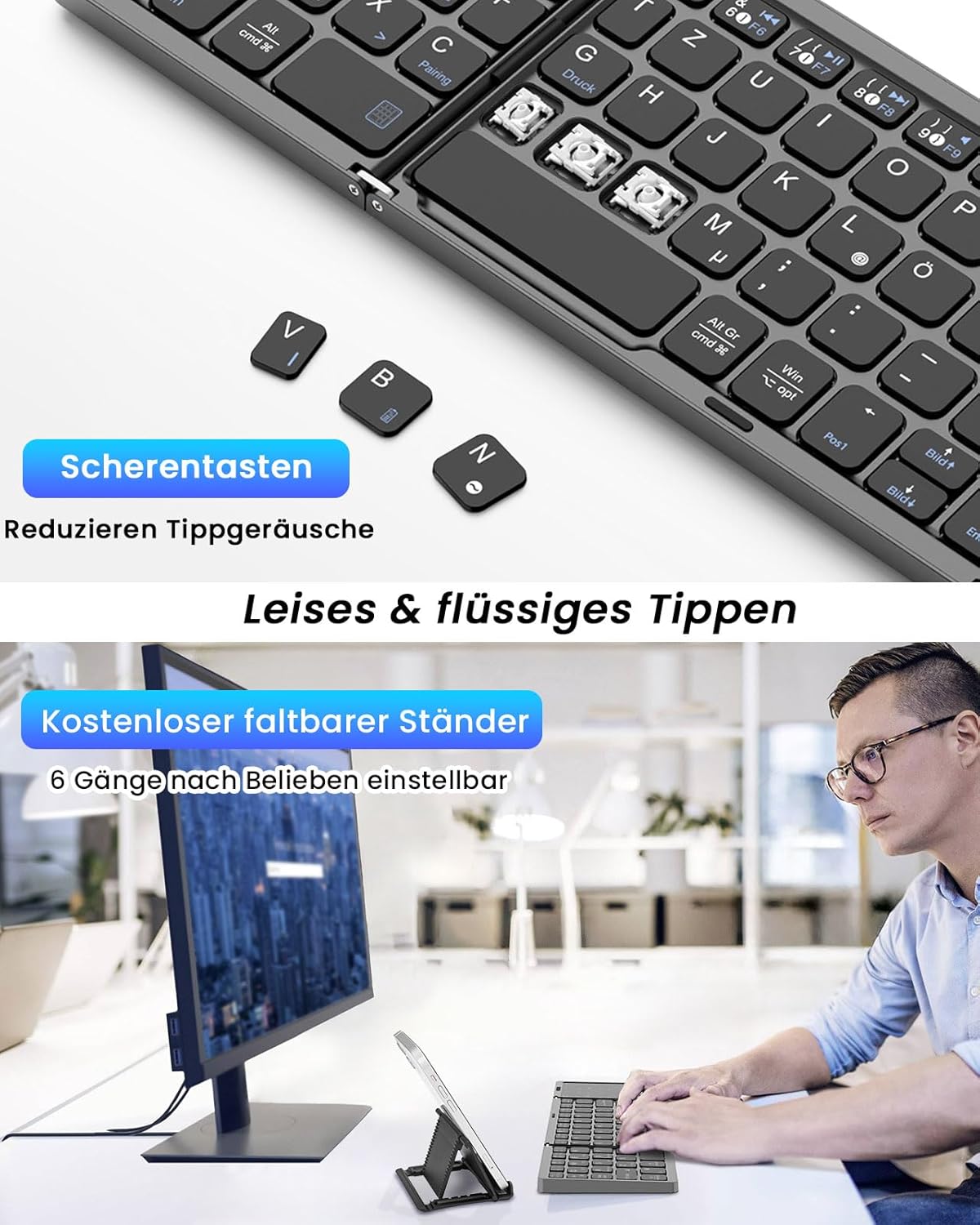
Imatge: Un primer pla view of the keyboard's scissor-key mechanism, highlighting the design for quiet and smooth typing. Below, a user is shown typing on the keyboard with a device on the included stand.
3.3 Touchpad and Numeric Keypad Modes
The right section of the keyboard functions as a versatile 2-in-1 touchpad and numeric keypad.
- Mode de ratolí tàctil: In this mode, the surface acts as a mouse, supporting left and right clicks, as well as various multi-gesture commands for navigation.
- Numeric Keypad Mode: The touchpad can be easily converted into a numeric keypad, providing a full-size keyboard experience for data entry.
- Canvi de modes: Refer to the keyboard's specific function keys (often indicated by an icon) to toggle between touchpad and numeric keypad modes.

Image: A visual representation of the keyboard's right section, demonstrating how it functions as both a touchpad with gesture controls and a numeric keypad.
3.4 Compatibilitat
The MoKo Foldable Bluetooth Keyboard is compatible with a wide range of operating systems, including Windows, macOS, iOS, HarmonyOS, and Android devices. It works seamlessly with iPads, mobile phones, tablets, and laptops.
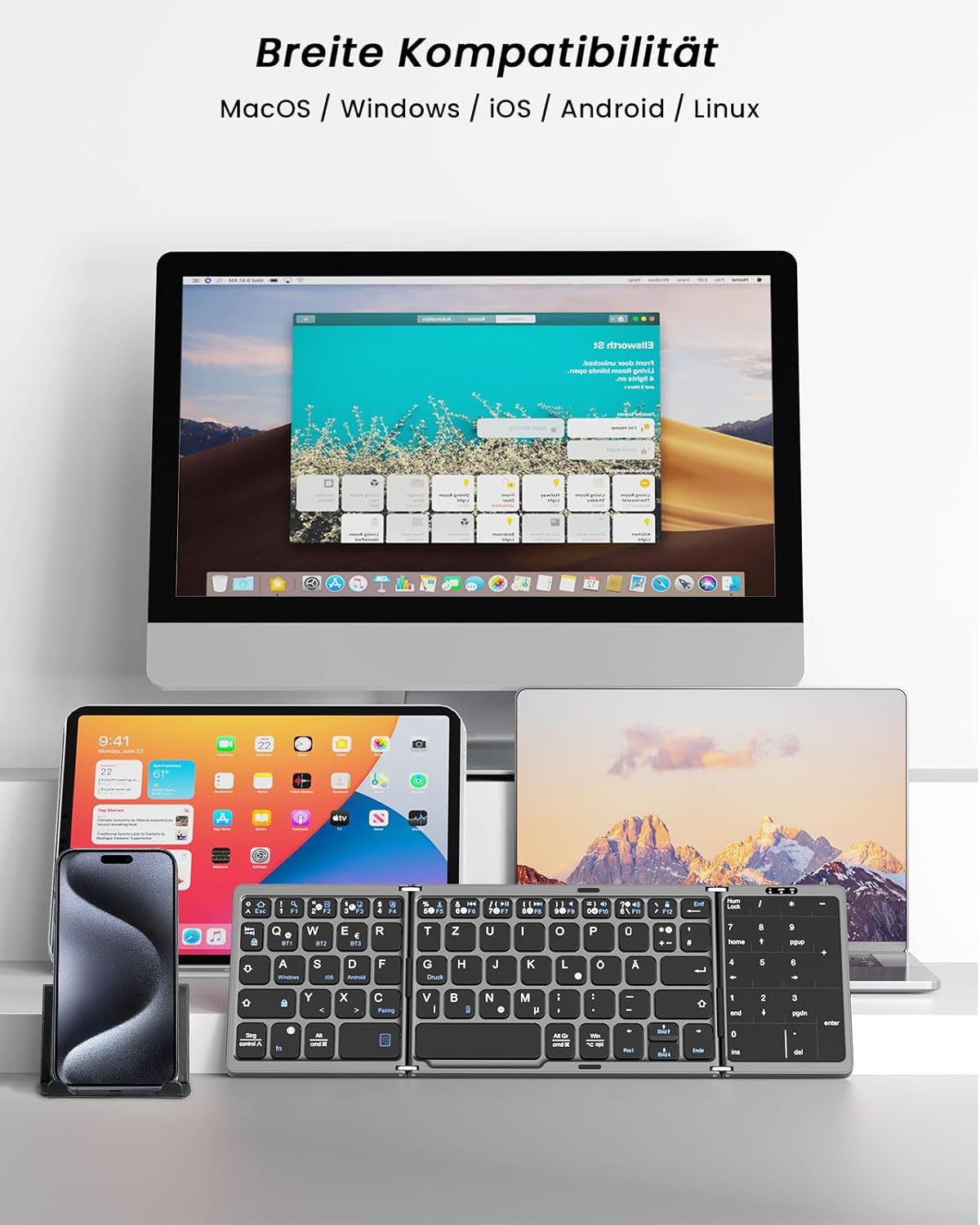
Image: The keyboard displayed with multiple devices (desktop, tablet, laptop, smartphone) running different operating systems, illustrating its broad compatibility.
4. Manteniment
4.1 Neteja
Per netejar el teclat, netegeu suaument la superfície amb un drap suau iamp cloth. Avoid using harsh chemicals or abrasive materials that could damage the finish or internal components.
4.2 Emmagatzematge
When not in use, fold the keyboard to protect the keys and touchpad. Its compact, palm-sized design allows for easy storage in a briefcase or laptop bag. The keyboard features an automatic sleep function, entering sleep mode after 10 minutes of inactivity to conserve battery. Press any key to reactivate it.
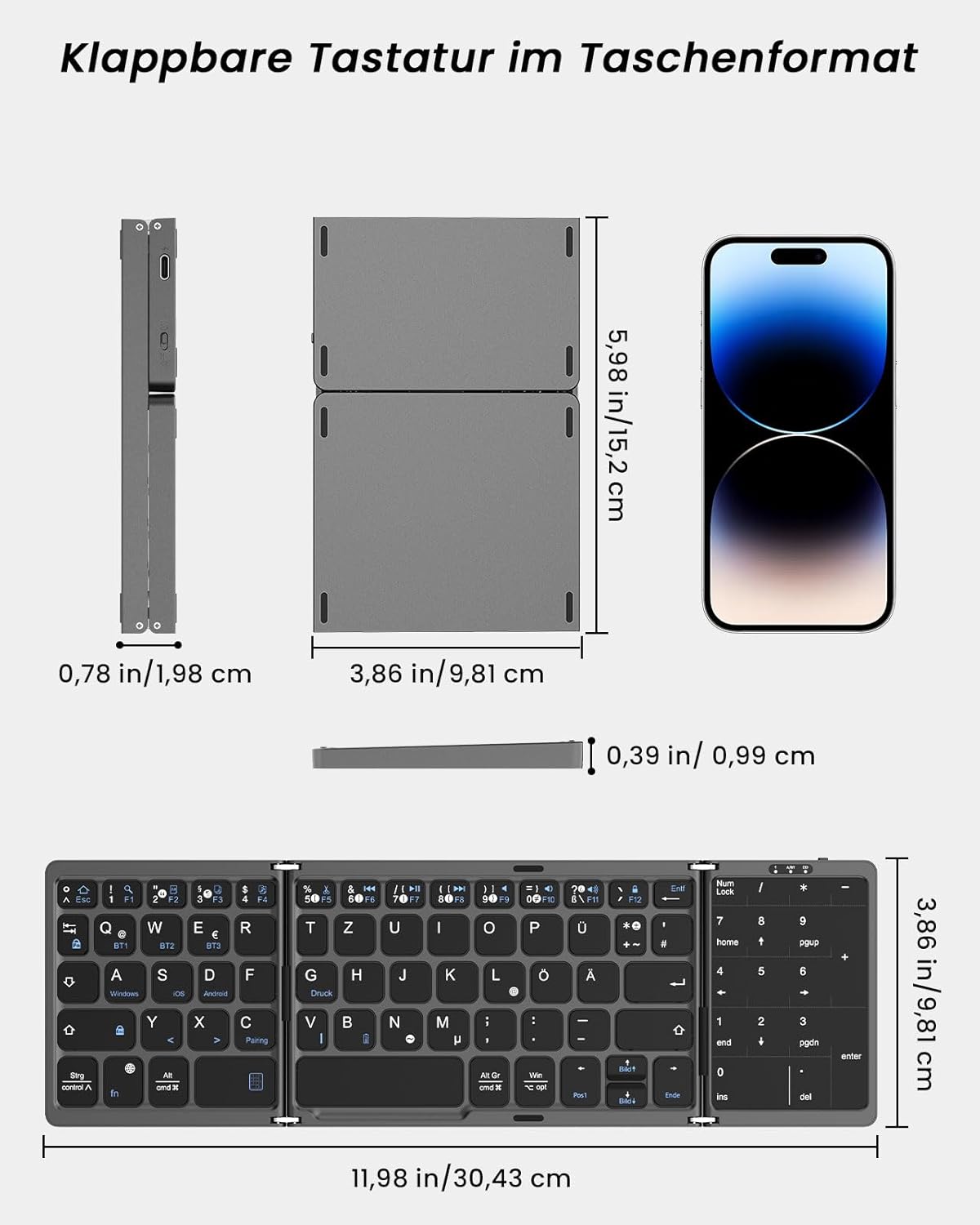
Image: A diagram showing the dimensions of the keyboard in both its folded and unfolded states, demonstrating its portability.
5. Solució De Problemes
If you encounter issues with your MoKo Foldable Bluetooth Keyboard, please refer to the following common solutions:
- El teclat no es connecta:
- Assegureu-vos que el teclat estigui carregat.
- Verifiqueu que el Bluetooth estigui habilitat al vostre dispositiu.
- Make sure the keyboard is in pairing mode (flashing indicator).
- Oblida el dispositiu a la configuració de Bluetooth i intenta tornar-lo a emparellar.
- Try connecting to a different Bluetooth channel (BT1, BT2, BT3).
- Les tecles no responen o s'escriuen incorrectament:
- Comproveu el nivell de la bateria i carregueu-la si cal.
- Assegureu-vos que el teclat estigui connectat correctament al dispositiu.
- Restart both the keyboard (by folding and unfolding) and your connected device.
- Confirm the correct operating system mode is selected if applicable (though this keyboard generally adapts).
- El panell tàctil no funciona:
- Ensure the touchpad is not in numeric keypad mode. Switch modes if necessary.
- Clean the touchpad surface for optimal responsiveness.
- Automatic sleep function:
The keyboard enters sleep mode after 10 minutes of inactivity. Simply press any key to wake it up.
Si els problemes persisteixen, poseu-vos en contacte amb l'atenció al client.
6. Especificacions
| Marca | MoKo |
| Número de model | MK840401438411 |
| Tecnologia de connectivitat | Bluetooth 5.1 |
| Disposició del teclat | QWERTZ (alemany) |
| Característiques especials | Integrated Touchpad & Numeric Keypad |
| Capacitat de la bateria | Bateria de liti de 140 mAh |
| Temps de càrrega | 1.5 - 2 hores |
| Temps de funcionament | Fins a 60 hores |
| Temps d'espera | Fins a 280 dies |
| Voltage | 3.7 V |
| Distància de treball | 10-15 metres (33-50 peus) |
| Open Dimensions (L x W x H) | 30.43 x 9.81 x 0.99 cm (11.98 x 3.86 x 0.39 polzades) |
| Mides plegades (L x A x A) | 15.2 x 9.81 x 1.98 cm (6 x 3.86 x 0.78 polzades) |
| Pes | 208.09 g |
| Material | Acrilonitril butadiè estirè (ABS) |
| Dispositius compatibles | Ordinador portàtil, PC, tauleta, telèfon intel·ligent |
| Sistema operatiu compatible | Windows, macOS, iOS, HarmonyOS, Android |
7. Suport
For any issues, questions, or support needs regarding your MoKo Foldable Bluetooth Keyboard, please contact our customer service. We aim to respond within 24 hours and provide a satisfactory solution.
Please refer to the contact information provided with your product packaging or on the official MoKo weblloc.

Image: The product packaging, displaying a MoKo warning label and manufacturer contact details, which may include support information.