
TOPTRO TR26
Manual d'usuari del miniprojector TOPTRO TR26
Model: TR26
Marca: TOPTRO
Introducció
The TOPTRO TR26 Mini Projector is a portable, high-definition projector designed for home and outdoor entertainment. It supports 4K and 1080P Full HD content, offering a large screen display of up to 200 inches. Featuring automatic keystone correction, WiFi 6, and Bluetooth 5.2 connectivity, it provides a versatile and immersive viewing experience. This manual provides detailed instructions for setup, operation, maintenance, and troubleshooting.
Què s'inclou
Si us plau, comproveu el contingut del paquet en desembalar-lo per assegurar-vos que hi hagi tots els elements:
- TOPTRO TR26 Mini Projector
- Trípode
- Control remot
- Cable d'alimentació
- Cable HDMI
- Kit de neteja
- Manual d'usuari (aquest document)

Image: The compact TOPTRO TR26 Mini Projector with its tripod, demonstrating its portability.
Configuració
- Col·locació: Place the projector on a stable, flat surface. The included tripod can be used for optimal positioning. Ensure there is adequate ventilation around the projector.
- Connexió d'alimentació: Connect the power cord to the projector's power input and then to a power outlet.
- Encesa inicial: Premeu el botó d'encesa del projector o del comandament a distància per encendre el dispositiu.
- Ajust del focus: Adjust the focus ring on the projector lens until the projected image is clear and sharp.
- Correcció Keystone: The TR26 features automatic vertical keystone correction (±30°). For manual adjustment or fine-tuning, navigate to the 'Setting' menu using the remote control.
- Ajust de la mida de la pantalla: The projector supports an 80% zoom function. Use the remote control to adjust the projected image size to fit your screen or wall.

Image: The projector automatically adjusts the image shape for a perfect rectangular display, even when placed at an angle.
Instruccions de funcionament
Opcions de connectivitat
The TOPTRO TR26 offers multiple ways to connect your devices:
- HDMI: Connect devices like TV sticks, gaming consoles (PS5), laptops, or PCs using an HDMI cable. Select 'HDMI' input from the projector's main menu.
- USB: Insert USB sticks to play media files directly. Select 'Media' from the main menu to browse files.
- Sortida d'àudio (3.5 mm): Connect external speakers or headphones for enhanced audio experience.
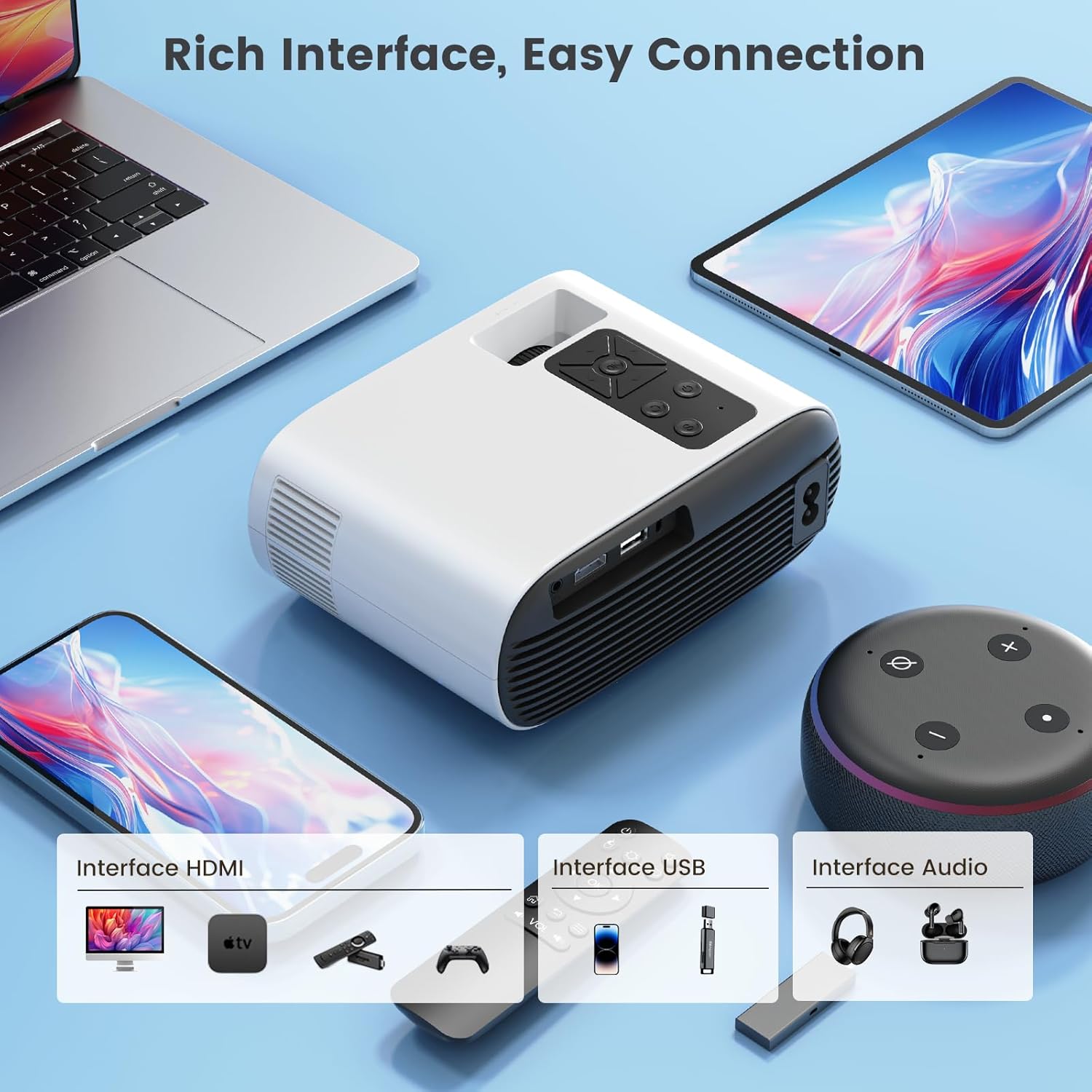
Imatge: Més deview of the projector's input interfaces for easy connection to various devices.
Wireless Screen Mirroring (WiFi 6)
The projector supports 5G/2.4G dual-band WiFi 6 for smooth wireless screen mirroring from iOS, Android, and Windows devices.
- Assegureu-vos que el dispositiu mòbil i el projector estiguin connectats a la mateixa xarxa Wi-Fi.
- On the projector's main menu, select 'Wireless Screen'.
- Follow the on-screen instructions specific to your device (iOS/Android/Windows) to initiate screen mirroring.
Note on Copyrighted Content:
Due to HDCP copyright protection, direct screen mirroring from apps like Netflix, Prime Video, Disney+, etc., is not supported. For streaming copyrighted content, it is recommended to use an external streaming device such as an Amazon Fire TV Stick or Google Chromecast TV stick connected via HDMI. The TR26 mini projector also does not support Dolby sound effects; please ensure Dolby sound is turned off on your source device if experiencing audio issues.

Image: Seamless wireless screen mirroring for faster and smoother content transmission.
Connexió Bluetooth 5.2
Connect Bluetooth headphones or speakers for an enhanced audio experience.
- On the projector's main menu, select 'Bluetooth'.
- Assegureu-vos que el dispositiu d'àudio Bluetooth estigui en mode d'emparellament.
- Select your device from the list of available devices on the projector screen to connect.
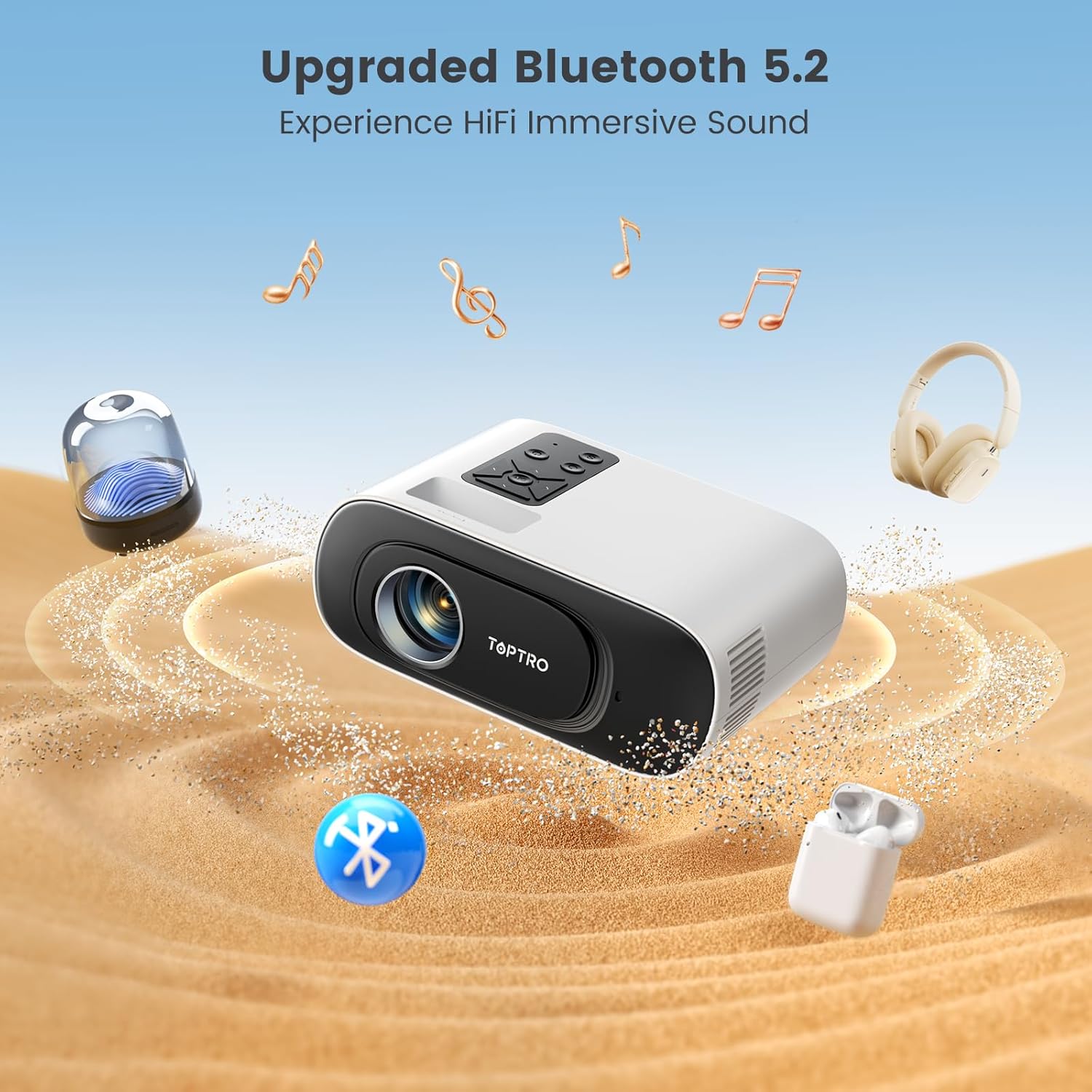
Image: The projector's Bluetooth 5.2 capability allows for wireless connection to external audio devices for immersive sound.
Manteniment
Regular maintenance ensures optimal performance and longevity of your projector. The advanced LED light source lamp té una vida útil de fins a 30,000 hores.
Cleaning the Inner Screen (Removing Black Spots)
If you notice black spots on your projected image, it may be due to dust on the inner screen. Follow these steps to clean it:
- Apagueu i desconnecteu: Ensure the projector is turned off and unplugged from the power source before proceeding.
- Access Dust Screen Cover: Gently turn the projector bottom up. Locate the dust screen cover on the underside.
- Pry Off Cover: Use a narrow and thin tool (like a small screwdriver or the provided cleaning tool) to carefully pry off the dust screen cover.
- Clean Inner Screen: Use a clean cotton swab to gently clean the inner screen (there are typically three panels inside).
- Verify Cleaning: Turn on the projector and observe the screen to confirm that the dust spots have been removed.
- Substituïu la coberta: After cleaning, gently cover the dust screen cover back into place.
Video: A step-by-step guide on how to clean the inner screen of the TOPTRO TR26 projector to remove black spots caused by dust.
Neteja general
- Feu servir un drap suau i sec per netejar l'exterior del projector.
- Per a la lent, feu servir un drap i una solució especials per netejar lents per evitar ratllades.
- No utilitzeu netejadors abrasius ni dissolvents.
Resolució de problemes
| Problema | Possible causa/solució |
|---|---|
| Sense imatge o imatge borrosa |
|
| Sense so |
|
| Cannot screen mirror Netflix/Prime Video |
|
| Black spots on projected image |
|
Especificacions
| Característica | Detall |
|---|---|
| Model | TR26 |
| Tecnologia de visualització | LCD |
| Resolució nativa | 1280 x 720 Pixels (Supports 4K, 1080P Full HD) |
| Brillantor de la imatge | 20000 lúmens |
| Relació de contrast de la imatge | 20000:1 |
| Relació d'aspecte | 16:9, 4:3 |
| Connectivitat | Bluetooth 5.2, Wi-Fi 6 (5G/2.4G), USB, HDMI |
| Característiques especials | Built-In Speaker, Portable, Built-In Wi-Fi, Auto Keystone Correction |
| Lamp La vida | Fins a 30,000 hores |
| Dimensions del producte | 17.4 x 13.8 x 7.3 cm |
| Pes de l'article | 600 grams |
| Consum d'energia | 24 watts |
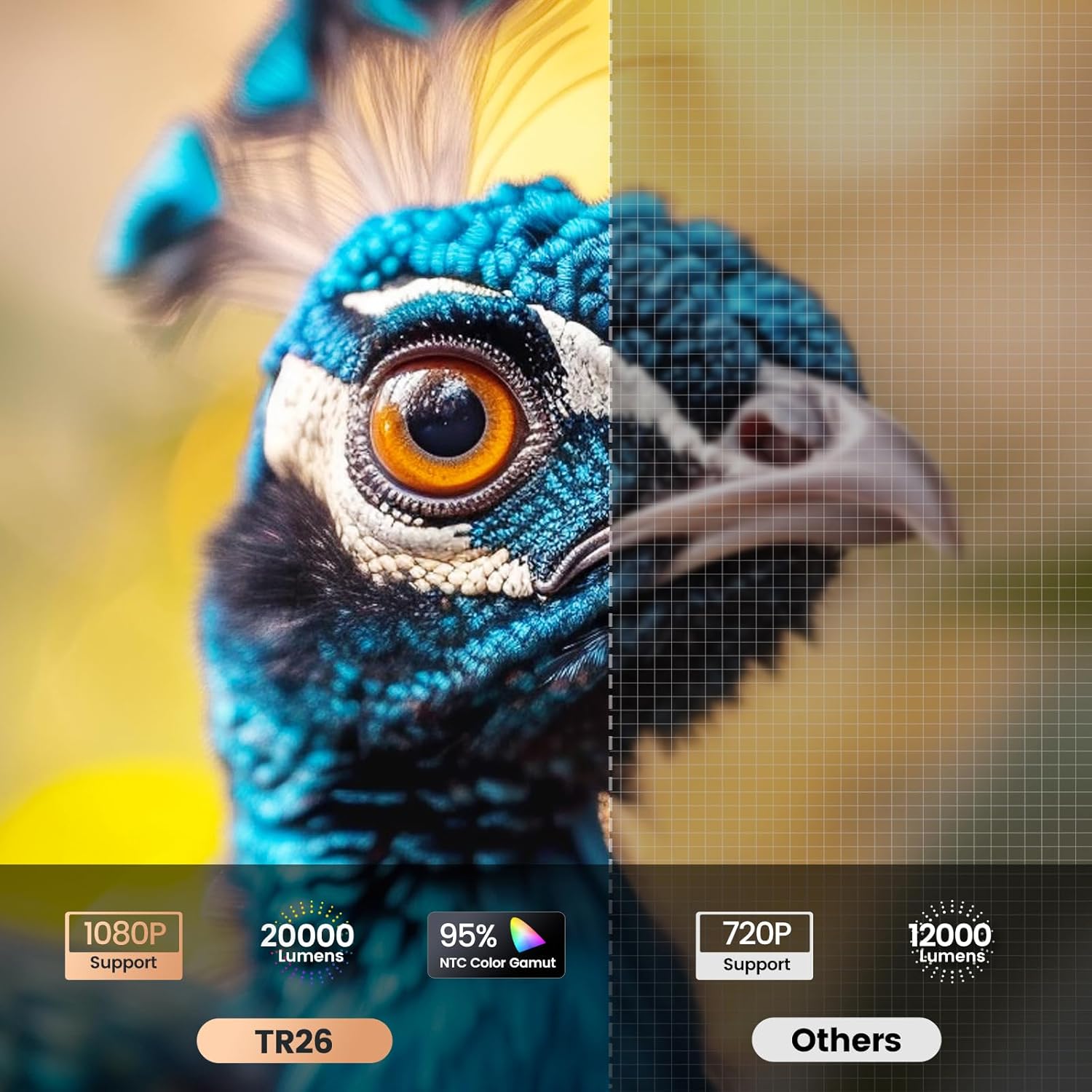
Image: Visual comparison highlighting the TR26's higher resolution and brightness.
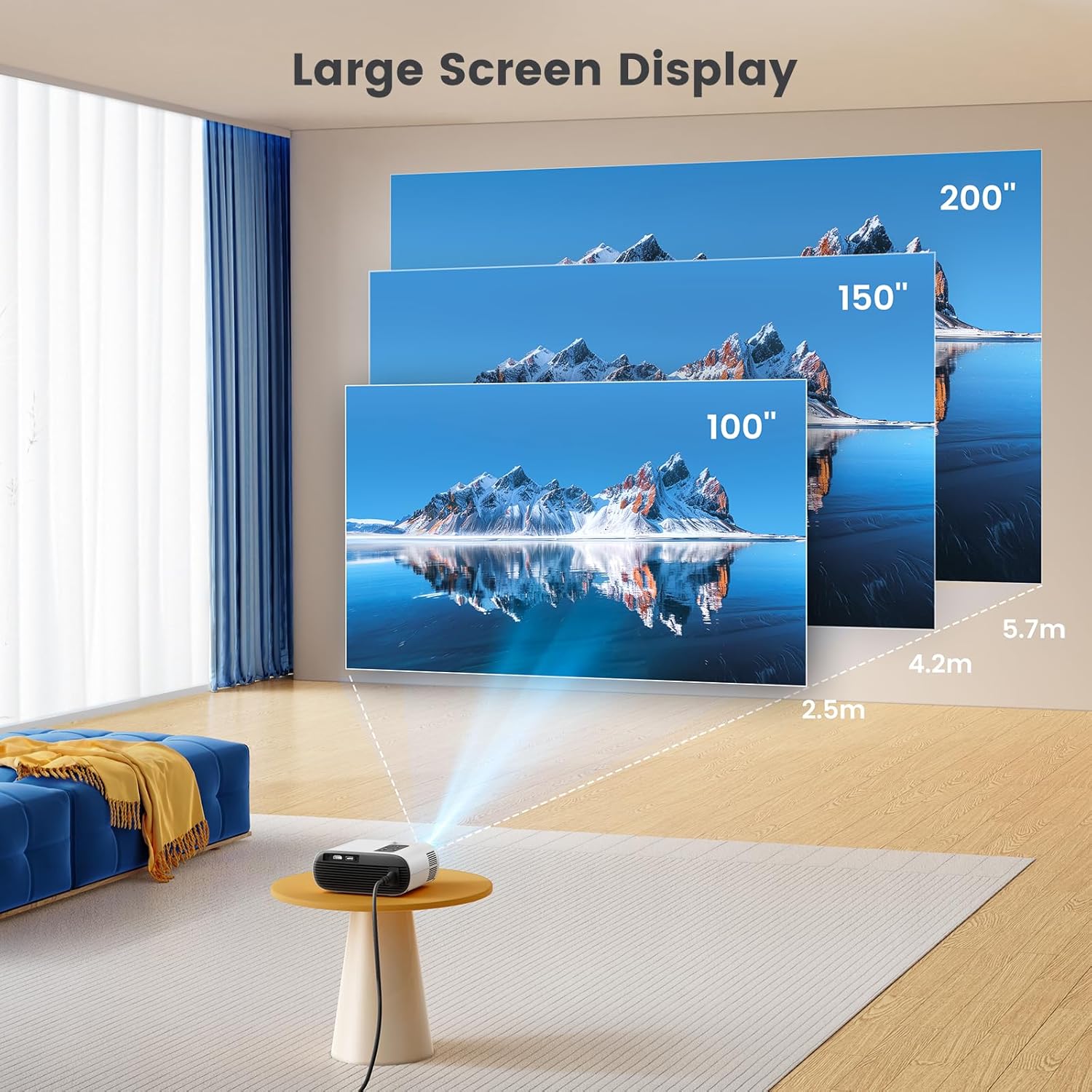
Image: Illustration of the large screen display capabilities of the projector.
Garantia i Suport
TOPTRO is committed to providing excellent customer service and product support.
- Garantia: TOPTRO offers a 1-year free replacement and a 3-year warranty for the TR26 projector.
- Suport tècnic: Technical support is available at all times. If you encounter any problems during use, please contact TOPTRO via email.
For further assistance, please refer to the contact information provided with your product packaging or visit the official TOPTRO weblloc.
Ask a question about this manual
Ask about setup, troubleshooting, compatibility, parts, safety, or missing instructions. Manuals+ will review the question and use this page’s manual context to help answer it.