
1. Introducció
The Eoxsmile 12000mAh NOAA Emergency Weather Radio is a versatile and essential device designed for emergency preparedness, outdoor activities, and daily use. It integrates multiple functions including AM/FM/Shortwave radio reception, NOAA weather alerts, a powerful LED flashlight, a reading lamp, and a portable power bank. With its robust design and multiple power options, this radio ensures you stay informed and connected in various situations.
2. Característiques del producte
- Alerta meteorològica de la NOAA: Automatically scans 7 NOAA Weather Stations and provides loud siren and red light alerts for local hazards, even when the radio is off (with timer preset).
- Múltiples fonts d'alimentació: Features a 12000mAh rechargeable battery, with recharging options via solar panel, hand crank, 5V/2A power adapter (included), and USB-C cord (included). Also supports 3x AAA backup batteries (not included).
- Banc d'energia portàtil: Built-in 12000mAh battery allows charging of mobile phones and other USB-powered devices during emergencies.
- Il·luminació integrada: Equipped with a 2.5W/3W bright LED flashlight (up to 70 meters range) and a 2W/2.5W reading lamp (covers 20㎡ room), both with adjustable brightness.
- Pantalla digital: LCD backlight screen shows time, frequency, battery level, WX alert, and lock icons for intuitive operation.
- Alarma SOS: A dedicated SOS button activates a super loud siren and red strobe light for emergency signaling.
- Bandes de ràdio: Supports AM (520-1710 KHz), FM (87-108 MHz), and Shortwave (2.3-22.00 MHz) bands, along with 7 NOAA Weather Bands.
- Característiques addicionals: 3.5mm earphone jack for private listening, 16-level volume control, extended telescopic antenna, and a lock function to prevent accidental operation.
3. Contingut del paquet
Marqueu la casella per als elements següents:
- Eoxsmile 12000mAh NOAA Emergency Weather Radio
- 1* 5V/2A Adapter
- 1 * cable de càrrega USB-C
- 1* Mosquetó
- 1* Portable Hand Strap
- 1* User Manual (this document)
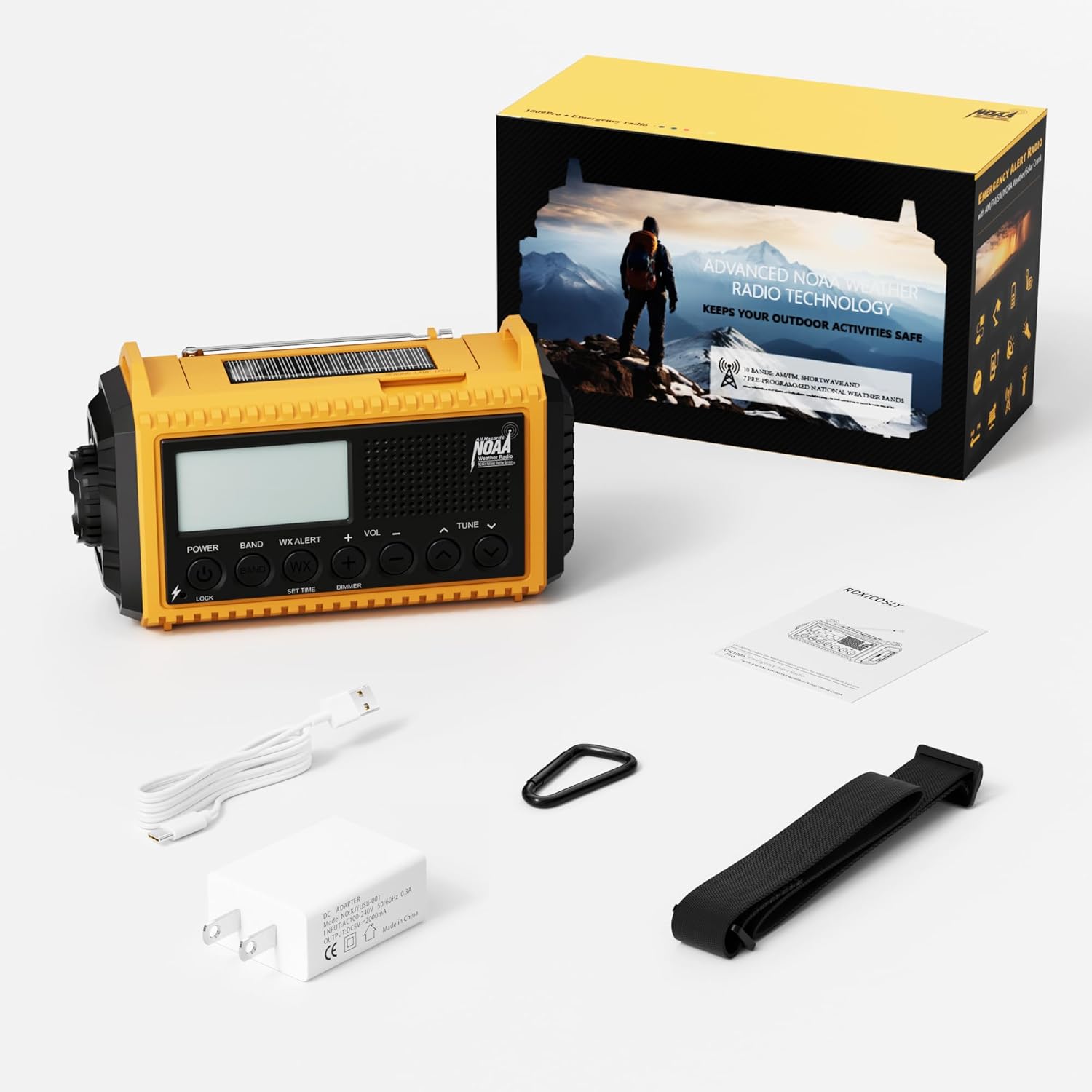
Figura 3.1: Contingut inclòs al paquet del producte.
4. Identificació de components
Familiarize yourself with the various parts of your Eoxsmile Emergency Weather Radio:

Figura 4.1: Frontal view of the radio with key components.
- Pantalla LCD: Shows time, frequency, battery level, and alert indicators.
- Botons de control: Power, Band, WX Alert, Volume (+/-), Tune (up/down), Set Time, Dimmer, Lock.
- Antena telescòpica: Extendable for improved radio reception.
- Llanterna LED: Located on the side, provides bright directional light.
- Lectura de Lamp: Integrated into the top handle, provides ambient light.
- Manovella: Foldable handle on the back for manual power generation.
- Panell solar: Located on the top, for solar charging.
- Port d'entrada USB-C: For charging the radio's internal battery.
- Port de sortida USB-A: Per carregar dispositius externs (funció de bateria externa).
- Presa d'auriculars de 3.5 mm: For private audio listening.
- Botó SOS: Activates emergency alarm and strobe light.
- Compartiment de la bateria: Located on the back, for optional AAA batteries.
5. Alimentació del dispositiu
Your Eoxsmile Emergency Weather Radio offers six different ways to power it, ensuring reliability in any situation:

Figure 5.1: Six ways to power your radio.
- Càrrega USB-C: Connect the included USB-C cable to the radio's USB-C input port and plug the other end into the 5V/2A adapter or any compatible USB power source. This is the primary and fastest charging method.
- Manovella: Extend the hand crank handle located on the back of the radio. Rotate the crank clockwise or counter-clockwise at a steady pace (approximately 130-150 RPM) for 3-5 minutes to generate power for short-term use or to initiate charging.
- Panell solar: Place the radio with the solar panel facing direct sunlight. The solar panel provides a trickle charge to maintain the battery level and is most effective for extending battery life rather than rapid charging.
- Bateria recarregable integrada de 12000 mAh: The radio comes with a high-capacity internal Lithium Polymer battery. This battery powers all functions and can be recharged via USB-C, hand crank, or solar.
- AAA Batteries (Backup): Open the battery compartment on the back and insert 3 AAA batteries (not included). This serves as an alternative power source when the internal rechargeable battery is depleted and other charging methods are unavailable.
- Adaptador de CA: Use the included 5V/2A AC adapter with the USB-C cable for wall charging.
6. Configuració
Before first use, it is recommended to fully charge the internal battery.
- Càrrec inicial: Connect the radio to a power outlet using the USB-C cable and 5V/2A adapter. The battery indicator on the LCD screen will show charging progress. A full charge may take several hours.
- Install AAA Batteries (Optional): If you wish to use AAA batteries as a backup, open the battery compartment on the back of the radio and insert 3 new AAA batteries, observing the correct polarity.
- Attach Hand Strap/Carabiner: Secure the portable hand strap or carabiner to the designated attachment points for easy carrying.
7. Instruccions de funcionament
7.1 Funcionament de la ràdio (AM/FM/SW)
- Encès/apagat: Premeu el botó PODER botó per encendre o apagar la ràdio.
- Selecciona la banda: Premeu el botó BANDA button repeatedly to cycle through AM, FM, SW, and NOAA Weather Bands.
- Emissores de sintonització: Utilitza el TUNE + or MINTEGIA - buttons to manually adjust the frequency. For automatic scanning, press and hold the TUNE + or MINTEGIA - botó.
- Ajustar el volum: Utilitza el VOL + or VOLUM - buttons to adjust the listening volume (16 levels).
- Amplia l'antena: For optimal FM and SW reception, fully extend the telescopic antenna. For AM, the internal antenna is generally sufficient.
- Ús d'auriculars: Insert 3.5mm headphones into the headphone jack for private listening.
7.2 Alerta meteorològica de la NOAA
The radio can automatically monitor NOAA Weather Stations for hazard alerts.

Figure 7.2.1: NOAA Weather Alert function.
- Activate WX Alert: Premeu el botó ALERTA WX button. The radio will automatically scan 7 NOAA Weather Stations.
- Set Alert Timer: Després de prémer ALERTA WX, utilitza el TUNE + or MINTEGIA - buttons to preset a timer (e.g., 4H, 6H, 8H, 12H, 16H, 20H, 24H, or ON always). The radio will remain in alert mode for the set duration, even if turned off.
- Recepció d'alertes: When a weather alert is received, the radio will emit a loud siren for 9 seconds and the red alert light will flash.
7.3 Flashlight and Reading Lamp
The radio provides two lighting options for various needs.
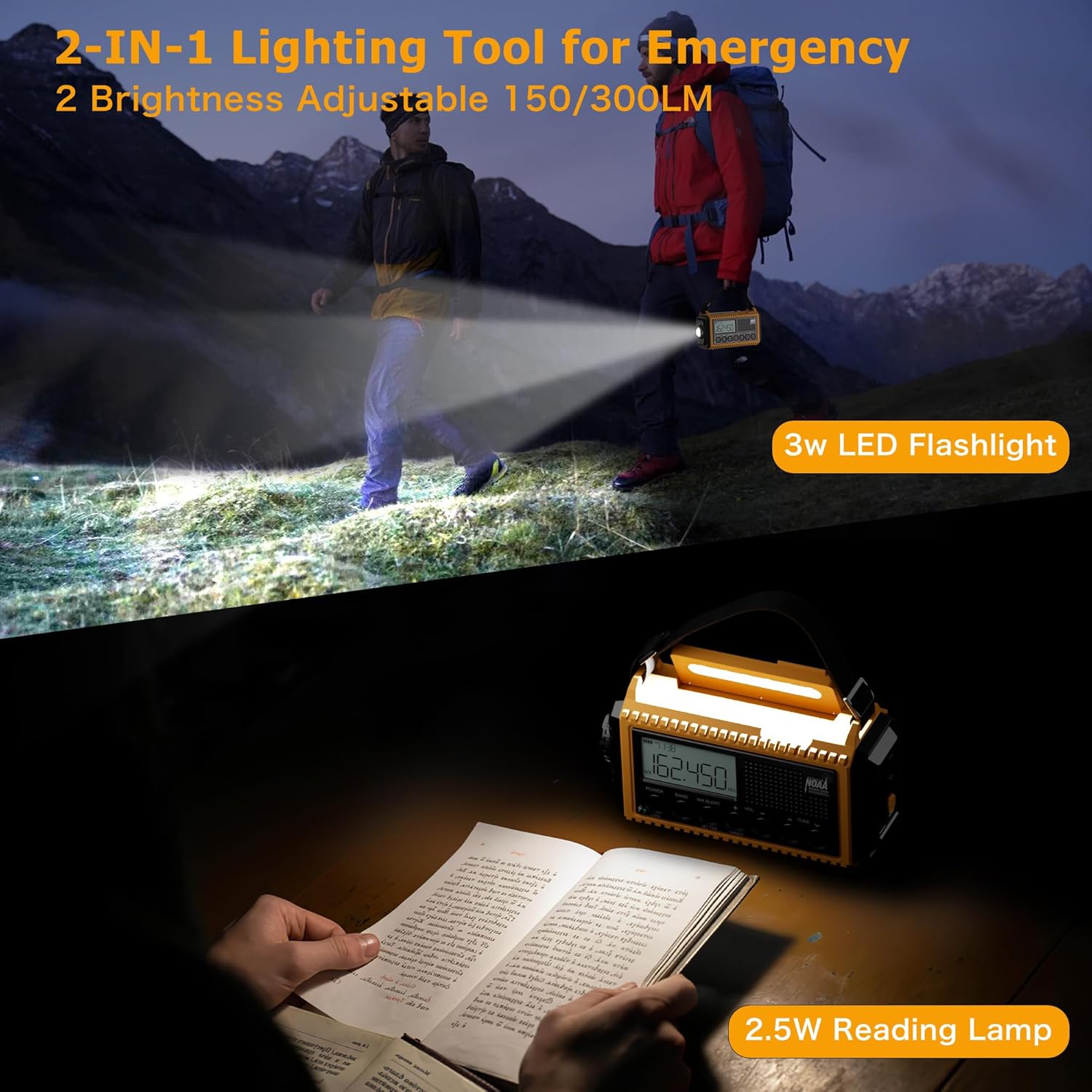
Figure 7.3.1: Flashlight and Reading Lamp en ús.
- Llanterna: Press the dedicated flashlight button (usually on the side or front) to turn it on. Press again to adjust brightness or turn off.
- Lectura de Lamp: Lift the handle to reveal the reading lampPremeu la tecla de lectura lamp button (often integrated with the dimmer) to turn it on. Press again to adjust brightness or turn off.
7.4 Alarma SOS
In emergency situations, activate the SOS alarm to attract attention.
- Activa SOS: Premeu el botó SOS button (typically red or clearly marked). This will trigger a super loud siren and a flashing red strobe light.
- Deactivate SOS: Premeu el botó SOS button again to turn off the alarm.
7.5 Funció de bateria externa
Use the radio to charge your mobile devices.

Figure 7.5.1: Charging a phone using the radio's power bank function.
- Connectar el dispositiu: Plug your device's USB charging cable into the USB-A output port on the radio.
- Càrrega: The radio will begin charging your device. Ensure the radio has sufficient battery charge for this function.
7.6 LCD Digital Screen
The LCD screen provides essential information at a glance.
- Visualització de l'hora: Mostra l'hora actual.
- Visualització de freqüència: Mostra la freqüència de ràdio actual.
- Indicador de nivell de bateria: Mostra la càrrega restant de la bateria.
- WX Alert Icon: Indicates when NOAA Weather Alert is active.
- Icona de bloqueig: Indicates when the lock function is engaged.
8. Manteniment
Proper care will ensure the longevity of your radio.
- Neteja: Netegeu la ràdio amb un suau, damp tela. No utilitzeu productes químics aggressivs ni netejadors abrasius.
- Emmagatzematge: Store the radio in a cool, dry place away from direct sunlight and extreme temperatures. If storing for extended periods, ensure the internal battery is charged to about 50-70% and recharge every 3-6 months to prevent deep discharge.
- Cura de la bateria: Avoid fully depleting the internal rechargeable battery frequently. For optimal battery life, charge it regularly. Remove AAA batteries if the radio will not be used for a long time to prevent leakage.
9. Solució De Problemes
Si teniu problemes amb la ràdio, consulteu els següents problemes i solucions habituals:
| Problema | Causa possible | Solució |
|---|---|---|
| La ràdio no s'encén. | La bateria està esgotada. | Charge the radio using USB-C, hand crank, or solar. Check AAA batteries if installed. |
| Mala recepció de ràdio. | Antena no estesa; zona de senyal feble. | Fully extend the telescopic antenna. Reposition the radio for better signal. |
| No es poden carregar dispositius externs. | Radio battery too low; incorrect cable. | Ensure the radio's internal battery is sufficiently charged. Use a compatible USB charging cable for your device. |
| NOAA alert not working. | WX Alert not activated; no active alerts. | Press the WX ALERT button. Ensure you are in an area with NOAA coverage. |
| La pantalla LCD està tènue o no respon. | Dimmer setting; low battery. | Press the DIMMER button to adjust brightness. Charge the radio. |
10. Especificacions
| Característica | Detall |
|---|---|
| Número de model | CR1009Ultra |
| Dimensions del producte | 6.77 x 3.7 x 2.91 polzades |
| Pes de l'article | 1 lliures |
| Capacitat de la bateria | Polímer de liti de 12000 mAh (inclòs) |
| Bateria de seguretat | 3 piles AAA (no incloses) |
| Bandes de ràdio compatibles | FM: 87-108 MHz / AM(MW): 520-1710 KHz / SW: 2.3-22.00 MHz / 7 NOAA Weather Band: 162.400MHz; 162.425MHz; 162.450MHz; 162.475MHz; 162.50MHz; 162.525MHz; 162.55MHz |
| Tecnologia de connectivitat | USB |
| Fonts d'alimentació | Hand Crank, Solar Panel, Adapter, USB-C cord, Rechargeable Battery, AAA Batteries |
| Potència de la llanterna | 2.5W/3W |
| Lectura de Lamp Poder | 2W/2.5W |
| Fabricant | Bestway innovations LLC |
| País d'origen | Xina |
11. Garantia i Suport
Eoxsmile provides an 18-month warranty for this product. If you have any questions or require support, please contact our customer service team. Refer to the contact information provided on the product packaging or our official weblloc d'assistència.
Per obtenir més ajuda, visiteu el Eoxsmile Store on Amazon.