
Introducció
The Geeni Smart Water Alarm Leak Detector with Siren is designed to provide early warning of water leaks in your home. This device helps prevent potential water damage by detecting leaks and alerting you through its built-in siren and mobile application. It integrates with your home Wi-Fi network for remote monitoring and smart home automation.
Característiques clau
- Instant Leak Detection: Rapidly identifies the presence of water.
- Alertes en temps real: Sends immediate notifications to your smartphone.
- Built-in 80dB Alarm: Emits a loud siren to alert occupants.
- Monitor from Anywhere: Access device status and alerts remotely via the Geeni app.
- Integració de la llar intel·ligent: Compatible with other Geeni smart home products for automated responses.
- Alerta de bateria baixa: T'avisa quan cal substituir les piles.
- Configuració fàcil: Designed for quick and straightforward installation.
- 24/7 Peace of Mind: Continuous monitoring for enhanced home safety.
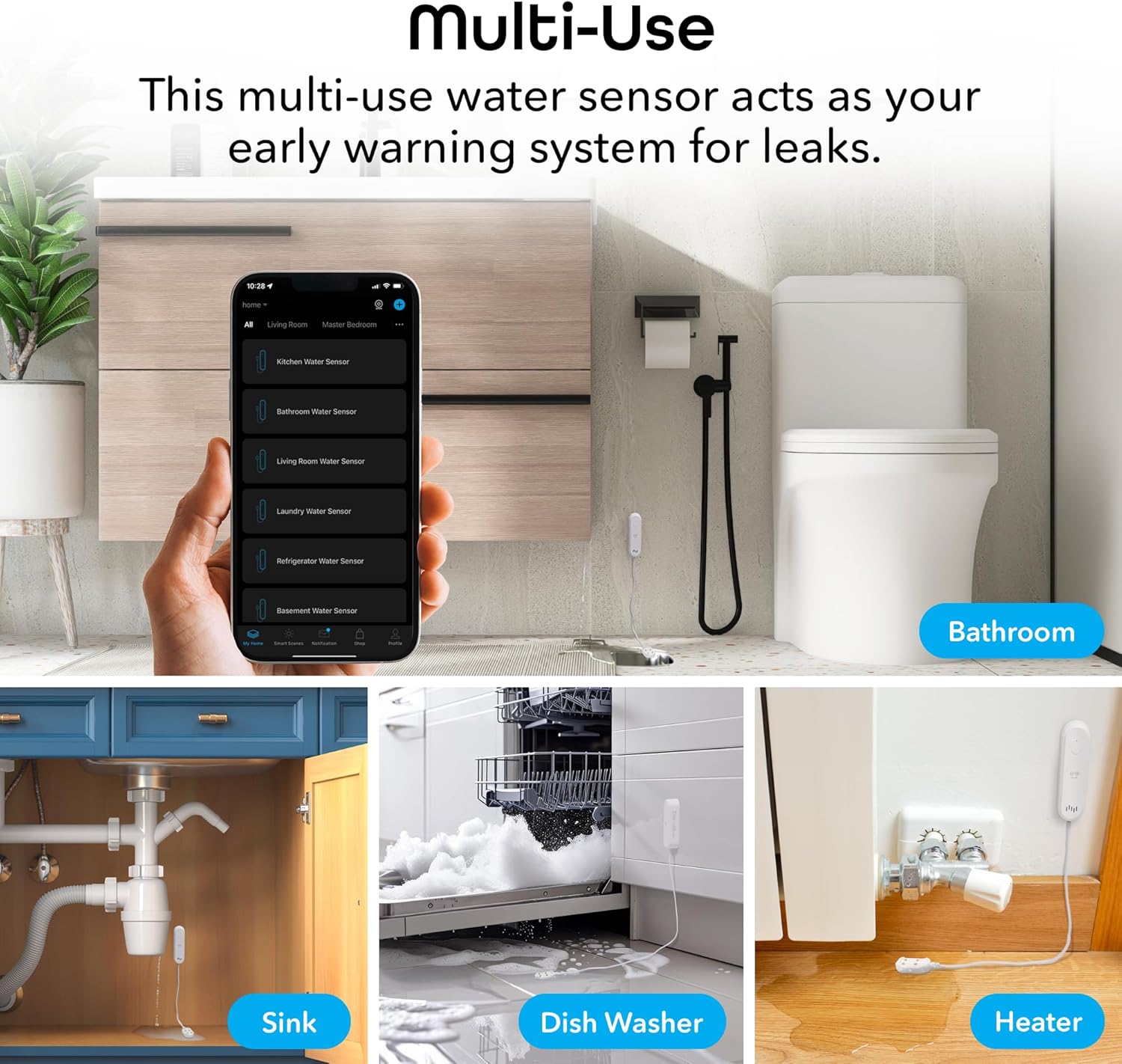
Figure 1: Key features of the Geeni Smart Water Alarm Leak Detector.
Contingut del paquet
Verifiqueu que tots els elements siguin presents al paquet:
- 1x Geeni Smart Water Sensor
- 1x Siren Mounting Adhesive
- 1 x manual d'usuari
- 2x piles AAA
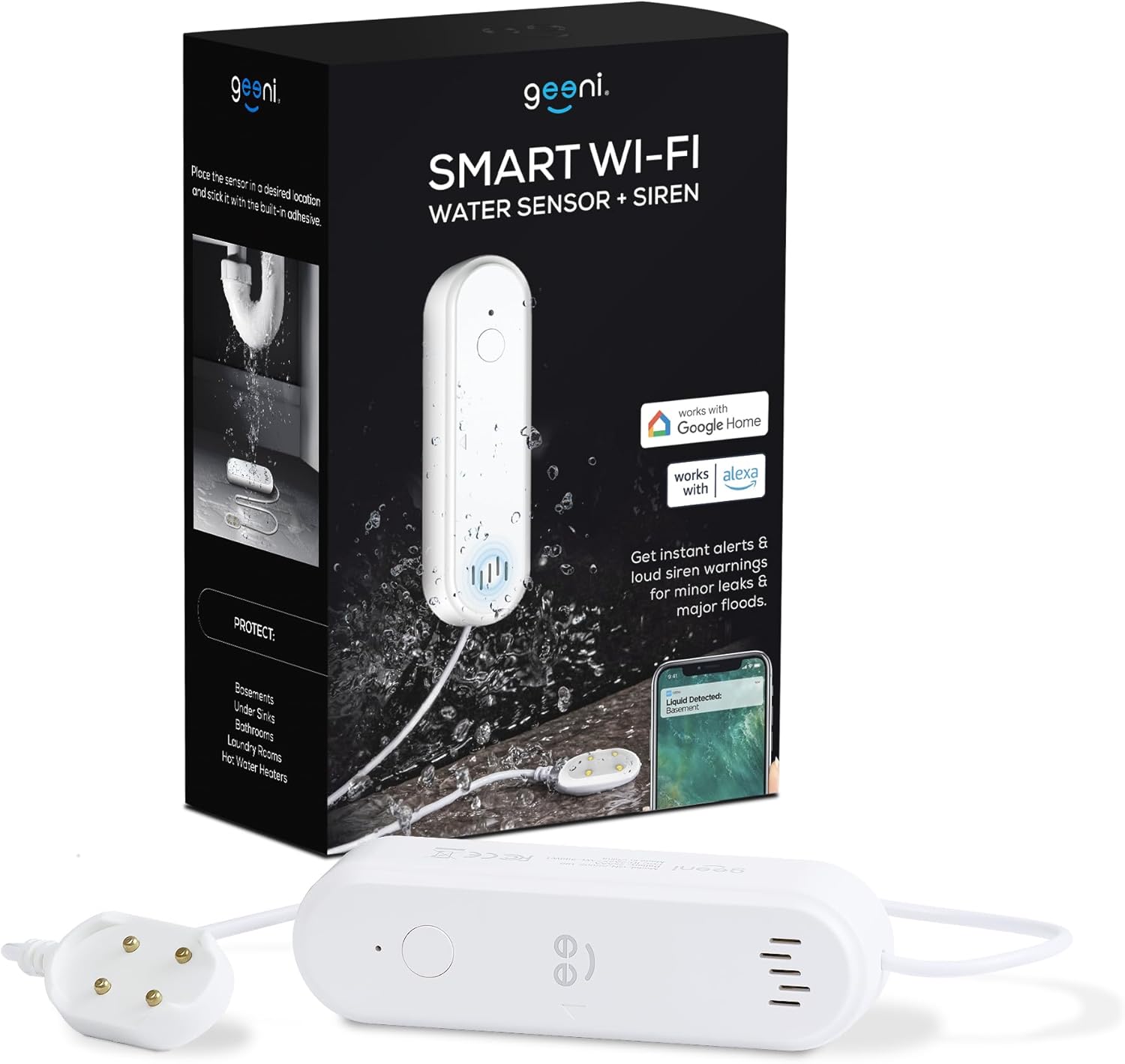
Figura 2: Contingut inclòs al paquet del producte.
Producte acabatview
Familiarize yourself with the components of your Geeni Smart Water Alarm Leak Detector:
- Llum LED: Indicates device status (e.g., pairing mode, leak detected).
- Establir clau: S'utilitza per emparellar i reiniciar el dispositiu.
- Ponent: Emits the 80dB siren alarm.
- Sonda del sensor: The part that detects water. Must be placed flat on the surface where leaks may occur.
- Compartiment de la bateria: Holds 2x AAA batteries.
- Longitud del cable: The sensor probe is connected to the main unit by a 3.28 ft (1 m) cable.

Figura 3: Davant i darrere view of the device with labeled components and dimensions.
Configuració
1. Instal·leu les bateries
- Obriu el compartiment de la bateria a la part posterior de la unitat principal.
- Insert 2x AAA batteries, ensuring correct polarity.
- Tanqueu el compartiment de la bateria de manera segura.
2. Download and Install the Geeni App
- Cerca "Geeni" a l'App Store d'Apple o a la Google Play Store.
- Baixeu i instal·leu l'aplicació.
- Registra't per obtenir un compte nou o inicia la sessió si ja en tens un.
3. Pair the Device with Wi-Fi
- Ensure your smartphone is connected to a 2.4 GHz Wi-Fi network. The device does not support 5 GHz networks.
- Open the Geeni app and tap the "+" icon to add a new device.
- Follow the on-screen instructions in the app to put the water sensor into pairing mode and connect it to your Wi-Fi network. The LED light on the device will indicate its pairing status.
4. Col·locació del dispositiu
Strategically place the water sensor in areas prone to leaks:
- Sota les aixetes (cuina, bany)
- In basements
- A prop dels escalfadors d'aigua
- In laundry rooms
- Behind dishwashers or refrigerators
Use the provided mounting adhesive to secure the main unit. Ensure the sensor probe lies flat on the surface where water might accumulate first.

Figura 4: Examples of multi-use placement for the water sensor.
Funcionament
Leak Detection and Alerts
Once installed and connected, the Geeni Smart Water Alarm continuously monitors for water. When the sensor probe detects water:
- The device will emit a loud 80-decibel siren.
- You will receive an immediate notification on your smartphone via the Geeni app.
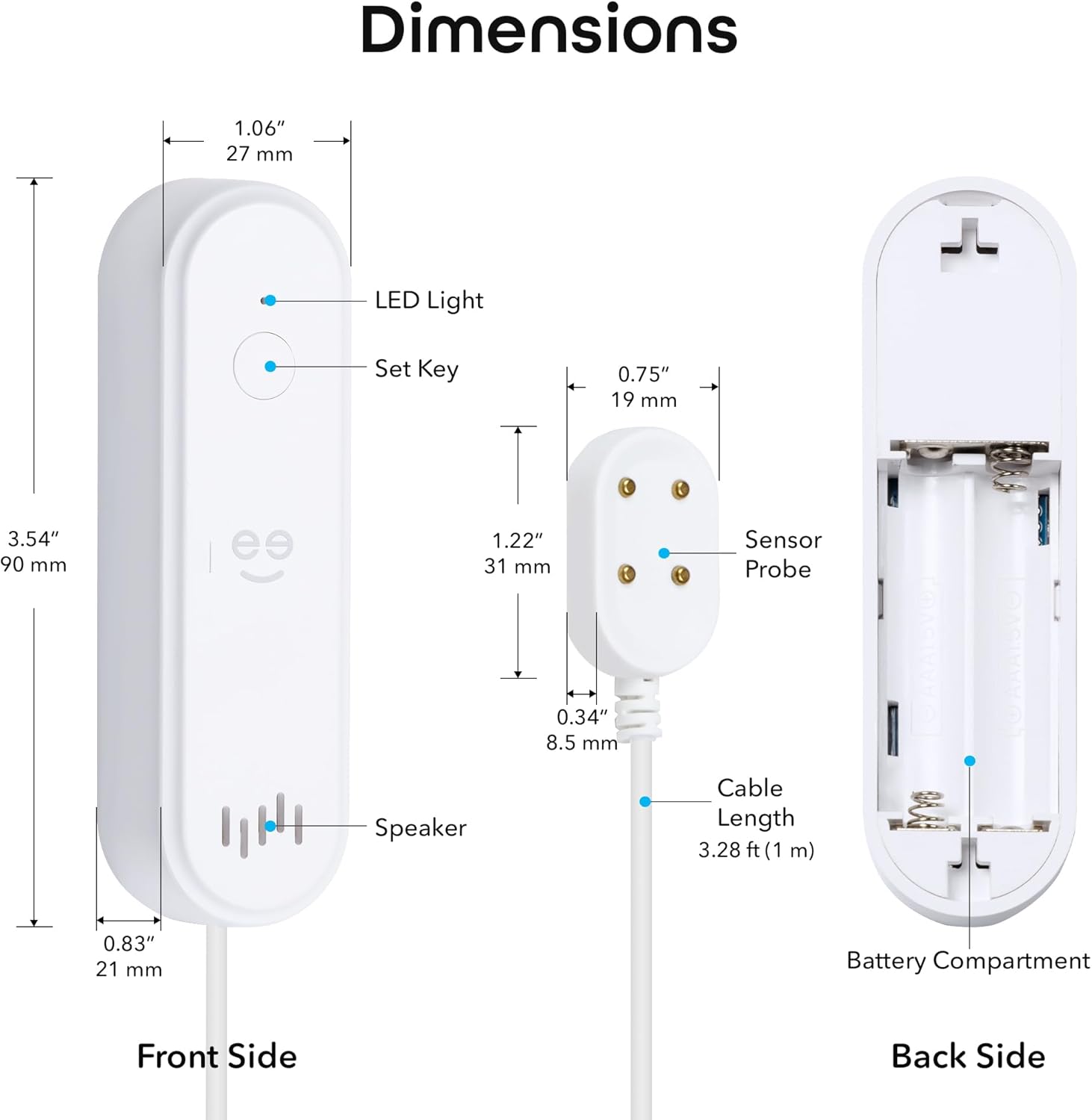
Figure 5: Real-time leak detection and app notification.
Ajust de la configuració de l'alarma
You can customize the alarm settings through the Geeni app:
- Volum de la sirena: Adjust the volume from mute (0dB) up to 80dB.
- Durada de l'alarma: Set the duration of the siren from 30 seconds to 180 seconds.

Figure 6: Alarm volume and duration adjustment options.
Manteniment
Canvi de bateria
The device is powered by 2x AAA batteries with an expected lifespan of 3-4 months. The Geeni app will send a low battery alert when replacement is needed.
- When a low battery alert is received, open the battery compartment.
- Remove the old batteries and insert two new AAA batteries, observing correct polarity.
- Tanqueu el compartiment de la bateria.
Prova el dispositiu
It is recommended to periodically test the water sensor to ensure it is functioning correctly:
- Place a small amount of water (e.g., a few drops) onto the sensor probe.
- Verify that the siren sounds and you receive a notification on your smartphone.
- Dry the sensor probe thoroughly after testing.
Resolució de problemes
- El dispositiu no es connecta a la Wi-Fi:
Ensure your Wi-Fi network is 2.4 GHz. The device does not support 5 GHz. Try moving the device closer to your Wi-Fi router. If issues persist, try deleting the device from the Geeni app and re-pairing it following the setup instructions. - No app notifications:
Check your smartphone's notification settings for the Geeni app to ensure notifications are enabled. Also, verify that the device is properly connected to Wi-Fi and has sufficient battery power. - Siren not sounding or too quiet:
Check the battery level. Ensure the siren volume is not set to mute in the Geeni app settings. - Sensor not detecting water:
Ensure the sensor probe is lying flat and making good contact with the surface where water might collect. Clean the sensor contacts if they appear dirty. - Device appears offline in app:
Check your Wi-Fi connection. If the Wi-Fi network is down or unstable, the device may appear offline. Replace batteries if they are low.
For further assistance, refer to the support section within the Geeni app or visit support.mygeeni.com.
Especificacions
| Marca | Gens |
| Model | B0D47W56TY |
| Font d'alimentació | Battery Powered (2x AAA) |
| Durada de la bateria | Approximately 3-4 months |
| Dispositius compatibles | Android, iOS (Smartphone, Tablet) |
| Dimensions del producte (unitat principal) | 3.54" de llargada x 1.97" d'amplada x 5.12" d'alçada (90 mm de llargada x 50 mm d'amplada x 130 mm d'alçada) |
| Mètode de control | Geeni App |
| Soroll audible | 80 decibels |
| Tipus de muntatge | Adhesive (for main unit), Sensor probe placed on surface |
| La tecnologia de sensors | Sensor de contacte |
| Cable Length (Sensor) | 3.28 peus (1 m) |
| Connectivitat Wi-Fi | Només a 2.4 GHz |
| Classificació IP | IP44 |
Garantia i Suport
Informació de la garantia
Aquest producte Geeni inclou un Garantia limitada d'1 any des de la data de compra. Si us plau, conserveu el comprovant de compra per a reclamacions de garantia. La garantia cobreix defectes de materials i fabricació en condicions d'ús normal.
Atenció al client
If you encounter any issues or have questions regarding your Geeni Smart Water Alarm Leak Detector, please contact Geeni customer support:
- Assistència en línia: Visita support.mygeeni.com
- Assistència integrada a l'aplicació: Access support directly through the Geeni mobile application.