
1. Introducció
Gràcies per la compraasing the ODK L-Shaped Computer Desk. This manual provides essential information for the safe and efficient assembly, operation, and maintenance of your new desk. Please read these instructions carefully before beginning assembly and retain them for future reference.

Figure 1.1: ODK L-Shaped Computer Desk setup.
2. Informació de seguretat
- The tabletop has a maximum load capacity of 50kg. Do not exceed this weight limit.
- Do not place the desk on unstable or uneven surfaces. Ensure all adjustable feet are properly leveled.
- Keep all electrical components (power outlets, USB ports) away from liquids to prevent electric shock.
- Ensure all screws and fasteners are tightened securely during assembly and periodically check for looseness.
- Mantingueu les peces petites fora de l'abast dels nens durant el muntatge per evitar riscos d'asfíxia.
3. Contingut del paquet
Abans del muntatge, verifiqueu que tots els components que s'enumeren a continuació siguin presents i no estiguin danyats. Si hi ha alguna peça que falti o que estigui danyada, poseu-vos en contacte amb el servei d'atenció al client.
- Desk panels (tabletop, monitor stand, shelves)
- Components del marc metàl·lic
- 2 Fabric drawers
- Power strip with 2 AC outlets and 2 USB ports
- Assembly hardware (screws, bolts, wrench)
- Manual d'instruccions
4. Instruccions de muntatge i instal·lació
This product requires assembly. All necessary tools are included. For detailed step-by-step instructions, please refer to the included assembly guide. The drawers and racks can be installed on either the left or right side to suit your preference.

Figure 4.1: Desk dimensions and adjustable drawer/rack placement.
- Desembaleu tots els components i col·loqueu-los sobre una superfície neta i tova per evitar ratllades.
- Identify each part using the labels and the assembly diagram.
- Attach the metal frame components to the main tabletop sections using the provided screws. Do not overtighten initially.
- Assemble the monitor stand and attach it to the main tabletop.
- Install the two fabric drawers into their designated slots. These can be placed on either the left or right side of the desk.
- Attach the shelving units to the L-shaped section of the desk.
- Securely fasten the power strip to the underside of the desk in a convenient location.
- Once all components are in place, tighten all screws and fasteners.
- Adjust the leveling feet at the bottom of the desk to ensure stability on uneven floors.
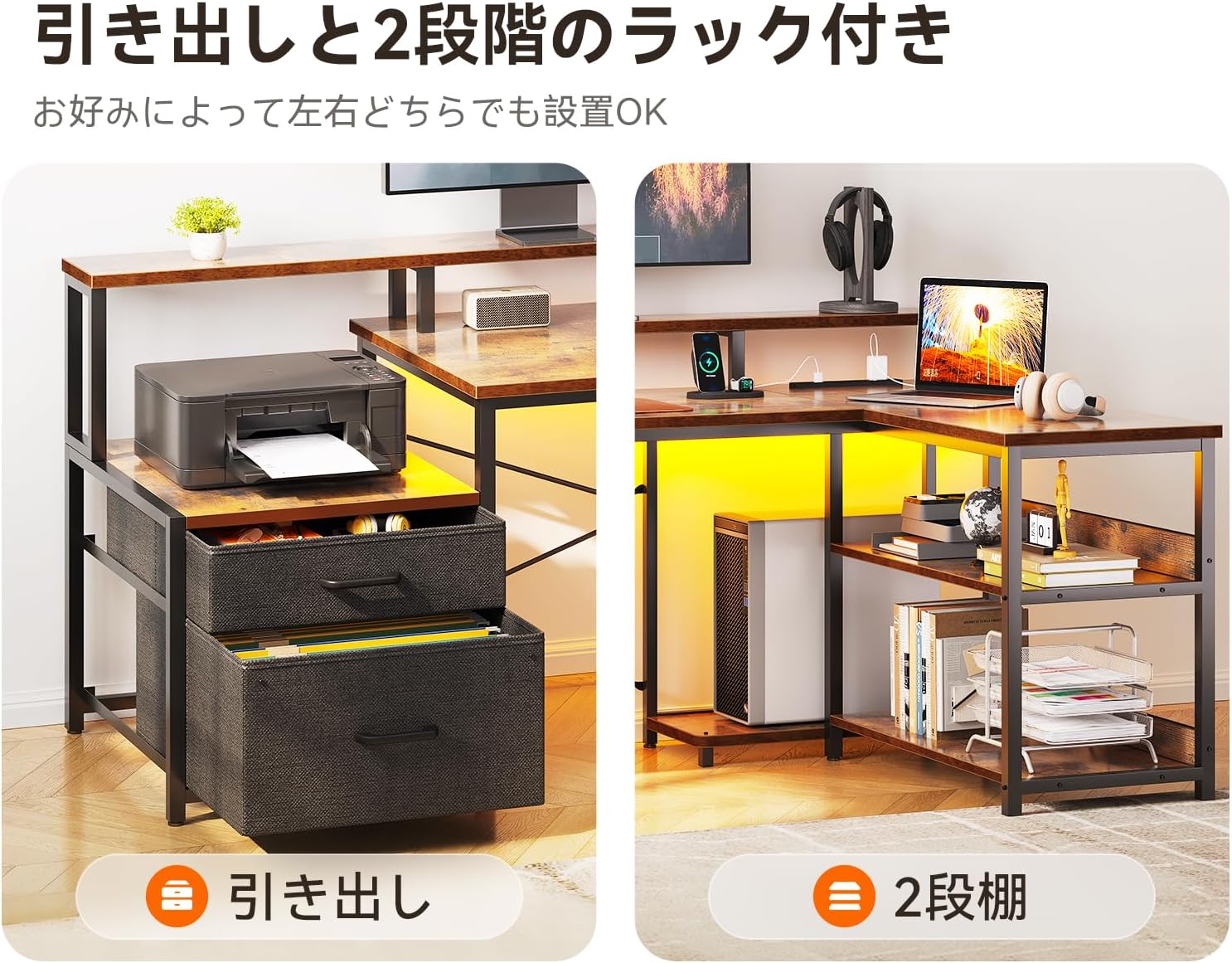
Figure 4.2: Flexible placement of drawers and shelves.
5. Instruccions de funcionament
5.1. Using the Integrated Power Outlets and USB Ports
The desk is equipped with a built-in power strip featuring two AC outlets and two USB ports (5V-2A) for convenient charging of your devices.
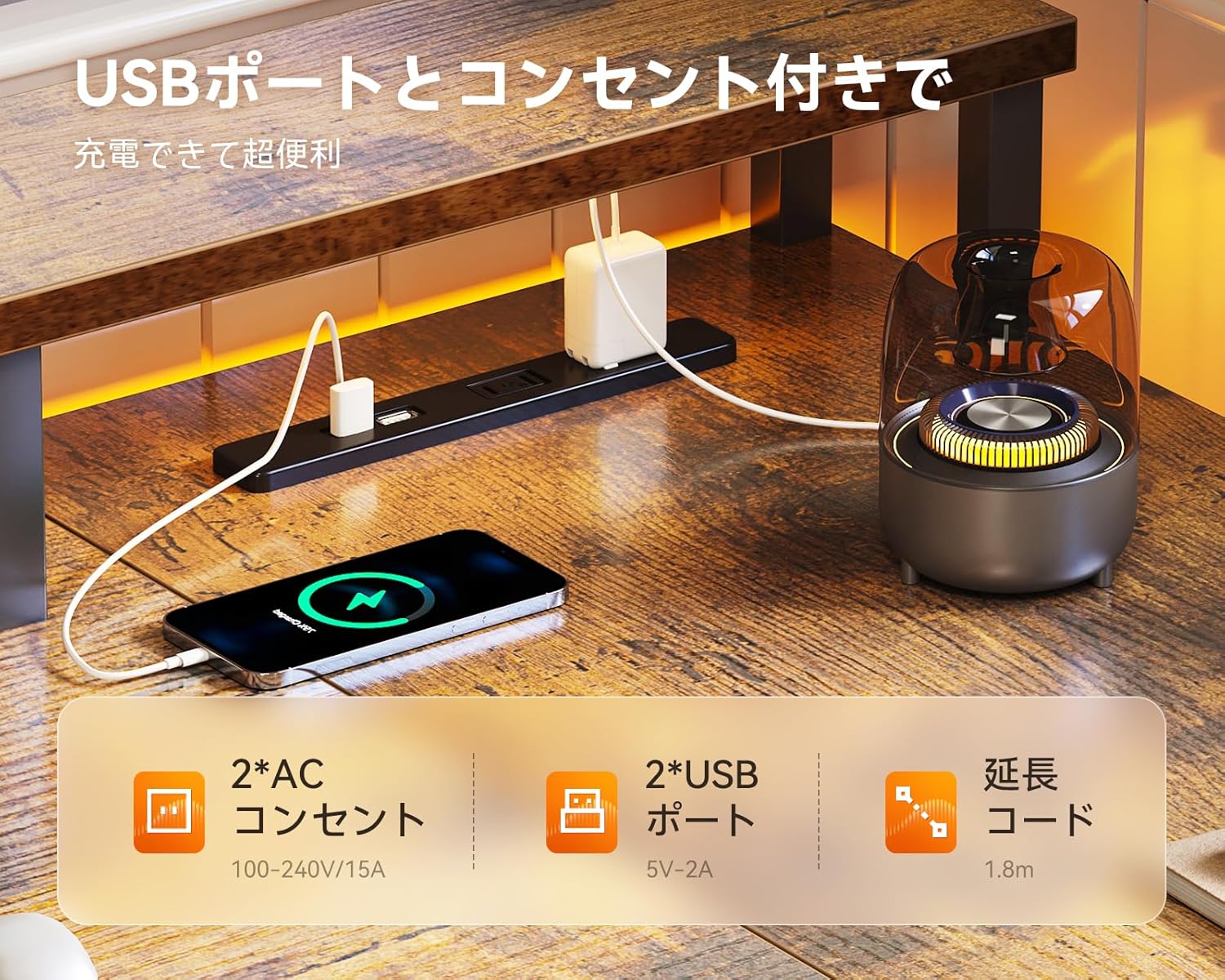
Figure 5.1: Integrated power outlets and USB ports for charging.
- Connecteu el cable d'alimentació principal de l'escriptori a una presa de corrent.
- Connect your devices (e.g., laptop, smartphone) to the AC outlets or USB ports as needed.
- Ensure devices are compatible with the power specifications (AC 100-240V/15A, USB 5V-2A).
5.2. Utilizing the Monitor Stand
The elevated monitor stand helps improve your posture and reduce strain on your neck and shoulders during long periods of use.

Figure 5.2: Benefits of using the monitor stand for ergonomic posture.
- Place your monitor(s) on the elevated stand.
- Adjust your chair height to ensure your eyes are level with the top third of your monitor screen.
- The space beneath the monitor stand can be used for storing notebooks, keyboards, or other small items.
5.3. Característiques d'emmagatzematge
L'escriptori ofereix ample storage with two fabric drawers and multiple open shelves to keep your workspace organized.

Figure 5.3: Designated storage areas for printer, CPU, and other items.
- Use the fabric drawers for documents, stationery, or personal items.
- The open shelves are suitable for books, decorative items, or office supplies.
- The dedicated space under the main desk area can accommodate a CPU tower.
6. Manteniment
- Neteja: Netegeu les superfícies de l'escriptori amb un drap suau iamp drap. Eviteu productes químics agressius o netejadors abrasius que puguin danyar l'acabat.
- Pols: Netegeu la pols de l'escriptori regularment per evitar acumulacions.
- Elements de fixació: Reviseu periòdicament tots els cargols i perns per assegurar-vos que romanen ajustats. Torneu a apretar-los si cal per mantenir l'estabilitat.
- Vessaments: Clean up spills immediately to prevent staining or damage to the desk surface.
7. Solució De Problemes
7.1. Desk Wobbles
- Assegureu-vos que tots els cargols de muntatge estiguin completament apretats.
- Adjust the leveling feet at the bottom of the desk legs to compensate for uneven flooring.
7.2. Power Outlets/USB Ports Not Working
- Comproveu si el cable d'alimentació principal de l'escriptori està ben connectat a una presa de corrent que funcioni.
- Verify that the devices you are trying to charge are working correctly and their cables are not damaged.
- Ensure the total power draw does not exceed the rated capacity of the power strip (AC 15A).
7.3. Drawers Do Not Slide Smoothly
- Check for any obstructions in the drawer tracks.
- Ensure the fabric drawers are correctly inserted and not overloaded.
8. Especificacions
| Característica | Especificació |
|---|---|
| Marca | ODK |
| Número de model | B01XS060101027JP |
| Forma | en forma de L |
| Dimensions del producte (W x D x H) | 172.5 cm x 100 cm x 76 cm |
| Material | Melamine faced board (top), Metal (base) |
| Tipus d'acabat | Recobert de pols |
| Color | Vintage |
| Pes màxim recomanat | 50 kg |
| Nombre de calaixos | 2 |
| Característiques especials | Integrated USB outlets, Monitor stand, Shelves |
| Muntatge obligatori | Sí (eines incloses) |
9. Garantia i Suport
ODK is committed to providing high-quality products. While specific warranty details are not provided in this manual, if you encounter any defects or issues with your desk, please do not hesitate to contact our customer support team. We are available to assist you with any concerns or questions you may have.
For support, please refer to the contact information provided with your purchase or visit the official ODK weblloc.