
1. Introducció
This manual provides detailed instructions for the installation, operation, and maintenance of your XIAOVV 2MP Outdoor Wi-Fi Security Camera. This camera is designed for outdoor surveillance, offering features such as 2MP high-definition video, 2.4G Wi-Fi connectivity, human motion tracking, three night vision modes, two-way audio communication, and flexible storage options. Please read this manual thoroughly before using the product to ensure proper setup and functionality.
2. Contingut del paquet
- XIAOVV 2MP Outdoor Wi-Fi Security Camera
- Adaptador d'alimentació
- Kit de cargol de muntatge
- Manual d'usuari
3. Producte acabatview
The XIAOVV 2MP Outdoor Wi-Fi Security Camera features a durable, weatherproof design suitable for outdoor environments. It includes a lens for video capture, infrared LEDs for night vision, a microphone and speaker for two-way audio, and dual antennas for enhanced Wi-Fi connectivity. The camera's dome-shaped body allows for pan and tilt functionality.

Figura 3.1: Frontal view of the XIAOVV 2MP Outdoor Wi-Fi Security Camera, illustrating its design and interaction with the mobile application.
4. Configuració
4.1 Muntatge de la càmera
Select a suitable outdoor location for mounting, ensuring a clear view and proximity to a power source. Use the provided screw kit to securely attach the camera to a wall or ceiling. The camera's design allows for flexible positioning to cover desired areas.
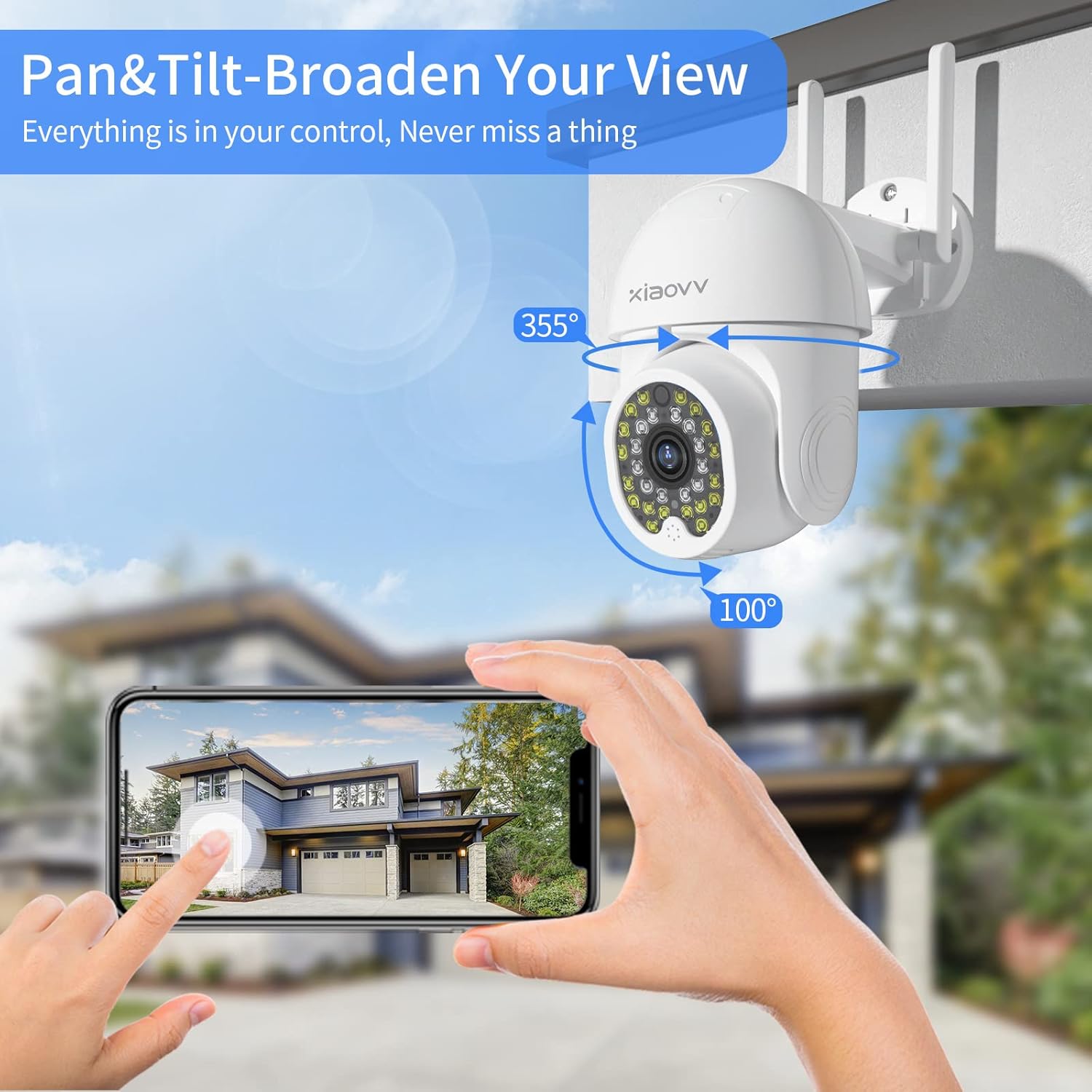
Figure 4.1: The camera mounted, demonstrating its pan (355°) and tilt (100°) range for broad coverage.
4.2 Encès
Connect the camera to the provided power adapter and plug it into an electrical outlet. The camera will initiate its startup sequence, indicated by an LED light.
4.3 Instal·lació i connexió de l'aplicació
- Descarrega't el XIAOVV app des de la botiga d'aplicacions del teu telèfon intel·ligent (iOS o Android).
- Registra't per obtenir un compte nou o inicia la sessió si ja en tens un.
- Follow the in-app instructions to add a new device. This typically involves scanning a QR code displayed on the camera or generated by the app.
- Connect the camera to your 2.4GHz Wi-Fi network. Ensure your smartphone is also connected to the same network during the setup process.
- Once connected, the camera's live feed will appear in the app, indicating successful setup.
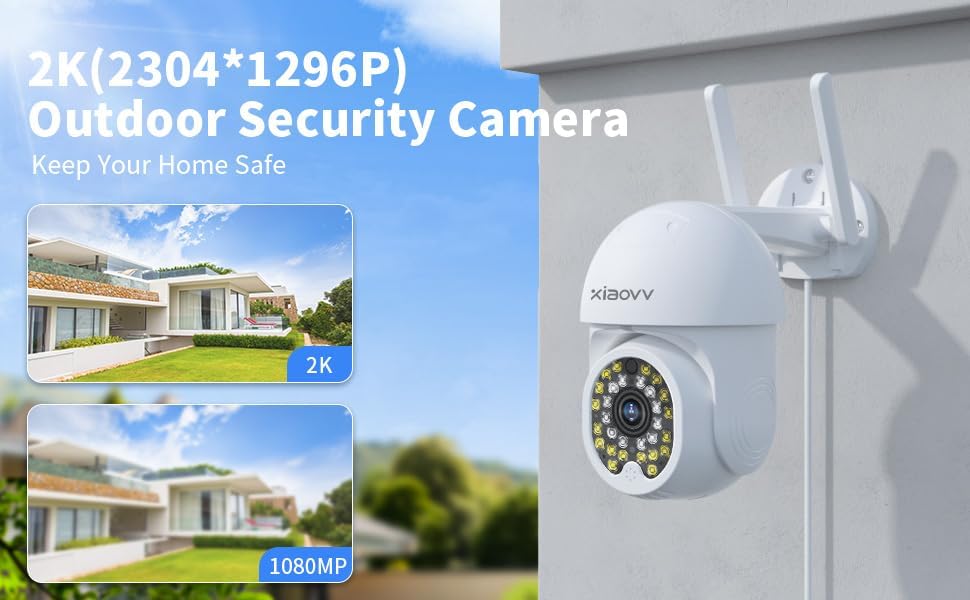
Figura 4.2: Example of the XIAOVV app interface for camera management.
5. Instruccions de funcionament
5.1 Viu View i accés remot
Open the XIAOVV app on your smartphone to access the live video feed from your camera. You can view the feed remotely from any location with an internet connection. The app also allows for sharing live images with authorized family or friends.
5.2 Control de panoràmica i inclinació
Within the app, use the directional controls to remotely adjust the camera's viewing angle. The camera supports 350 degrees horizontal rotation and 90 degrees vertical rotation, providing comprehensive coverage without blind spots.
5.3 Àudio bidireccional
The camera is equipped with a built-in microphone and speaker. To use two-way audio, tap the microphone icon in the app to speak, and release to listen. This feature enables communication with visitors or deterrence of unwanted individuals.

Figure 5.1: The camera's two-way audio feature in use, allowing for real-time conversation.
5.4 Detecció de moviment i alertes
The camera features advanced motion detection that can identify human or animal movement. When motion is detected, the camera will send an instant alert message to your smartphone via the XIAOVV app. Sensitivity settings can be adjusted within the app.
5.5 Modes de visió nocturna
The camera offers three distinct night vision modes for clear footage in low-light conditions:
- Mode infraroig: Provides black and white video using infrared LEDs.
- Mode a tot color: Utilizes built-in spotlights to provide full-color video in dark environments.
- Mode d'alarma: Activates spotlights and an audible alarm upon motion detection at night.

Figure 5.2: Visual representation of the three night vision modes available.
5.6 Enregistrament i emmagatzematge
The camera supports continuous 24/7 recording and event-based recording. Video footage es pot emmagatzemar de dues maneres:
- Emmagatzematge local: Insert a microSD card (not included) into the camera's designated slot for local video storage.
- Serveis al núvol: Subscribe to cloud storage services via the XIAOVV app for secure, remote access to your recordings.

Figure 5.3: The camera supports continuous recording, ensuring constant surveillance.
6. Manteniment
Per garantir un rendiment òptim i una llarga durada de la càmera:
- Neteja: Netegeu periòdicament la lent i el cos de la càmera amb un drap suau i sec.amp tela. Eviteu els netejadors abrasius.
- Actualitzacions de firmware: Check the XIAOVV app regularly for available firmware updates. Keeping the firmware updated ensures access to the latest features and security enhancements.
- Font d'alimentació: Assegureu-vos que l'adaptador de corrent i el cable no estiguin danyats.
7. Solució De Problemes
- La càmera no es connecta a la Wi-Fi: Ensure the camera is within range of your 2.4GHz Wi-Fi router. Verify the Wi-Fi password entered in the app is correct. Restart the camera and your router.
- No live feed: Check the internet connection of both your camera and smartphone. Ensure the camera is powered on.
- No s'han rebut alertes de moviment: Verify that motion detection is enabled in the app settings and that app notifications are allowed on your smartphone.
- Poca qualitat d'imatge: Clean the camera lens. Ensure there is adequate lighting, especially at night (check night vision mode settings).
- Problemes d'àudio bidireccional: Check the volume settings on your smartphone and within the app. Ensure there are no obstructions blocking the camera's microphone or speaker.
8. Especificacions
| Característica | Detall |
|---|---|
| Marca | XIAOVV |
| Model | 2MP Outdoor Wi-Fi Camera |
| Protocol de connectivitat | Wi-Fi |
| Tecnologia de comunicació sense fils | Wi-Fi |
| Font d'alimentació | Elèctric amb cable |
| Classificació de protecció internacional | IP65 |
| Factor de forma | Cúpula |
| Tipus de muntatge | Muntatge de paret |
| Tipus d'alerta | Només moviment |
| Format de captura de vídeo | MPEG-4 |
| Pes de l'article | 1.39 lliures |
| Dimensions del paquet | 7.76 x 7.52 x 4.49 polzades |
| Usos recomanats per al producte | Interior/Exterior |
9. Garantia i Suport
XIAOVV products are designed for reliability and performance. For warranty information, please refer to the documentation included with your purchase or contact XIAOVV customer support. For technical assistance, troubleshooting, or any inquiries regarding your camera, please reach out to our customer service team. Contact details can typically be found on the XIAOVV official website or within the XIAOVV app.