
XIAOVV B0D49JSST3
XIAOVV 4MP Outdoor Wired Wi-Fi Camera User Manual
Model: B0D49JSST3
1. Producte acabatview
The XIAOVV 4MP Outdoor Wired Wi-Fi Camera is a high-definition security solution designed for comprehensive outdoor monitoring. It features 2.4G Wi-Fi connectivity, human motion tracking, night vision capabilities, and two-way audio communication. This camera provides reliable surveillance with easy installation and remote access via the XIAOVV app.

Figure 1.1: The XIAOVV 4MP Outdoor Wired Wi-Fi Camera, showing its design and a smartphone displaying its live feed.
2. Què hi ha a la caixa
Verifiqueu que tots els components siguin presents al paquet:
- Manual d'instruccions
- Joc de cargols de muntatge
- Adaptador d'alimentació
- Cable de càrrega
- Suport de càmera
3. Característiques clau
- Ultraalta definició de 4MP: Proporciona un vídeo clar i detallattage.
- Connectivitat Wi-Fi 2.4G: Ensures stable wireless connection.
- Funcionalitat de panoràmica i inclinació: Offers 350° horizontal and 90° vertical rotation for comprehensive coverage.
- Human Motion Tracking: Automatically detects and tracks human movement.
- Three Night Vision Modes: Infrared, full color, and alarm modes for clear visibility in low light.
- Àudio bidireccional: Built-in speaker and microphone for communication.
- Classificació de resistència a la intempèrie IP65: Dissenyat per suportar diverses condicions meteorològiques a l'aire lliure.
- Emmagatzematge local i al núvol: Supports Micro SD card up to 128GB and cloud services for video storage.
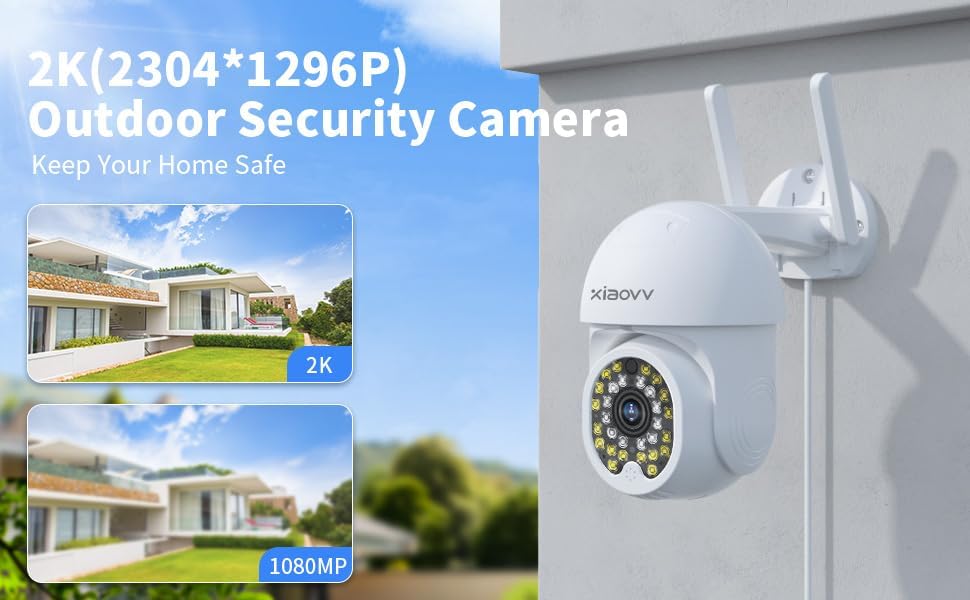
Figure 3.1: Image illustrating the 2K (2304x1296P) resolution capability of the outdoor security camera, highlighting its clarity compared to 1080P.
4. Guia de configuració
4.1. Instal·lació física
- Trieu una ubicació: Trieu un lloc a l'aire lliure amb llum clara view of the area you wish to monitor and within range of your Wi-Fi network. Ensure the location allows for power connection.
- Muntar la càmera: Use the provided mounting screws and stand to securely attach the camera to a wall or suitable surface. Ensure the camera is stable.
- Connectar l'alimentació: Connecteu l'adaptador de corrent a la càmera i endolleu-lo a una presa de corrent. La càmera s'engegarà i iniciarà la seqüència d'inici.
4.2. Descàrrega i emparellament de l'aplicació
- Download the XIAOVV App: Cerca "XIAOVV" in your smartphone's app store (App Store for iOS or Google Play Store for Android) and download the official application.
- Crea un compte: Obre l'aplicació i segueix les instruccions que apareixen a la pantalla per registrar un compte nou o iniciar la sessió si ja en tens un.
- Afegeix un dispositiu: Tap the "+" icon or "Add Device" button within the app. Select "Camera" or "Security Camera" from the device list.
- Escaneja el codi QR: The app will prompt you to scan the QR code located on the camera itself. Hold your phone's camera steady over the QR code until it is successfully scanned.
- Connecta't a Wi-Fi: Follow the app's instructions to connect the camera to your 2.4GHz Wi-Fi network. Enter your Wi-Fi password when prompted. Note: This camera supports 2.4GHz Wi-Fi only.
- Finalització: Once connected, the camera will be added to your account, and you can begin viewemetent el transmissió en directe.
5. Instruccions de funcionament
5.1. Remote Access and Live View
Open the XIAOVV app on your smartphone. Select your camera from the device list to access the live video feed. You can view foo en temps realtagi des de qualsevol lloc amb connexió a Internet.
5.2. Control de panoràmica i inclinació
Del directe view screen in the app, use the directional controls to remotely adjust the camera's viewing angle. The camera supports 350° horizontal rotation and 90° vertical rotation, allowing you to monitor a wide area without blind spots.
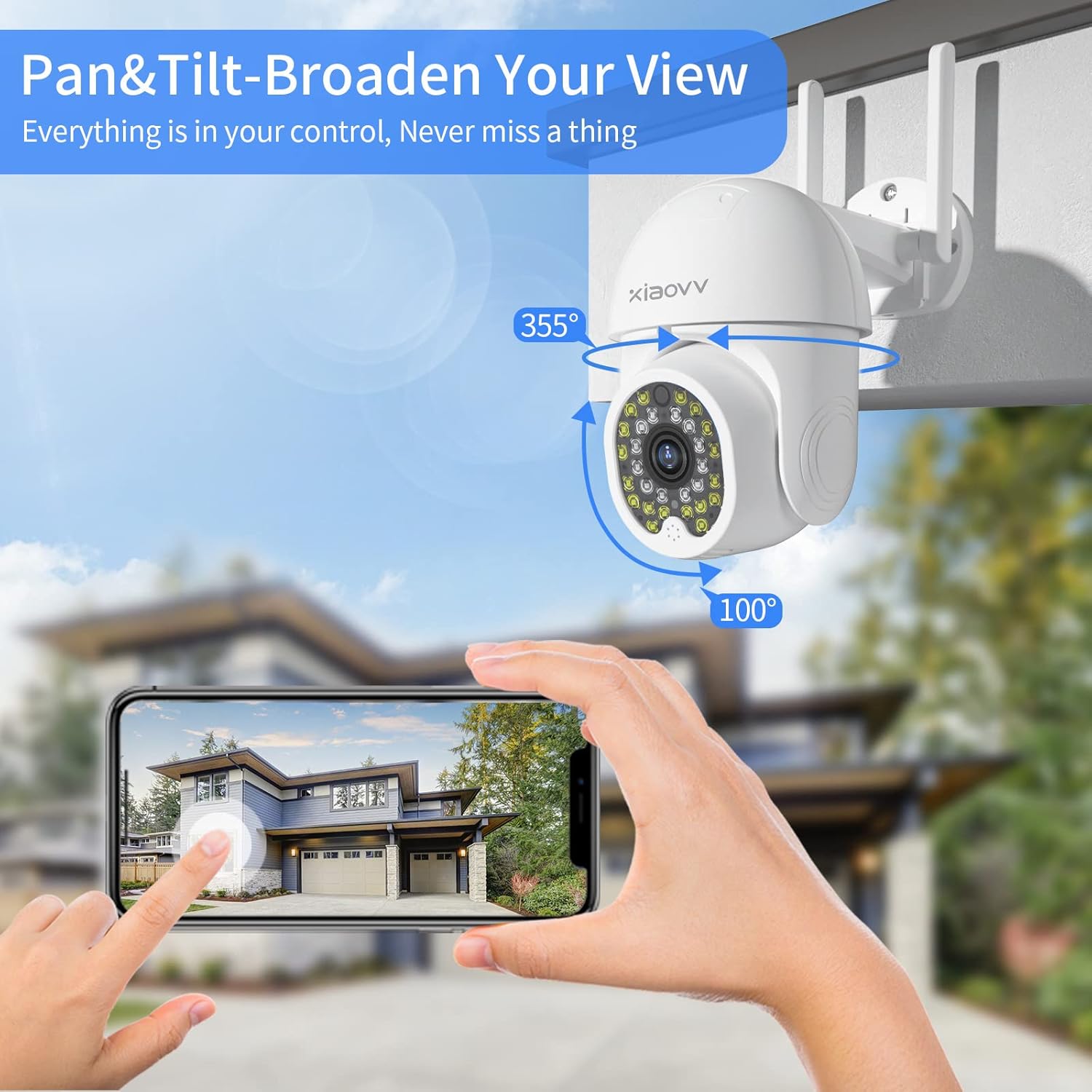
Figure 5.1: Illustration of the camera's pan (355°) and tilt (100°) capabilities, demonstrating its ability to broaden the view and cover a wide area.
5.3. Àudio bidireccional
To use the two-way audio feature, tap the microphone icon in the app's live view. You can then speak through your phone, and your voice will be projected through the camera's speaker. Similarly, you can hear audio from the camera's surroundings through your phone.

Figure 5.2: Depiction of the two-way audio feature, showing a user communicating through the camera with children playing outdoors.
5.4. Detecció de moviment i alertes
The camera is equipped with advanced human motion tracking. When motion is detected, the camera will automatically send an alert notification to your smartphone via the XIAOVV app. You can customize motion detection sensitivity and alert settings within the app.

Figure 5.3: Visual representation of the motion tracking and sound-light alarm feature, showing how the camera detects an intruder and sends an alert to a smartphone.
5.5. Modes de visió nocturna
The camera offers three night vision modes for optimal visibility in low-light conditions:
- Mode infraroig: Provides clear black and white images in complete darkness.
- Mode a tot color: Utilizes built-in spotlights to provide full-color night vision.
- Mode d'alarma: Activates spotlights and an audible alarm upon motion detection at night.
You can switch between these modes in the XIAOVV app settings.
5.6. Enregistrament i emmagatzematge
The camera supports 24/7 continuous recording and event-triggered recording. Recorded footage es pot emmagatzemar de dues maneres:
- Targeta micro SD: Insert a Micro SD card (up to 128GB, not included) into the camera's designated slot for local storage.
- Servei al núvol: Subscribe to the optional cloud storage service via the XIAOVV app for secure, remote storage of your recordings.
You can access and download recorded videos directly through the app.

Figure 5.4: Image highlighting the camera's 24/7 and event recording capabilities, emphasizing continuous monitoring throughout the year.
6. Manteniment
6.1. Neteja de la càmera
Netegeu periòdicament la lent i el cos de la càmera amb un drap suau i sec.amp cloth to remove dust and dirt. Do not use harsh chemicals or abrasive cleaners, as they may damage the camera's finish or lens.
6.2. Protecció contra la intempèrie
The camera has an IP65 weatherproof rating, meaning it is protected against dust ingress and low-pressure water jets. While designed for outdoor use, avoid submerging the camera in water or exposing it to extreme weather conditions beyond its rating.
7. Solució De Problemes
| Problema | Causa possible | Solució |
|---|---|---|
| La càmera no es connecta a la Wi-Fi. | Incorrect Wi-Fi password; Camera too far from router; Only 5GHz Wi-Fi available. | Double-check Wi-Fi password. Move camera closer to router. Ensure your router broadcasts a 2.4GHz network. |
| No en directe view in app. | Camera offline; Internet connection issue; App glitch. | Check camera's power and Wi-Fi connection. Verify your phone's internet connection. Restart the app or your phone. |
| No s'han rebut alertes de moviment. | App notifications disabled; Motion detection sensitivity too low; Incorrect detection zone. | Enable notifications for the XIAOVV app. Adjust motion detection sensitivity in app settings. Configure detection zones. |
| L'àudio bidireccional no funciona. | Microphone/speaker muted in app; Volume too low; Network latency. | Check audio settings in the app. Increase volume. Ensure stable internet connection. |
8. Especificacions
| Característica | Detall |
|---|---|
| Model | B0D49JSST3 |
| Resolució | 4MP (Maximum Webcam Image Resolution) / 1080p (Video Capture Resolution) |
| Connectivitat | Wi-Fi (2.4GHz only), Ethernet |
| Font d'alimentació | Elèctric amb cable |
| Interval de panoràmica/inclinació | Horizontal 350°, Vertical 90° |
| Visió nocturna | Infrared, Full Color, Alarm Mode |
| Opcions d'emmagatzematge | Targeta Micro SD (fins a 128 GB), servei al núvol |
| Àudio | Two-Way Audio (Built-in speaker and microphone) |
| Classificació resistent a la intempèrie | IP65 |
| Material | Plàstic |
| Dimensions | 7.72 x 7.48 x 4.33 polzades (paquet) |
| Pes | 1.41 lliures |
| Aplicació compatible | XIAOVV APP |
9. Garantia i Suport
XIAOVV is committed to providing high-quality products and excellent customer service. For any technical support, troubleshooting assistance, or warranty inquiries, please contact XIAOVV customer service. They offer timely, professional technical support and satisfactory solutions for your home security needs.
Please refer to the product packaging or the XIAOVV official weblloc web per obtenir la informació de contacte més actualitzada.
Ask a question about this manual
Ask about setup, troubleshooting, compatibility, parts, safety, or missing instructions. Manuals+ will review the question and use this page’s manual context to help answer it.