
1. Introducció
The ttec Spoti Smart Tracker 2SMT01S is an Apple-certified device designed to help you locate your personal belongings. It integrates seamlessly with the Apple Find My network, allowing you to track items such as keys, bags, and luggage using your iOS device. The tracker features audible alerts for easy detection and boasts a compact, lightweight design for portability. Advanced wireless connectivity is provided by Bluetooth 5.1, and with iOS 17 or later, you can utilize multiple profiles within the Find My app.
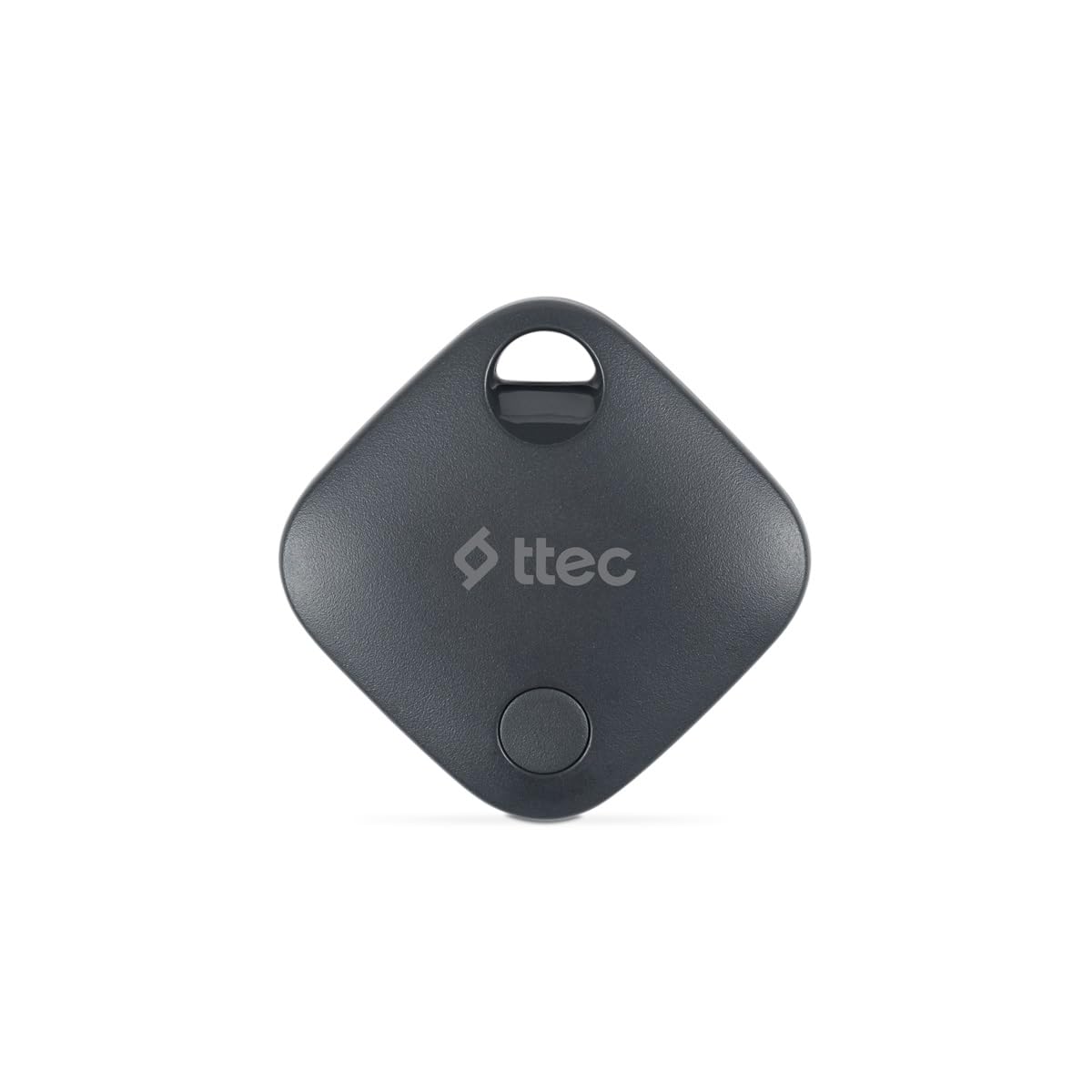
Image 1.1: ttec Spoti Smart Tracker 2SMT01S product packaging, showing the device and key features.
2. Contingut del paquet
Si us plau, comproveu el paquet per veure si hi ha els elements següents:
- 1 x ttec Spoti Smart Tracker 2SMT01S
- 1 x Manual d'usuari (aquest document)
- Note: A CR2032 battery is required and is included in the package.

Image 2.1: The ttec Spoti Smart Tracker 2SMT01S device.
3. Configuració
3.1. Instal·lació de la bateria
The ttec Spoti Smart Tracker uses one CR2032 coin cell battery. Ensure the battery is correctly inserted before use.
- Locate the battery compartment on the back of the tracker.
- Open the compartment cover by twisting it counter-clockwise or by gently prying it open with a small tool if indicated.
- Introduïu la pila CR2032 amb el costat positiu (+) cap amunt.
- Tanqueu la coberta del compartiment de manera segura.
3.2. Pairing with Apple Find My
The ttec Spoti Smart Tracker is designed to work with the Apple Find My network. Follow these steps to pair your tracker with your iOS device:
- Ensure your iOS device (iPhone, iPad, or iPod touch) is running iOS 14.5 or later.
- Obriu el Troba el meu aplicació al teu dispositiu iOS.
- Toqueu Elements pestanya a la part inferior de la pantalla.
- Toqueu Afegeix un elementi, a continuació, seleccioneu Un altre element compatible.
- Bring your ttec Spoti Smart Tracker close to your iOS device.
- The app will detect the tracker. Follow the on-screen instructions to name your item and register it to your Apple ID.
- Once paired, the tracker will appear on the map in the Find My app.
Note: For iOS 17 and later, the Find My app supports using multiple profiles, allowing for more flexible item management.
4. Operating the Smart Tracker
4.1. Localització del vostre article
To find an item attached to your ttec Spoti Smart Tracker:
- Obriu el Troba el meu aplicació al teu dispositiu iOS.
- Aneu a la Elements pestanya.
- Select your ttec Spoti Smart Tracker from the list.
- L'aplicació mostrarà l'última ubicació coneguda del rastrejador en un mapa.
- If the item is nearby, tap Reprodueix el so to make the tracker emit an audible alert, helping you pinpoint its exact location.
- If the item is not nearby, the Find My network will help locate it. When another Apple device user passes by your item, its location will be anonymously updated in the Find My app.
4.2. Lost Mode
If your item is lost, you can enable Lost Mode:
- En el Troba el meu app, select your ttec Spoti Smart Tracker.
- Desplaceu-vos cap avall i toqueu Activa sota Mode perdut.
- Follow the instructions to enter a phone number or email address where you can be contacted.
- If someone finds your item, they can use their iPhone to scan the tracker and see your contact information.
5. Substitució de la bateria
The ttec Spoti Smart Tracker uses a standard CR2032 coin cell battery. When the battery level is low, you will receive a notification on your iOS device via the Find My app. To replace the battery:
- Locate the battery compartment on the back of the tracker.
- Obriu la coberta del compartiment.
- Traieu la bateria CR2032 antiga.
- Inseriu una nova bateria CR2032 amb el costat positiu (+) cap amunt.
- Tanqueu la coberta del compartiment de manera segura.
Warning: Dispose of used batteries responsibly according to local regulations. Keep batteries out of reach of children.
6. Manteniment
To ensure the longevity and optimal performance of your ttec Spoti Smart Tracker:
- Keep the device clean and dry. Wipe with a soft, dry cloth if necessary.
- Avoid exposing the tracker to extreme temperatures, direct sunlight, or harsh chemicals.
- No intenteu desmuntar ni modificar el dispositiu, ja que això anul·larà la garantia.
- Ensure the battery compartment is always securely closed to prevent dust and moisture ingress.
7. Solució De Problemes
| Problema | Causa possible | Solució |
|---|---|---|
| Tracker not appearing in Find My app. | Not paired, out of battery, or out of Bluetooth range during initial setup. |
|
| No se sent l'alerta sonora. | Tracker is too far, battery is low, or environmental noise is too high. |
|
| La ubicació no s'actualitza. | Tracker is out of range of any Apple Find My network device, or battery is dead. |
|
| Connection frequently drops. | Interference, low battery, or device malfunction. |
|
8. Especificacions
| Marca | ttec |
| Model | 2SMT01S |
| Tecnologia de connectivitat | Bluetooth 5.1 |
| Pes del producte | 0.02 quilograms |
| Tipus de bateria | 1 x CR2032 (inclòs) |
| Fabricant | ttec |
| País d'origen | Xina |
| ASIN | B0D49TPB9Y |
9. Garantia i Suport
The ttec Spoti Smart Tracker 2SMT01S comes with a 2-year Official Distributor Warranty. Aquesta garantia cobreix els defectes de materials i de mà d'obra en ús normal.
For warranty claims, technical support, or any questions regarding your product, please contact ttec customer service through their official weblloc web o la informació de contacte proporcionada amb la documentació de compra.
Please have your proof of purchase and the product model number (2SMT01S) ready when contacting support.
10. Informació de seguretat
Si us plau, llegiu i seguiu aquestes pautes de seguretat per evitar danys al dispositiu o lesions personals:
- No ingeriu la bateria. Perill de cremades químiques.
- Mantingueu les piles noves i usades lluny dels nens.
- Si el compartiment de la bateria no es tanca de manera segura, deixeu d'utilitzar el producte i manteniu-lo lluny dels nens.
- Si creieu que les piles s'han empasat o s'han col·locat dins de qualsevol part del cos, busqueu atenció mèdica immediata.
- Do not expose the device to water or moisture unless specified as waterproof.
- Eviteu deixar caure o sotmetre el dispositiu a forts impactes.
- Do not attempt to open, disassemble, or repair the device yourself.
- Dispose of the device and batteries according to local environmental regulations.
- This device complies with European Union Standards (CE).