
Introducció
The DOOGEE R20 is a rugged tablet designed for durability and high performance. It features a 10.4-inch 2.4K display, a powerful Helio G99 Octa-Core processor, and a massive 21600 mAh battery. This manual provides essential information on how to set up, operate, maintain, and troubleshoot your DOOGEE R20 tablet.

Imatge: Més deview of the DOOGEE R20 Rugged Tablet, highlighting its robust features including a large battery, high-resolution display, powerful processor, ample memory, and military-grade durability ratings.
1. Primers passos
1.1 Contingut del paquet
Verify that all items are present in your DOOGEE R20 package:
- 1 x DOOGEE R20 Rugged Tablet
- 1 x cable USB tipus C
- 1 carregador de 33 W
- 1 x SIM Ejector Tool
- 1 x Anti-explosion Film (pre-applied)
- 1 x Manual d'usuari
- 1 x Targeta de garantia
- 1 x Tablet Wrist Strap Support
- 1 x TPU Case

Image: The complete set of items included in the DOOGEE R20 tablet retail box.
1.2 Disseny del dispositiu
Familiarize yourself with the physical components of your DOOGEE R20 tablet.
Imatge: Una imatge detallada view of the DOOGEE R20 tablet, showcasing its rugged exterior and screen.
1.3 Instal·lació de la targeta SIM i l'emmagatzematge
The DOOGEE R20 supports dual Nano-SIM cards and expandable storage via a TF card (up to 2TB).
- Localitza la safata de la targeta SIM al lateral de la tauleta.
- Introduïu l'eina d'expulsió de la SIM al forat petit que hi ha al costat de la safata per obrir-la.
- Place your Nano-SIM cards and/or TF card into the designated slots on the tray. Ensure they are correctly oriented.
- Empenyeu suaument la safata cap a dins de la tauleta fins que encaixi al seu lloc.

Image: Illustration of how to insert SIM cards into the DOOGEE R20 tablet's tray.
1.4 Engegar/apagar i carregar
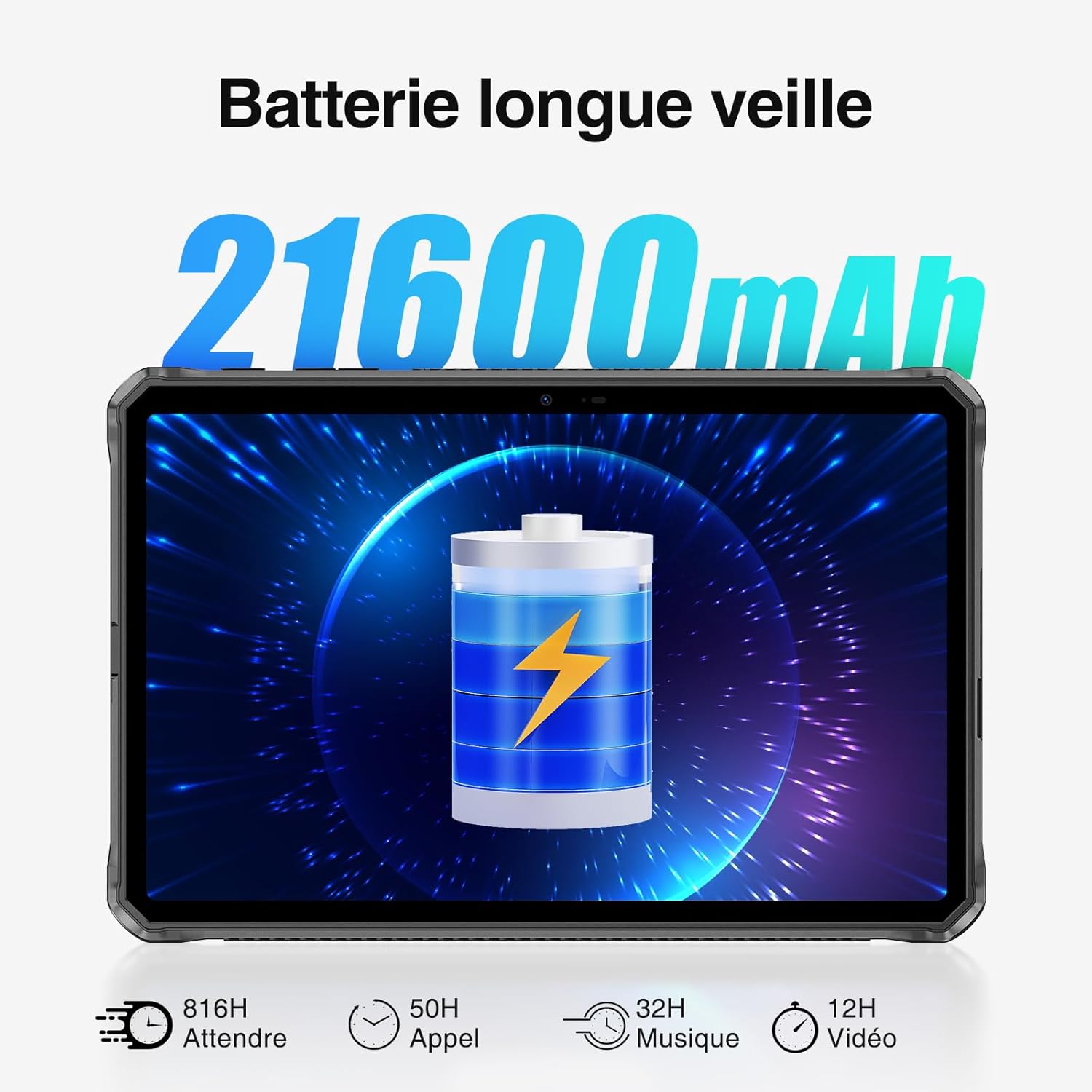
To power on your tablet, press and hold the power button until the DOOGEE logo appears. To power off, press and hold the power button, then select 'Power off' from the options. The tablet comes with a 21600 mAh battery and supports 33W fast charging.
- Connect the USB Type-C cable to the tablet's charging port and the other end to the 33W charger.
- Connecteu el carregador a una presa de corrent.
- A charging indicator will appear on the screen.

Image: Visual representation of the DOOGEE R20's 21600mAh battery capacity and charging capabilities.
2. Funcionament bàsic
2.1 Pantalla i navegació
The DOOGEE R20 features a 10.4-inch FHD+ 2.4K IPS display with a resolution of 1200 x 2000 pixels, offering vibrant visuals with 16.7 million colors and a 1000:1 contrast ratio. The screen is protected by Corning Gorilla Glass 5 for enhanced durability.
- Toca: Seleccioneu un element o obriu una aplicació.
- Llisca: Navega per les pantalles o desplaça't pel contingut.
- Pessigar: Apropar o allunyar les imatges i web pàgines.

Image: The DOOGEE R20's 10.4-inch FHD+ 2.4K IPS display, highlighting its visual quality and key display specifications.

Image: The DOOGEE R20 tablet featuring Corning Gorilla Glass 5 for enhanced screen durability.
2.2 Sistema operatiu Android 13
The DOOGEE R20 runs on Android 13, offering an advanced and user-friendly experience with enhanced privacy features and customization options. It is Google certified, providing access to popular Google services and the Google Play Store.

Image: The DOOGEE R20 tablet running the Android 13 operating system, demonstrating its interface and features.
2.3 Funcions de la càmera
Capture moments with the DOOGEE R20's 50MP main camera and take clear selfies with the 16MP front camera. The tablet supports 4K UHD 2160p video recording.

Image: The DOOGEE R20's 50MP main camera and 16MP front camera, illustrating their use for capturing photos and videos.
2.4 Connectivitat
Stay connected with the DOOGEE R20's comprehensive connectivity options:
- Wi-Fi: Supports 5G WiFi 6 (802.11n, 2.4/5GHz) for fast internet access.
- Cel·lular: Dual 4G LTE support for mobile data and calls.
- Bluetooth: Bluetooth 5.2 per connectar accessoris sense fil.
- GPS: Integrated GPS, Beidou, Galileo, Glonass, and AGPS for accurate positioning and navigation.

Image: The DOOGEE R20 tablet displaying its advanced GPS and positioning system capabilities.
2.5 Funcions de seguretat
The DOOGEE R20 offers multiple security options to protect your data:
- Identificació facial: Unlock your tablet using facial recognition.
- Desbloqueig de les empremtes digitals: Un sensor d'empremtes dactilars muntat lateralment proporciona un accés ràpid i segur.

Image: Visuals demonstrating the Face Recognition and side Fingerprint Unlock features of the DOOGEE R20 tablet.
2.6 OTG and Widevine L1
The DOOGEE R20 includes useful features for versatility and entertainment:
- OTG (On-The-Go): Use your tablet to charge other electronic devices, acting as a portable power bank.
- Suport Widevine L1: Enjoy high-resolution video streaming from popular platforms like Disney+, Amazon Prime Video, HBO Max, and Hulu.

Image: The DOOGEE R20 tablet demonstrating its OTG reverse charging capability.

Image: The DOOGEE R20 tablet showcasing Widevine L1 support for high-definition streaming content.
3. Manteniment i durabilitat
3.1 Disseny robust
The DOOGEE R20 is built to withstand harsh environments, complying with military-grade standards:
- IP68: Water-resistant up to 1.5 meters for 30 minutes.
- IP69K: Resistant to high-pressure, high-temperature water jets and dust ingress.
- MIL-STD-810H: Certified for resistance against drops, shocks, and extreme temperatures.

Image: The DOOGEE R20 tablet demonstrating its IP68, IP69K, and MIL-STD-810H ruggedness ratings in various challenging environments.
3.2 Neteja i cura
To maintain your tablet's performance and appearance:
- Netegeu la pantalla i el cos amb un drap suauamp tela. Eviteu els netejadors abrasius.
- Assegureu-vos que totes les cobertes dels ports estiguin ben tancades per mantenir la resistència a l'aigua i la pols.
- Avoid exposing the tablet to extreme temperatures outside its operating range for prolonged periods.
3.3 Entorn de funcionament
The DOOGEE R20 is designed to operate in a wide range of temperatures, from -40°C to 70°C, making it suitable for various outdoor and industrial settings.
4. Solució De Problemes
If you encounter issues with your DOOGEE R20 tablet, try the following basic troubleshooting steps:
- La tauleta no s'encén: Assegureu-vos que la bateria estigui carregada. Connecteu el carregador i espereu uns minuts abans d'intentar tornar-lo a engegar.
- La pantalla no respon: Restart the tablet by holding the power button for approximately 10 seconds.
- Connectivity issues (Wi-Fi/4G): Check if Wi-Fi or cellular data is enabled. Restart your router or contact your service provider if problems persist.
- Les aplicacions es bloquegen: Close background applications. Clear the cache of the problematic app or reinstall it.
- Rendiment lent: Close unused apps, clear storage space, or restart the tablet.
For more complex issues, please refer to the support section.
5. Especificacions
| Característica | Especificació |
|---|---|
| Marca | DOOGEE |
| Número de model | R20 |
| Sistema operatiu | Android 13 |
| Processador | MediaTek Helio G99 Octa-Core (2x Cortex-A76 @ 2.2 GHz, 6x Cortex-A55 @ 2.0 GHz) |
| RAM | 8GB (up to 20GB with 12GB virtual extension) |
| Emmagatzematge intern | ROM de 256 GB |
| Emmagatzematge ampliable | TF card up to 2TB |
| Mida de la pantalla | 10.4 polzades |
| Tipus de visualització | FHD+ 2.4K IPS |
| Resolució de visualització | 1200 x 2000 píxels |
| Relació d'aspecte | 16:10 |
| Protecció de pantalla | Corning Gorilla Glass 5 |
| Càmera posterior | 50 megapíxels |
| Càmera frontal | 16 megapíxels |
| Gravació de vídeo | 4K UHD 2160p |
| Capacitat de la bateria | 21600 mAh |
| Carregant | Càrrega ràpida de 33 W |
| Durada de la bateria (mode d'espera) | Fins a 1781 hores |
| Durada de la bateria (xerrada) | Fins a 125 hores |
| Durada de la bateria (reproducció de vídeo) | Fins a 27 hores |
| Wi-Fi | 5G WiFi 6 (802.11n, 2.4GHz/5GHz) |
| Xarxa cel·lular | Dual 4G LTE (Dual Nano-SIM) |
| Bluetooth | Bluetooth 5.2 |
| Posicionament | GPS, Beidou, Galileo, Glonass, AGPS |
| Sensors | Face ID, Side Fingerprint Sensor |
| Jack d'àudio | 3.5 mm |
| La robustesa | IP68, IP69K, MIL-STD-810H |
| Temperatura de funcionament | -40 °C a 70 °C |
| Color | Negre |
6. Garantia i Suport
DOOGEE provides a 2-year assistance service for the R20 tablet. If you encounter any problems or require technical support, please do not hesitate to contact our customer service team. Refer to the warranty card included in your package for specific terms and conditions.
For support inquiries, please visit the official DOOGEE weblloc web o poseu-vos en contacte amb el distribuïdor on vau comprar el producte.