
STRONG SRT32HG6733C
STRONG SRT32HG6733C 32-inch HD Android Smart TV User Manual
Model: SRT32HG6733C
Introducció
This manual provides essential information for the setup, operation, and maintenance of your STRONG SRT32HG6733C 32-inch HD Android Smart TV. Please read these instructions carefully before using the product to ensure proper functionality and safety.
Què hi ha a la caixa
En desempaquetar, comproveu que tots els elements que s'enumeren a continuació hi són presents i en bon estat:
- STRONG SRT32HG6733C TV Unit
- Remote control with voice recognition
- 2 x piles AAA
- Manual d'usuari (aquest document)

Image: The STRONG SRT32HG6733C TV unit with its central stand, remote control, and included accessories.
Configuració
1. Fixació del suport
Carefully place the TV screen-down on a soft, clean surface to prevent scratches. Align the central stand with the mounting holes on the bottom of the TV. Secure the stand using the provided screws. Ensure the stand is firmly attached before proceeding.

Imatge: Part posterior view of the TV showing the central stand attachment points and various input ports.
2. Potència de connexió
Plug the power cord into the TV's power input, then into a wall outlet. The TV will enter standby mode.
3. Configuració inicial i connexió de xarxa
Upon first power-on, the TV will guide you through the initial setup process. This includes language selection, country, and network connection. For optimal Smart TV functionality, connect to your Wi-Fi network. You can also connect via an Ethernet cable for a stable wired connection.

Image: The TV screen displaying connectivity options, highlighting Wi-Fi and Bluetooth symbols.
Instruccions de funcionament
Funcions bàsiques
- Encès/apagat: Premeu el botó d'engegada del comandament a distància o del televisor.
- Selecció de canals: Use the CH+/- buttons or the number pad on the remote.
- Control de volum: Use the VOL+/- buttons.
- Font d'entrada: Press the SOURCE button to select between HDMI, AV, DVB-T/T2, DVB-C, DVB-S/S2 inputs.
Funcions de Smart TV (Google TV)
Your TV runs on Google TV, providing access to a wide range of applications and services.
- Pantalla d'inici: Access your favorite apps, movies, and shows directly from the customizable home screen.
- Streaming Applications: Pre-installed apps include Netflix, Prime Video, YouTube, and Disney+. Additional apps can be downloaded from the Google Play Store.
- Assistent de Google: Use the voice recognition remote to control your TV, search for content, and get information by pressing the Google Assistant button and speaking your command.
- Google Cast: Stream content from your compatible smartphone or tablet directly to the TV.

Image: The TV screen showing the Google TV interface with icons for Netflix, YouTube, Prime Video, Disney+, and other streaming services.

Image: A user holding the voice-controlled remote, with a visual representation of Google Assistant responding to a voice command on the TV screen.
Connectivitat
El televisor ofereix diversos ports per connectar dispositius externs:
- Ports HDMI (x2): Connect Blu-ray players, game consoles, or other HDMI-enabled devices.
- Port USB (x1): Reprodueix contingut multimèdia files (photos, videos, music) from a USB storage device.
- Port Ethernet (RJ45): Per a una connexió a Internet per cable.
- Antenna (ANT in) / Satellite (SAT in) Inputs: Connect your terrestrial or satellite antenna for live TV.
- Ranura CI: Perquè els mòduls d'accés condicional (CAM) desxifrin els canals xifrats.
- Sortida SPDIF: Per a la sortida d'àudio digital a una barra de so o un sistema de cinema a casa.
- Entrada AV: Per connectar dispositius antics que utilitzen vídeo compost i àudio estèreo.
- Sortida d'auriculars: Per connectar auriculars.

Imatge: Part posterior detallada view of the TV highlighting all available input and output ports, including AV in, HDMI, USB, Ethernet, S/PDIF, ANT in, SAT in, CI slot, and Headphone output.
Vídeo: Una breu presentacióview demonstrating the TV's use in a mobile setting, such as a camper van, showing its compact size and clear display for entertainment on the go.
Manteniment
Neteja del televisor
Per netejar la pantalla, netegeu-la suaument amb un drap suau i sense borrissol. Per a marques difícils, netegeu-la lleugerament.ampen the cloth with water or a screen-cleaning solution. Avoid using harsh chemicals or abrasive materials. Clean the TV casinamb un drap sec i suau.
Actualitzacions de programari
Your Android TV may receive software updates periodically. Ensure your TV is connected to the internet to receive these updates. Updates can improve performance, add new features, and enhance security. You can check for updates manually in the TV's settings menu.
Resolució de problemes
| Problema | Possible solució |
|---|---|
| Sense poder | Comproveu si el cable d'alimentació està ben connectat al televisor i a la presa de corrent. Assegureu-vos que la presa de corrent funciona. |
| No hi ha imatge, però hi ha so | Verifiqueu que s'ha seleccionat la font d'entrada correcta. Comproveu les connexions dels cables als dispositius externs. |
| No hi ha so, però hi ha imatge | Comproveu el nivell de volum i l'estat de silenci. Assegureu-vos que els cables d'àudio estiguin connectats correctament si feu servir altaveus externs. |
| El comandament a distància no funciona | Canvieu les piles. Assegureu-vos que no hi hagi cap obstacle entre el comandament a distància i el sensor d'infrarojos del televisor. |
| No es pot connectar a la Wi-Fi | Assegureu-vos que el vostre encaminador estigui engegat i funcioni. Torneu a introduir la contrasenya del Wi-Fi. Intenteu reiniciar tant el televisor com l'encaminador. |
| Les aplicacions de Smart TV són lentes o no responen | Check your internet connection speed. Close unused applications. Restart the TV. |
Especificacions
| Característica | Detall |
|---|---|
| Número de model | SRT32HG6733C |
| Mida de la pantalla | 32 polzades (81 cm) |
| Tecnologia de visualització | LED |
| Resolució | HD Ready (1366 x 768p) |
| Sistema operatiu | Google TV |
| Connectivitat | Wi-Fi, Bluetooth, 2x HDMI, 1x USB, Ethernet (RJ45), AV In, SPDIF, ANT in, SAT in, CI Slot |
| Sintonitzadors | DVB-T/T2, DVB-C, DVB-S/S2 (HEVC 265 codec) |
| Característiques especials | Google Assistant, Google Cast, Dolby Audio |
| Dimensions (L x P x A) | 71.8 x 22.3 x 45.2 cm (amb suport) |
| Components inclosos | TV, Voice Remote, 2x AAA Batteries, Manual |
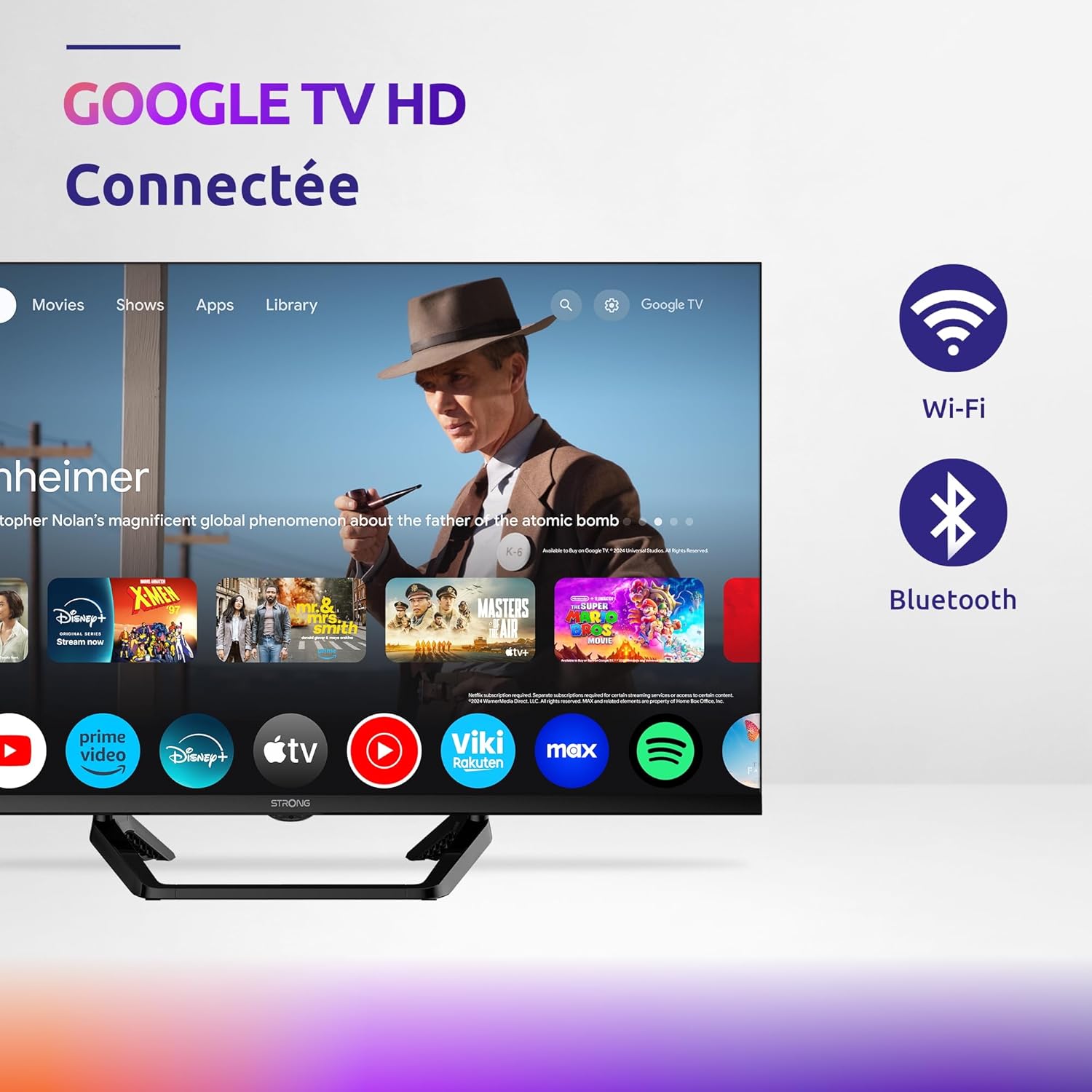
Image: Diagram showing the dimensions of the STRONG SRT32HG6733C TV, including width, height, and depth with the central stand.
Garantia i Suport
This product comes with a manufacturer's warranty of 24 months. For warranty claims or technical support, please refer to the contact information provided on the official STRONG weblloc web o la documentació de la compra.
For frequently asked questions and additional resources, visit the STRONG Brand Store.


Images: Icons representing warranty information and frequently asked questions.
Ask a question about this manual
Ask about setup, troubleshooting, compatibility, parts, safety, or missing instructions. Manuals+ will review the question and use this page’s manual context to help answer it.