
1. Producte acabatview
The Podofo Android 13 Car Radio is a 7-inch touchscreen multimedia system designed for specific Ford vehicle models. It features the latest Android 13 operating system, a 4-core processor, 2GB RAM, and 64GB storage. Key functionalities include wireless Apple CarPlay and Android Auto, built-in GPS navigation, Wi-Fi connectivity, Bluetooth, FM/RDS radio, and support for steering wheel controls and a rear-view càmera.
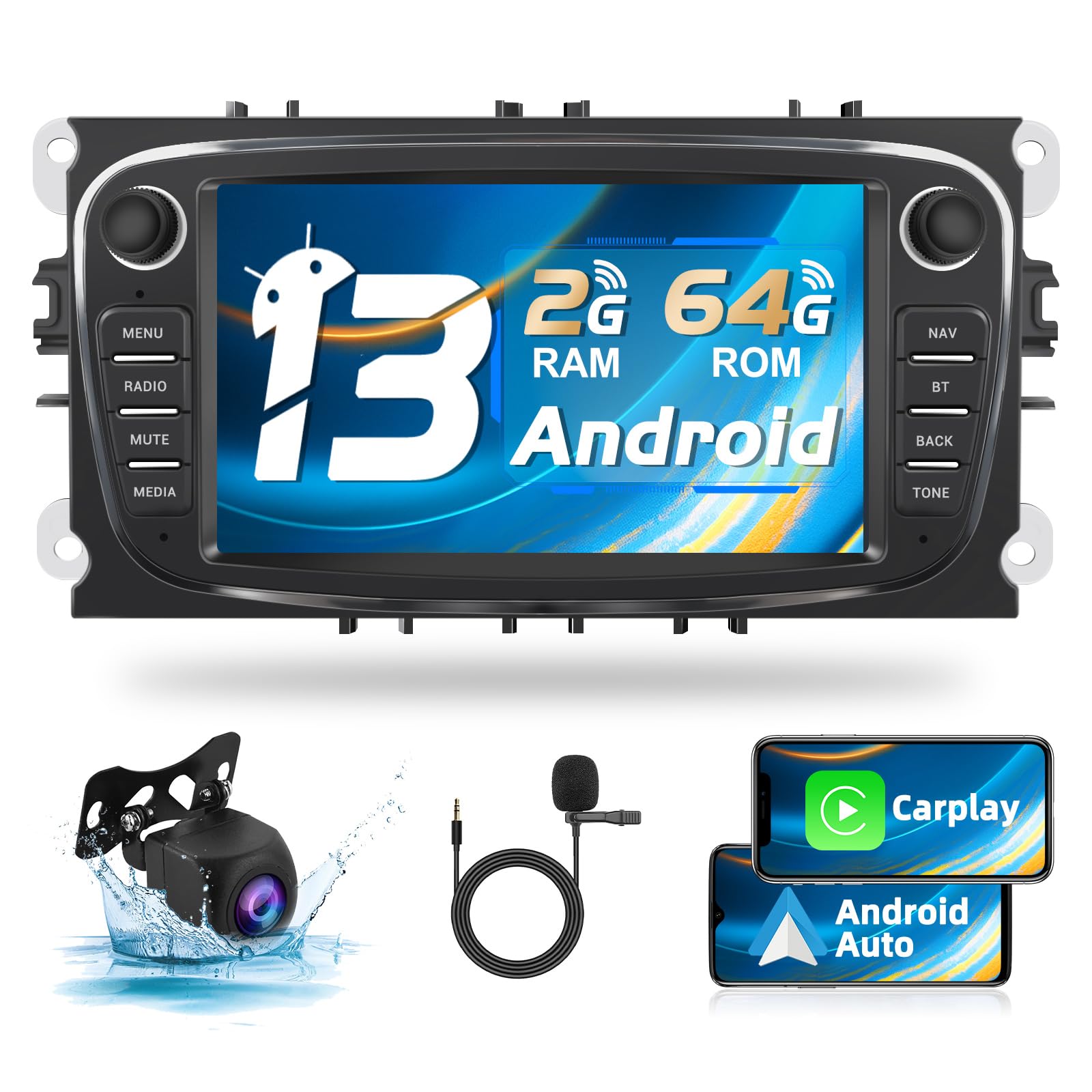
Image: Podofo Android 13 Car Radio main unit installed in a vehicle dashboard.
2. Applicable Vehicle Models
This car radio is compatible with the following Ford models:
- Ford Focus II (2008-2011)
- Ford S-Max (2008-2011)
- Ford Mondeo 9 (2008-2011)
- Ford Galaxy II (2006-2011)
- Ford C-Max (2008-2011)
- Ford Kuga (2006-2011)
Important: Abans de la compraasing and installation, confirm the original car system's configuration year and central control panel design to ensure compatibility.

Image: Visual representation of compatible Ford models and the internal components of the Android 13 system.

Image: Visual guide indicating compatible and incompatible car dashboard configurations for installation.
3. Llista d'embalatge
Verifiqueu que tots els elements que s'enumeren a continuació s'inclouen al paquet:
- Podofo Android Car Radio Unit
- Cable d'alimentació
- Cable RCA
- USB Cable (Dual USB adapter)
- Cable d'entrada de la càmera posterior
- Antena de ràdio
- Antena GPS
- Micròfon (MIC)
- Rear Camera (Security Camera)
- Adaptador d'antena
- Manual d'usuari
- Descodificador Canbus

Imatge: Detallada view of the packing list components, including the main unit, cables, antennas, and accessories.
4. Configuració i instal·lació
4.1 Instruccions de cablejat
Follow these guidelines for connecting the car radio. Professional installation is recommended.
- Cable de corrent: Connect the main power cable to the vehicle's power supply.
- Cable RCA: Connect for audio/video output and input, such as external amplificadors o monitors.
- Cable USB: Connect the dual USB adapter for external USB devices.
- Cable d'entrada de la càmera posterior: Connect the video input from the rear-view càmera.
- Antena de ràdio: Connecteu l'antena de ràdio del vehicle.
- Antena GPS: Munteu l'antena GPS en un lloc amb llum clara view del cel per a una recepció òptima del senyal.
4.2 Cablejat de la càmera posterior
To connect the included rear-view càmera:
- Connecteu el cable H a A6 (the BACK wire inside the power cable).
- Connecteu els cables I i K to the positive pole of the backup lamp (BUL).
- Connecteu el cable L to grounding or leave unconnected if not required.
Image: Wiring diagram illustrating connections for the main unit and the rear-view càmera.
5. Instruccions de funcionament
5.1 Android 13 System
The unit runs on the latest Android 13 operating system, providing a smooth and responsive user experience. It features a 4-core processor, 2GB of RAM, and 64GB of internal storage for applications and media.
Image: Display showing the Android 13 system interface and core hardware specifications.
5.2 CarPlay sense fil i Android Auto
Connect your smartphone wirelessly or via cable to access Apple CarPlay or Android Auto. This allows for voice control of the car radio, access to mobile applications, phone book, and internet features directly from the unit's display.

Image: Screen showing Apple CarPlay and Android Auto interfaces with various app icons.
5.3 Canbus Integration and Split Screen
The integrated Canbus decoder allows the unit to display original car information, such as reverse radar and oil levels. The split-screen function enables running and managing two applications simultaneously on the display.
5.4 Darrera View Suport de càmera
The system supports HD rear-view camera input, including night vision. When reversing, the rear-view image will automatically display on the screen.
5.5 Control del volant
The unit supports the original car's steering wheel controls. After proper Canbus connection and configuration, you can use the steering wheel buttons to control radio functions, answer calls, change songs, and more.

Image: Display showing the steering wheel control learning interface and the equalizer adjustment screen.
5.6 Navegació GPS
The built-in GPS navigation application provides real-time road conditions and accurate satellite positioning to help you reach your destination efficiently.

Image: Screenshots of GPS navigation, Wi-Fi connection, Bluetooth pairing, and FM/RDS radio interfaces.
Connectivitat Wi-Fi 5.7
Connect to mobile hotspots via Wi-Fi to access the internet, download applications, stream videos, and enjoy various online entertainment options.
5.8 Funcionalitat Bluetooth
The integrated Bluetooth allows for hands-free calling, music streaming, and automatic phonebook loading. It also supports EQ adjustments for personalized audio settings.
Ràdio 5.9 FM/RDS
Listen to your favorite radio stations with the FM/RDS tuner. It supports 30 preset channels for quick access to music, news, or talk radio.
Equalitzador d'àudio 5.10 (EQ)
Customize your audio experience with 16 types of car equalizer sound adjustments. The unit also supports subwoofer output and voice switching.
6. Manteniment
To ensure the longevity and optimal performance of your Podofo Car Radio:
- Neteja: Feu servir un drap suau i sec per netejar la pantalla i l'exterior. Eviteu productes de neteja o dissolvents abrasius.
- Actualitzacions de programari: Periodically check for software updates to ensure the system runs efficiently and has the latest features.
- Condicions ambientals: Eviteu exposar la unitat a temperatures extremes, a la llum solar directa durant períodes prolongats o a una humitat excessiva.
7. Solució De Problemes
If you encounter issues with your car radio, consider the following common solutions:
- Sense energia: Check all power connections and fuses. Ensure the ignition is on.
- Sense so: Verify speaker connections, volume settings, and audio source selection. Check if the mute function is active.
- Pèrdua de senyal GPS: Ensure the GPS antenna is properly connected and has an unobstructed view del cel.
- Problemes de connexió Bluetooth: Ensure Bluetooth is enabled on both the car radio and your mobile device. Try unpairing and re-pairing the devices.
- Pantalla tàctil que no respon: Try restarting the unit. If the issue persists, a factory reset might be necessary (consult the full manual for instructions).
- CarPlay/Android Auto no es connecta: Ensure your phone is compatible and the connection (wireless or wired) is stable. Check phone settings for CarPlay/Android Auto permissions.
For more complex issues, refer to the detailed user manual or contact customer support.
8. Especificacions tècniques
| Característica | Especificació |
|---|---|
| Número de model | 1365669031 |
| Sistema operatiu | Android 13 |
| Processador | 4 nuclis |
| RAM | 2 GB |
| Emmagatzematge intern | 64 GB |
| Mida de la pantalla | 7 polzades |
| Tecnologia de connectivitat | Bluetooth, WiFi |
| Característiques especials | Android Auto, Apple CarPlay, GPS Navigation, Split Screen, Canbus Support, Rear View Camera Support, Steering Wheel Control |
| Dispositius compatibles | Smartphone, tauleta |
| Tipus de connector | USB tipus A |
| Mode de sortida d'àudio | estèreo |
| Canals de so envoltant | 5.1 |
| Codificació de vídeo | H.264, H.265/HEVC |
| Nombre de canals d'àudio | 5 |
| Dimensions del paquet | 28 x 21 x 11 cm |
| Pes de l'article | 1.38 kg |
9. Informació de la garantia
This Podofo Car Radio comes with a 2 anys de garantia del producte from the date of purchase. This warranty covers manufacturing defects and malfunctions under normal use. It does not cover damage caused by improper installation, misuse, accidents, or unauthorized modifications.
Conserveu el vostre comprovant de compra per a reclamacions de garantia.
10. Atenció al client
For technical assistance, troubleshooting, or warranty inquiries, please contact Podofo customer support through the retailer where the product was purchased or visit the official Podofo weblloc per obtenir informació de contacte.
Recursos en línia:


