
SYNCWIRE SW-XC971
Adaptador de cotxe del transmissor FM Syncwire Bluetooth 5.4
Model: SW-XC971
Introducció
Thank you for choosing the Syncwire Bluetooth 5.4 FM Transmitter Car Adapter. This device allows you to stream audio from your Bluetooth-enabled devices to your car's FM radio, make hands-free calls, and fast charge your mobile devices. Featuring advanced Bluetooth 5.4 technology, dual microphones for clear calls, and powerful charging capabilities, this adapter enhances your in-car experience.
Informació de seguretat
Avoid overcharging and overheating. Follow charging instructions to ensure safe use. Do not disassemble or modify the device. Keep out of reach of children. Ensure the device is securely plugged into the car's cigarette lighter socket before driving.
Producte acabatview
Familiarize yourself with the components of your Syncwire FM Transmitter:

Image: The Syncwire Bluetooth FM Transmitter, showing its compact design and various ports and buttons.

Image: A detailed diagram labeling the key components of the FM Transmitter, including the QC 3.0 Port, PD 36W Port, CH Button, Deep Bass/Light Switch, Dual Mics, FM Display, Multifunction Button, and LED Light.
- QC 3.0 Port: Quick Charge 3.0 USB port for fast charging compatible devices (18W).
- Port PD de 36 W: Power Delivery USB-C port for ultra-fast charging compatible devices (36W).
- Botó CH: S'utilitza per canviar la freqüència FM.
- Deep Bass/Light Switch: Activates deep bass mode with a short press, or turns the LED light on/off with a long press.
- Micròfons duals: Integrated microphones for clear hands-free calling.
- FM Display: Mostra la freqüència FM actual.
- Botó multifunció: Controls calls (answer/end/reject), music playback (play/pause/next/previous), and volume.
- Llum LED: Provides ambient lighting and indicates device status.
Guia de configuració
Seguiu aquests passos per a la configuració inicial:

Image: A four-panel image illustrating the setup process: 1. Setting car radio to FM mode. 2. Selecting a blank unused FM frequency. 3. Adjusting the FM Transmitter to the same frequency. 4. Pairing the phone via Bluetooth.
- Connectar: Insert the Syncwire FM Transmitter into your car's 12V/24V cigarette lighter socket. The LED display will light up.
- Set Car Radio to FM Mode: On your car's radio, switch to FM mode (not AM mode).
- Find an Empty FM Frequency: Tune your car radio to a blank, unused FM frequency. This is crucial for clear audio. Avoid frequencies with strong existing radio stations.
- Freqüència del transmissor de coincidència: Press the 'CH' button on the FM Transmitter. Then, use the multifunction button (joystick) to adjust the transmitter's frequency to match the empty frequency you found on your car radio.
- Parella Bluetooth: On your smartphone or Bluetooth-enabled device, enable Bluetooth and search for available devices. Select 'SW-XC971' from the list to pair. Once paired, you will hear a confirmation tone.
Instruccions de funcionament
Reproducció de música
Once paired, you can stream music from your device to your car's speakers.
- Reproduir/pausa: Premeu breument el botó multifunció.
- Pista següent: Push the multifunction button right.
- Pista anterior: Push the multifunction button left.
- Pujar el volum: Push the multifunction button up.
- Baixar el volum: Push the multifunction button down.

Image: An illustration highlighting the Deep Bass & HiFi Stereo feature, showing the 'b' button for activation and a visual representation of enhanced sound waves.
HiFi Deep Bass: Short press the 'b' button (Deep Bass/Light Switch) to activate the deep bass mode for enhanced audio quality. Press again to return to standard mode.
Trucades mans lliures
The dual microphones and CVC 8.0 noise reduction technology ensure clear calls.

Image: A diagram showing the various functions for hands-free calling using the multifunction button: Answer (short press), Handset/Hands-free (long press), Hang up (short press), Reject (long press), Redial last number (short press twice).
- Respon a la trucada: Premeu breument el botó multifunció.
- Finalitzar la trucada: Premeu breument el botó multifunció durant una trucada.
- Rebutja la trucada: Long press the multifunction button when a call comes in.
- Torna a marcar l'últim número: Short press the multifunction button twice.
- Switch Call to Handset/Hands-free: Long press the multifunction button during a call to switch audio between the phone and the transmitter.
Dispositius de càrrega
The transmitter features two fast-charging ports:

Image: The Syncwire FM Transmitter with cables plugged into its PD 36W and QC3.0 18W USB ports, illustrating its ability to super-fast charge devices simultaneously.
- PD 36W Port (USB-C): For Power Delivery compatible devices, offering up to 36W output.
- QC 3.0 18W Port (USB-A): For Quick Charge 3.0 compatible devices, offering up to 18W output.
You can charge two devices simultaneously. The intelligent safety features protect against overcharging, voltage spikes, overheating, and short circuits.
Control de la llum ambiental
The transmitter features a captivating rainbow light.
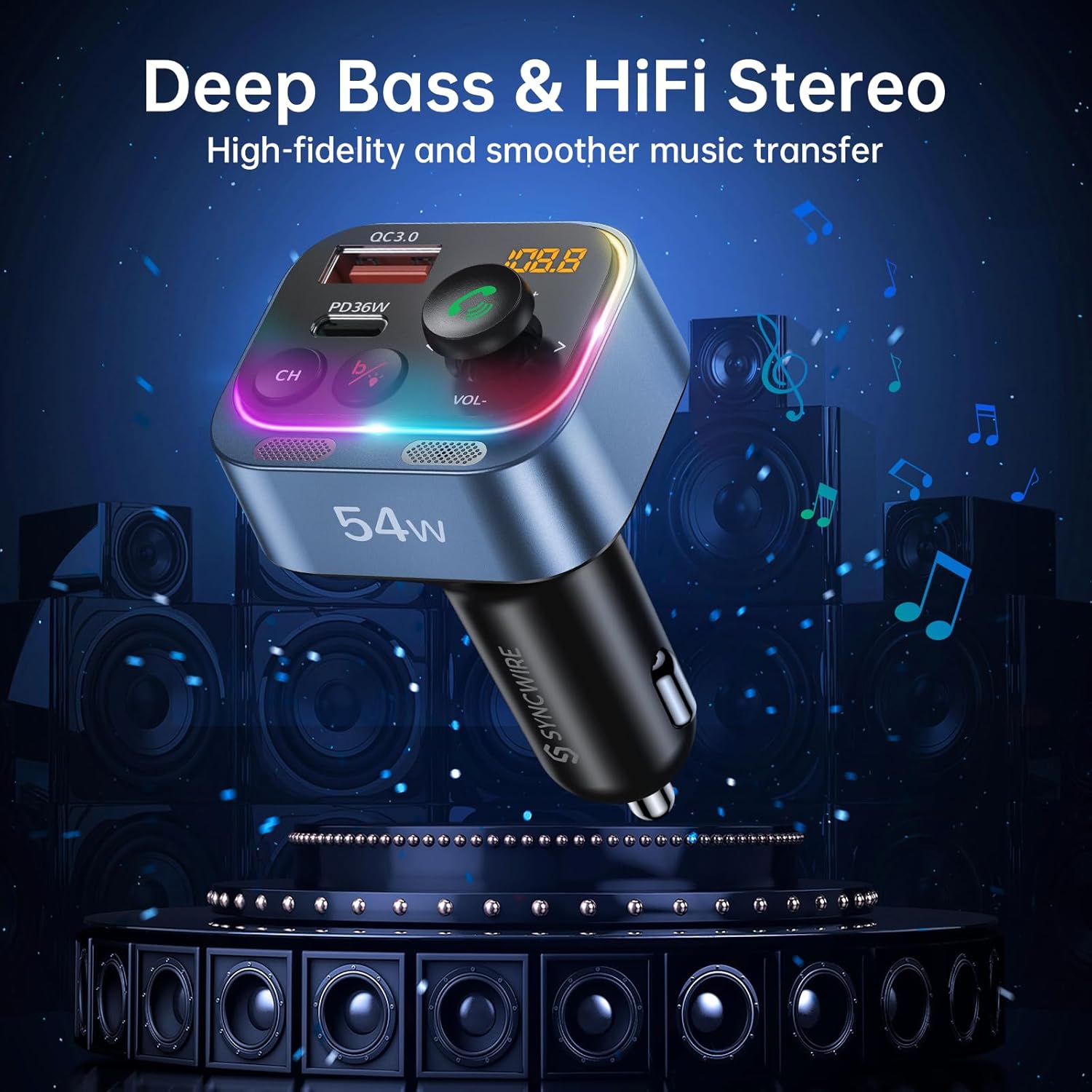
Image: Two panels demonstrating the Ambient Light Switch: one showing a long press to turn off the light, and the other showing a long press to turn on the light, with the device's rainbow LED illuminated.
- Encendre/apagar la llum: Long press the 'b' button (Deep Bass/Light Switch) to toggle the rainbow light on or off.
Manteniment
To ensure the longevity and optimal performance of your Syncwire FM Transmitter:
- Neteja: Feu servir un drap suau i sec per netejar el dispositiu. No utilitzeu netejadors líquids ni aerosols.
- Emmagatzematge: Quan no l'utilitzeu durant períodes prolongats, guardeu el dispositiu en un lloc fresc i sec, allunyat de la llum solar directa i de temperatures extremes.
- Manipulació: Eviteu deixar caure el dispositiu o sotmetre-lo a forts impactes.
Resolució de problemes
Si teniu problemes, consulteu els següents problemes i solucions habituals:
| Problema | Solució |
|---|---|
| Estàtic o mala qualitat d'àudio |
|
| El dispositiu no s'encén |
|
| Bluetooth no connectat |
|
| Call clarity issues (other party cannot hear me well) |
|
| La càrrega és lenta o no funciona |
|
Especificacions
| Característica | Detall |
|---|---|
| Número de model | SW-XC971 |
| Versió Bluetooth | 5.4 |
| Entrada Voltage | 12V-24V |
| Sortida USB-C (PD) | Màxim 36W |
| USB-A Output (QC3.0) | Màxim 18W |
| Sortida total | 54W |
| Interval de freqüència FM | 87.5-108.0 MHz |
| Micròfon | Dual Mics with CVC 8.0 Noise Reduction |
| Característiques especials | HiFi Deep Bass, Rainbow Light, Hands-Free Calling |
| Dimensions | 3.43 x 2.4 x 1.73 polzades |
| Pes de l'article | 2.82 unces |
| Material | Material Premium |
Garantia i Suport
Syncwire provides a 36-month warranty and lifetime support for this product. If your car radio Bluetooth adapter does not fit your car or does not work as expected, please feel free to contact us to find a satisfying solution. Our customer service team is dedicated to assisting you with any inquiries or issues you may have.