
1. Introducció
The SMATRUL Zigbee 3.0 Range Extender is designed to expand the coverage of your existing Zigbee network, ensuring stable signal transmission to devices that may be out of range of your Zigbee gateway. This device acts as a repeater, strengthening the Zigbee signal across your home or office environment.
2. Producte acabatview
The SMATRUL Zigbee 3.0 Range Extender features a compact design with a USB-C port for power. It is engineered to boost your Zigbee network's reach and reliability.
Característiques principals:
- USB-C Port Design: Plugs directly into compatible USB-C sockets or adapters for power, eliminating the need for data cables or batteries.
- Extended Zigbee Network Coverage: Expands signal coverage up to 7,600 sq.ft, reaching devices previously out of range of the Zigbee gateway.
- Stable Signal Booster: Equipped with a professional-grade power amplifier for faster transmission speeds and stable signal coverage, with an output power of up to 20dB.
- Compatibilitat de control de veu: Supports voice control through Amazon Alexa and Google Home when integrated with a compatible Zigbee gateway.
- Àmplia compatibilitat: Works with any wireless network equipment, routers, modems, and Wi-Fi devices that comply with the 802.11N/B/G protocol.
Components inclosos:
- 1 x Zigbee 3.0 Repeater
- 1 x Manual d'usuari
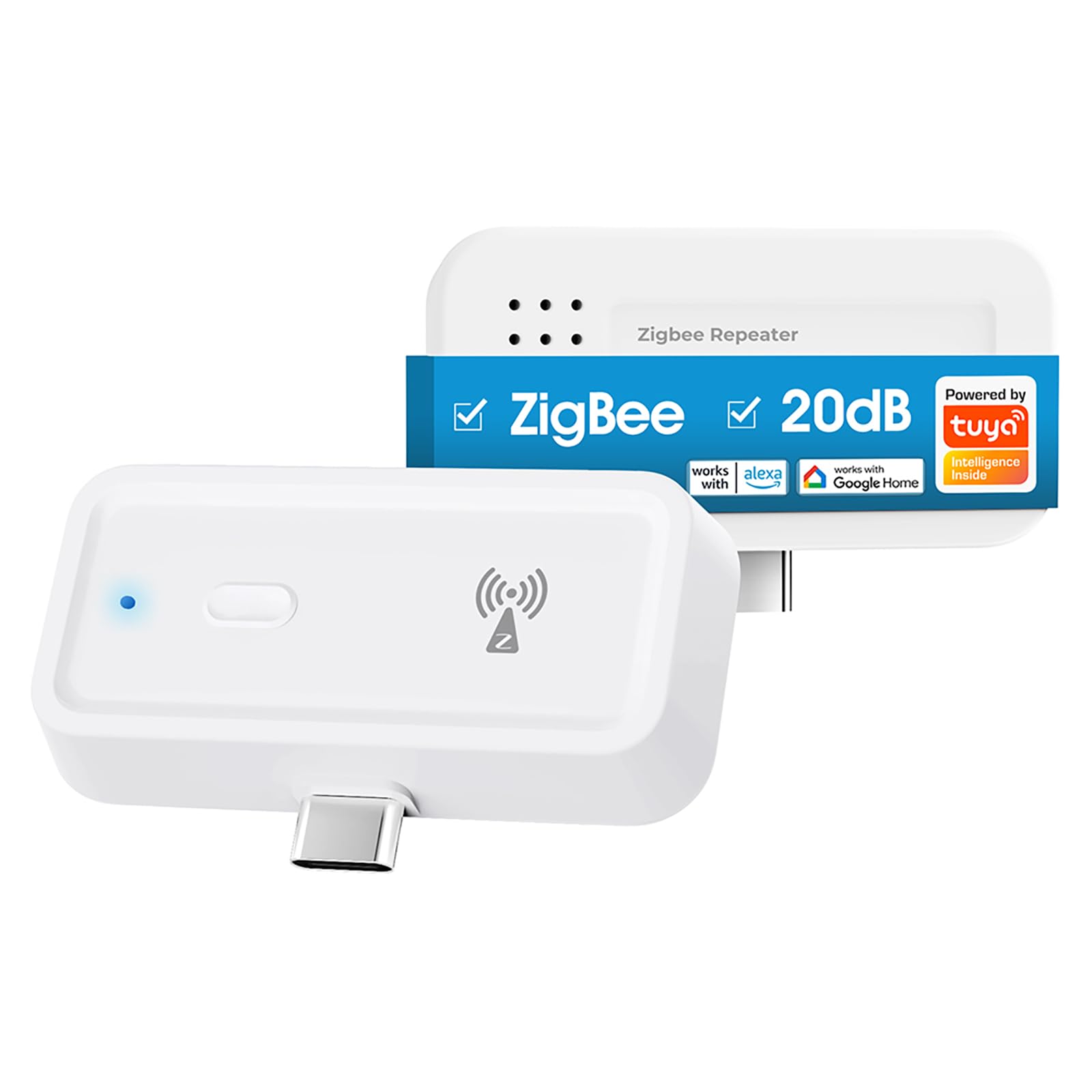
Image: The SMATRUL Zigbee 3.0 Range Extender, a compact white device with a USB-C connector, designed to boost Zigbee signals.
3. Configuració
The Zigbee 3.0 Range Extender requires a Zigbee gateway (sold separately) to function and extend your network. Follow these steps to set up your device:
Step-by-Step Pairing:
- Encès: Plug the Zigbee 3.0 Range Extender into a compatible USB-C power source (e.g., a USB-C adapter, smart socket with USB-C port, or a wall switch with a USB-C port). The indicator light on the extender will flash rapidly.
- Prepare Zigbee Gateway: Ensure your Zigbee gateway is powered on and connected to your network. Open the 'Smart Life' application on your smartphone.
- Add Gateway (if not already added): In the 'Smart Life' app, if your Zigbee gateway is not yet added, follow the app's instructions to add it. This typically involves opening WiFi and BLE on your phone, long-pressing a button on the gateway, and confirming the add window in the app.
- Add Zigbee Sub-Device (Extender): Within the 'Smart Life' app, navigate to your Zigbee gateway. Select the option to add a sub-device. The app should automatically detect the extender. If not, you may need to press the button on the extender to initiate pairing mode (indicator light flashes rapidly).
- Maridatge complet: Confirm the addition of the Zigbee Repeater in the app. Once successfully added, the extender's indicator light will stop flashing and remain solid, indicating a successful connection.
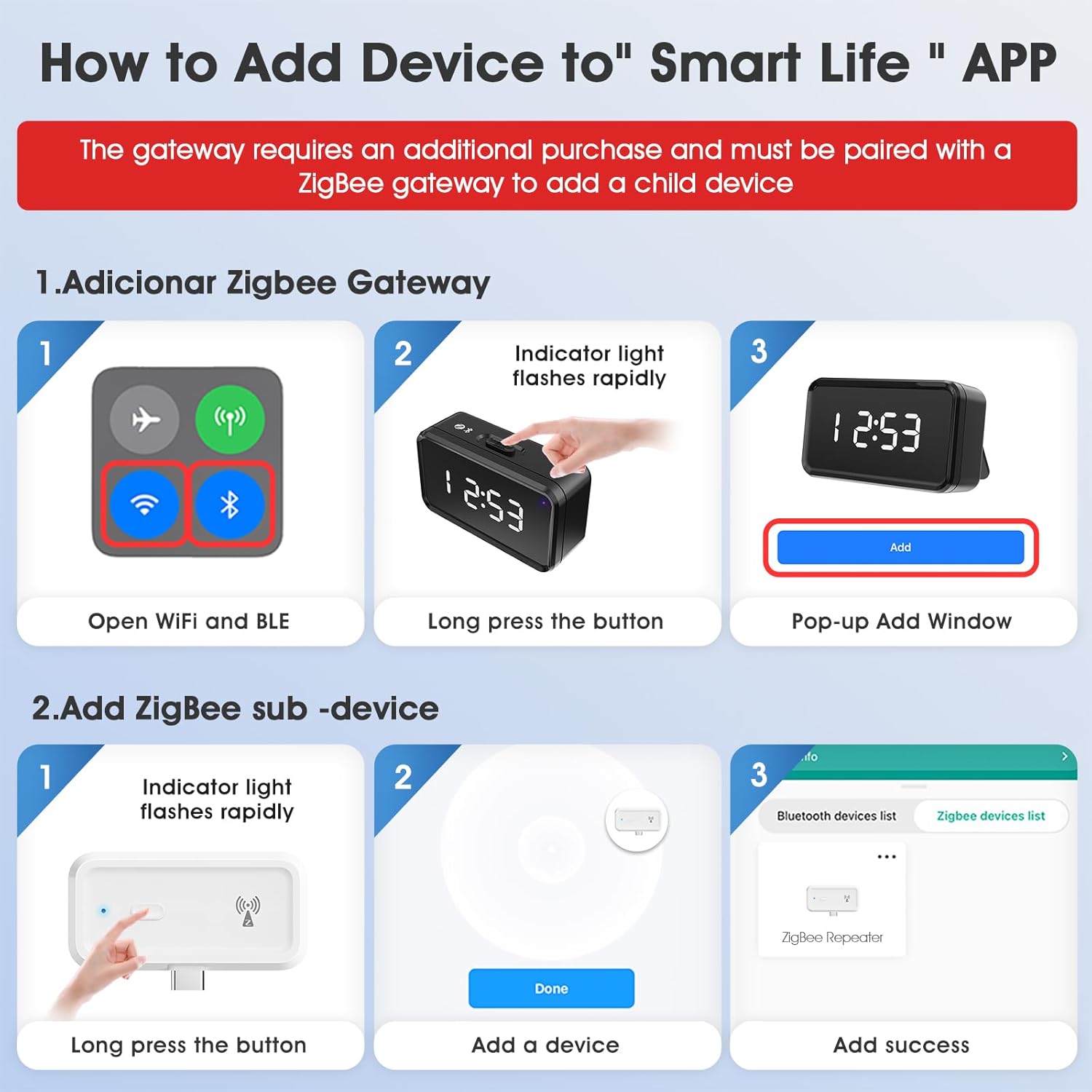
Image: Visual guide showing the steps to add the Zigbee Repeater to the 'Smart Life' application, including pairing with a Zigbee gateway and adding the sub-device.
Video: This video demonstrates the process of pairing the Zigbee Repeater with a Zigbee gateway and optimizing signal strength within the network.
4. Funcionament
Once successfully set up, the SMATRUL Zigbee 3.0 Range Extender operates automatically to enhance your Zigbee network.
Extensió de senyal:
The extender automatically relays signals between your Zigbee gateway and distant Zigbee devices, effectively expanding your network's reach. Place the extender strategically between your gateway and devices experiencing weak signals for optimal performance.
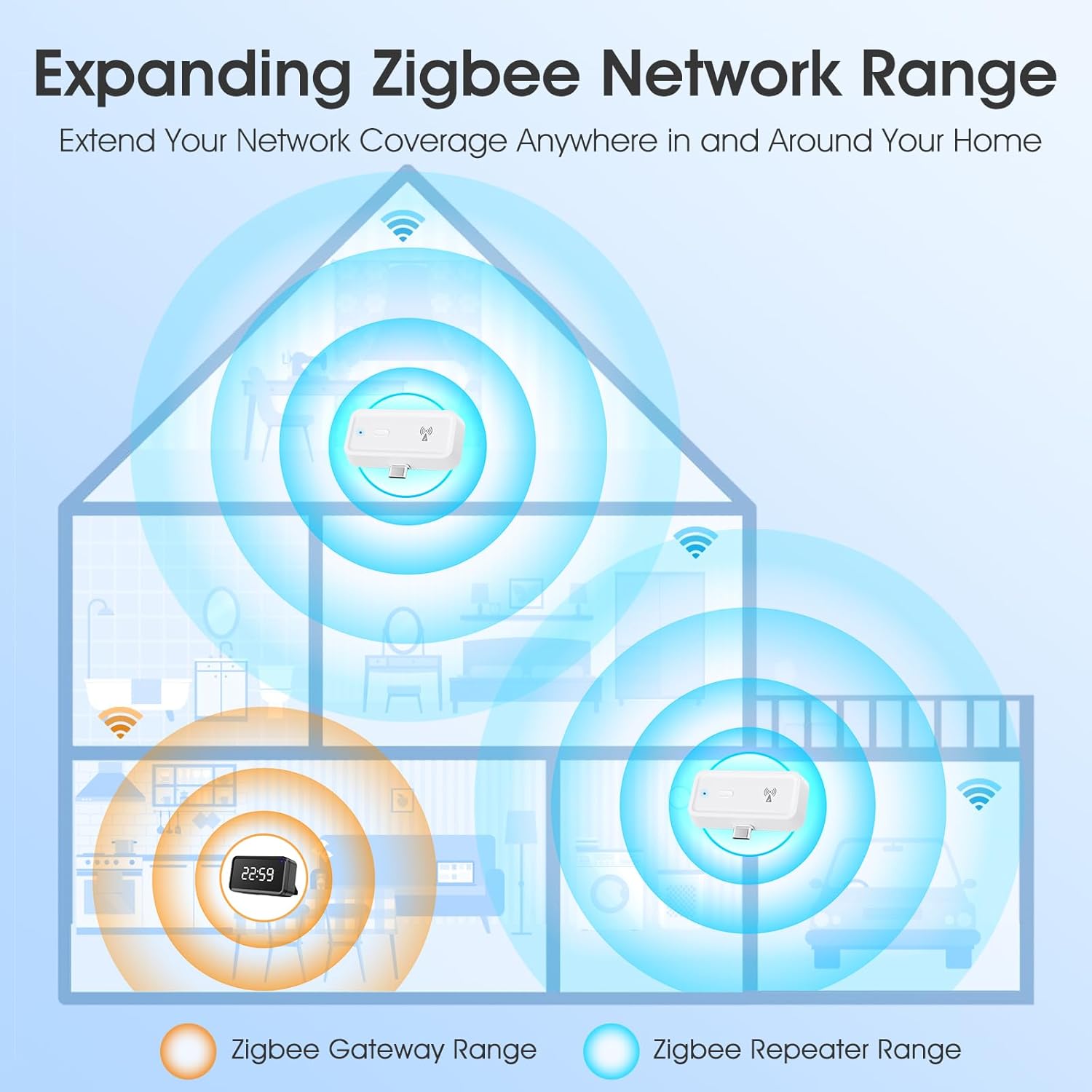
Image: A diagram illustrating how the Zigbee Repeater extends the network coverage from the Zigbee Gateway to various areas of a home.
Smart Life App Features:
- Senyal Viewing: Monitor the signal strength of your Zigbee devices within the 'Smart Life' app to ensure optimal connectivity.
- Notificacions fora de línia: Receive alerts if any of your Zigbee devices go offline, allowing you to address connectivity issues promptly.
- Compartició de dispositius: Share control of your Zigbee devices with family members through the 'Smart Life' app.
- Group Creation: Organize multiple Zigbee devices into groups for simultaneous control and automation.

Image: Screenshots from the Smart Life app demonstrating features like signal viewing, offline notifications, device sharing, and creating device groups.
Control de veu:
Integrate your Zigbee network with Amazon Alexa or Google Home for convenient voice control of connected devices. Ensure your Zigbee gateway supports these platforms and follow their respective setup instructions for integration.
Video: This video showcases various smart home devices, including the Zigbee Repeater, working together and being controlled via a smart home system.
5. Manteniment
The SMATRUL Zigbee 3.0 Range Extender requires minimal maintenance to ensure continuous operation.
- Neteja: Feu servir un drap suau i sec per netejar el dispositiu. Eviteu utilitzar netejadors líquids o aerosols.
- Col·locació: Assegureu-vos que el dispositiu estigui col·locat en un lloc ben ventilat, allunyat de la llum solar directa, de fonts de calor i de la humitat.
- Actualitzacions de firmware: Periodically check the 'Smart Life' app for any available firmware updates for the extender and your Zigbee gateway to ensure optimal performance and security.
6. Solució De Problemes
If you encounter issues with your Zigbee 3.0 Range Extender, refer to the following troubleshooting tips:
| Problema | Causa possible | Solució |
|---|---|---|
| Device not pairing/connecting to gateway. | Extender not in pairing mode; Gateway too far; Interference. | Ensure extender's indicator light is flashing rapidly. Move extender closer to the gateway. Check for other wireless devices causing interference. Re-attempt pairing. |
| Weak signal strength for connected devices. | Extender placement is not optimal; Obstructions. | Relocate the extender to a central position between the gateway and the weak-signal devices. Minimize physical obstructions like thick walls or large metal objects. |
| Extender frequently goes offline. | Unstable power supply; Gateway connectivity issues. | Ensure the USB-C power source is stable. Check the connection and status of your Zigbee gateway. |
| El control per veu no funciona. | Incorrect integration with Alexa/Google Home; Gateway not compatible. | Verify that your Zigbee gateway is properly linked to your Amazon Alexa or Google Home account. Ensure the gateway model supports voice control. |
7. Especificacions
Detailed technical specifications for the SMATRUL Zigbee 3.0 Range Extender.
| Característica | Detall |
|---|---|
| Dimensions del producte | 59D x 12W x 35H millimeters (5.89 x 1.19 x 3.48 cm) |
| Pes de l'article | 19 grams |
| Marca | SMATRUL |
| Número de model de l'article | 1PCS |
| Comunicació sense fils estàndard | 802.11n (for Wi-Fi compatibility, Zigbee 3.0 for primary function) |
| Classe de banda de freqüència | Banda única (2.4 GHz) |
| Freqüència | 2.4 GHz |
| Tipus de connector | USB tipus C |
| Interval | Up to 7600 square feet (indoor) |
| Potència de sortida | Fins a 20 dB |
| Dispositius compatibles | Amazon Alexa, Google Home, any wireless network devices, routers, modems and Wi-Fi devices that comply with the 802.11N/B/G protocol, such as smartphones, tablets, laptops, smart TVs, etc. |
| Certificacions | CE, RoHS, FCC |
8. Garantia i Suport
The SMATRUL Zigbee 3.0 Range Extender is manufactured to high-quality standards and has passed CE, RoHS, and FCC certifications.
Atenció al client:
For any questions, technical assistance, or warranty claims, please refer to the contact information provided with your purchase or visit the official SMATRUL weblloc de recursos de suport.