Introducció
Welcome to the user manual for your Sentry HPXBTA800 Wireless Earbuds. These earbuds are designed to provide a premium audio experience with active noise canceling technology, seamless Bluetooth connectivity, and comfortable noise reduction pads. This manual will guide you through the setup, operation, and maintenance of your new earbuds.
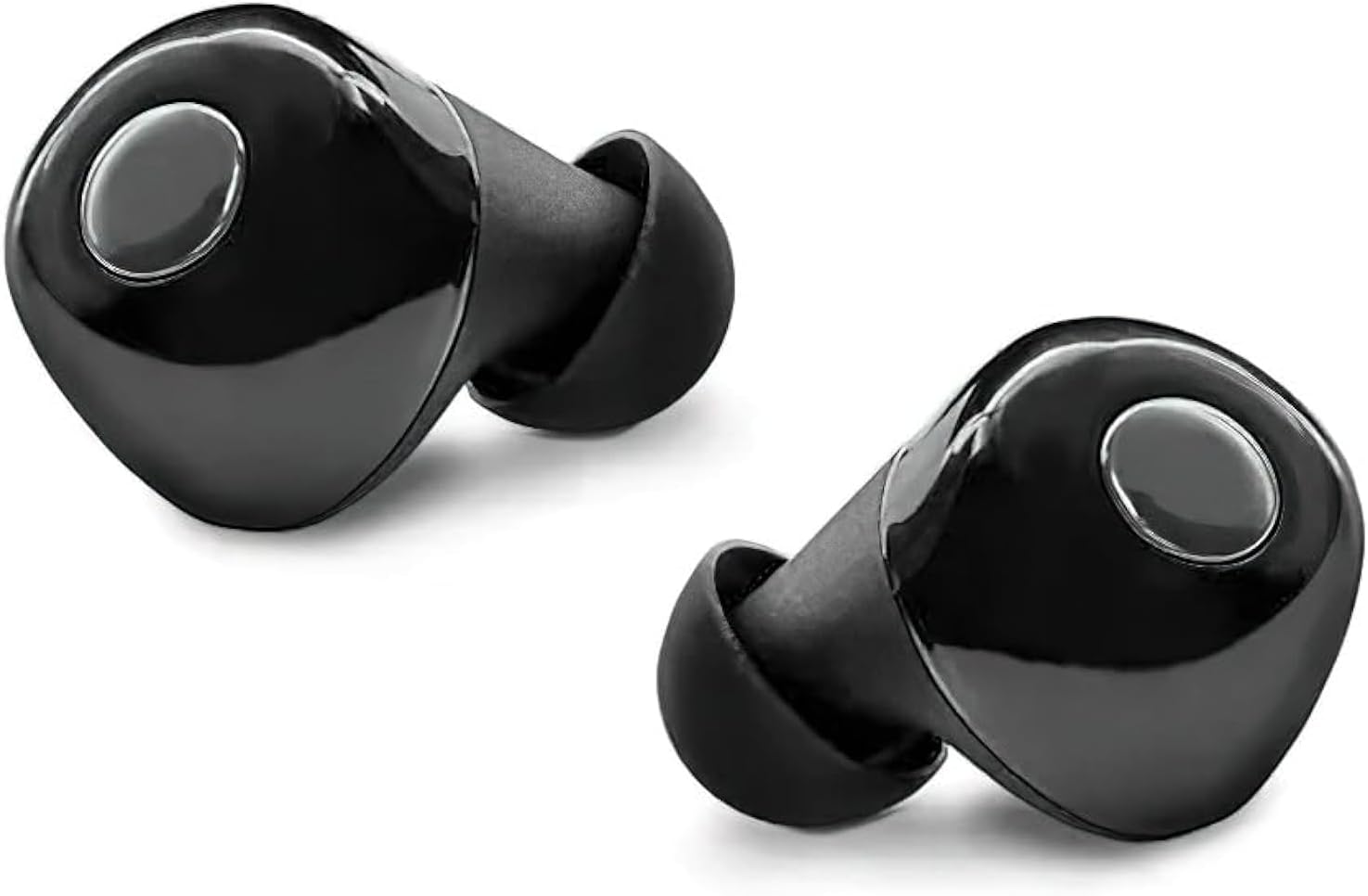
Figure 1: Sentry HPXBTA800 Wireless Earbuds
Vídeo 1: Producte oficial acabatview of the Sentry HPXBTA800 Wireless Earbuds, highlighting key features and design.
Característiques clau
- Cancel·lació activa de soroll: Redueix el soroll ambiental per a una experiència auditiva immersiva.
- Connectivitat sense fil Bluetooth: For seamless pairing with your devices.
- Extra Soft Noise Reduction Pads: Ensures comfort during extended use and enhances passive noise isolation.
- Micròfon en línia: Permet trucades de mans lliures nítides.
- Botons de control tàctil: Intuitive controls for managing audio playback and calls.

Figure 2: Sentry HPXBTA800 Wireless Earbuds Product Packaging
Què hi ha a la caixa
- Sentry HPXBTA800 Wireless Earbuds (Left and Right)
- Estació de càrrega (estoig de càrrega)
- Manual d'usuari (aquest document)
- USB Charging Cable (Not explicitly listed but standard for charging station)
Configuració
1. Càrrega dels auriculars i l'estoig
Before first use, ensure both the earbuds and the charging case are fully charged. Place the earbuds into their respective slots in the charging case. Connect the charging case to a power source using the provided USB cable. The LED indicators on the case will show the charging status.

Figure 3: Earbuds in Charging Case with LED Indicators
2. Emparellament Bluetooth
- Assegureu-vos que els auriculars estiguin carregats i dins de l'estoig de càrrega.
- Obre l'estoig de càrrega. Els auriculars entraran automàticament en mode d'emparellament i els seus indicadors lluminosos parpellejaran.
- Al dispositiu (telèfon intel·ligent, tauleta, ordinador portàtil), aneu a la configuració de Bluetooth.
- Cerca new devices and select "HPXBTA800" from the list.
- Once connected, the earbud indicator lights will stop flashing, and your device will confirm the connection.
Instruccions de funcionament
Encès/Apagat
- Encès: Obriu la funda de càrrega i els auriculars s'encendran automàticament.
- Apagar: Torneu a col·locar els auriculars a l'estoig de càrrega i tanqueu la tapa. S'apagaran automàticament i començaran a carregar-se.
Controls tàctils
The Sentry HPXBTA800 earbuds feature intuitive touch controls on the outer surface of each earbud. Refer to the diagram below for the touch control area.
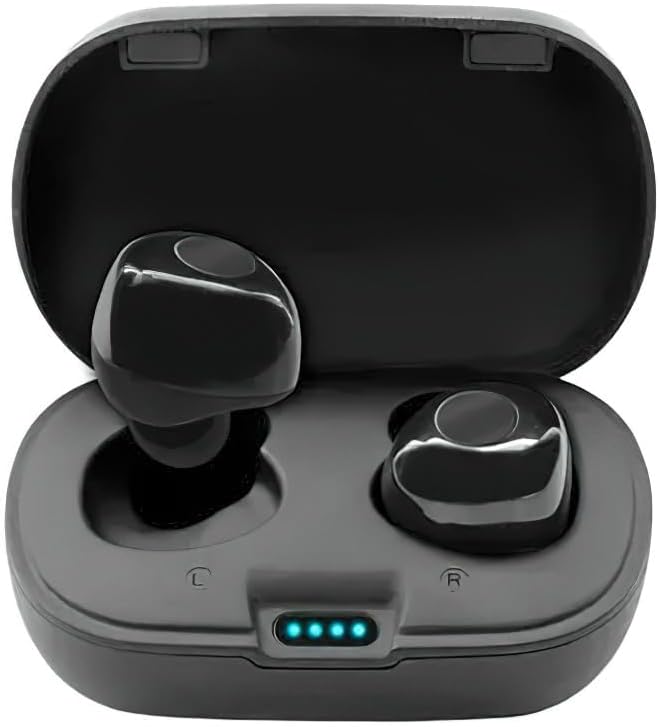
Figure 4: Earbud Touch Control Area
| Acció | Funció |
|---|---|
| Toc únic (esquerra/dreta) | Reproduir/Pausar música, Respondre/Finalitzar trucada |
| Doble toc (dreta) | Pista següent |
| Doble toc (esquerra) | Pista anterior |
| Premda llarga (esquerra/dreta) | Activate/Deactivate Active Noise Canceling (ANC) |
| Toc triple (esquerra/dreta) | Activa l'Assistent de veu |
Cancel·lació activa de soroll (ANC)
The active noise canceling feature helps to reduce ambient sounds, providing a more focused listening experience. To toggle ANC on or off, perform a long press on either the left or right earbud's touch control area.
Fer i rebre trucades
The in-line microphone allows for hands-free communication. When a call comes in, simply single tap either earbud to answer. To end a call, single tap again. To reject an incoming call, long press the touch control area.
Manteniment
- Neteja: Netegeu regularment els auriculars i l'estoig de càrrega amb un drap suau, sec i sense borrissol. No utilitzeu productes químics agressius ni materials abrasius.
- Emmagatzematge: Quan no els utilitzeu, guardeu els auriculars a la seva funda de càrrega per protegir-los i mantenir-los carregats. Eviteu temperatures extremes.
- Cura de la bateria: Per allargar la durada de la bateria, evita descarregar completament els auriculars amb freqüència. Carrega'ls regularment, fins i tot si no els fas servir durant períodes prolongats.
Resolució de problemes
- Auriculars que no s'emparellan: Ensure both earbuds are charged. Place them back in the case, close the lid, wait a few seconds, then open the lid again to re-initiate pairing mode. Check your device's Bluetooth settings and try forgetting the device before re-pairing.
- No se sent cap so d'un auricular: Ensure both earbuds are properly seated in the charging case and fully charged. Try resetting the earbuds by placing them in the case and then taking them out.
- Problemes de càrrega: Verify the charging cable and adapter are working correctly. Ensure the charging contacts on the earbuds and inside the case are clean and free of debris.
- ANC not working: Ensure the ANC feature is activated via the touch control (long press). Check for any physical obstructions or damage to the earbuds.
- Qualitat de trucada baixa: Ensure the microphone is not obstructed. Check your device's network connection.
Especificacions
| Característica | Detall |
|---|---|
| Nom del model | HPXBTA800 |
| Control de soroll | Cancel·lació activa del soroll |
| Tecnologia de connectivitat | Sense fil (Bluetooth) |
| Unitat de Conductor | 40 mm |
| Interval de freqüència | 20 Hz - 20 kHz |
| Impedància | 32 +/- 3 ohms |
| Potència nominal | 150 mW |
| Tipus de control | Control multimèdia, tàctil |
| Micròfon | Micròfon en línia |
| Col·locació de l'orella | A l'orella |
| Factor de forma | A l'orella |
| Color | Negre |
| Pes de l'article | 8 unces |
| Dimensions del paquet | 7 x 4 x 1.5 polzades |
| Components inclosos | Estació de càrrega |
Garantia i Suport
For warranty information, technical support, or service inquiries, please refer to the contact information provided with your product packaging or visit the official Sentry weblloc web. Conserveu el comprovant de compra per a qualsevol reclamació de garantia.