Introducció
Welcome to the user manual for your Sentry HPXBTA100 True Wireless Earbuds. These earbuds are designed to provide a premium audio experience with advanced features such as Active Noise Canceling, an in-line microphone for clear calls, and intuitive touch controls. This manual will guide you through the setup, operation, maintenance, and troubleshooting of your new earbuds.

Image: Sentry HPXBTA100 True Wireless Earbuds with their charging case.
Què hi ha a la caixa
Upon opening your Sentry HPXBTA100 package, you should find the following items:
- Sentry HPXBTA100 True Wireless Earbuds (Left and Right)
- Estoig de càrrega
- Manual d'usuari (aquest document)
- Cable de càrrega USB
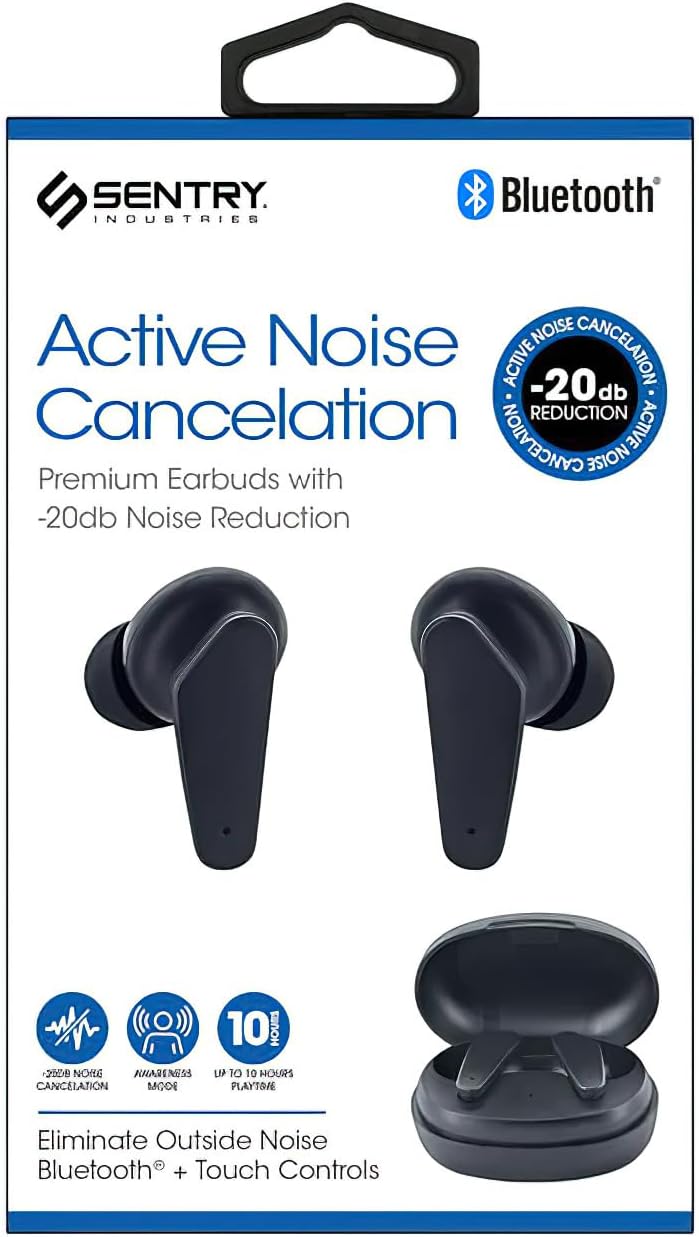
Image: Retail packaging of the Sentry HPXBTA100 Earbuds, showing the earbuds and case.
Característiques del producte
The Sentry HPXBTA100 earbuds are equipped with several features designed to enhance your listening experience:
- Cancel·lació activa de soroll (ANC): Reduces ambient noise for immersive audio.
- Extra Soft Noise Reduction Earpads: Provides comfort and aids in passive noise isolation.
- Micròfon en línia: Permet trucades de mans lliures nítides.
- Botons de control tàctil: Intuitive controls for managing audio playback and calls.
- Connectivitat sense fils: Utilizes Bluetooth for seamless connection to your devices.
Vídeo: Un overview of the Sentry HPXBTA100 True Wireless Earbuds, highlighting key features and design.
Guia de configuració
1. Càrrega dels auriculars i l'estoig
Abans del primer ús, assegureu-vos que tant els auriculars com l'estoig de càrrega estiguin completament carregats.
- Col·loqueu els auriculars a les ranures respectives de la caixa de càrrega.
- Connecteu la funda de càrrega a una font d'alimentació USB amb el cable USB proporcionat.
- Els indicadors lluminosos de la funda i/o dels auriculars mostraran l'estat de càrrega.
- Un cop estigui completament carregat, desconnecteu el cable.

Image: The Sentry HPXBTA100 Earbuds resting inside their open charging case.
2. Emparellament amb el dispositiu
Segueix aquests passos per emparellar els auriculars amb un dispositiu amb Bluetooth:
- Assegureu-vos que els auriculars estiguin carregats i col·locats a l'estoig de càrrega.
- Obre l'estoig de càrrega. Els auriculars entraran automàticament en mode d'emparellament.
- Al dispositiu (telèfon intel·ligent, tauleta, ordinador portàtil), aneu a la configuració de Bluetooth i activeu el Bluetooth.
- Cerca available devices. You should see "HPXBTA100" or "Sentry HPXBTA100" in the list.
- Select the earbuds to connect. Once connected, you will hear an audio prompt, and the indicator light on the earbuds will change.
- Els auriculars es tornaran a connectar automàticament a l'últim dispositiu emparellat quan es treguin de l'estoig, si el Bluetooth està activat al dispositiu.
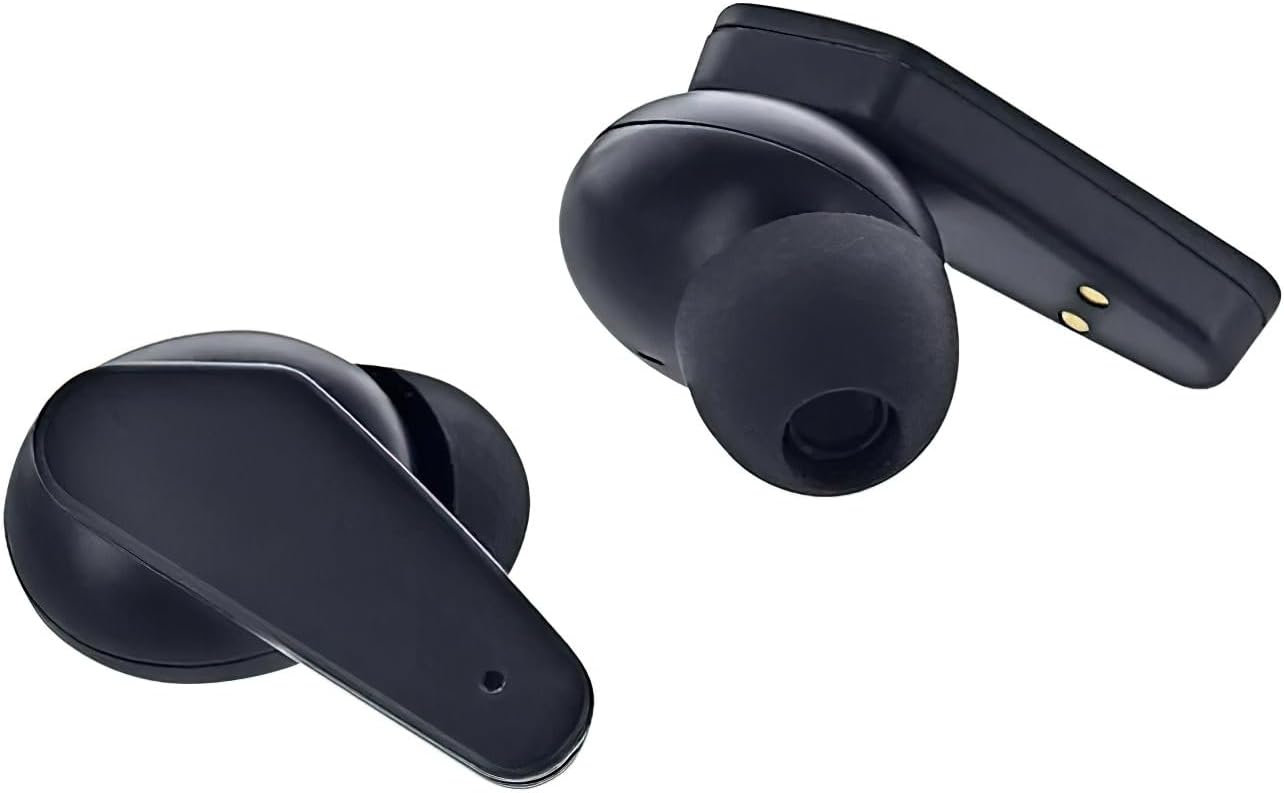
Image: Close-up of the Sentry HPXBTA100 Earbuds, highlighting their design and charging contacts.
Instruccions de funcionament
Controls tàctils
The Sentry HPXBTA100 earbuds feature intuitive touch controls on each earbud. The specific functions may vary slightly, but common controls include:
- Toc senzill: Reproduir/Pausar música, Respondre/Finalitzar trucada.
- Doble toc (auricular esquerre): Pista anterior.
- Doble toc (auricular dret): Pista següent.
- Toca tres vegades: Activa l'assistent de veu.
- Premda llarga (auricular esquerre): Disminuir el volum.
- Premda llarga (auricular dret): Augmenta el volum.
- Long Press (Either Earbud, during call): Rebutja la trucada.
- Long Press (Either Earbud, not during call): Toggle Active Noise Canceling (ANC) / Awareness Mode.
Note: Specific touch control functions might be detailed further in the product's quick start guide or on the manufacturer's weblloc.
Active Noise Canceling (ANC) and Awareness Mode
Your earbuds are equipped with Active Noise Canceling technology to minimize external distractions. Awareness Mode allows you to hear your surroundings while still enjoying your audio.
- To toggle between ANC, Awareness Mode, and normal mode, perform a long press on the designated touch control area of either earbud.
- An audio prompt will indicate the current mode.
Manteniment
Neteja dels auriculars
Una neteja regular ajuda a mantenir la qualitat del so i la higiene.
- Feu servir un drap suau, sec i sense borrissol per netejar els auriculars i l'estoig de càrrega.
- For ear tips, gently remove them and clean with a mild soap solution if necessary, then rinse and dry thoroughly before reattaching.
- No utilitzeu netejadors abrasius, alcohol ni dissolvents químics.
- Eviteu que entri humitat a cap obertura.
Emmagatzematge
When not in use, store your earbuds in their charging case to protect them and keep them charged. Store in a cool, dry place away from extreme temperatures.
Resolució de problemes
If you encounter issues with your Sentry HPXBTA100 earbuds, try the following solutions:
| Problema | Solució |
|---|---|
| Els auriculars no s'aparellen |
|
| No hi ha so dels auriculars |
|
| El micròfon no funciona |
|
| Active Noise Canceling not effective |
|
Especificacions
Detailed technical specifications for the Sentry HPXBTA100 True Wireless Earbuds:
| Característica | Detall |
|---|---|
| Nom del model | HPXBTA100 |
| Tecnologia de connectivitat | Sense fil (Bluetooth) |
| Unitat d'accionament | 40 mm |
| Interval de freqüència | 20Hz - 20KHz |
| Sensibilitat | 100 dB +/- 3 dB |
| Impedància | 32 +/- 3 Ohms |
| Potència nominal | 150 mW |
| Tipus de control | Control multimèdia (tàctil) |
| Control de soroll | Cancel·lació activa del soroll |
| Pes de l'article | 6.4 unces |
| Dimensions del paquet | 6.93 x 4.02 x 1.54 polzades |
Garantia i Suport
Informació de la garantia
Your Sentry HPXBTA100 True Wireless Earbuds come with a standard manufacturer's warranty. Please refer to the product packaging or the manufacturer's official website for specific warranty terms and conditions, including coverage duration and claim procedures. Keep your proof of purchase for warranty claims.
Atenció al client
For further assistance, technical support, or inquiries not covered in this manual, please contact Sentry customer support. Contact details can typically be found on the product packaging, the manufacturer's official weblloc web o a través del vostre distribuïdor.
Recursos en línia: For the most up-to-date information, FAQs, and additional support, please visit the official Sentry product page or support section online.