
Introducció
This manual provides essential information for setting up, operating, and maintaining your Nubia Flip 5G smartphone. Please read this guide thoroughly to ensure proper use and to maximize the device's features. Keep this manual for future reference.
Què hi ha a la caixa
Upon unboxing your Nubia Flip 5G, verify that all the following items are present:
- Nubia Flip 5G Smartphone
- Cable USB
- Adaptador d'alimentació
- Auriculars
- Eina expulsora de SIM
- Quick Start Guide (separate document, not included in this digital manual)
Disseny del dispositiu
Familiarize yourself with the physical components and buttons of your Nubia Flip 5G.

Figura 1: Acabatview of the Nubia Flip 5G in various states and angles, highlighting its foldable design and external features.
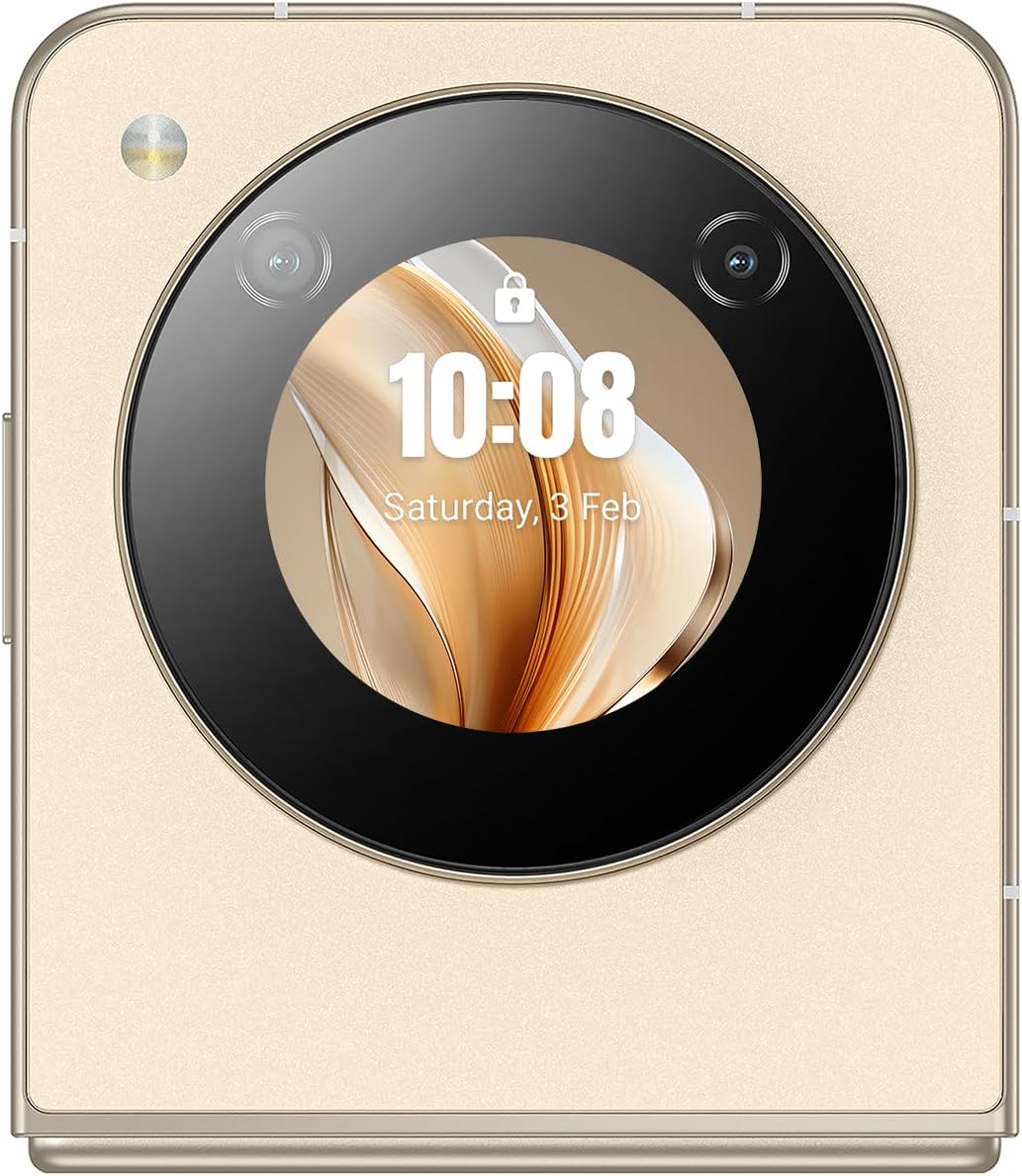
Figura 2: Costat detallat view of the Nubia Flip 5G, illustrating the placement of the power button (which often integrates a fingerprint sensor), volume control buttons, and the USB-C charging/data port.
- Pantalla principal: The primary 6.9-inch foldable screen.
- Pantalla de portada: A circular external display for quick information and interactions when folded.
- Botó d'engegada/Sensor d'empremtes dactilars: Located on the side, used to power on/off and unlock the device.
- Botons de volum: Ajusta el volum multimèdia i de les trucades.
- Port USB-C: Per a càrrega i transferència de dades.
- Safata de la targeta SIM: Slot for inserting Nano-SIM cards.
- Càmera principal: High-resolution camera system on the rear.
- Càmera frontal: Camera located on the main display for selfies and video calls.
Configuració
1. Inseriu la targeta SIM
- Localitza la safata de la targeta SIM al lateral del dispositiu.
- Introduïu l'eina d'expulsió de la SIM al forat petit que hi ha al costat de la safata per obrir-la.
- Place your Nano-SIM card(s) into the tray with the gold contacts facing down. The Nubia Flip 5G supports Dual SIM functionality.
- Empenyeu amb cura la safata cap a dins de la ranura fins que quedi alineada amb el cos del dispositiu.
2. Engegada inicial
Press and hold the Power button until the Nubia logo appears on the screen. The device will boot up.
3. Configuració bàsica
Follow the on-screen prompts to complete the initial setup process. This typically includes:
- Selecció del vostre idioma.
- Connexió a una xarxa Wi-Fi.
- Inici de sessió amb el vostre compte de Google.
- Configuració del bloqueig de pantalla (PIN, patró, contrasenya o empremta digital).
- Reviewi acceptant els termes i condicions.
Funcionament del vostre dispositiu
1. Plegar i desplegar
The Nubia Flip 5G features a durable hinge mechanism designed for frequent folding and unfolding. Always unfold the device gently and avoid applying excessive pressure to the screen crease.

Figura 3: The Nubia Flip 5G in its fully unfolded state, ready for full-screen interaction.
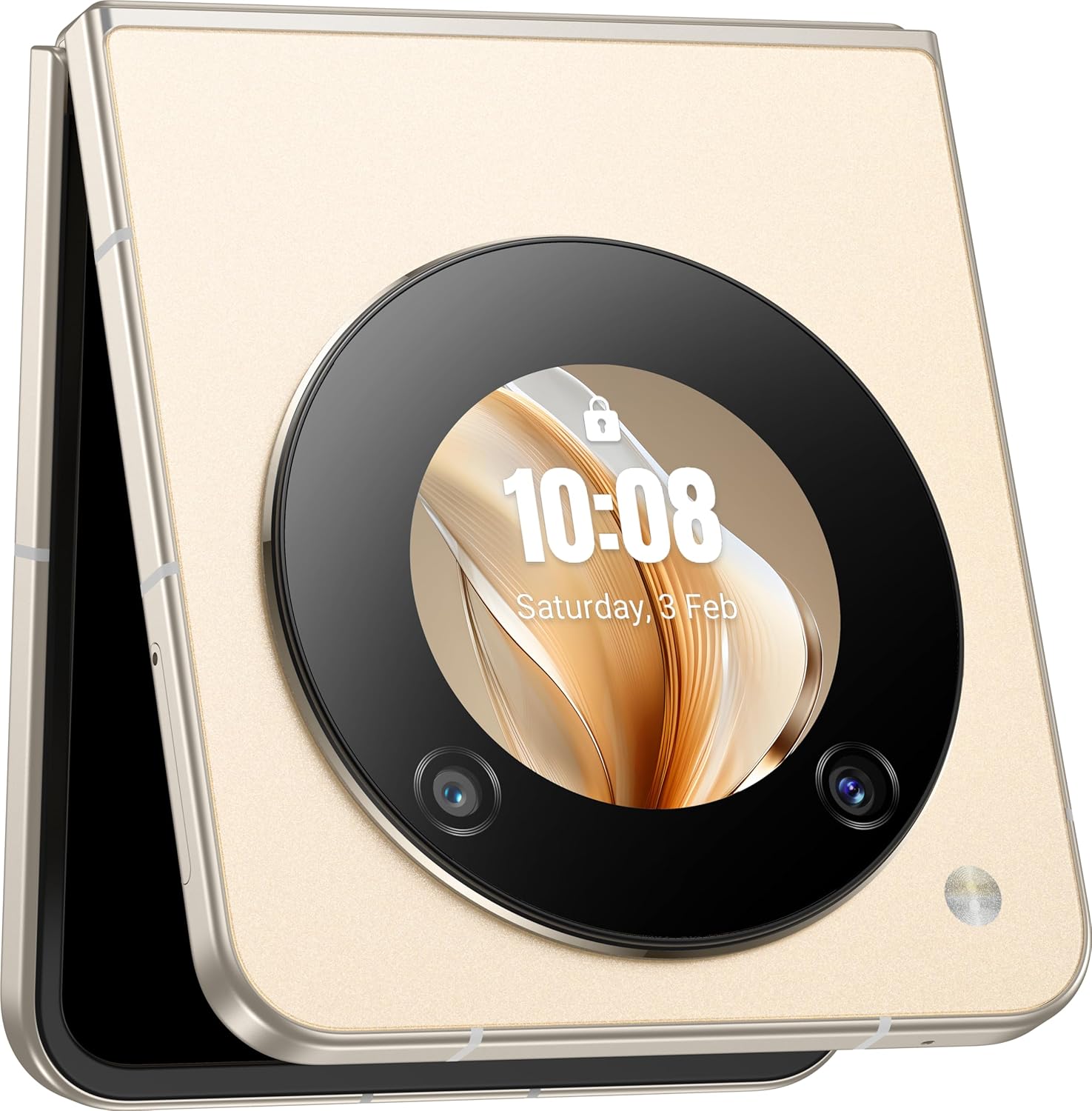
Figura 4: The Nubia Flip 5G in its compact, folded state, showcasing the functional cover screen.
2. Ús de la pantalla principal
When unfolded, the 6.9-inch FHD+ display provides a full smartphone experience. Navigate using touch gestures, access apps, browse the internet, and enjoy multimedia content.
3. Cover Screen Usage
The circular cover screen allows for quick access to notifications, time, date, and other widgets without unfolding the phone. It can also be used for quick selfies with the main camera.

Figura 5: The cover screen displaying a live preview for taking selfies using the high-resolution main camera.
4. Funcions de la càmera
The device features a 50 MP main camera and a front camera. Access the camera app to capture photos and videos. Utilize various modes such as Portrait, Night, and Pro mode for enhanced photography.

Figura 6: The Nubia Flip 5G in a flexed position, demonstrating its utility for hands-free video calls or content viewing.
5. Connectivitat
- Xarxa 5G: Enjoy high-speed mobile data connectivity. Ensure your SIM card and plan support 5G.
- Wi-Fi: Connecteu-vos a xarxes sense fil per accedir a Internet. Aneu a Configuració > Xarxa i Internet > Wi-Fi.
- Bluetooth: Pair with wireless headphones, speakers, and other Bluetooth devices. Go to Settings > Connected devices > Bluetooth.
- NFC: Utilitzeu la comunicació de camp proper per a pagaments sense contacte i per compartir dades ràpidament.
6. Gestió de la bateria
The Nubia Flip 5G is equipped with a 4310 mAh battery and supports 33W fast charging. To optimize battery life:
- Ajusteu la brillantor de la pantalla.
- Disable unused connectivity features (Wi-Fi, Bluetooth, GPS).
- Tanca les aplicacions en segon pla.
- Utilize battery saver modes.
Manteniment
1. Neteja del dispositiu
Use a soft, lint-free cloth to clean the screen and body of your phone. Avoid abrasive materials or harsh chemicals. For the foldable screen, wipe gently from the center outwards.
2. Actualitzacions de programari
Comproveu i instal·leu regularment si hi ha actualitzacions de programari per assegurar-vos que el dispositiu tingui les funcions, els pegats de seguretat i les millores de rendiment més recents. Aneu a Configuració > Sistema > Actualització del sistema.
3. Gestió de l'emmagatzematge
Amb 256 GB d'emmagatzematge intern, tens ample space for apps and media. Periodically review your storage usage and delete unnecessary files or apps to maintain optimal performance. Go to Settings > Storage.
Resolució de problemes
Problemes comuns i solucions
- El dispositiu no s'encén: Assegureu-vos que la bateria estigui carregada. Connecteu-la a l'adaptador de corrent i torneu-ho a provar.
- Les aplicacions es bloquegen: Clear the app's cache (Settings > Apps > [App Name] > Storage & cache > Clear cache) or reinstall the app.
- Senyal de xarxa deficient: Comproveu la inserció de la targeta SIM. Desplaceu-vos a una zona amb millor cobertura de xarxa.
- La pantalla no respon: Reinicieu el dispositiu mantenint premut el botó d'engegada.
Restabliment de fàbrica
Avís: Un restabliment de fàbrica esborrarà totes les dades del dispositiu. Fes una còpia de seguretat de les dades importants abans de continuar.
To perform a factory reset, go to Settings > System > Reset options > Erase all data (factory reset).
Especificacions
| Característica | Detall |
|---|---|
| Nom del model | Nubia Flip |
| Número de model | 123434301000 |
| Sistema operatiu | Android 13.0 |
| Processador | Qualcomm Snapdragon 7 Gen1, Octa-Core, 2.4 GHz |
| RAM | 8 GB |
| Emmagatzematge intern | 256 GB |
| Pantalla principal | 6.9 Inch FHD+ (1080 x 1920), 120 Hz Refresh Rate |
| Càmera principal | 50 MP |
| Càmera frontal | 50M AF 2M FF |
| Capacitat de la bateria | 4310 mAh |
| Carregant | 33W Fast Charging Support |
| Connectivitat | 5G, Wi-Fi, Bluetooth, NFC, USB-C |
| Dimensions (plegades) | Approximately 8.5 x 7.55 x 1.4 cm (estimated from unfolded dimensions) |
| Dimensions (desplegades) | 17 x 7.55 x 0.7 cm |
| Pes | 209 g |
| Característiques especials | Dual SIM, Foldable Screen, Cover Screen |
Informació de seguretat
Si us plau, observeu les següents pautes de seguretat per evitar danys al dispositiu o lesions personals:
- No exposeu el dispositiu a temperatures extremes, llum solar directa ni humitat.
- Eviteu deixar caure el dispositiu ni sotmetre'l a impactes forts.
- Feu servir només carregadors i accessoris aprovats.
- No intenteu desmuntar o reparar el dispositiu vosaltres mateixos.
- Keep the device away from medical implants, as it contains magnets.
- Desfeu-vos del dispositiu i de la bateria de manera responsable d'acord amb la normativa local.
Garantia i Suport
Your Nubia Flip 5G comes with a standard manufacturer's warranty. For detailed warranty terms and conditions, please refer to the warranty card included in your product packaging or visit the official Nubia weblloc.
For technical support, troubleshooting assistance, or service inquiries, please contact Nubia customer support through their official channels. You may find contact information on the Nubia weblloc web o a la documentació del producte.
Recursos en línia: For additional support and FAQs, visit the official Núbia weblloc.