
1. Introducció
Thank you for choosing the HiBy R4 Android MP3 Player. This manual provides essential information for setting up, operating, and maintaining your device. The HiBy R4 is a high-fidelity digital audio player featuring Android 12, a quad-DAC array, Bluetooth 5.0, Wi-Fi connectivity, and support for various high-resolution audio formats including DSD, PCM, and MQA.
2. Contingut del paquet
Si us plau, comproveu el paquet per veure si hi ha els elements següents:
- HiBy R4 Digital Audio Player
- Cable de càrrega USB
- Manual d'usuari
3. Dispositiu acabatview
The HiBy R4 features a distinctive industrial design with a 4.7-inch high-resolution LCD screen. Familiarize yourself with the device's physical layout, including buttons, ports, and display.

Figura 3.1: Frontal view of the HiBy R4 Digital Audio Player, showcasinla seva pantalla de 4.7 polzades i el seu disseny elegant.
The device includes both a 3.5mm single-ended output and a 4.4mm balanced output for versatile headphone connectivity, alongside a standard Type-C port for charging and data transfer.

Figura 3.2: Primer pla view of the HiBy R4's audio output ports (4.4mm Balanced, 3.5mm SE) and the USB Type-C port.
4. Configuració
4.1 Càrrega del dispositiu
Before first use, fully charge your HiBy R4. Connect the included USB charging cable to the device's Type-C port and a compatible 20W PD charger. A full charge typically takes approximately 2 hours.
4.2 Engegada/apagada
- Per engegar: premeu i manteniu premut el botó d'engegada fins que la pantalla s'il·lumini.
- To power off: Press and hold the power button, then select 'Power off' from the on-screen options.
- To restart: Press and hold the power button, then select 'Restart' from the on-screen options.
4.3 Configuració inicial d'Android
Upon first power-on, follow the on-screen prompts to complete the initial Android 12 setup, including language selection, Wi-Fi connection, and Google account login (optional).
4.4 Inserció d'una targeta Micro SD
The HiBy R4 comes with 32GB of internal storage. For expanded storage, you can insert a Micro SD card (up to 2TB) into the designated slot. Ensure the device is powered off before inserting or removing the card.
5. Instruccions de funcionament
5.1 Navegació per Android 12
The HiBy R4 runs on an open Android 12 system, allowing for a familiar smartphone-like experience. Swipe gestures and on-screen buttons are used for navigation. You can install third-party applications from the Google Play Store or other sources.

Figure 5.1: The HiBy R4's interface running on the Open Android 12 system.
5.2 Reproducció d'àudio Files
Use the pre-installed HiBy Music app or your preferred third-party music player to browse and play audio files stored on the device's internal memory or Micro SD card. The R4 supports various high-resolution formats including DSD, PCM, and MQA.
5.3 Control de volum
Adjust the volume using the physical volume buttons on the side of the device or through the on-screen volume slider in the notification panel.
5.4 User-Defined Function (FN) Key
The FN key on the device can be customized for quick access to various functions such as key lock or screen rotation. Configure its behavior in the device settings.
6. Connectivitat
6.1 Bluetooth 5.0
The HiBy R4 features bidirectional Bluetooth 5.0, allowing it to send audio to Bluetooth headphones/speakers and receive audio from other Bluetooth devices. It supports high-definition codecs including UAT, LDAC, aptX, aptX HD, AAC, and SBC.

Figure 6.1: Diagram illustrating the HiBy R4's bidirectional Bluetooth audio capabilities and supported codecs.
6.2 connexions Wi-Fi
Connect the HiBy R4 to a Wi-Fi network (2.4 GHz or 5 GHz) to access online streaming services, download apps, and perform firmware updates. It also supports DLNA/AirPlay/WiFi transmission for seamless audio sharing.
Connectivitat USB 6.3
The Type-C port supports USB2.0 and USB3.2 Gen1 for fast data transfer. It can also function as a USB DAC or provide SPDIF output.
7. Funcions d'àudio
The HiBy R4 is engineered for high-fidelity audio reproduction.
- Quad-DAC Array: Equipped with four ES9018C2M DACs for superior digital-to-analog conversion.
- Dual-Circuit Design: Features a unique dual-circuit design for PCM/DSD, optimizing audio processing for different file tipus.
- Classe A Amplificació: An integrated Class A headphone amplifier ensures robust and clean audio output.
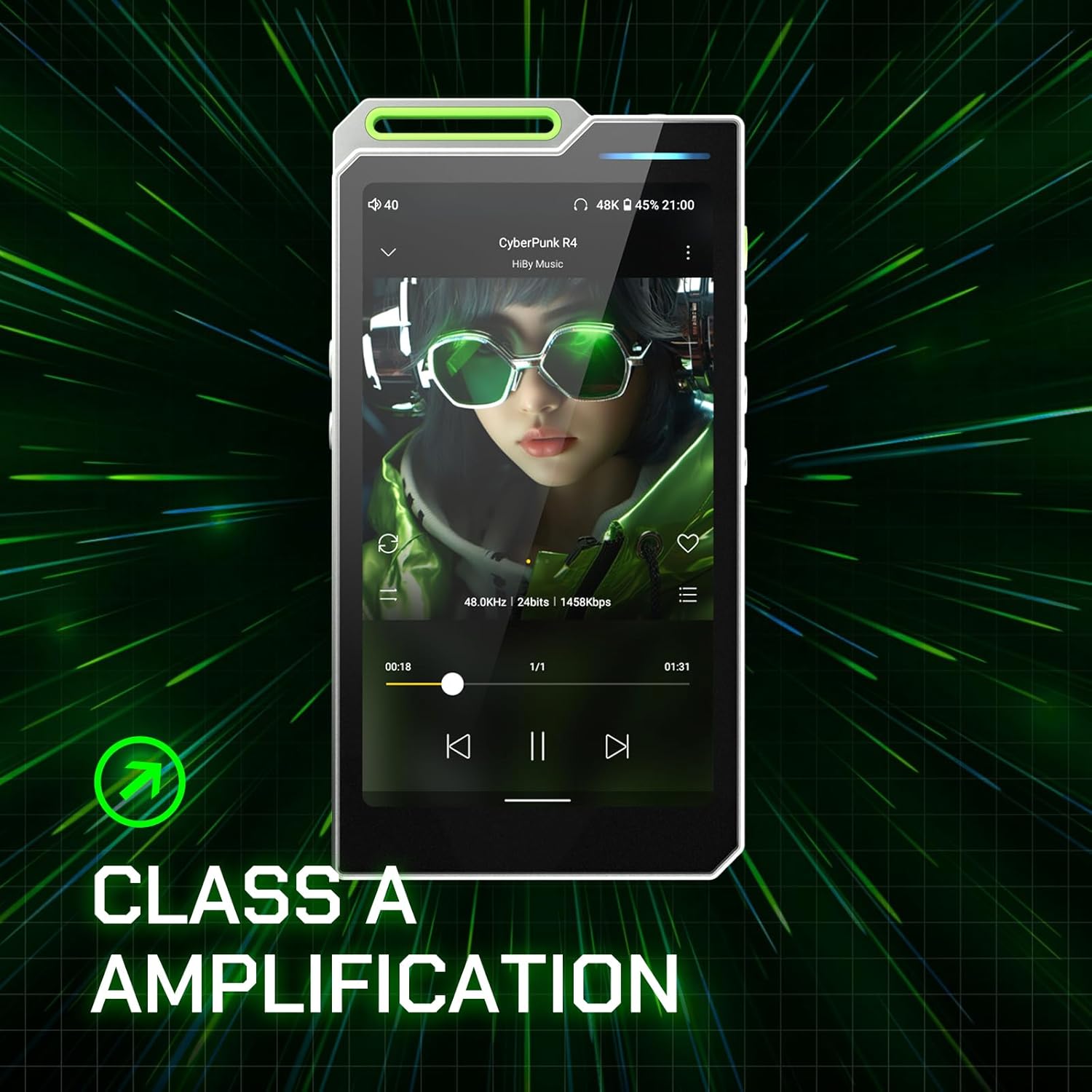
Figure 7.1: Visual representation of the Class A Amplification feature in the HiBy R4.
- Suport d'àudio d'alta resolució: Supports DSD 256, PCM up to 768kHz/32bit, and MQA 16x unfolding.

Figure 7.2: Graphic highlighting the HiBy R4's support for DSD 256, PCM 768kHz/32bit, and MQA 16x unfolding.
- Femtosecond-Grade Audio Clock: Utilizes specialized low-noise crystal oscillators (45.158 MHz and 49.152 MHz) for precise timing and reduced jitter.
8. Manteniment
8.1 Neteja del dispositiu
Use a soft, dry, lint-free cloth to clean the device's screen and body. Avoid using harsh chemicals or abrasive materials that could damage the finish.
8.2 Durada de la bateria
To maximize battery life, avoid exposing the device to extreme temperatures. For long-term storage, charge the battery to approximately 50% and store it in a cool, dry place.
8.3 actualitzacions de microprogramari
The HiBy R4 supports OTA (Over-The-Air) automatic firmware updates. Ensure your device is connected to Wi-Fi to receive and install the latest updates, which can improve performance and add new features.
9. Solució De Problemes
If you encounter issues with your HiBy R4, refer to the following common solutions:
- El dispositiu no s'encén: Assegureu-vos que la bateria estigui carregada. Connecteu el dispositiu a un carregador i torneu-ho a provar.
- Sense sortida de so: Check headphone connections (3.5mm or 4.4mm). Verify volume levels. Ensure the correct output is selected in audio settings.
- Problemes de connectivitat (Bluetooth/Wi-Fi): Restart the device and your router/Bluetooth accessory. Ensure the device is within range.
- Device freezing or unresponsive: Premeu i manteniu premut el botó d'engegada durant aproximadament 10-15 segons per forçar un reinici.
- Mala qualitat d'àudio: Assegureu-vos que esteu utilitzant àudio d'alta qualitat files. Check headphone impedance compatibility.
If problems persist, contact HiBy customer support for further assistance.
10. Especificacions
10.1 Especificacions de maquinari

Figure 10.1: Detailed table of HiBy R4 Hardware Specifications.
| Categoria | Item | Especificació |
|---|---|---|
| General | Model | HiBy R4 |
| Sistema operatiu | Android 12 | |
| SoC | Qualcomm Snapdragon 665 | |
| DAC | ES9018C2M * 4 | |
| Amplifier Components | OPA1652*4 & OPA1612*2 | |
| Emmagatzematge | RAM | 3 GB |
| Emmagatzematge intern | 32 GB | |
| Micro SD | Fins a 2 TB | |
| Connectivitat | WiFi | Supports 2.4GHz / 5GHz |
| Bluetooth | Bluetooth 5.0 | |
| USB | USB2.0 & USB3.2 Gen1, Max Transfer Rate 5Gbps | |
| Mostra | Mida | 4.7" |
| Tipus | IPS | |
| Resolució | 720*1280 | |
| Cos | Material del xassís | Aliatge d'alumini |
| Dimensions exteriors | 129.6 * 68.3 * 18.5 mm | |
| Pes | 231 g | |
| Opcions de color | Silver, Black, Green, Orange | |
| Bateria | Tarifa de càrrega | 20W |
| Protocol de càrrega | PD 2.0 | |
| Capacitat de càrrega | 4500 mAh/3.8 V | |
| Temps de càrrega | Approx. 2 hours (via 20W PD charger) | |
| Misc | Actualitzacions de firmware | OTA Automatic |
| Third-party Apps | Unlimited Installation |
10.2 Especificacions d'àudio

Figure 10.2: Detailed table of HiBy R4 Audio Specifications for 3.5mm and 4.4mm outputs.
| Element de prova | 3.5PO (32Ω) | 4.4BAL (32Ω) |
|---|---|---|
| Vol. Màximtage Swing | 2.3Vrms | 4.1Vrms |
| Potència de sortida màxima | 165 mW | 525 mW |
| Potència de sortida nominal | 165 mW | 525 mW |
| THD mínim | 0.0007% | 0.0005% |
| Interval dinàmic | 120 dB | 124 dB |
| Sòl de soroll | 2.3 uVrms | 3.5 uVrms |
| SNR | 120 dB | 123 dB |
| Separació de canals | 71 dB | 111 dB |
| Resposta de freqüència | 20Hz-80kHz | 20Hz-80kHz |
11. Garantia i Suport
The HiBy R4 comes with a standard manufacturer's warranty. Please refer to the warranty card included in your package for specific terms and conditions. For technical support, troubleshooting assistance, or warranty claims, please contact HiBy customer service through their official weblloc o distribuïdors autoritzats.