
Soobest SO800E
Soobest 14.2" Large Display Digital Wall Clock User Manual
Model: SO800E
Introducció
Thank you for choosing the Soobest 14.2" Large Display Digital Wall Clock. This versatile clock features a large LED screen, 8-in-1 color changing display, date, day of week, temperature, and timer functions. It is designed for easy readability and convenient operation with a remote control, making it ideal for various indoor settings including living rooms, bedrooms, offices, and gyms. This manual provides detailed instructions for setup, operation, and maintenance to ensure optimal performance and longevity of your device.

Image: The Soobest 14.2" Large Display Digital Wall Clock, showcasing its vibrant multi-color display and the included remote control.
Contingut del paquet
Si us plau, reviseu el paquet acuradament per assegurar-vos que tots els articles hi són i estan en bon estat.
- 1 x Soobest 14.2" Large Display Digital Wall Clock
- 1 x comandament a distància
- 1 x adaptador d'alimentació (electricitat amb cable)
- 1 x Button Battery (for memory function, pre-installed)
- Mounting Hardware (Nails)
- Manual d'usuari (aquest document)

Image: An illustration of all items included in the Soobest Digital Wall Clock package, including the clock, remote, power adapter, and manual.
Configuració
Connexió d'alimentació
- Unpack the clock and all accessories from the box.
- Connect the power adapter cable to the "power in" port on the back of the clock.
- Connecteu l'adaptador de corrent a una presa de corrent estàndard. La pantalla del rellotge s'il·luminarà.
- The pre-installed button battery serves as a memory function, retaining time and alarm settings during power outages. It does not power the display.
Opcions de muntatge
The clock can be mounted on a wall or placed on a tabletop.
- Muntatge en paret: Use the provided nails and the mounting holes on the back of the clock to secure it to a wall. Ensure the wall can support the clock's weight (approximately 1.34 pounds).
- Taula: The clock can stand freely on a flat surface.

Image: Visual representation of the clock's dimensions and power connection, illustrating its suitability for wall mounting or tabletop use.
Instruccions de funcionament
Basic Display Information
The large LED display shows the following information at a glance:
- Hora: Large digits for hours and minutes, with smaller seconds display.
- Data: Mes i dia.
- Dia de la setmana: Indicated by illuminated abbreviations (MON, TUE, etc.).
- Temperatura interior: Displayed in Fahrenheit (°F).
Ús del comandament a distància
All settings and functions are easily controlled via the included remote control.
- Ensure the remote control has a working battery.
- Point the remote control directly at the clock for optimal response.

Image: The clock displaying both time and timer modes, highlighting the seamless transition between them using the remote control.
Configuració de l'hora i la data
- Premeu el botó SET button on the remote control. The hour digits will flash.
- Utilitza el Amunt/Avall fletxes per ajustar l'hora.
- Premeu SET again to move to minutes, then date, month, and year, adjusting each with the Amunt/Avall fletxes.
- Premeu SET one last time to confirm all settings.
Pantalla que canvia de color
The clock offers 8 RGB color modes: 4 fixed pure colors and 4 dynamic RGB color changes.
- Premeu el botó COLOR button on the remote control to cycle through the available color modes.
- Choose the color that best suits your environment or mood.

Imatge: Examples of the clock's diverse color display options, from solid colors to dynamic RGB changes.
Timer Function (Count Up/Count Down)
The clock can function as a timer, useful for kitchen, gym, or study activities.
- Premeu el botó MODE TEMPORITZADOR button on the remote control to switch to timer mode. The display will show "00:00".
- Configuració del compte enrere: Use the number buttons on the remote to input the desired countdown time (e.g., "0500" for 5 minutes). Press INICI/PARA per començar.
- Setting Count Up: En mode de temporitzador, premeu INICI/PARA without setting a time to begin counting up from "00:00".
- When a countdown finishes, the clock will emit a crisp beep for 60 seconds.
- Premeu MODE HORA to return to clock display.

Image: The clock functioning as a digital timer, demonstrating its utility in a home gym setting.
Auto Daylight Saving Time (DST)
If your region observes Daylight Saving Time, you can enable the auto DST feature.
- Premeu el botó DST button on the remote control to toggle Auto DST ON or OFF.
- When ON, the clock will automatically adjust forward or backward by one hour at the appropriate times of the year.
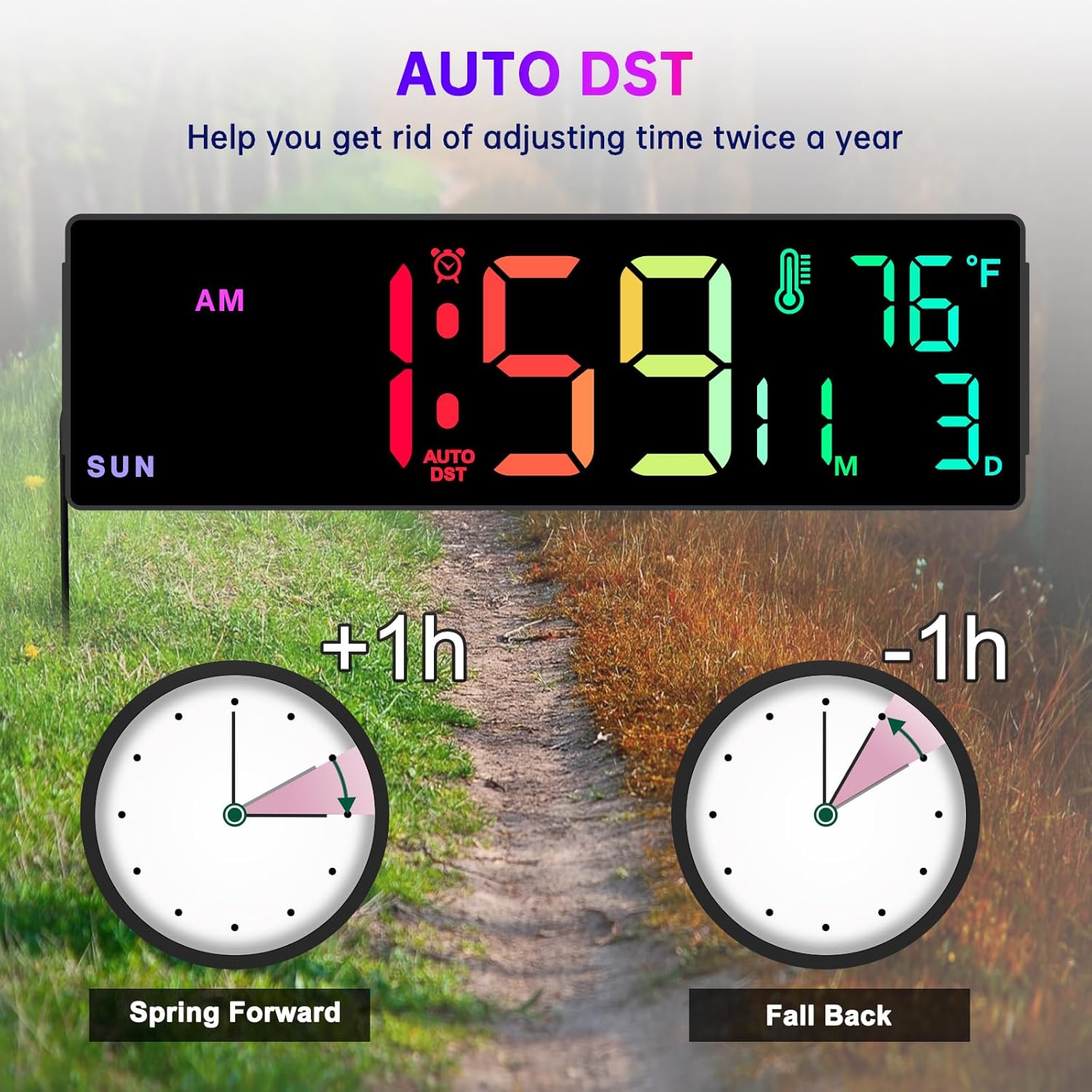
Image: A visual explanation of the Auto DST function, showing how the clock automatically adjusts for Daylight Saving Time.
Funció dimmer
The clock features 5 levels of brightness to suit different lighting conditions and preferences.
- Premeu el botó DIMMER button on the remote control to cycle through the 5 brightness levels.
- Adjust the brightness to prevent the display from being too bright, especially in dark rooms or at night.
Time Format Switch (12/24 Hour)
You can switch between 12-hour (AM/PM) and 24-hour (military) time formats.
- Premeu el botó 12/24H button on the remote control to toggle between the two formats.
Manteniment
- Neteja: Use a soft, dry cloth to wipe the clock's surface. Do not use abrasive cleaners or solvents, as they may damage the display or casing.
- Potència: Always ensure the clock is connected to a stable power source.
- Substitució de la bateria (control remot): If the remote control becomes unresponsive, replace its battery. Refer to the remote control's markings for the correct battery type.
- Bateria de memòria: The internal button battery for memory function typically lasts for a long time. If you notice settings are not retained after a power outage, it may need replacement by a qualified technician.
Resolució de problemes
| Problema | Causa possible | Solució |
|---|---|---|
| La pantalla del rellotge està apagada. | No hi ha connexió o apagadatage. | Ensure the power adapter is securely plugged into the clock and a working electrical outlet. Check the power outlet with another device. |
| El comandament a distància no funciona. | Remote battery is dead or incorrect orientation. Obstruction between remote and clock. | Replace the remote control battery. Ensure there are no obstructions and point the remote directly at the clock. |
| Time/Date/Day is incorrect. | Not set correctly or Auto DST issue. | Follow the "Setting Time and Date" instructions. Verify Auto DST setting is correct for your region. |
| La pantalla és massa brillant/tenua. | Dimmer setting is not adjusted. | Utilitza el DIMMER button on the remote to adjust brightness levels. |
| La lectura de temperatura sembla inexacta. | Clock placed near heat source/vent or in direct sunlight. | Relocate the clock to an area with stable ambient temperature. Note that minor variations compared to other thermometers are normal. |
Especificacions
- Marca: Soobest
- Model: SO800E
- Tipus de visualització: LED digital
- Mida de la pantalla: 14.2 polzades (diagonal)
- Altura de dígits: Approximately 3.1 inches (main time digits)
- Dimensions del producte: 13.1 cm (amplada) x 4.1 cm (alçada) x 1.1 cm (profunditat)
- Font d'alimentació: Elèctric amb cable (adaptador de corrent altern inclòs)
- Bateria de seguretat: 1 x Lithium Metal battery (included, for memory function only)
- Característiques: Time, Date, Day of Week, Indoor Temperature, Timer (Count Up/Down), 8 RGB Color Modes, 5-Level Dimmer, Auto DST, 12/24H Format.
- Tipus de muntatge: Suport de paret / sobretaula
- Material: Plàstic
- Pes de l'article: 1.34 lliures
Garantia i Suport
The Soobest 14.2" Large Display Digital Wall Clock comes with a 6 mesos de garantia des de la data de compra, cobrint defectes de fabricació.
For technical support, warranty claims, or any questions regarding your product, please contact Soobest customer service. Refer to the contact information provided on the product packaging or the official Soobest weblloc.
Si us plau, conserveu el rebut de compra com a comprovant de compra a efectes de garantia.
Ask a question about this manual
Ask about setup, troubleshooting, compatibility, parts, safety, or missing instructions. Manuals+ will review the question and use this page’s manual context to help answer it.