
kinstone 102MF-6+128GB-GY-NEW
Kinstone Android Tablet 10 Inch User Manual
Marca: kinstone | Model: 102MF-6+128GB-GY-NEW
Introducció
This manual provides comprehensive instructions for the operation, maintenance, and troubleshooting of your new kinstone 102MF-6+128GB-GY-NEW Android Tablet. Please read this manual carefully before using the device to ensure proper functionality and to maximize your user experience.

Figure 1: Kinstone Android Tablet 10 Inch, front and back view.
Què hi ha a la caixa
Verifiqueu que tots els elements estiguin presents a l'embalatge:
- 1 x Android 12G Tablet
- 1 x cable USB tipus C
- 1 x adaptador de corrent
- 1 x Manual d'usuari (aquest document)

Figure 2: Included accessories: tablet, USB-C cable, power adapter, and user manual.
Configuració
1. Càrrega inicial
Before first use, fully charge the tablet. Connect the provided USB Type-C cable to the tablet's Type-C port and the power adapter, then plug the adapter into a wall outlet.

Figure 3: The tablet features a 6000mAh battery and charges via a Type-C port.
2. Encès / apagat
- To power on: Press and hold the Power button located on the side of the tablet until the screen lights up.
- To power off: Press and hold the Power button, then select "Power off" from the options that appear on the screen.
3. Configuració Inicial
Upon first startup, follow the on-screen prompts to set up your language, Wi-Fi connection, Google account, and other basic settings.
4. Inserció d'una targeta MicroSD (opcional)
The tablet supports up to 1TB TF card expansion. Locate the MicroSD card slot on the side of the tablet and gently insert the card until it clicks into place.

Figure 4: The tablet offers 6GB RAM and 128GB ROM, with support for 1TB MicroSD card expansion.
Instruccions de funcionament
1. Navegació bàsica
- Gestos de la pantalla tàctil: Toca per seleccionar, llisca per desplaçar-te, pessiga per ampliar.
- Botons físics:
- Power Button: Powers on/off, locks/unlocks screen.
- Volume Buttons: Adjusts audio volume.
- Reset Button: Small pinhole for force restart if needed.
Figura 5: Mésview of tablet ports and buttons, including power, volume, reset, and Type-C.
2. Connectivitat
- Wi-Fi: The tablet supports 2.4G and 5G dual-band Wi-Fi. Go to Configuració > Xarxa i Internet > Wi-Fi to connect to a network.
- Bluetooth: The tablet features Bluetooth 5.0 for stable and fast connections. Go to Configuració > Dispositius connectats > Bluetooth to pair with devices.

Figure 6: The tablet supports both 2.4G and 5G Wi-Fi bands and Bluetooth 5.0 for reliable connectivity.
3. Ús de la càmera
The tablet is equipped with a 5MP rear camera and a 2MP front camera. Open the "Camera" application to capture photos and videos.

Figure 7: The tablet features a 5MP rear camera and a 2MP front camera for capturing moments.
4. Àudio
The tablet features dual speakers for stereo surround sound. An earphone jack is also available for private listening.

Figure 8: The tablet is equipped with dual speakers for enhanced audio experience.
5. Gestió de l'emmagatzematge
With 128GB of internal storage and support for up to 1TB external TF card, you can manage your files, applications, and media through the "Files" app or by connecting the tablet to a computer.
6. Gestió d'aplicacions
Download and install applications from the Google Play Store. Manage installed apps via Configuració > Aplicacions.
Manteniment
1. Neteja
Feu servir un drap suau i sense borrissol per netejar la pantalla i el cos de la tauleta. Eviteu utilitzar productes químics agressius o materials abrasius.
2. Actualitzacions de programari
Comproveu regularment si hi ha actualitzacions del sistema per garantir un rendiment i una seguretat òptims. Aneu a Configuració > Sistema > Actualització del sistema.
3. Cura de la bateria
To prolong battery life, avoid extreme temperatures and fully discharging the battery frequently. The 6000mAh battery provides 6-8 hours of usage.
Resolució de problemes
| Problema | Causa possible | Solució |
|---|---|---|
| La tauleta no s'encén. | Bateria baixa; bloqueig del sistema. | Charge the tablet for at least 30 minutes. If still unresponsive, press the reset button with a pin. |
| Problemes de connexió Wi-Fi. | Incorrect password; router issue; out of range. | Verify Wi-Fi password. Restart router. Move closer to the Wi-Fi source. |
| Les aplicacions es bloquegen o es bloquegen. | RAM insuficient; error de l'aplicació; programari obsolet. | Close background apps. Clear app cache. Update the app or system software. |
| Rendiment lent. | Massa aplicacions en execució; poc espai d'emmagatzematge; programari obsolet. | Close unused apps. Free up storage space. Perform a system update. |
Especificacions
| Característica | Detall |
|---|---|
| Nom del model | 102MF-6+128GB-GY-NEW |
| Sistema operatiu | Android |
| Mida de la pantalla | 10.1 polzades |
| Resolució de pantalla | 1280 x 800 pixels (IPS HD) |
| Processador | 2 GHz Octa-Core (MediaTek 8183) |
| RAM | 6 GB |
| Emmagatzematge intern | 128 GB |
| Emmagatzematge ampliable | Up to 1TB (TF Card) |
| Càmera posterior | 5 MP |
| Càmera frontal | 2 MP |
| Connectivitat sense fil | 802.11ac (2.4G+5G Dual Wi-Fi) |
| Bluetooth | Bluetooth 5.0 |
| Capacitat de la bateria | 6000 mAh |
| Durada mitjana de la bateria | 6-8 hours (usage), 10 hours (listed) |
| Port de càrrega | Tipus-C |
| Dimensions (LxWxH) | 12.9 x 7.5 x 1.4 polzades |
| Pes de l'article | 2 lliures |
| Color | Gris |
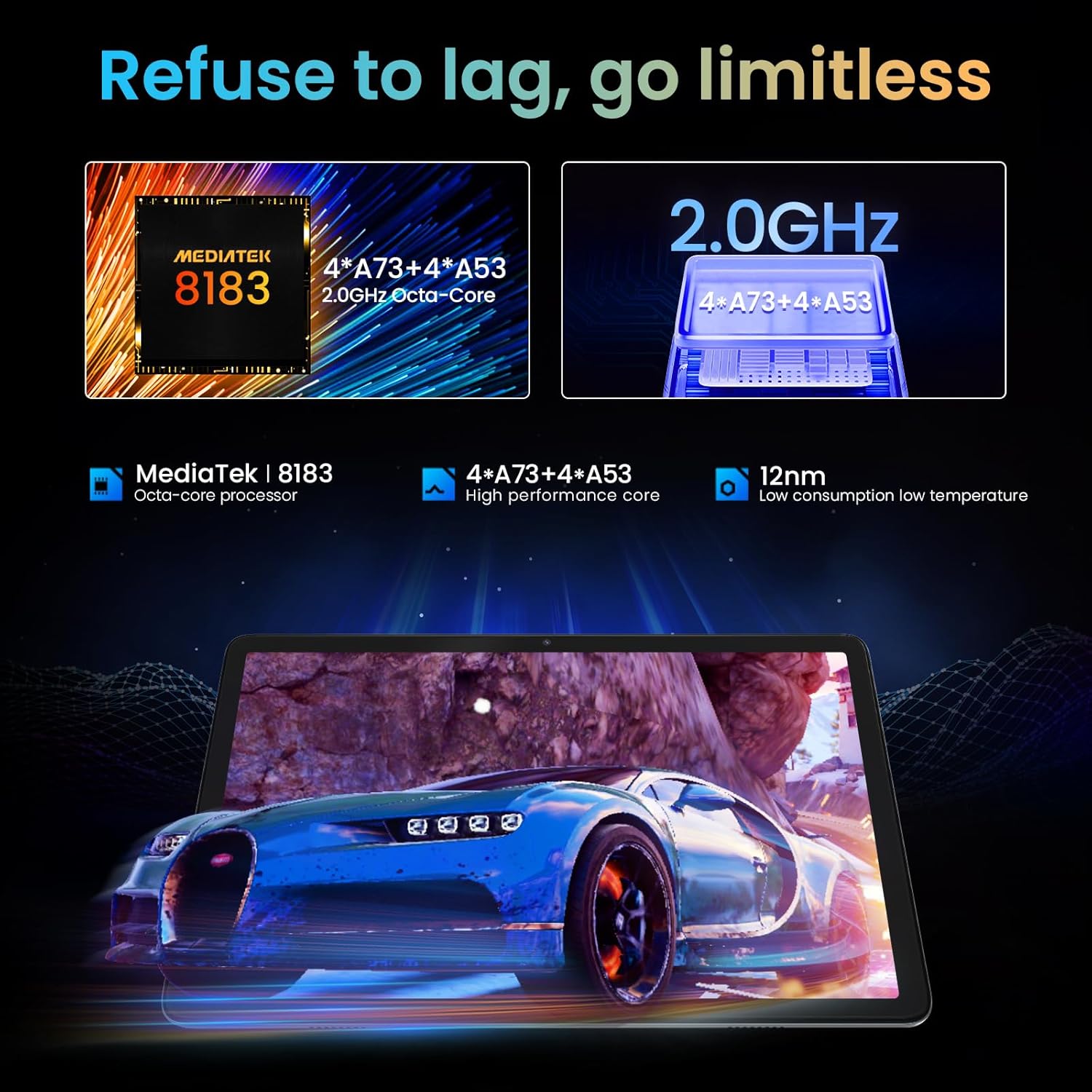
Figure 9: The tablet is powered by a MediaTek 8183 Octa-core processor for high performance.

Figure 10: The tablet features a 10.1-inch In-cell HD IPS screen with 1280x800 resolution and 178° viewangle de ing.
Garantia i Suport
The Kinstone Android Tablet comes with a 2 anys de garantia from the date of purchase. This warranty covers manufacturing defects and ensures a satisfactory shopping experience.
For technical support, warranty claims, or any inquiries, please contact Kinstone customer service. We are committed to responding within 12 hours to assist you.
Per a més informació, visiteu l'oficial Kinstone Store on Amazon.
Ask a question about this manual
Ask about setup, troubleshooting, compatibility, parts, safety, or missing instructions. Manuals+ will review the question and use this page’s manual context to help answer it.