
1. Introducció
Thank you for choosing the JESIMAIK DM600 Golf Laser Rangefinder. This manual provides essential information for the safe and effective use of your device. Please read it thoroughly before operation and keep it for future reference.
2. Producte acabatview i Característiques clau
The JESIMAIK DM600 is a high-performance golf laser rangefinder designed for accurate distance measurement on the golf course. Its compact and lightweight design, combined with advanced features, enhances your game experience.
Característiques principals:
- High-Precision Measurement: Measures targets from 3 to 660 yards with an error margin of less than 1 yard. Within 200m, measurements are displayed in 0.5-yard increments, ensuring detailed accuracy.
- Fast Measurement Speed: Achieves measurement results in as fast as 0.06 seconds.
- Slope Function (ON/OFF): Provides accurate distance measurement by considering the slope angle on undulating courses, aiding in appropriate club selection. The slope switch allows for competition-legal use.
- Pin Lock Function: Assists in targeting the pin flag. By long-pressing and scanning, the device identifies the closest target, switching the display to its distance. This is useful in situations where it's difficult to distinguish the pin from background objects.
- Disseny lleuger i prim: Ergonomic design for a stable grip. Weighing only 150g, it reduces strain on the wrist and arm during measurement. Anti-slip texture on grip areas ensures secure handling.
- Clar View at Long Distances: Equipped with a high-transmittance LCD viewfinder featuring high-quality multi-layer coating and 6x magnification, ensuring a clear view of targets for all users.
- Durada de la bateria ampliada: Type-C rechargeable with battery level indicator. A single charge provides approximately 20,000 measurements, eliminating battery concerns.
- IP54 Resistent a la pols i a l'aigua: Designed to withstand dust and water splashes, allowing for use in various weather conditions.

Image: The DM600 rangefinder accurately measures distances from 3 to 660 yards on a golf course.

Image: The DM600 rangefinder highlights its rapid 0.06-second measurement capability.

Imatge: El/La viewfinder of the DM600 rangefinder demonstrating its 6x magnification for a clear field of view.

Image: The DM600 rangefinder shown with water droplets, illustrating its IP54 dustproof and waterproof rating.
3. Contingut del paquet
Verifiqueu que tots els elements siguin presents al paquet:
- JESIMAIK DM600 Golf Laser Rangefinder
- Cable de càrrega USB tipus C
- Caixa d'emmagatzematge dedicada
- Manual d'instruccions (aquest document)
- Drap de neteja

Image: All components included in the JESIMAIK DM600 package.
4. Configuració
4.1 Càrrega del dispositiu
Before first use, fully charge the rangefinder. Connect the provided USB Type-C cable to the charging port on the device and to a standard USB power adapter (not included). The battery indicator will show charging status.

Image: The DM600 rangefinder being charged via its USB Type-C port.
4.2 Engegada/apagada
- Per encendre: Press the Power button once. The display will activate.
- Per apagar: The device will automatically power off after 20 seconds of inactivity to conserve battery. Alternatively, you can long-press the Power button to manually turn it off.
5. Instruccions de funcionament
5.1 Mesura bàsica
Look through the eyepiece and align the aiming reticle with your target. Press the Power/Measurement button once to get an instant distance reading.
5.2 Mode Switching (Yard/Meter)
To switch between yards (Yd) and meters (M), press and hold the 'MODE' button until the unit changes on the display.
5.3 Pin Lock Function
When targeting a pin flag, especially with background objects, activate the Pin Lock function. Long-press the Power/Measurement button and slowly scan across the flag. The device will vibrate and lock onto the closest target (the flag), displaying its distance.

Image: The Pin Lock function in action, showing the rangefinder locking onto a flagstick.
5.4 Slope Function (ON/OFF)
The DM600 features a physical switch to enable or disable the slope compensation function. When ON, the device calculates and displays the adjusted distance based on elevation changes. When OFF, it provides only the linear distance, making it compliant for official tournaments.
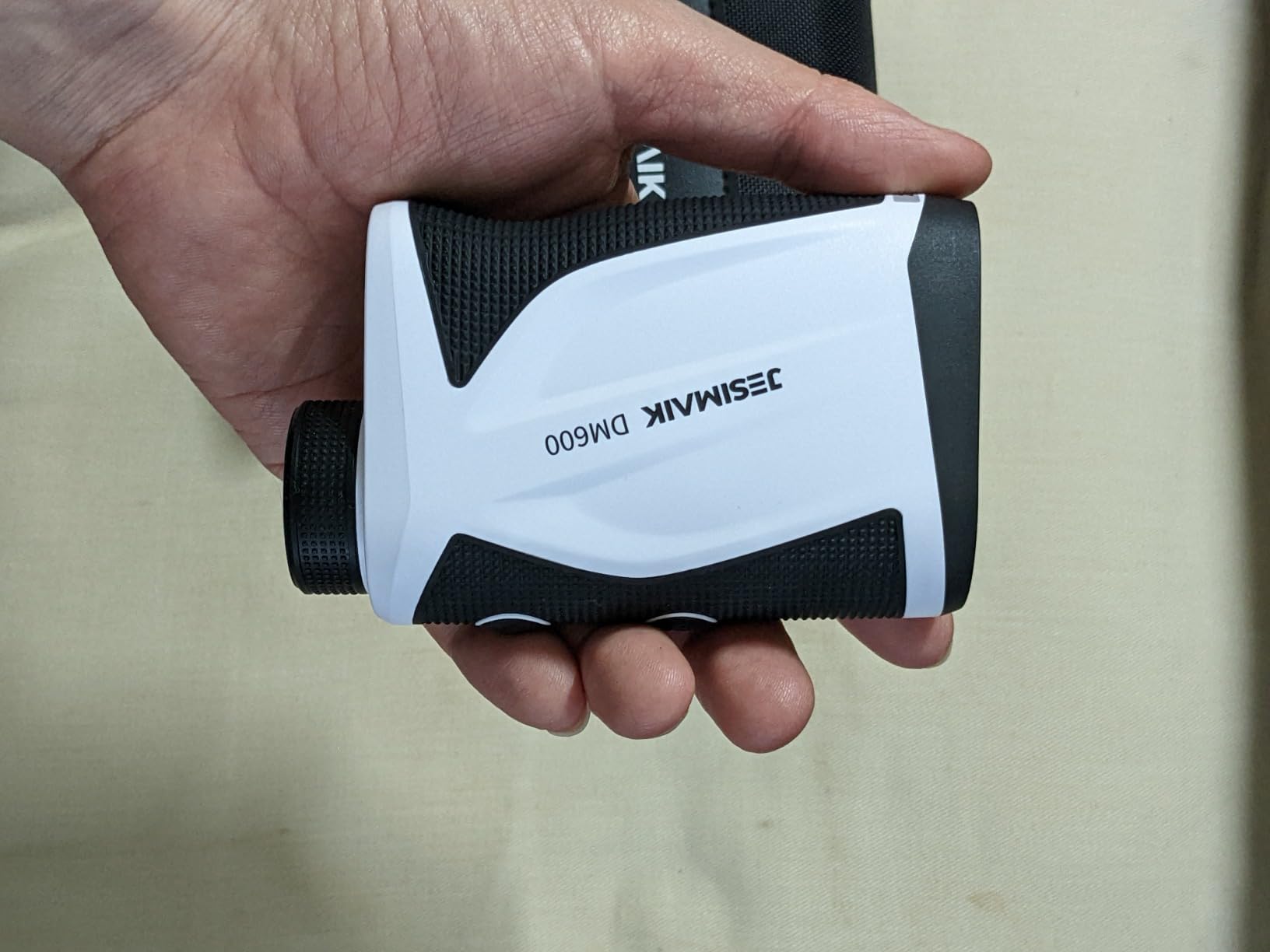
Image: The physical switch on the DM600 rangefinder to toggle the slope function between ON and OFF.

Image: A diagram explaining how the slope mode calculates adjusted distances based on elevation.
5.5 Continuous Scan Measurement
For continuous measurement of multiple targets or moving objects, long-press the Power/Measurement button. The device will continuously update the distance as you scan across the landscape.

Image: An illustration of the continuous scan feature, measuring distances to various points on a golf course.
6. Manteniment
6.1 Neteja
Use the provided cleaning cloth to gently wipe the lenses and the body of the rangefinder. Do not use abrasive cleaners or solvents. Ensure lenses are free of dust and smudges for optimal performance.
6.2 Emmagatzematge
Store the rangefinder in its dedicated case when not in use. Keep it in a cool, dry place, away from direct sunlight and extreme temperatures. Avoid dropping or subjecting the device to strong impacts.
7. Solució De Problemes
If you encounter issues with your DM600 rangefinder, please refer to the following common solutions:
- Sense energia: Assegureu-vos que el dispositiu estigui completament carregat.
- Lectures inexactes: Check that the lenses are clean and free from obstructions. Ensure you are targeting a reflective surface.
- Difficulty Locking onto Pin: Use the Pin Lock function as described in Section 5.3. Ensure steady hands or brace the device.
- Problemes de visualització: If the display is dim or flickering, recharge the battery.
Si els problemes persisteixen, poseu-vos en contacte amb l'atenció al client.
8. Especificacions

Image: The compact size of the DM600 rangefinder, shown with its dimensions.
| Característica | Detall |
|---|---|
| Marca | JESIMAIK |
| Número de model | DM600 |
| Tipus de producte | Telemetre làser de golf |
| Color | Blanc |
| Material | ABS |
| Interval de mesura | 3 - 660 iardes |
| Precisió de la mesura | ± 1 iardes |
| Max Magnification | 6X |
| Classificació impermeable | IP54 |
| Bateria | Rechargeable (Type-C) |
| Pes del producte | 0.15 kg |
| Dimensions de l'article (L x A x A) | 10.8 x 6.8 x 3.8 cm |
9. Informació de seguretat
Si us plau, observeu les precaucions de seguretat següents:
- Do not look directly into the laser beam or aim it at others. This device uses a Class 1 laser product, which is safe under normal operating conditions, but direct eye exposure should be avoided.
- Mantingueu el dispositiu fora de l'abast dels nens.
- No desmunteu ni intenteu reparar el dispositiu vosaltres mateixos. Poseu-vos en contacte amb personal qualificat per al servei tècnic.
- Eviteu utilitzar el dispositiu en ambients extremadament calorosos o freds.
10. Garantia i Suport
The JESIMAIK DM600 Golf Laser Rangefinder comes with a limited warranty. Please refer to the warranty card included in your package for specific terms and conditions. For technical support, troubleshooting assistance, or warranty claims, please contact JESIMAIK customer service through the retailer where you purchased the product.