
VEKOOTO Right
Pantalla lateral BSD VEKOOTO AHD de 10.36 polzades View Manual d'usuari del sistema de monitor vertical i càmera dreta per al cotxe
Model: Right
Introducció
Aquest manual proporciona instruccions detallades per al VEKOOTO AHD de 10.36 polzades BSD lateral. View Vertical Monitor and Right Car Camera System. This system is designed to enhance vehicle safety by offering a clear, wide-angle view of the right side of your truck or bus, featuring a touch screen display, loop recording capabilities, and a Blind Spot Detection (BSD) voice alarm. Please read this manual thoroughly before installation and operation to ensure proper use and optimal performance.
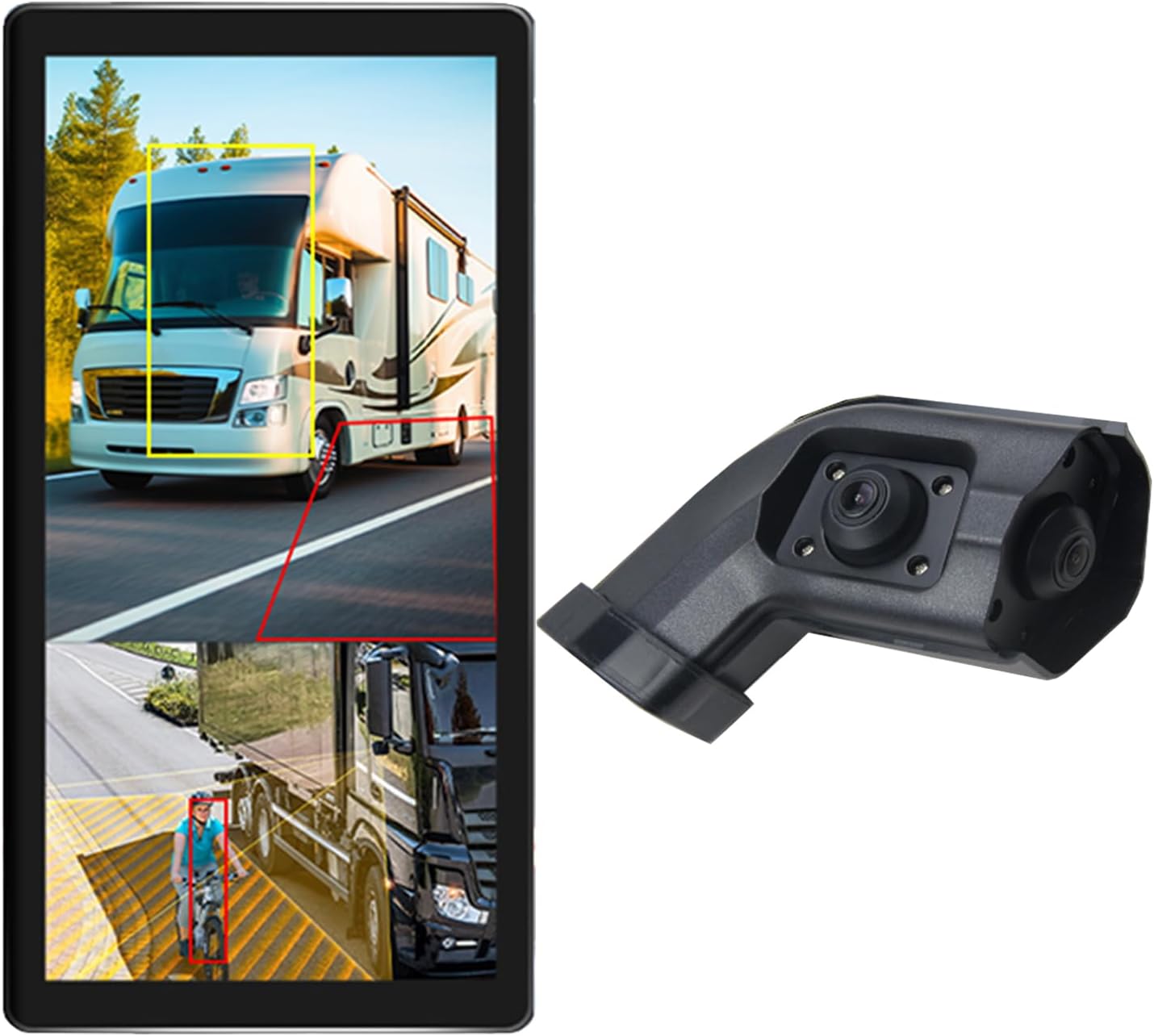
Image: The VEKOOTO 10.36-inch vertical monitor and the right side camera unit, illustrating the primary components of the system.
Què hi ha a la caixa
Verifiqueu que tots els components siguin presents i en bon estat en obrir el paquet:
- 10.36-inch Touch Screen Monitor
- Integrated dual camera (for right side view)
- Cable d'alimentació
- Cable de la càmera
- Suport
Característiques clau
- Visualització: 10.36-inch IPS touch screen with 2-channel split screen display capability.
- Suport de càmera: Compatible with AHD720P cameras, offering enhanced image clarity, advanced bright color separation, signal filtering, and 3D noise reduction technology.
- Blind Spot Detection (BSD): Features a voice alarm system. The alarm area, volume, and sensitivity are adjustable.
- Control d'imatge: Supports camera image screen mirroring function for flexible viewing.
- Personalització de la pantalla: Allows adjustment of display time, date, brightness, and screen color.
- Compatibilitat de potència: Admet un ampli voltagrang de 9 V-36 V.
- Suport multi-idioma: Available in English, Korean, Japanese, and Chinese.
- Instal·lació: Designed for installation on the right side rearview mirall del vehicle.

Image: The monitor interface highlighting features such as image adjustment, BSD voice alarm, and customizable detection areas, shown with various driving scenarios including night, rain, and blind spots.
Configuració i instal·lació
Proper installation is crucial for the system's performance. It is recommended to have this system installed by a qualified professional.
1. Col·locació de components
- Mount the 10.36-inch vertical monitor securely inside the vehicle, ensuring it does not obstruct the driver's view.
- Install the integrated dual camera unit on the right side rearview mirror of your vehicle. Ensure the camera has a clear, unobstructed view.

Image: The vertical monitor installed inside a vehicle, providing a clear view of the right side, simulating a truck's perspective.
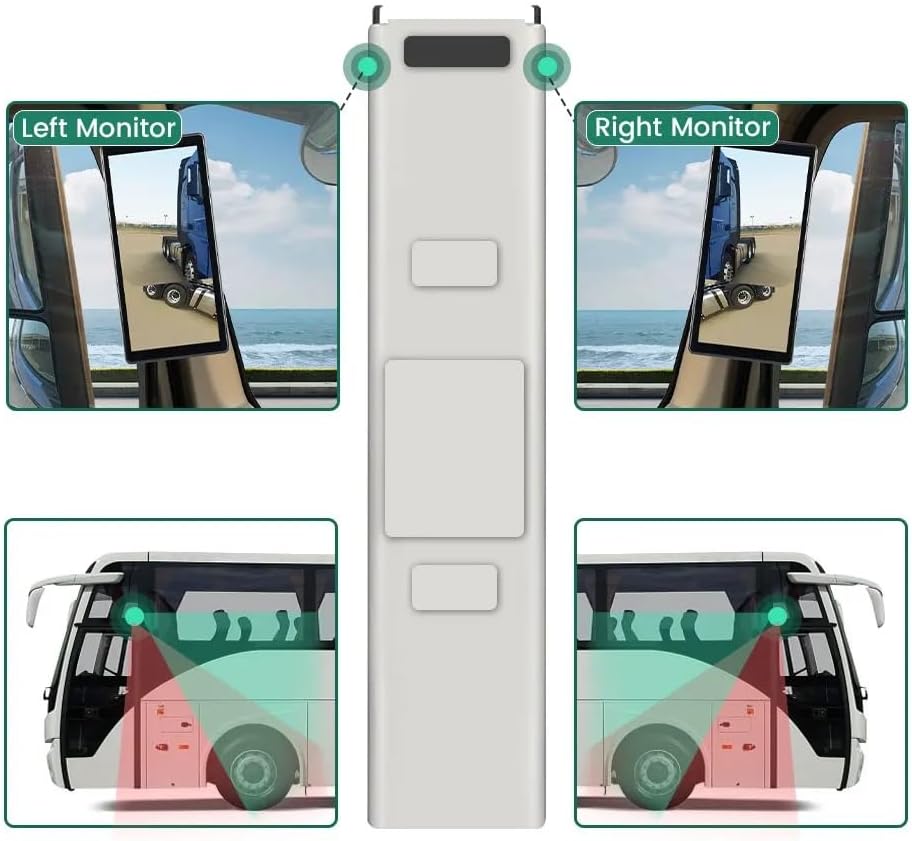
Image: A diagram illustrating the recommended placement of the right monitor and the camera's field of view for comprehensive side coverage on a bus.
2. Connexions de cablejat
Refer to the wiring diagram below for correct connections. The system supports 9V-36V wide voltage entrada.

Image: Detailed wiring diagram showing connections for the monitor, integrated dual camera, ACC power supply (+), Ground (-), and Battery Power (+3A). Channel 1 (CH1) and Channel 2 (CH2) inputs are indicated for the camera cables.
- Connecteu el ACC Power Supply (+) wire (red) to a switched ignition source.
- Connecteu el Terra (-) wire (black) to a suitable chassis ground point.
- Connecteu el Battery Power (+) (3A) wire (yellow) to a constant 12V/24V power source.
- Connect the camera cable(s) to the corresponding CH1 and CH2 inputs on the monitor.
- Assegureu-vos que totes les connexions estiguin ben fixades i degudament aïllades per evitar curtcircuits.
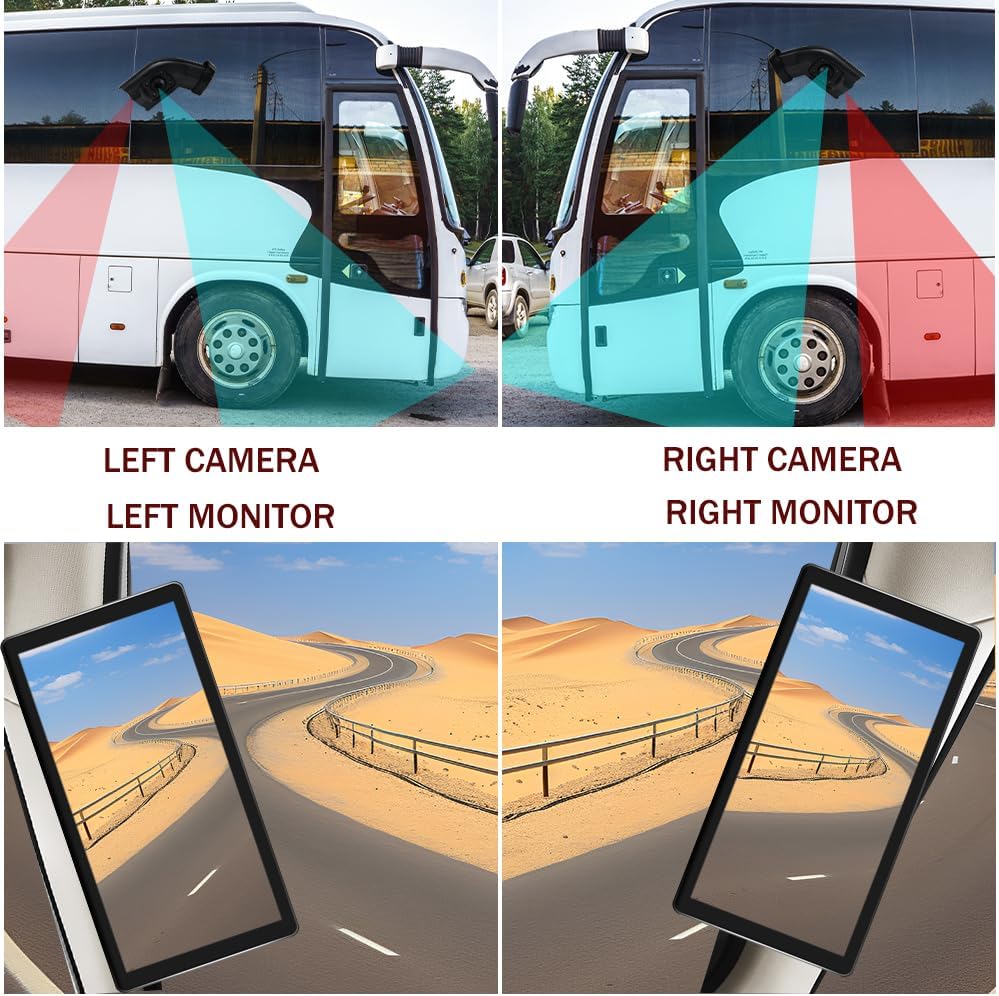
Image: A visual comparison demonstrating the coverage areas for left and right camera installations, along with the corresponding monitor views. This system is for the Right Camera/Monitor.
Instruccions de funcionament
1. Encendre/apagar
The monitor will power on automatically when the vehicle's ignition is turned on (if connected to ACC power) and power off when the ignition is turned off.
2. Navegació amb pantalla tàctil
Navigate through the monitor's menus and settings using the touch screen interface. Tap icons or options to select them.
3. Split Screen Display
The monitor supports a 2-channel split screen display. Access the display settings to configure how the camera feeds are shown on the screen.
4. BSD Voice Alarm
- Access the BSD settings menu on the touch screen.
- Adjust Alarm Area: Define the specific zones where the BSD system will detect objects and trigger an alarm.
- Control Alarm Volume: Set the desired volume level for the voice alerts.
- Estableix la sensibilitat: Adjust the sensitivity of the detection system to suit your driving conditions and preferences.
5. Image Mirroring
If needed, enable the camera image mirroring function through the display settings to flip the camera view horitzontalment.
6. Configuració de la pantalla
Customize the display by adjusting brightness, screen color, and setting the current time and date through the monitor's settings menu.
7. Enregistrament en bucle
The system supports loop recording. Ensure a compatible memory card is inserted (if required, check product specifications for card type and capacity). The system will continuously record video, overwriting the oldest files quan la targeta de memòria està plena.

Image: The monitor screen showing a video playback interface, indicating support for video recording with a timeline illustrating different recording times throughout the day.
Manteniment
- Neteja del monitor: Use a soft, dry cloth to clean the monitor screen. For stubborn smudges, lightly dampNetegeu el drap amb aigua o un netejador de pantalles. Eviteu productes químics agressius.
- Neteja de la càmera: Periodically check and clean the camera lens to ensure a clear view. Use a soft cloth and lens cleaner if necessary.
- Comprovació de connexions: Inspeccioneu regularment totes les connexions del cablejat per assegurar-vos que estiguin ben fixades i que no presentin corrosió ni danys.
- Actualitzacions de programari: Comproveu el del fabricant website for any available firmware or software updates for your system.
Resolució de problemes
| Problema | Causa possible | Solució |
|---|---|---|
| No hi ha imatge al monitor |
|
|
| Distorted or unclear image |
|
|
| BSD alarm not working |
|
|
| Loop recording not functioning |
|
|
Especificacions
| Característica | Detall |
|---|---|
| Dimensions del producte | 10.3" de llargada x 2" d'amplada x 8" d'alçada (monitor) |
| Pes de l'article | 4.4 lliures |
| Número de model | D'acord |
| Tecnologia de visualització | LCD |
| Altres funcions de visualització | Sense fil |
| Fabricant | VEKOOTO |
| Marca | VEKOOTO |
| Mida de la pantalla | 10.36 polzades |
| Dispositius compatibles | Monitor |
| Tipus d'instal·lació | Muntatge en superfície |
| Voltage | 9-36 Volts (Wide Voltage Support) |
| Tecnologia de sensors òptics | CMOS |
| Tipus de lent | Gran Angular |
| Tipus de connector | Sense fil |
| Mida del sensor òptic | 1/3 polzada |

Image: Diagram illustrating the physical dimensions of the 10.36-inch vertical monitor (27cm/10.63inch height, 13cm/5.12inch width) and the camera unit (14.6cm/5.75inch height, 7.8cm/3.07inch width, 6.4cm/2.52inch depth).
Garantia i Suport
For warranty information, please refer to the documentation included with your purchase or contact VEKOOTO customer support directly. Support contact details can typically be found on the manufacturer's official weblloc web o a través del vostre punt de compra.
Always ensure you are using genuine VEKOOTO parts and accessories for optimal performance and to maintain warranty validity.
Ask a question about this manual
Ask about setup, troubleshooting, compatibility, parts, safety, or missing instructions. Manuals+ will review the question and use this page’s manual context to help answer it.