
Tomzon A24
Manual d'usuari del mini dron Tomzon A24
Model: A24
1. Introducció
Gràcies per la compraasing the Tomzon A24 Mini Drone. This manual provides essential information for safe operation, setup, and maintenance of your drone. Please read it thoroughly before first use and retain it for future reference.
The Tomzon A24 is a lightweight, beginner-friendly drone designed for indoor use, featuring a unique battle mode and various intelligent flight functions.
2. Contingut del paquet
Verifiqueu que tots els elements siguin presents al vostre paquet:
- Tomzon A24 Mini Drone (Blue)
- Control remot
- Bateries modulars (x3)
- Spare Propellers (1 set)
- Cable de càrrega USB
- Propeller Guards (pre-installed)
- Manual d'usuari (aquest document)

Image: Contents of the Tomzon A24 Mini Drone package.
3. Pautes de seguretat
Always prioritize safety during drone operation. Failure to follow these guidelines may result in injury or damage.
- Només per a ús interior: This drone is designed for indoor flight. Avoid flying outdoors where wind or obstacles can interfere.
- Edat recomanada: Suitable for children under adult supervision.
- Seguretat de l'hèlix: Keep fingers, hair, and loose clothing away from rotating propellers. The drone includes propeller guards for added safety.
- Seguretat de la bateria: Use only the provided batteries and charging cable. Do not overcharge or puncture batteries. Discontinue use if batteries are damaged or swollen.
- Trajectòria de vol clara: Ensure the flight area is clear of people, pets, and obstacles before takeoff.
- Operació responsable: Do not fly near sensitive equipment, heat sources, or water.
4. Configuració
4.1 Càrrega de les bateries
The drone comes with three modular batteries for extended flight time. Each battery provides approximately 8 minutes of flight.
- Remove a battery from the drone by gently pulling it out.
- Connecteu el cable de càrrega USB a la bateria.
- Plug the other end of the USB cable into a USB power source (e.g., computer, USB wall adapter).
- The indicator light on the charging cable will illuminate during charging and turn off when fully charged.
- Charging time is approximately 40-60 minutes per battery.

Image: The drone's compact size and modular batteries for extended flight.
4.2 Installing Batteries in the Drone and Remote
- Drone: Insert a fully charged modular battery into the battery compartment on the underside of the drone until it clicks into place.
- Control remot: Open the battery compartment on the back of the remote controller. Insert 3 AAA batteries (not included), ensuring correct polarity. Close the compartment.
4.3 Pairing the Drone and Remote
- Col·loqueu el drone sobre una superfície plana i plana.
- Turn on the drone by pressing the power button. The drone's lights will flash.
- Enceneu el comandament a distància.
- Push the left joystick (throttle) all the way up, then all the way down. The drone's lights will stop flashing and become solid, indicating successful pairing.
5. Instruccions de funcionament
5.1 Controls bàsics de vol
- Enlairament/aterratge amb una sola tecla: Press the one-key takeoff/landing button on the remote to automatically take off or land.
- Accelerador (joystick esquerre): Empènyer amunt per pujar, estirar avall per baixar.
- Control direccional (joystick dret): Push forward to fly forward, pull back to fly backward, push left to fly left, push right to fly right.
- Guinyada (joystick esquerre esquerra/dreta): Push left to rotate left, push right to rotate right.
- Manteniment d'altitud: The drone will automatically maintain its current altitude when the throttle joystick is released.
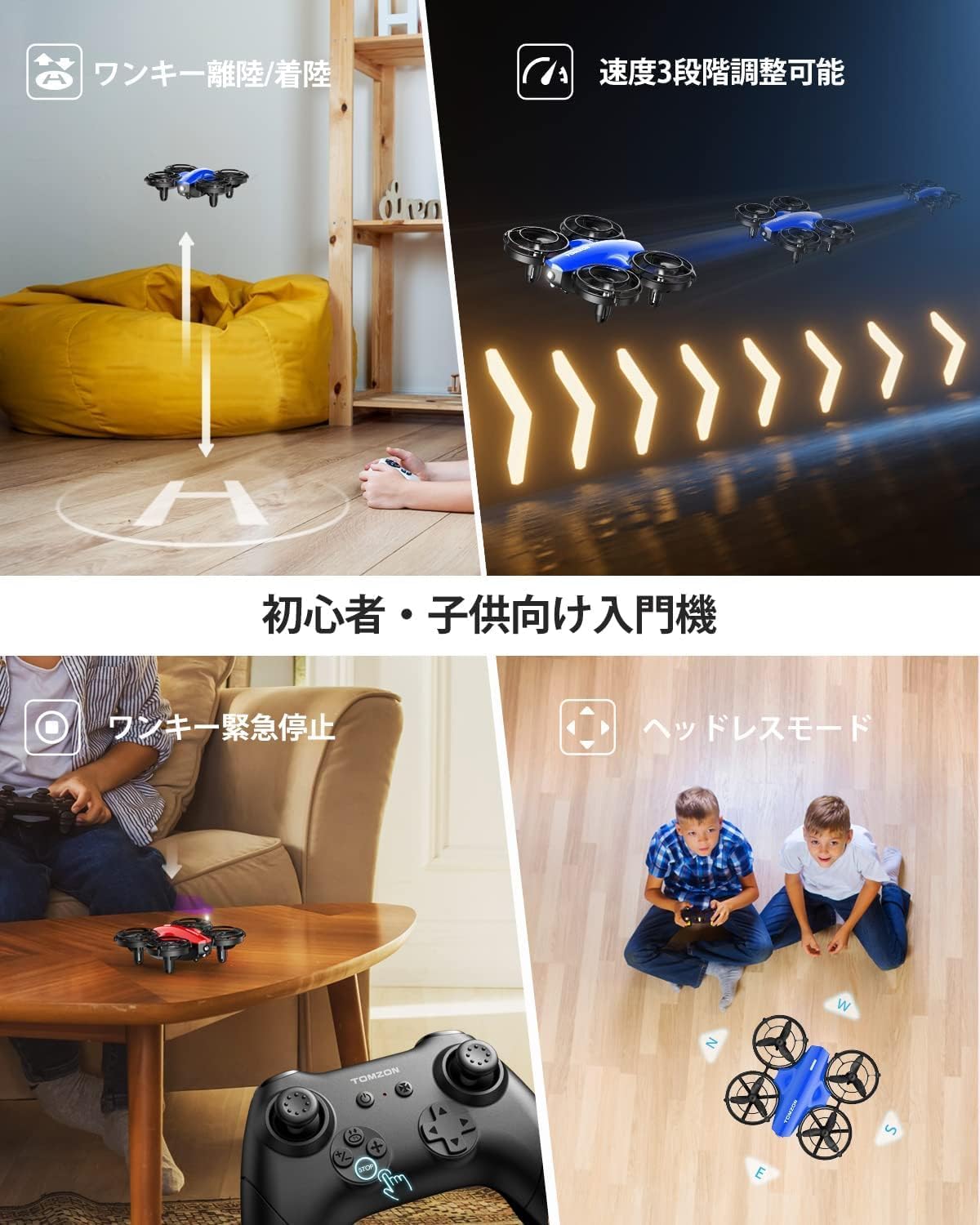
Image: Beginner-friendly features of the Tomzon A24 drone.
5.2 Funcions especials de vol
- Throw-to-Fly: After pairing, gently toss the drone into the air, and its propellers will automatically start spinning, allowing for immediate flight.
- Ajust de 3 velocitats: Press the speed button on the remote to cycle through low, medium, and high-speed modes.
- Mode sense cap: Press the headless mode button. In this mode, the drone's front direction is irrelevant; it will fly according to the remote controller's orientation.
- Flip 3D: While flying, press the 3D flip button, then push the right joystick in any direction to perform a flip.
- Vol en cercle: Press the circle flight button, and the drone will automatically fly in a circle.
- Rotació d'alta velocitat: Press the high-speed rotation button for the drone to spin rapidly in place.
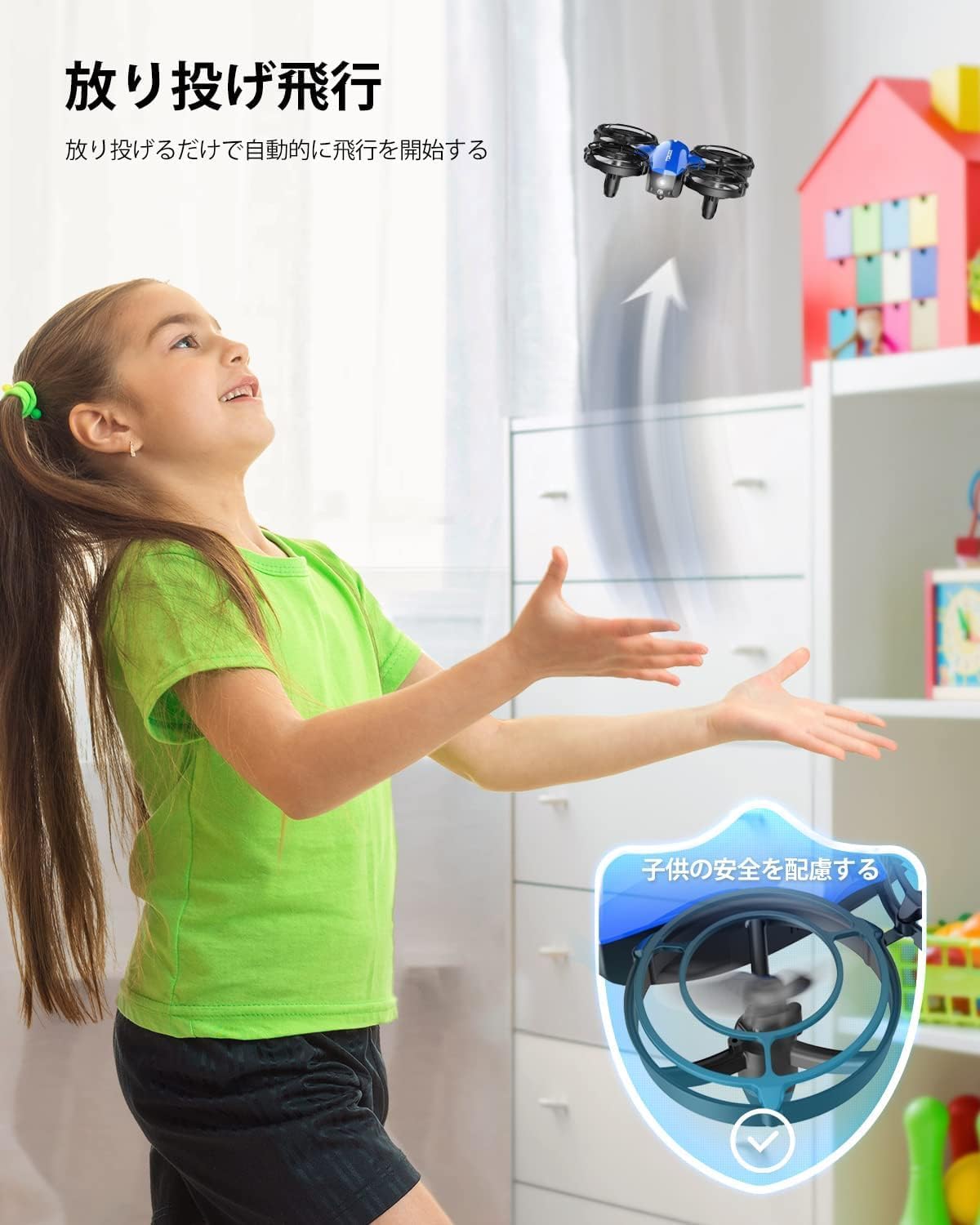
Image: The drone's throw-to-fly function and protective propeller guards.

Image: Demonstrating circle flight, high-speed rotation, and 3D flip maneuvers.
5.3 Mode de batalla
The Tomzon A24 drone features an infrared battle mode, allowing two A24 drones to engage in simulated combat. (Requires two A24 drones).
- Ensure both drones are paired with their respective remotes.
- Fly the drones and aim the infrared emitter (front of the drone) at the opponent's drone.
- When a drone is hit, it will react by swaying and its lights will flash, simulating damage.
- After 4 successful hits, the 'defeated' drone will automatically land and cease function.

Image: Engaging in battle mode with two Tomzon A24 drones.
6. Manteniment
6.1 Neteja
Wipe the drone and remote with a clean, dry cloth. Do not use harsh chemicals or immerse in water.
6.2 Substitució de l'hèlix
If a propeller is damaged, carefully remove it and replace it with a spare propeller from the included set. Ensure the new propeller is installed correctly (A or B, matching the original).
6.3 Emmagatzematge
When not in use for an extended period, remove batteries from both the drone and the remote controller. Store the drone in a cool, dry place away from direct sunlight.
7. Solució De Problemes
| Problema | Causa possible | Solució |
|---|---|---|
| El dron no respon al comandament a distància. | No emparellat; bateria baixa (dron/comandament a distància). | Reparar l'aparellament del dron i el comandament a distància; carregar la bateria del dron; substituir les piles del comandament a distància. |
| El dron vola de manera erràtica o a la deriva. | Not calibrated; damaged propeller. | Perform gyroscope calibration (refer to remote instructions); replace damaged propellers. |
| Les hèlixs no giren. | Battery not connected; drone not powered on. | Ensure battery is fully inserted; power on drone. |
| Temps de vol curt. | Bateria no completament carregada; bateria antiga. | Ensure battery is fully charged; consider replacing old batteries. |
8. Especificacions
- Model: A24
- Pes: 30g (under 100g, no registration required in Japan)
- Dimensions: 3 x 9.2 x 8 cm
- Temps de vol: Fins a 24 minuts (amb 3 piles)
- Capacitat de la bateria: 380 mAh (ió de liti)
- Tipus de control: Control remot
- Connectivitat: Wi-Fi
- Color: Blau
- Característiques: Throw-to-fly, One-key Takeoff/Landing, Headless Mode, Altitude Hold, 3D Flip, High-Speed Rotation, Circle Flight, Battle Function
9. Garantia i Suport
Tomzon is committed to providing reliable products and excellent customer service. Your Tomzon A24 Mini Drone comes with a 2 any de garantia des de la data de compra.
If you have any questions regarding operation, encounter issues with the product (e.g., battery malfunction), or require technical support, please do not hesitate to contact us through your Amazon order:
- Vés al teu Historial de comandes.
- Find the order for your Tomzon A24 Mini Drone.
- Seleccioneu 'Problem with order' or 'Contact seller'.
Our support team will be happy to assist you.
Ask a question about this manual
Ask about setup, troubleshooting, compatibility, parts, safety, or missing instructions. Manuals+ will review the question and use this page’s manual context to help answer it.